
Back to Personal Account
How to receive email updates about upcoming events in a my city?
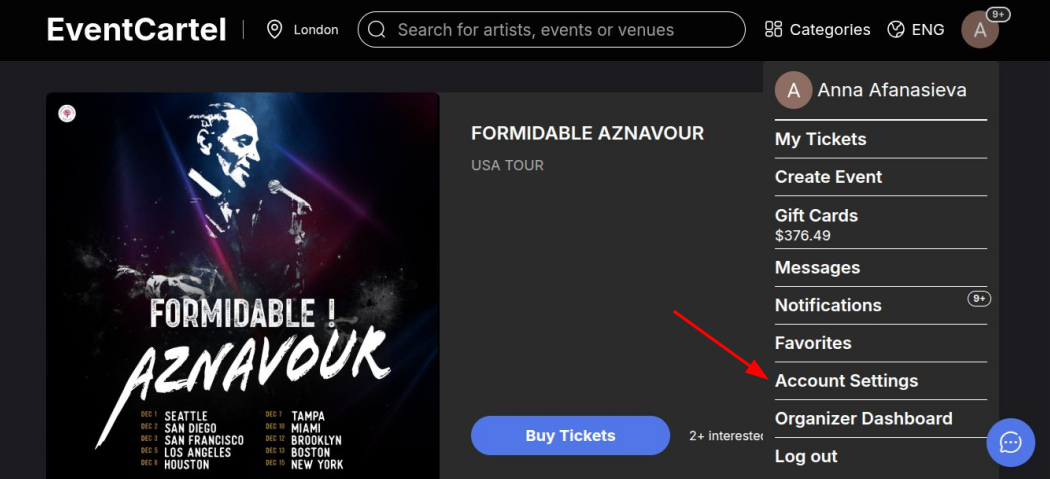
- Sign in to your Event Cartel account;
- Hover over the account icon in the top right corner of the page;
- Click "Account Settings".
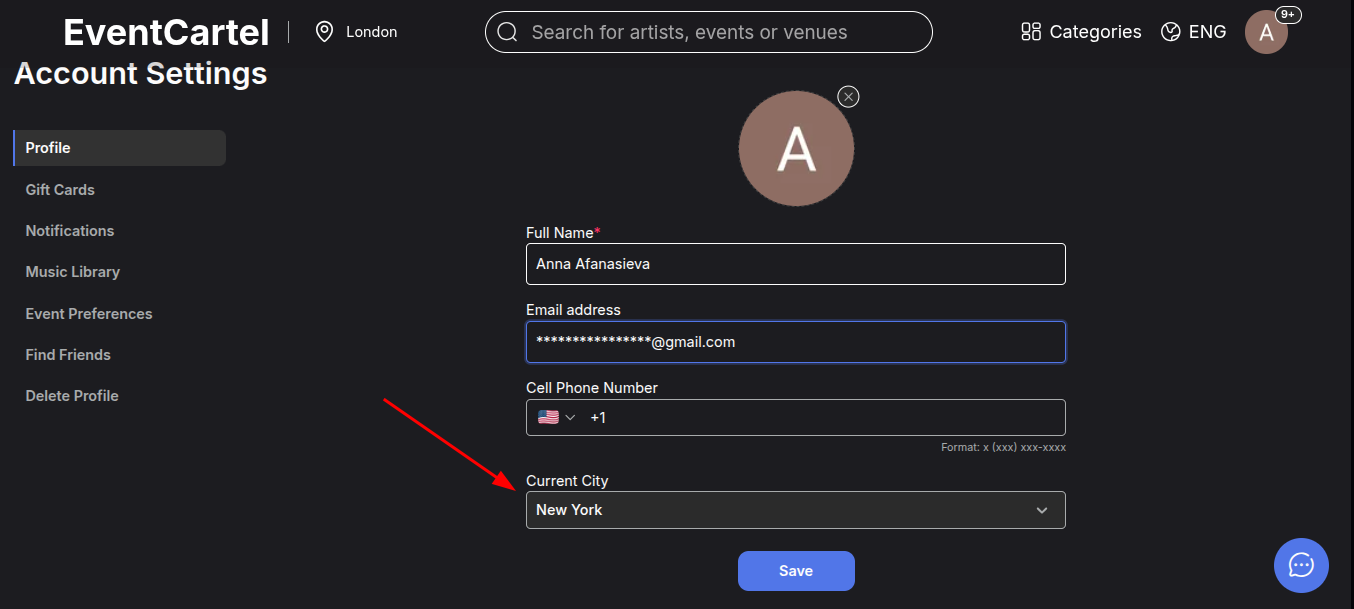
- In the "Profile" section, find the "Current City" field;
- Start typing the name of the city you want;
- Select the appropriate option from the drop-down list;
- Click "Save".
After saving, events and recommendations for the selected city will be displayed.
In addition, you will receive emails with upcoming events and other updates related to your selected city.