
Back to Personal Account
How to use my balance
If you have available funds on your account, you can track them and use them to pay for orders.
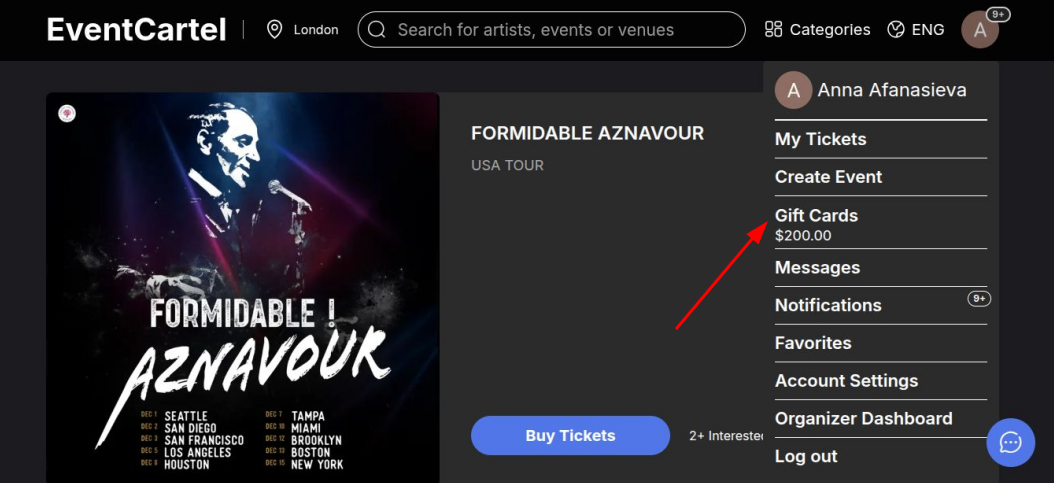
- Log in to your Event Cartel account;
- Hover over the account icon (in the top right corner of the page);
- Click "Gift Cards".
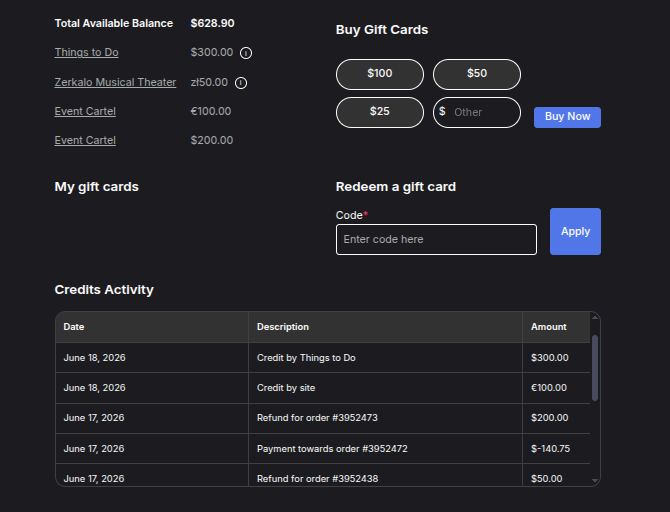
On this page, you can:
- View your current balance;
- Track your transaction history in the "Credit Activity" section;
- Purchase a gift card or redeem an existing one.
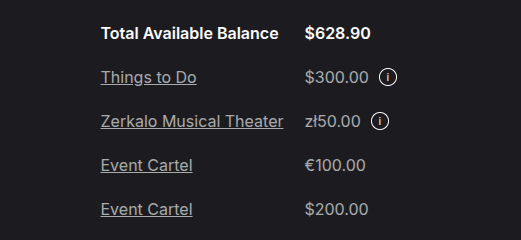
Sometimes, the Gift Cards page may show funds from different sources. For example, part of your balance may be provided by Event Cartel, while another part may come from individual organizers. This can happen after a ticket refund or if a promoter has added bonus funds to your account. In this case, the company name will be displayed next to the amount.
Funds provided by an organizer can only be used to purchase tickets for that organizer’s events, while funds labeled Event Cartel can be used to purchase tickets for any event on the platform.
Your balance may be held in different currencies. Each currency is displayed separately, and during checkout the required amount will be automatically converted into the currency of the purchase.
The "Total Available Balance" line shows the combined value of all funds, regardless of their source or currency.
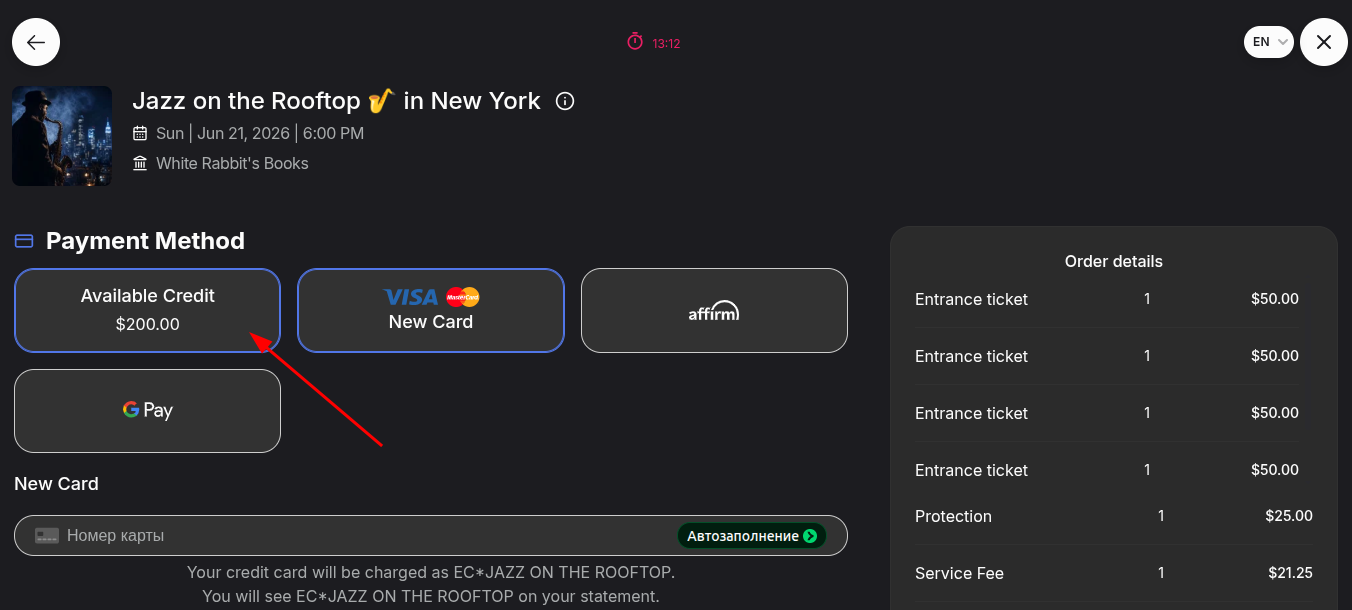
You can use the funds on your account to pay for tickets in full or partially.
During checkout, your available funds will appear among the payment methods.
- Select "Available Balance".
If the order total exceeds your balance, you can pay the remaining amount with a bank card.
If you would like to add funds to your balance, you can learn more in this article.