Back to Organizer Profile
How do i create ticket holds on a seatmap on my event?
Create Holds
- Log in to your EvenCatrel account
- Go to Events → find the Event you need or create a new one
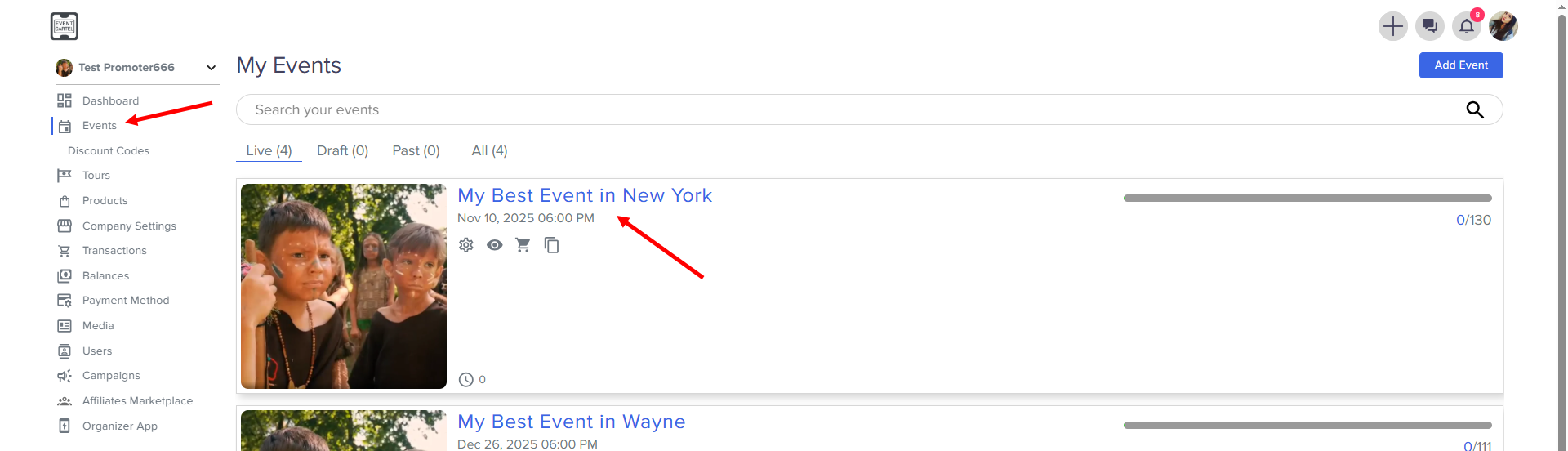
After assignment you can create a Holds
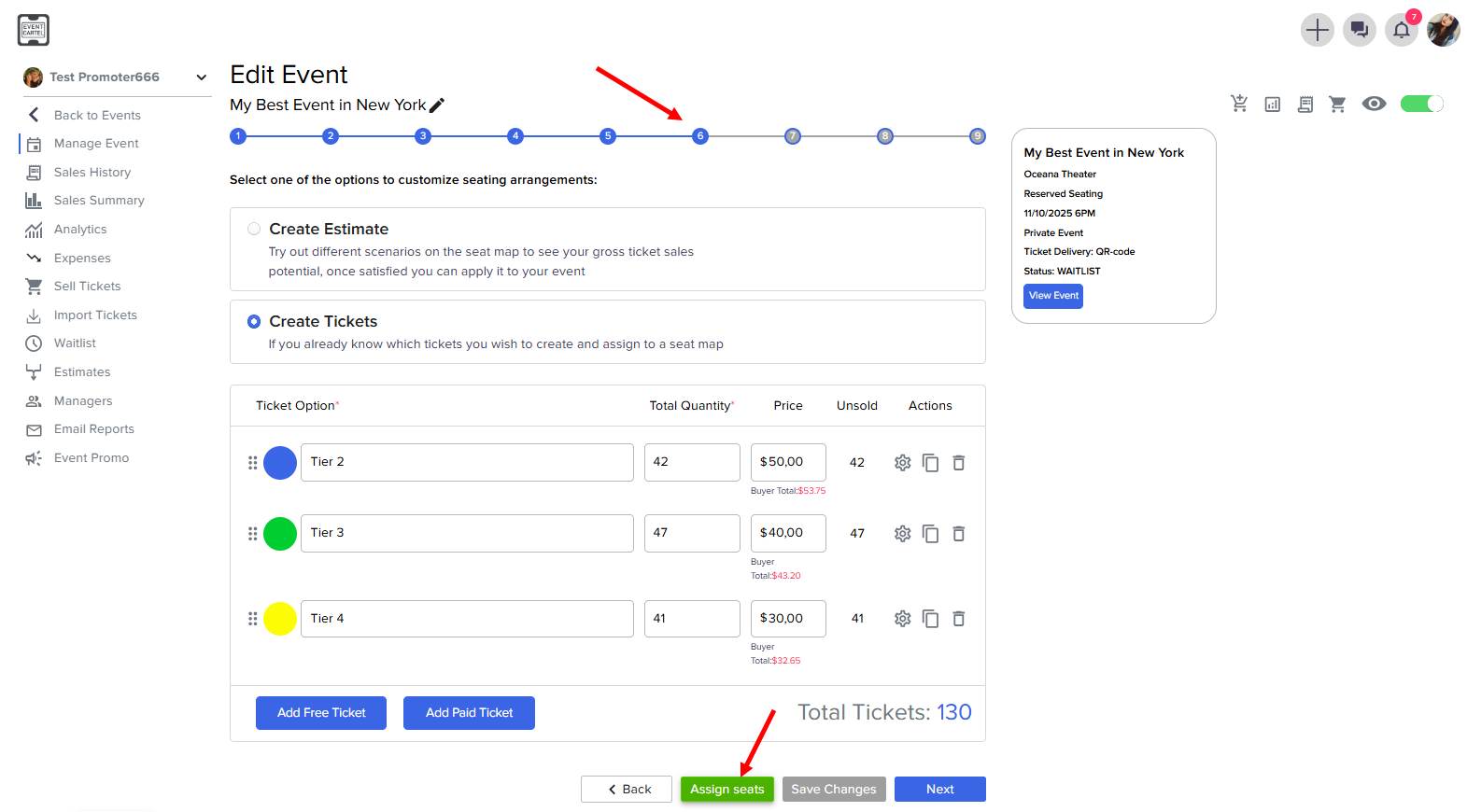
- Go to the Step 6
- Click Assign seats
- Select a zone and click Assign
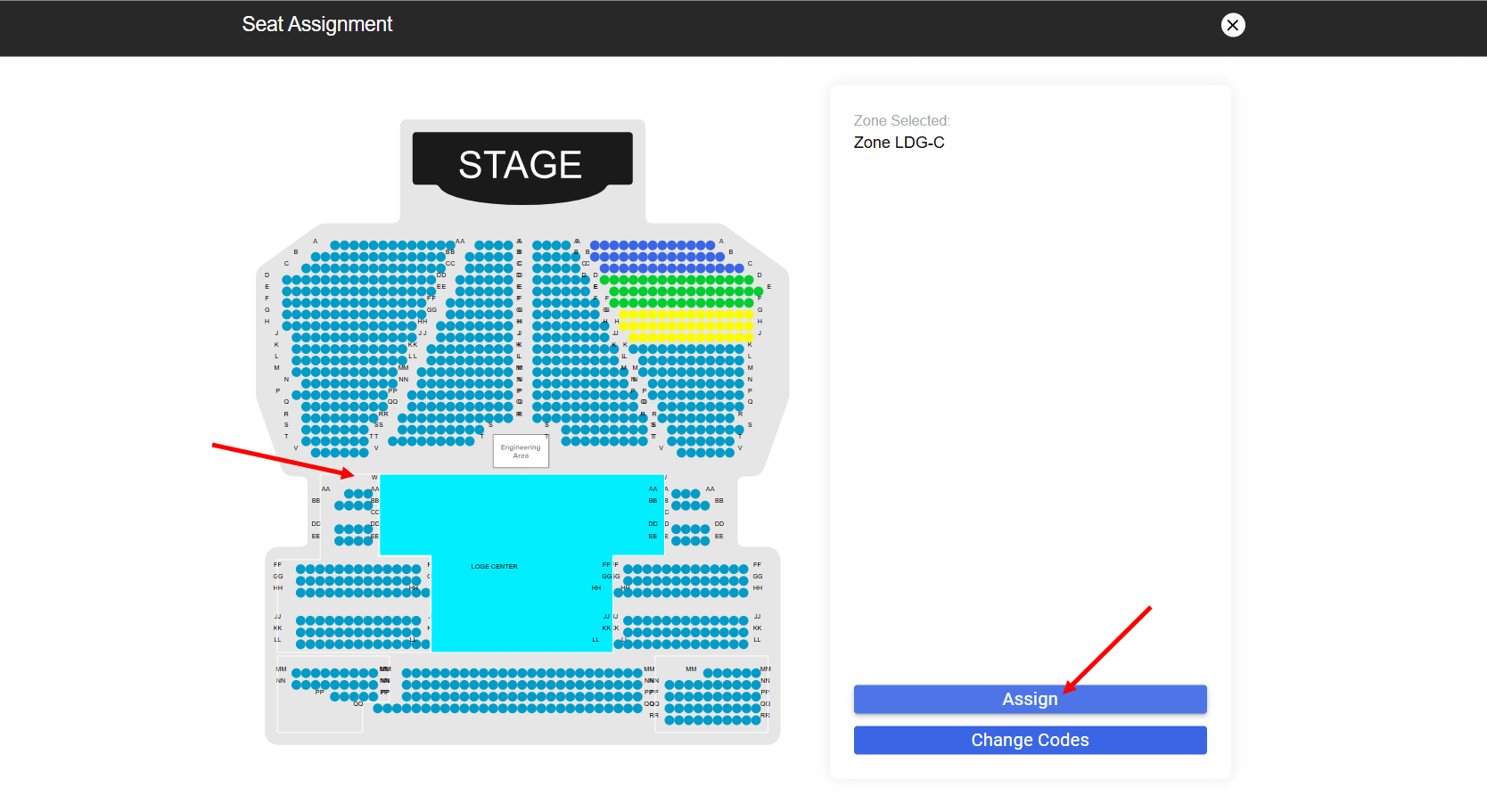
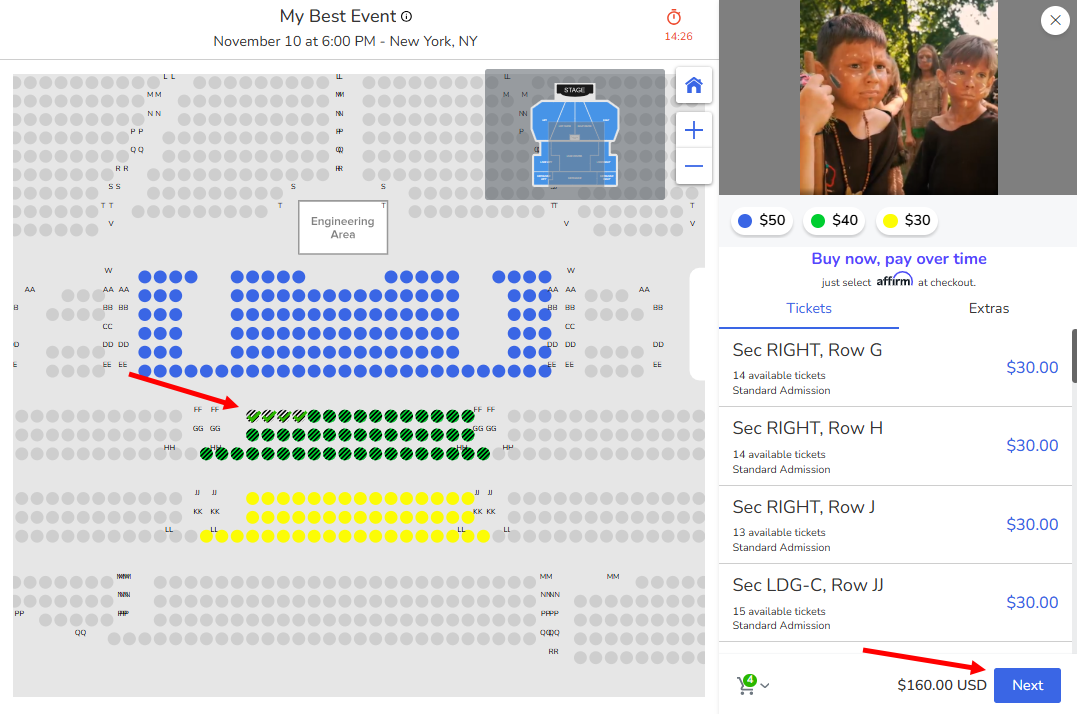
- Click Create Holds
- You can change the name of the hold that appears
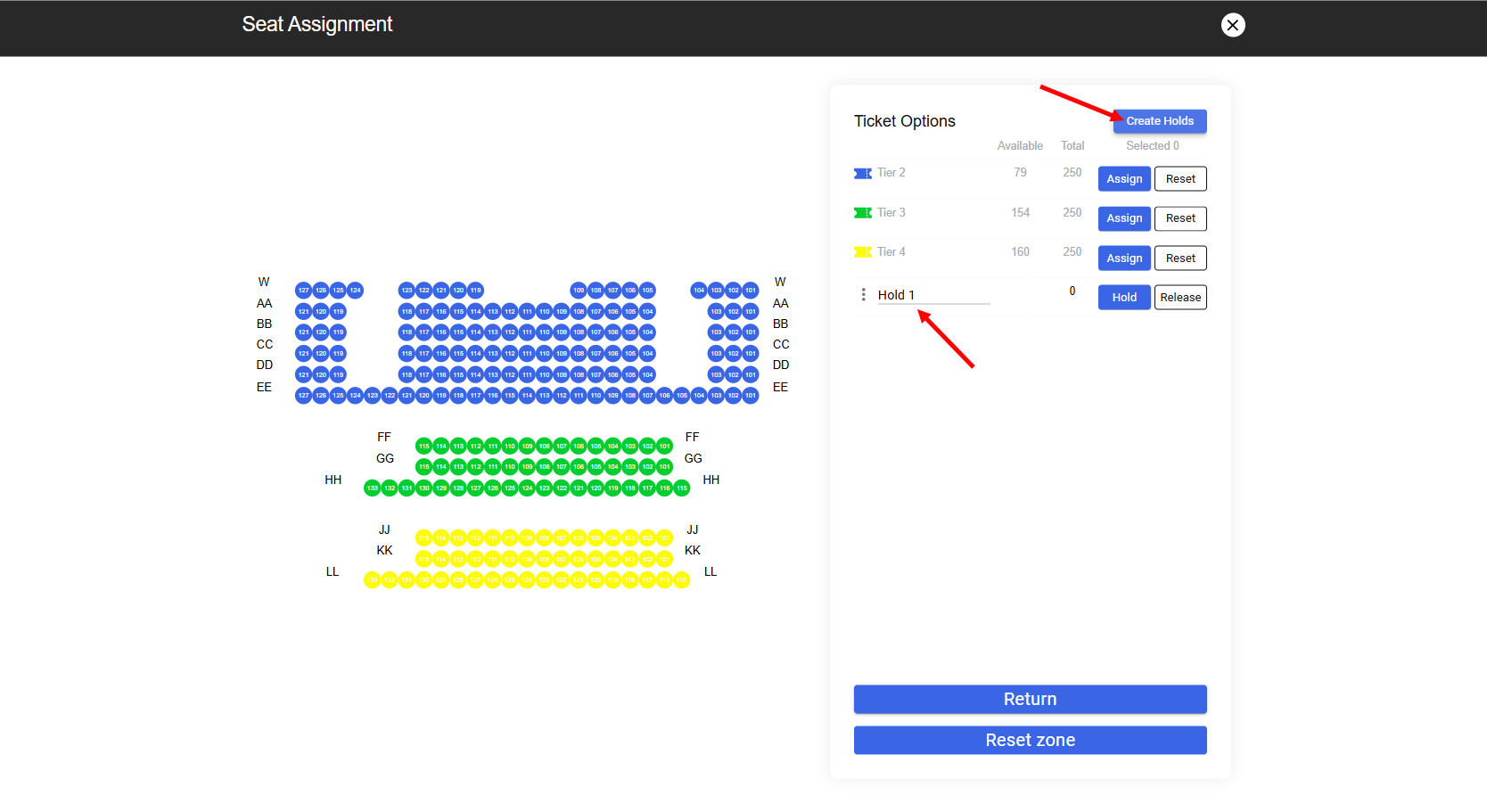
- Choose rows or seats
- Click Hold (the selected one will be marked with stripes)
- Click Return
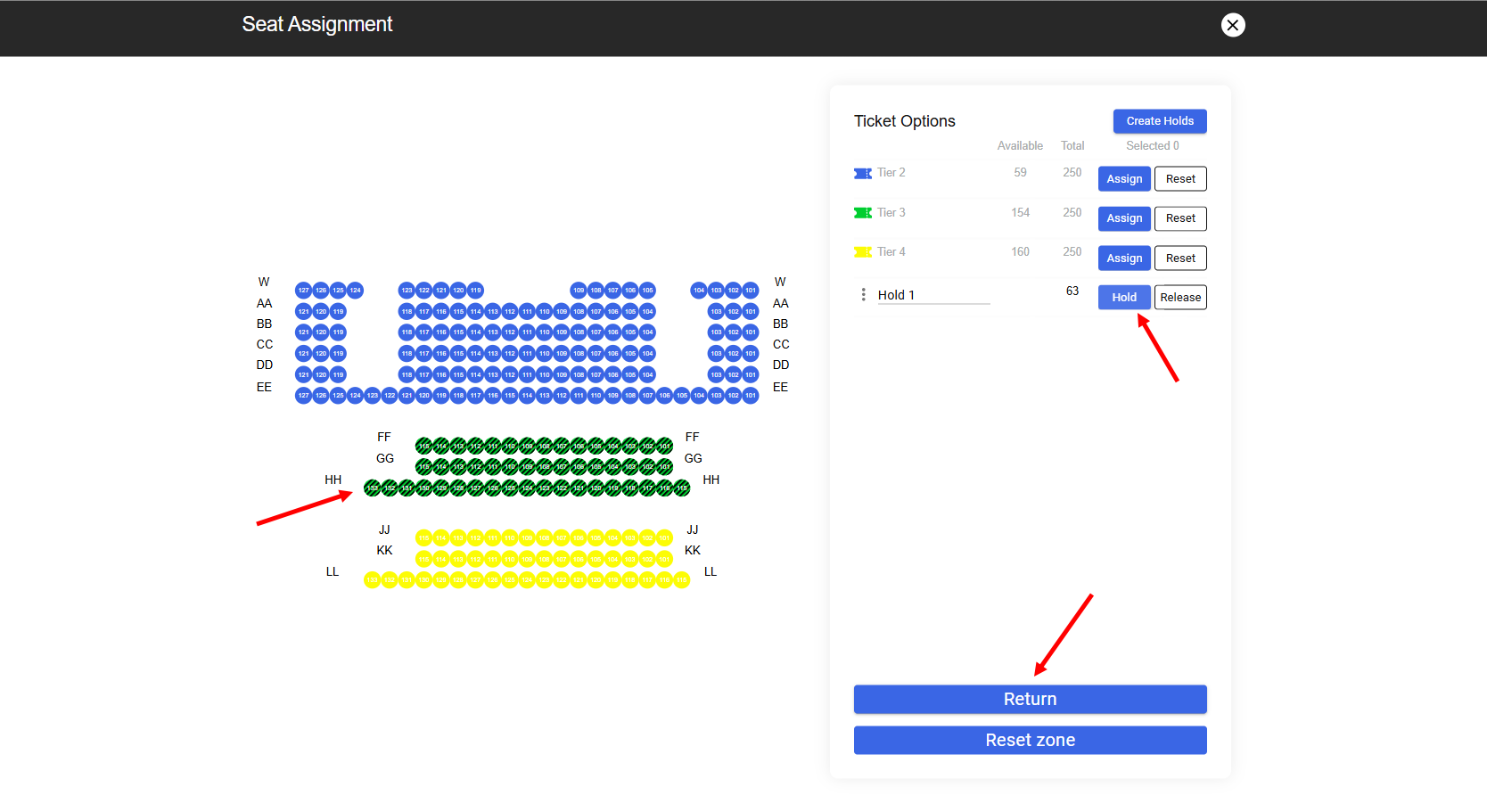
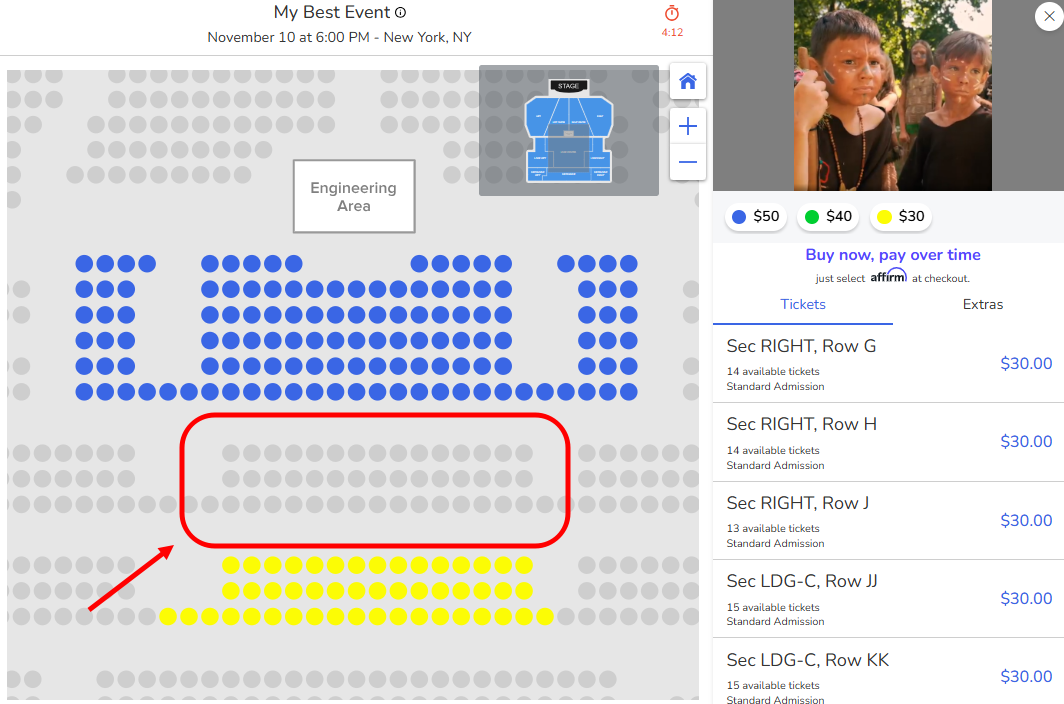
These seats are currently unavailable for purchase by customers
Release Holds
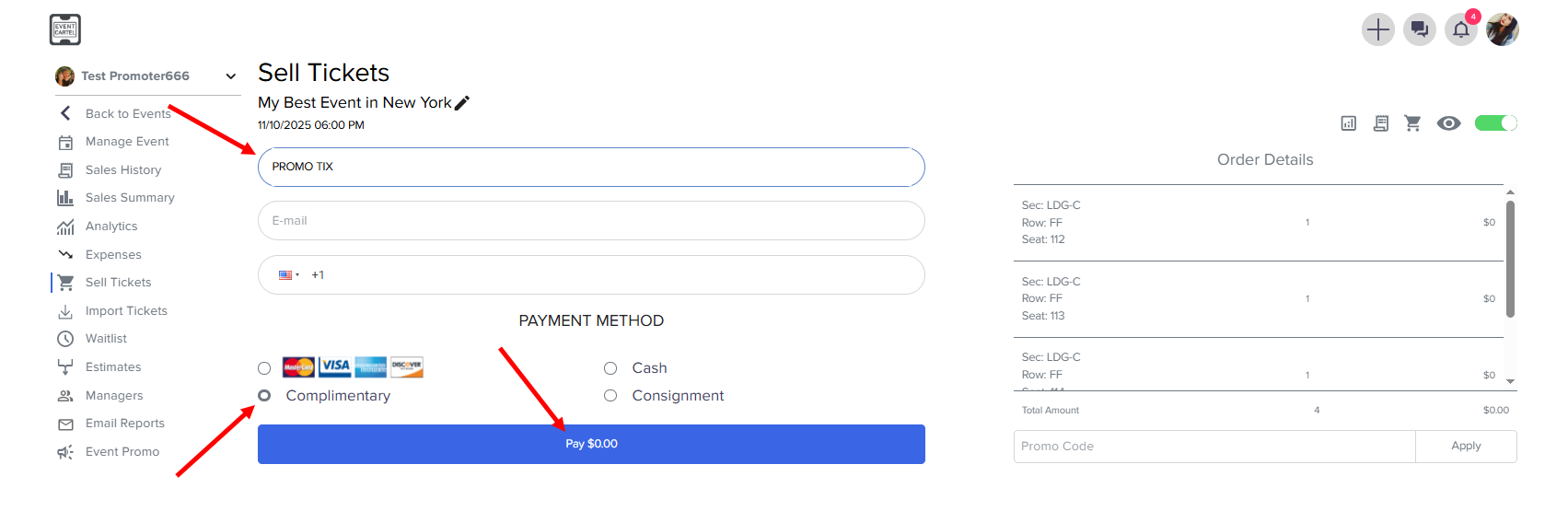
- Click Sell Tickets
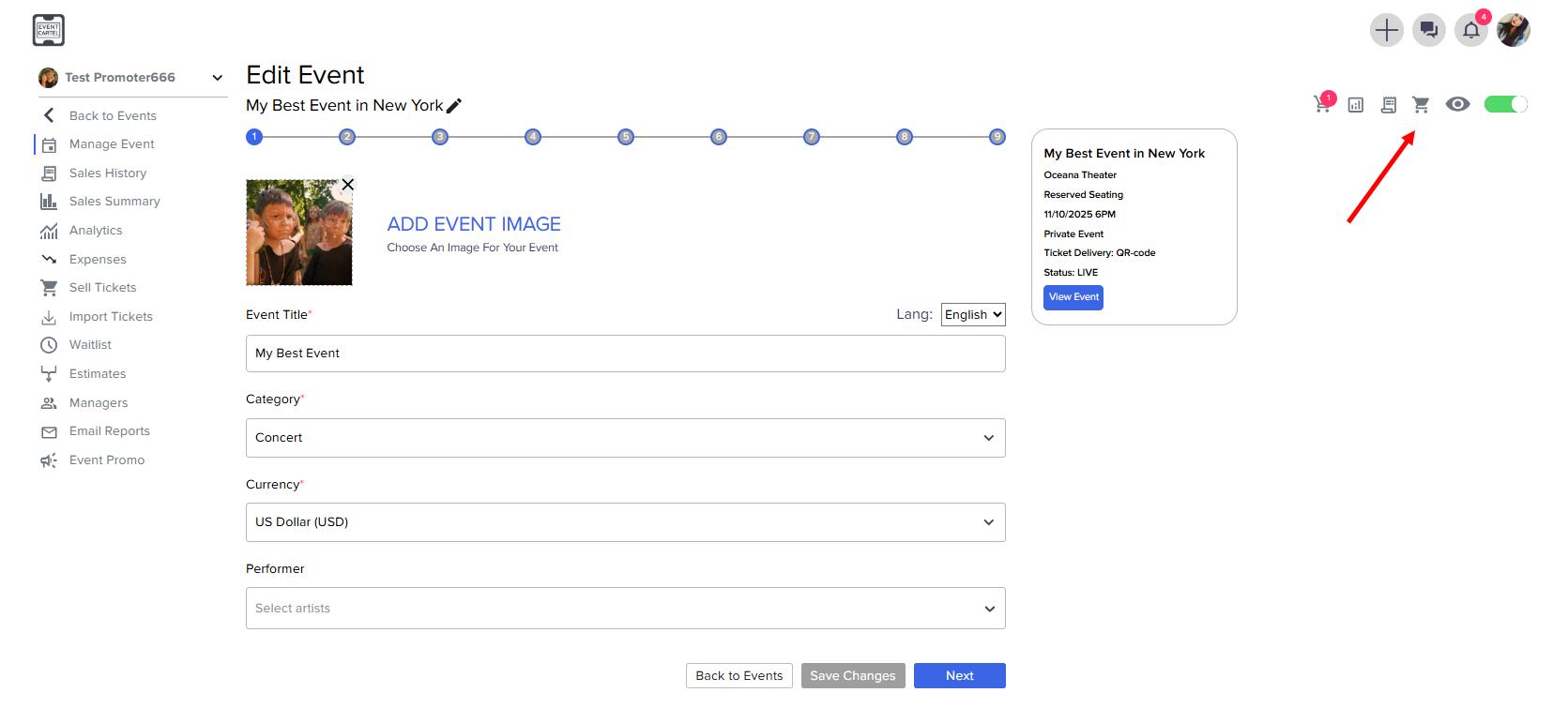
- Select the holds you require for the release
- Click Next
- Enter the ticket name
- Choose a Complimentary
- Click Pay