Back to Organizer Profile
How to group my contacts for easier email marketing campaigns?
Group the Contacts
- Log in to your EvenCatrel account
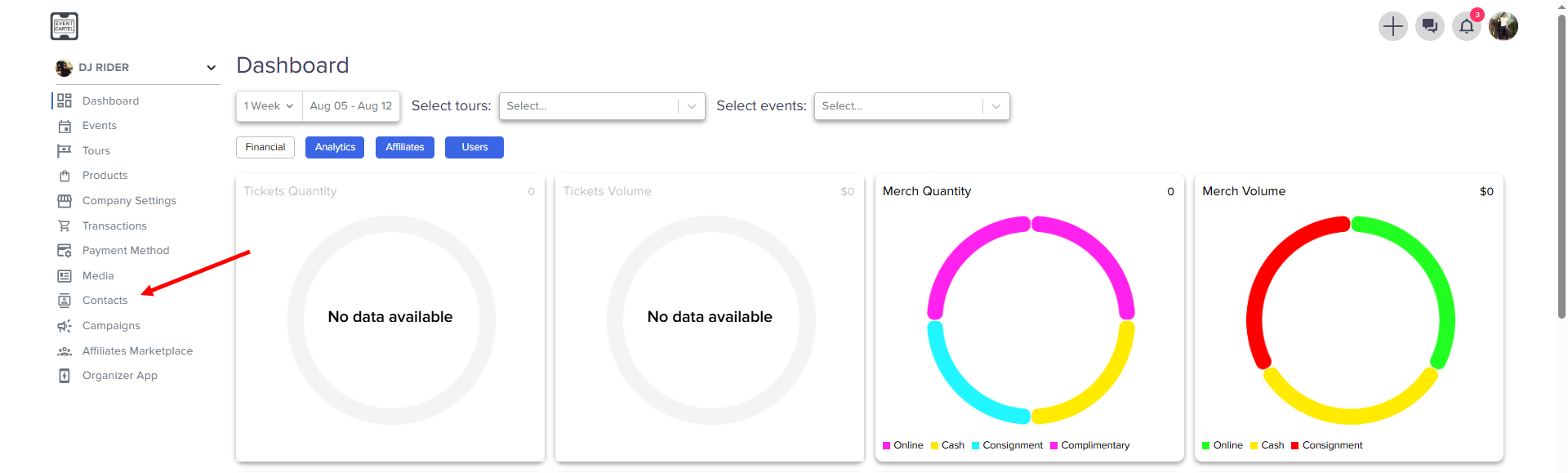
- Go to the Contacts Center
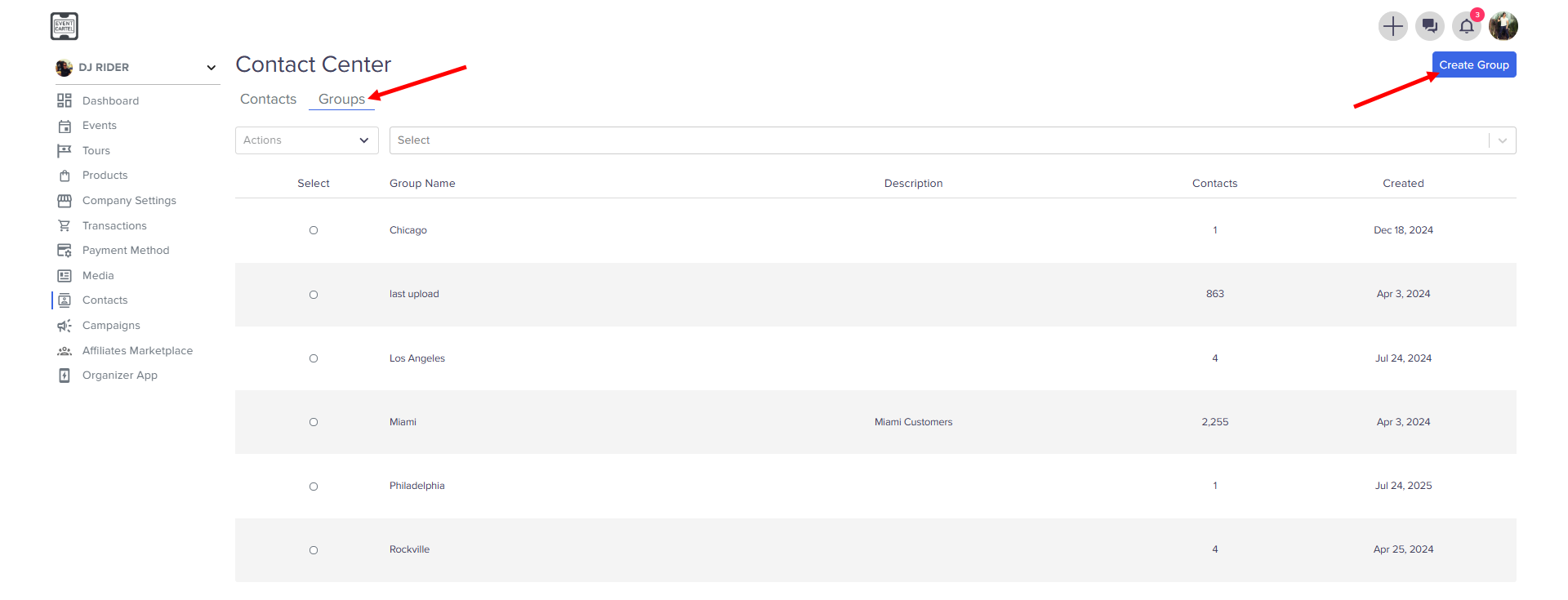
- Go to the Groups → click Create Group
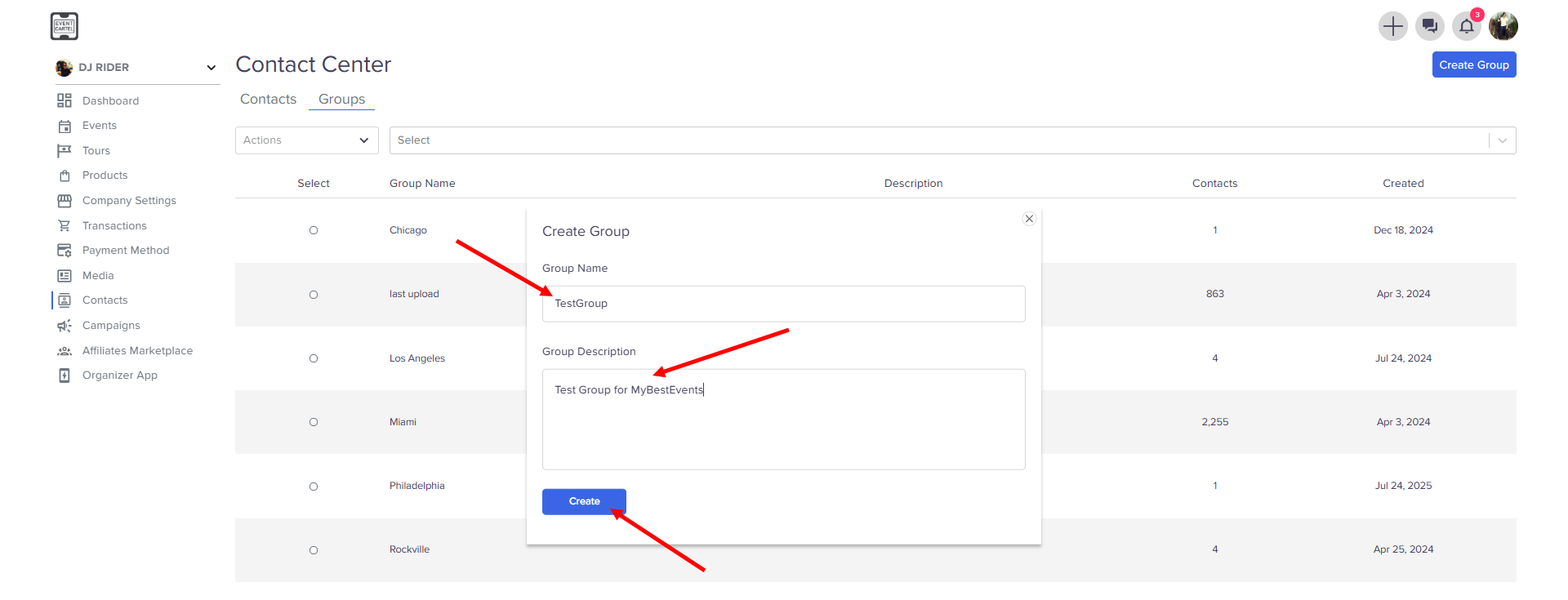
- Enter Group Name
- Enter Group Description → click Create
- Go back to the Contacts
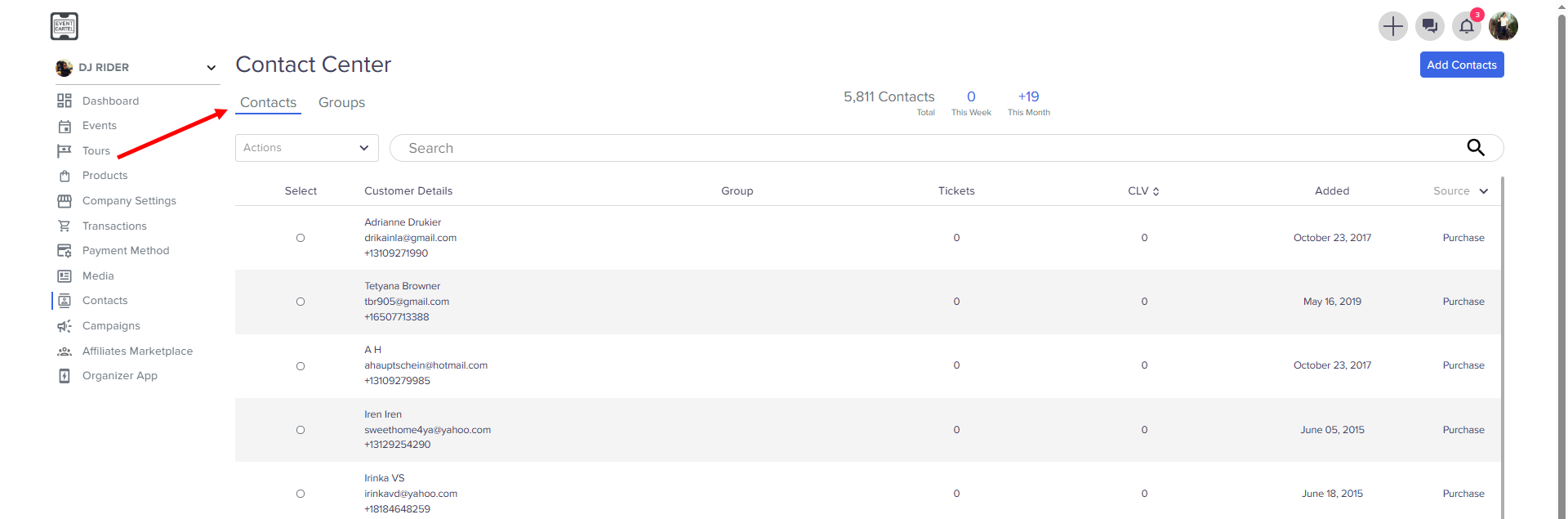
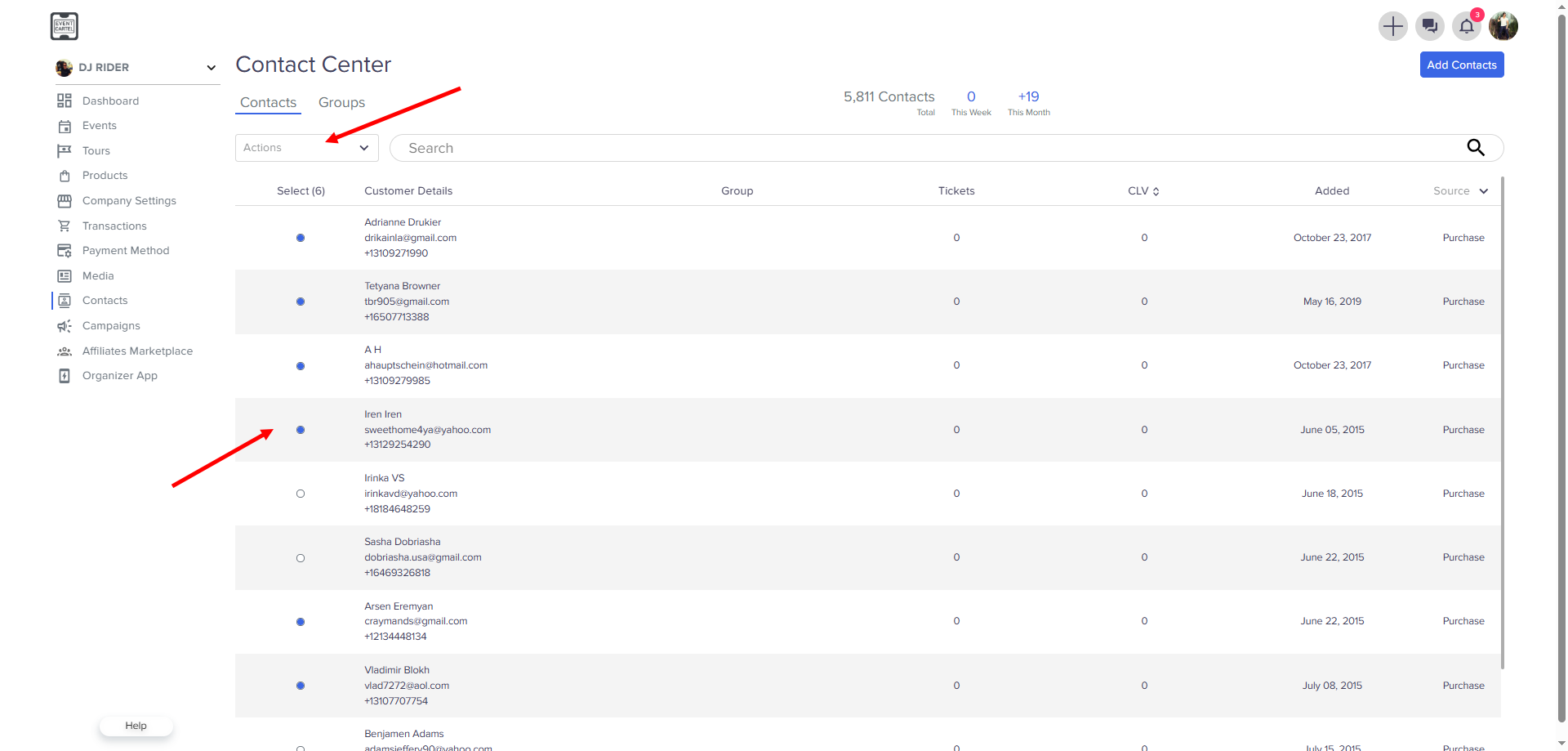
- Select Users → click Actions
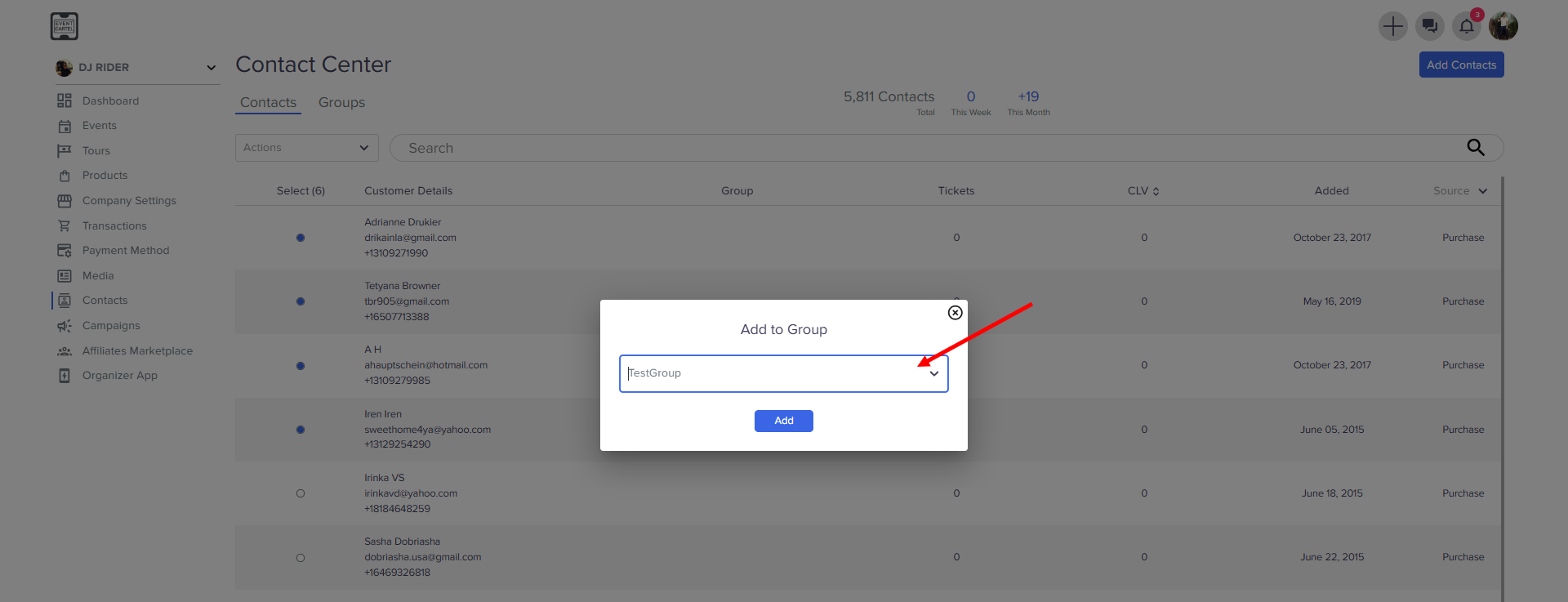
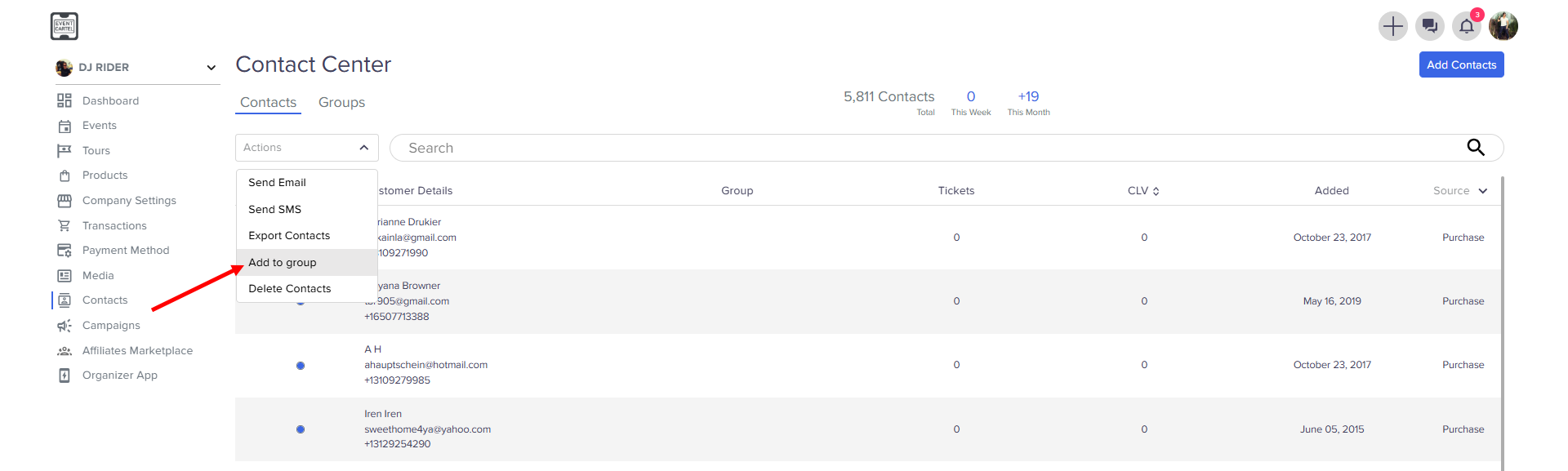
- click Add to Group
- Select the group you created → click Add