
Back to My Tickets
I Can't Find My Tickets
If you can't find your tickets after purchase, try one of the methods below.
Check your email:
After a successful purchase, your tickets are automatically sent to the email address used when placing the order.
Please check:
- Your "Inbox" folder;
- Your "Spam" folder;
- The "Promotions" and "Social" tabs (for Gmail users);
- Your mailbox search using keywords such as "EventCartel", "Tickets", "Order", or the name of the event.

Check your tickets in your account:
- Log in to your EventCartel account;
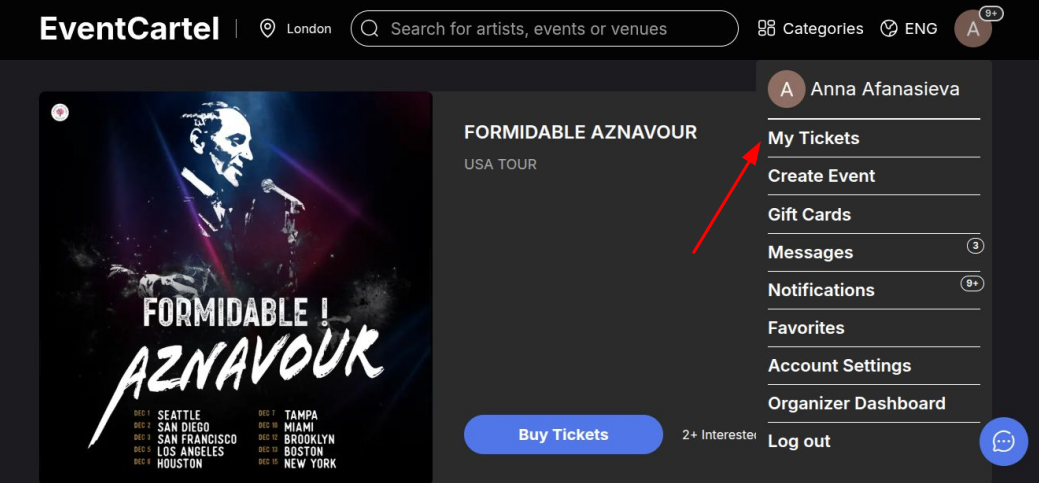
- Hover over the account icon in the top-right corner of the page;
- Click "My Tickets".
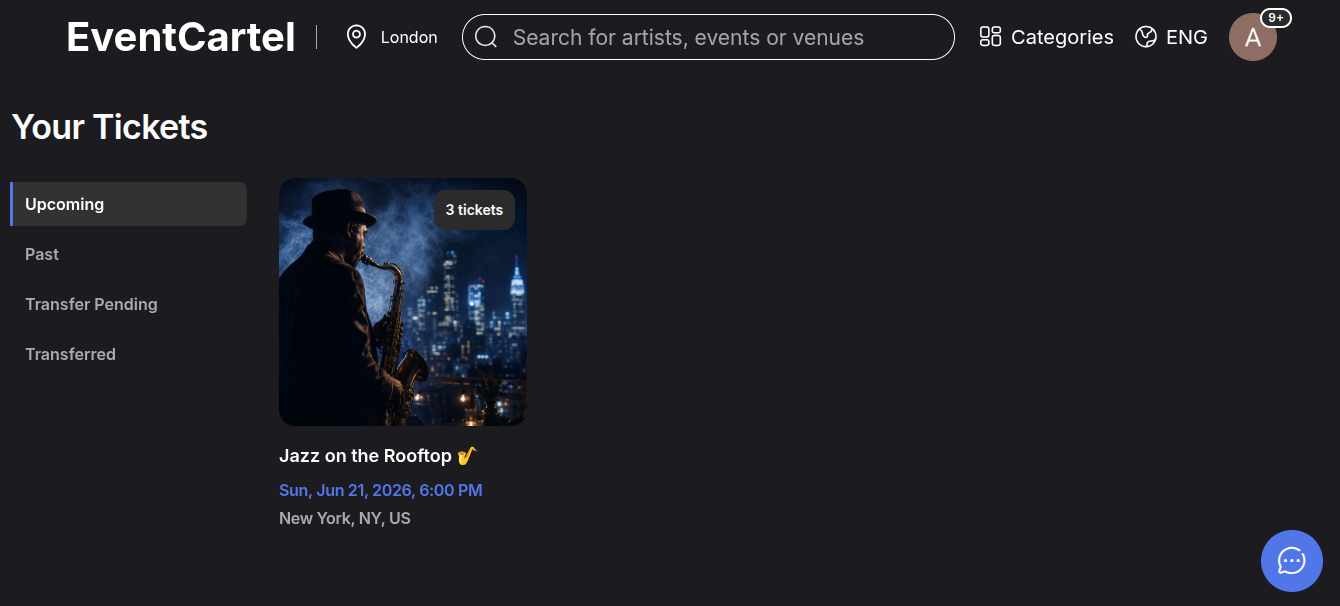
Open the Upcoming section:
Here you can see your tickets for upcoming events.
Contact Our AI Assistant:
If you were unable to find your tickets on your own, you can get help from Pablo, the platform's AI assistant.
Click the chat icon in the bottom-right corner of the page.
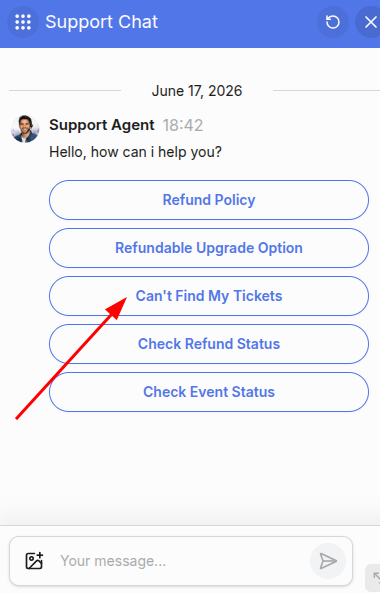
In the chat window, select "I Can't Find My Tickets".
You can also type your message and describe the issue in your own words.
Possible reasons why your tickets are not showing up:
- There may have been a typo in the email address entered during checkout;
- The purchase may have been made using a different email address;
- You may have signed in with a different account;
- The ticket email may have been delivered to your "Spam", "Promotions", or "Social" folder;
- The tickets may have been purchased through a third-party seller;
- A refund or chargeback may have been processed for the order, causing the tickets to be canceled.
- It`s possible that a refund or chargeback was processed for the order, which resulted in the cancellation of the tickets.