Back to My Tickets
How to transfer a ticket?
Tickets on the Event Cartel platform can be easily gifted to another person or transferred by agreement.
To start the process, you will need:
- Recipient details (first name, last name, email, and phone number);
- An Event Cartel account for both you and the recipient;
- Access to your phone to enter a confirmation code;
- Tickets purchased on the Event Cartel platform.
Let’s start the transfer:
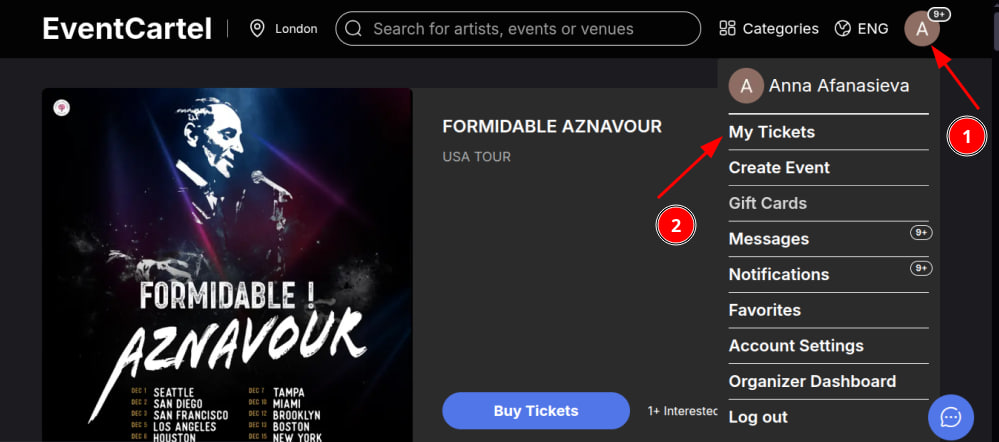
- Log in to your Event Cartel account;
- Hover over your account icon (in the top right corner of the page);
- Click “My Tickets”.
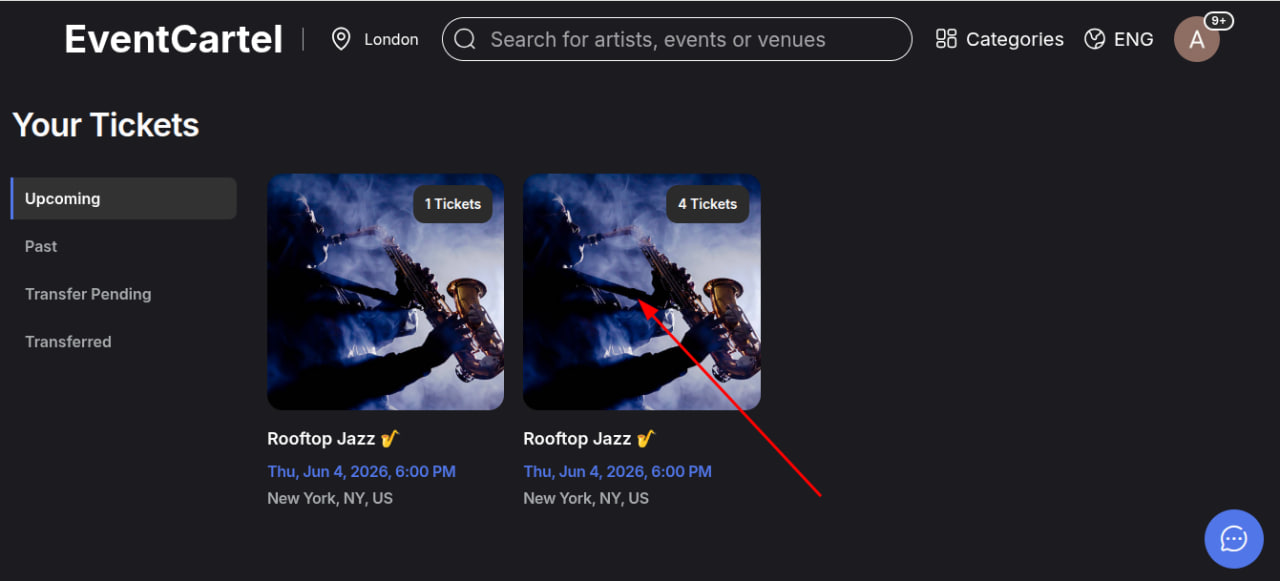
- Select the order you want to transfer (to do this, click on the event poster).
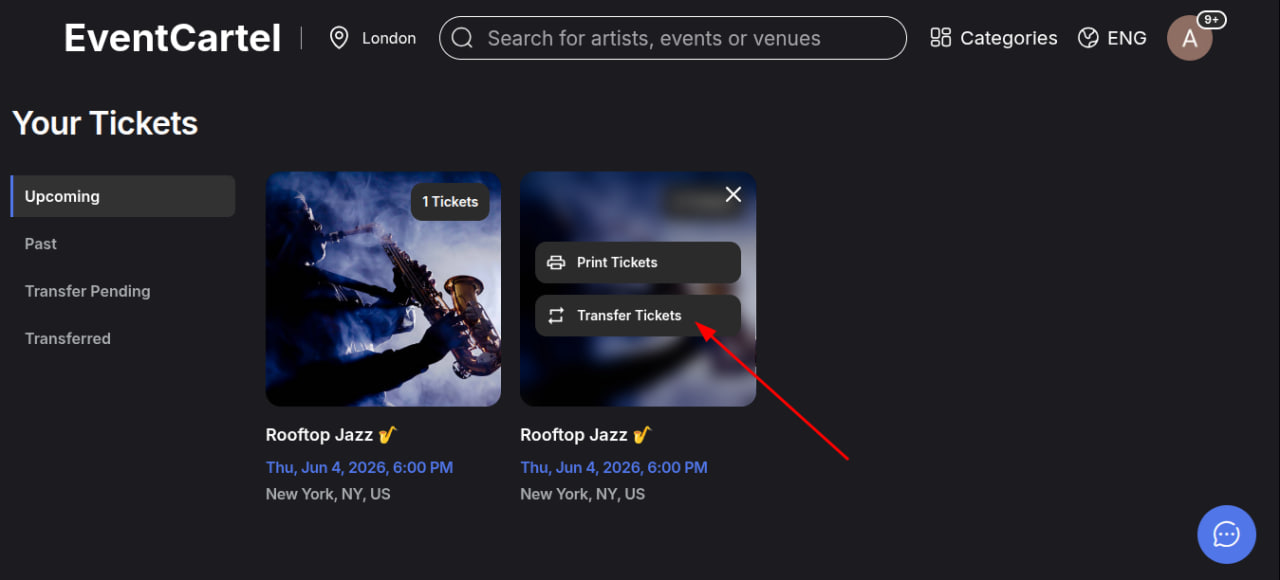
- Click “Transfer tickets”.
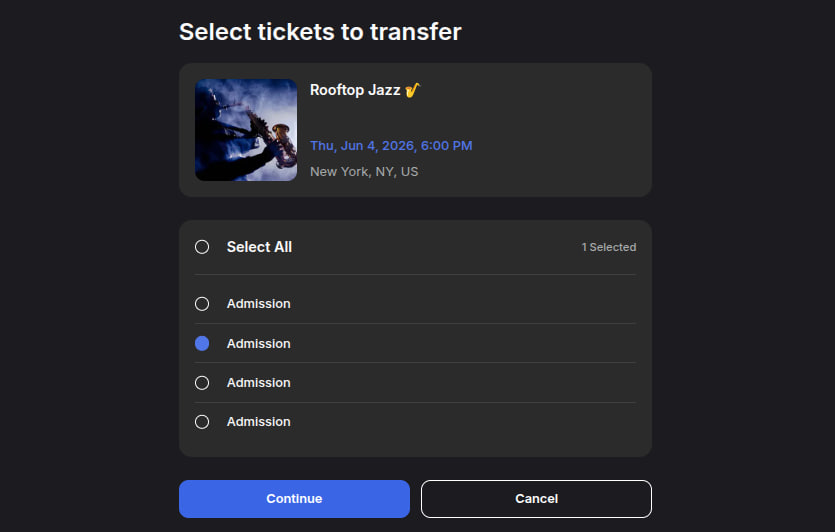
- Select the number of tickets you want to transfer;
- Click “Continue”.
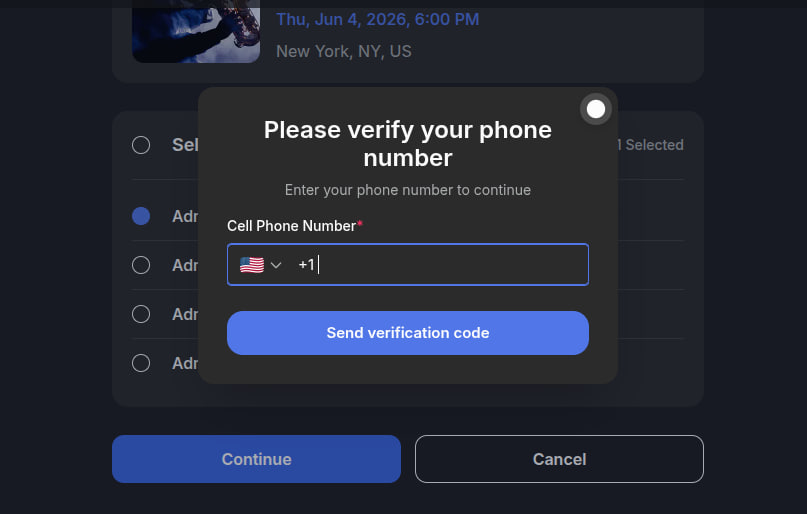
- Next, enter your phone number (an additional security check for ticket protection).
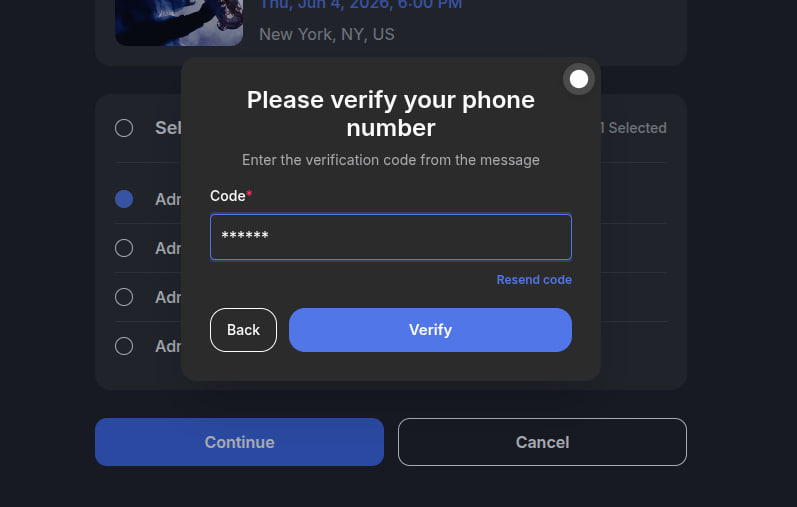
- Enter the code sent to your phone number.
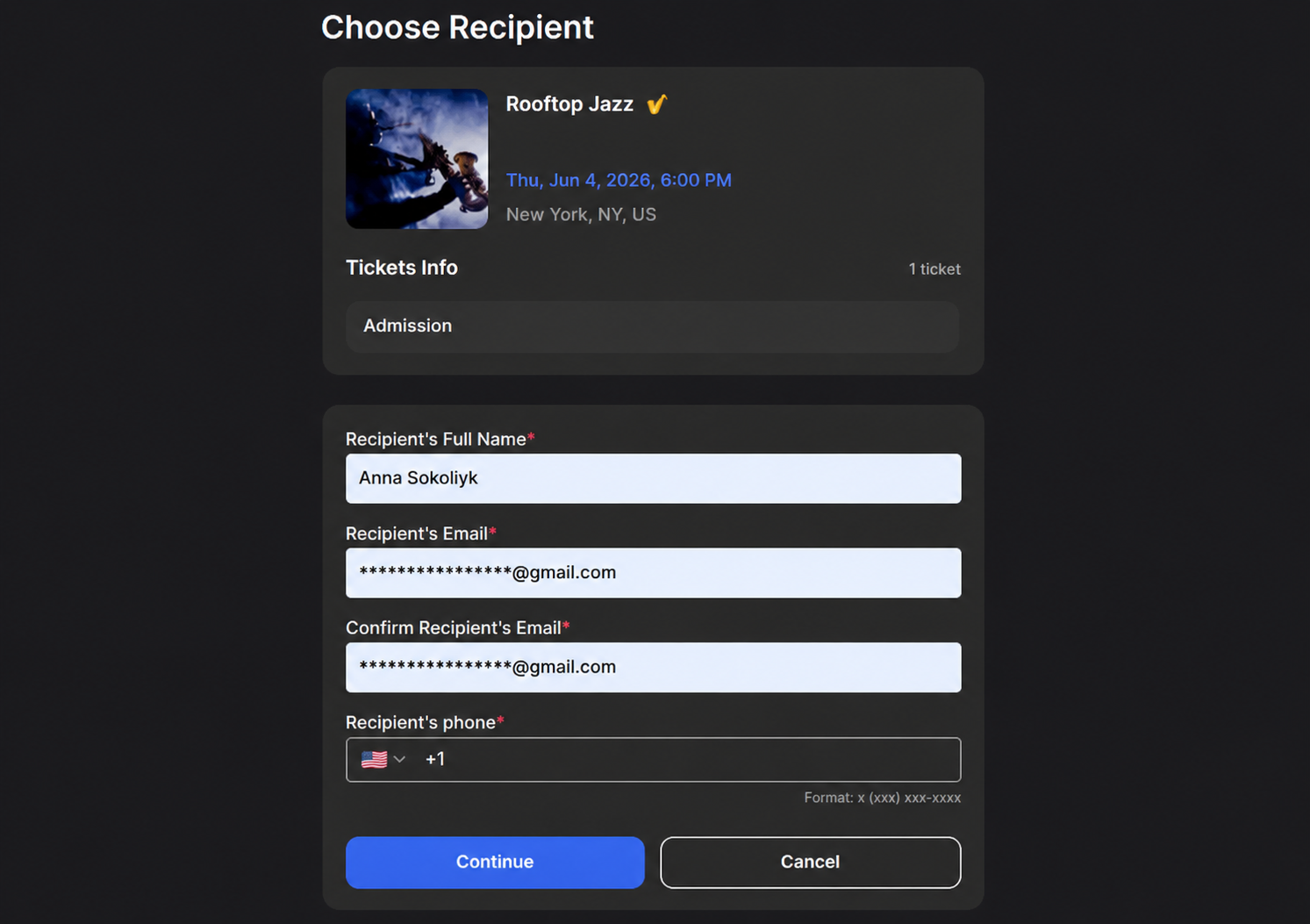
- Carefully enter the recipient’s details, including email address. The email must be entered twice. Click “Continue”.
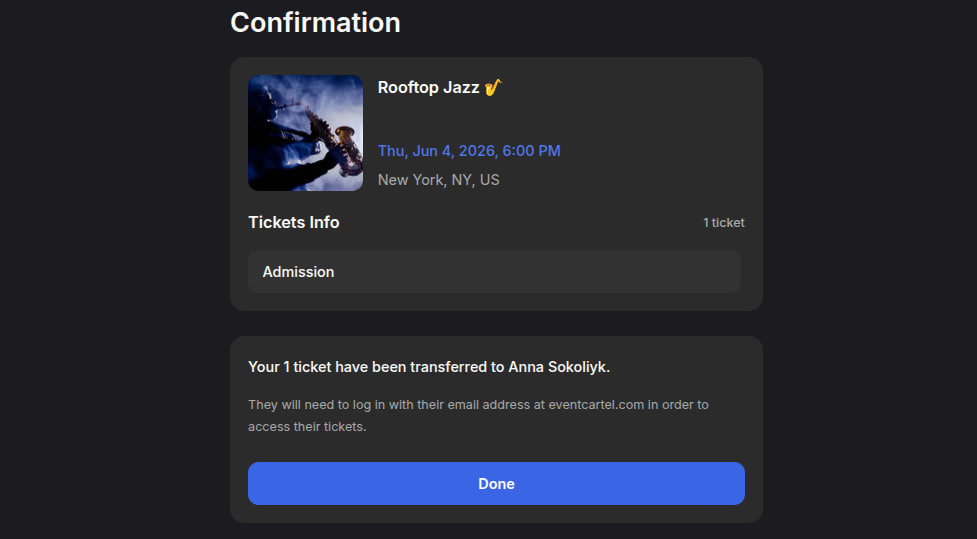
- The transfer is complete! By clicking "Done" the tickets will appear on the recipient account. All that has to do is comfirm the receipt.