Back to Organizer Balance
How do I withdraw money from my balance to a bank account?
- Log in to your EventCartel account;
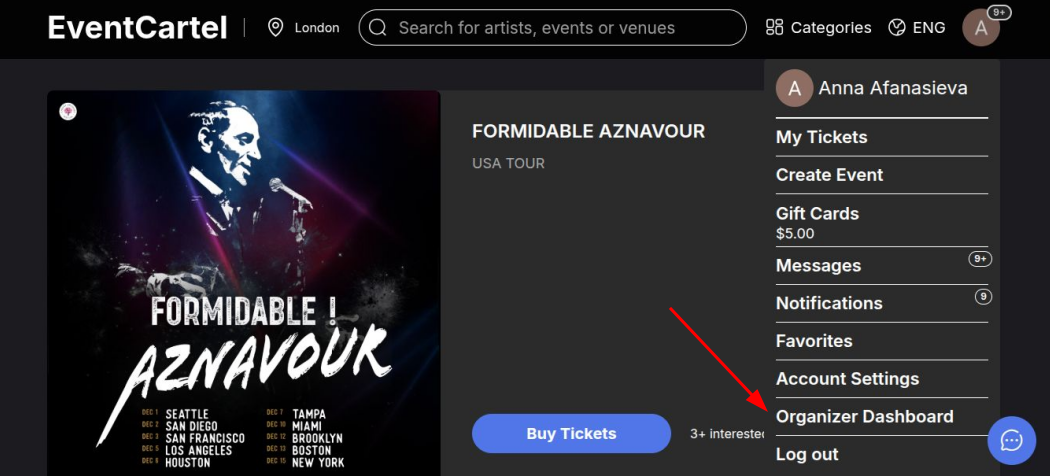
- Go to the "Organizer Dashboard".
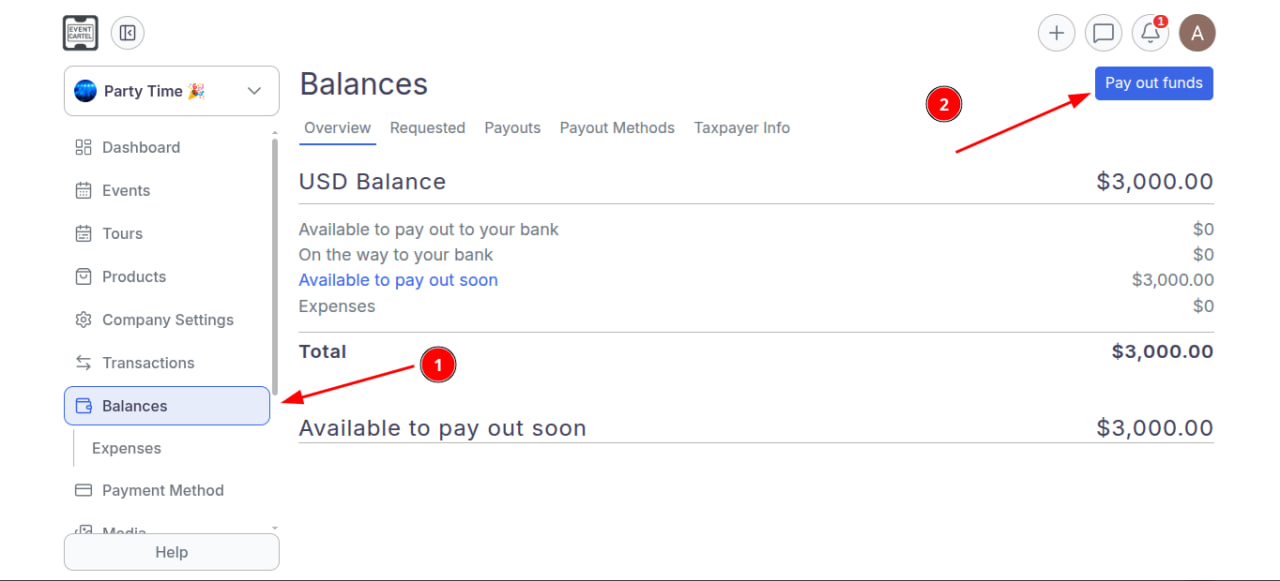
- Select the Balances section and click "Pay out Funds".
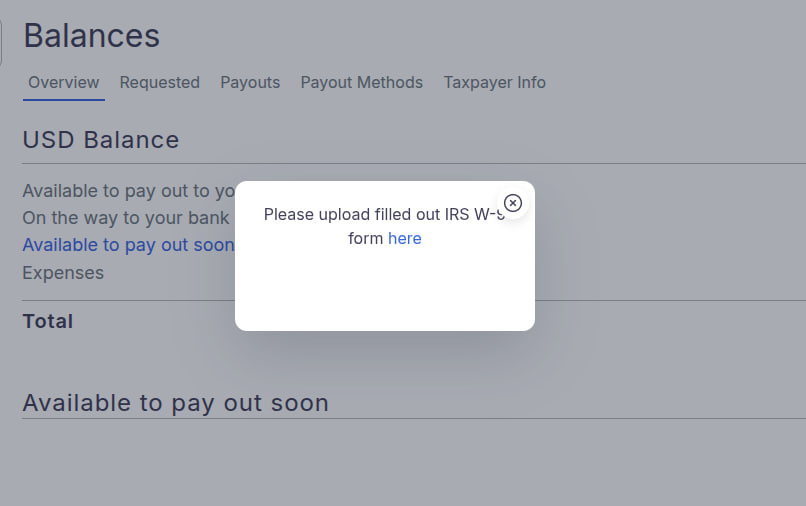
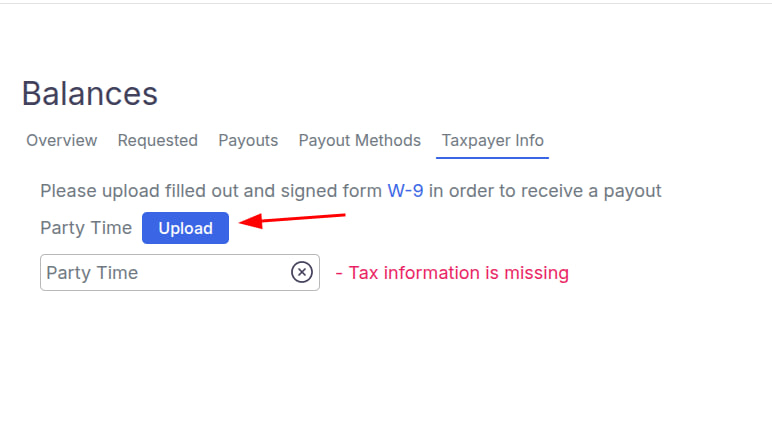
- If you have not filled out the IRS W-9 form, after clicking the button you will see the following notification:
“Please upload filled out IRS W-9 form here”.
Click “here” to upload the form.
- Then follow the instructions shown on the screen. Upload the W-9 form in PDF format.
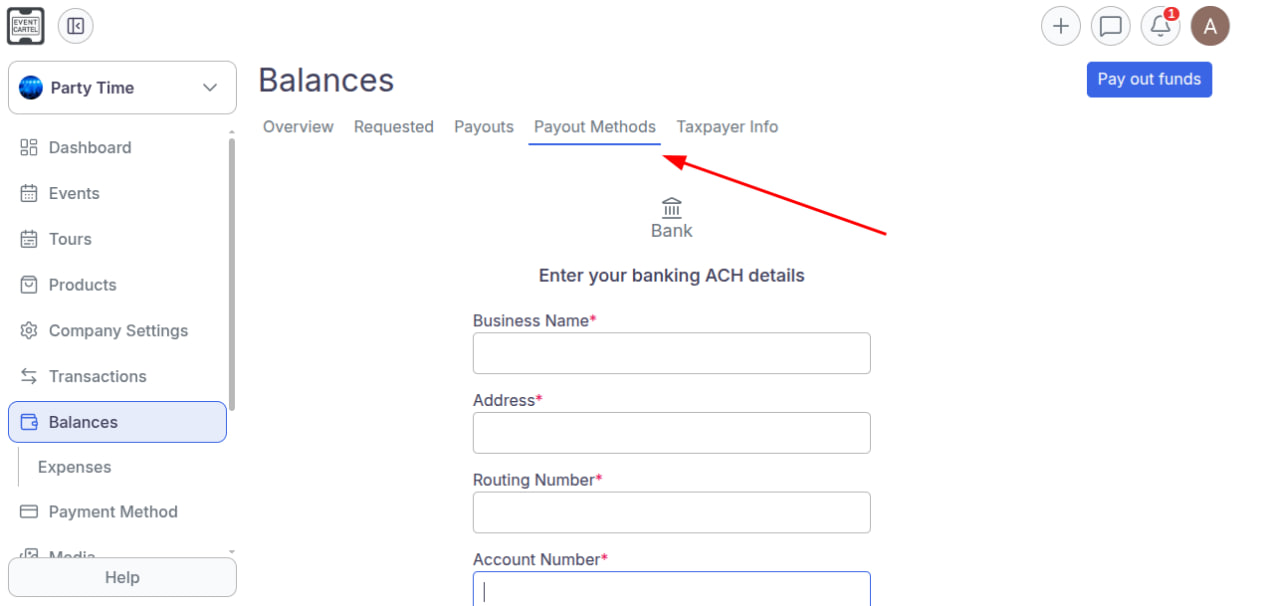
- Then go to the "Payout Methods" section and enter your ACH banking details.
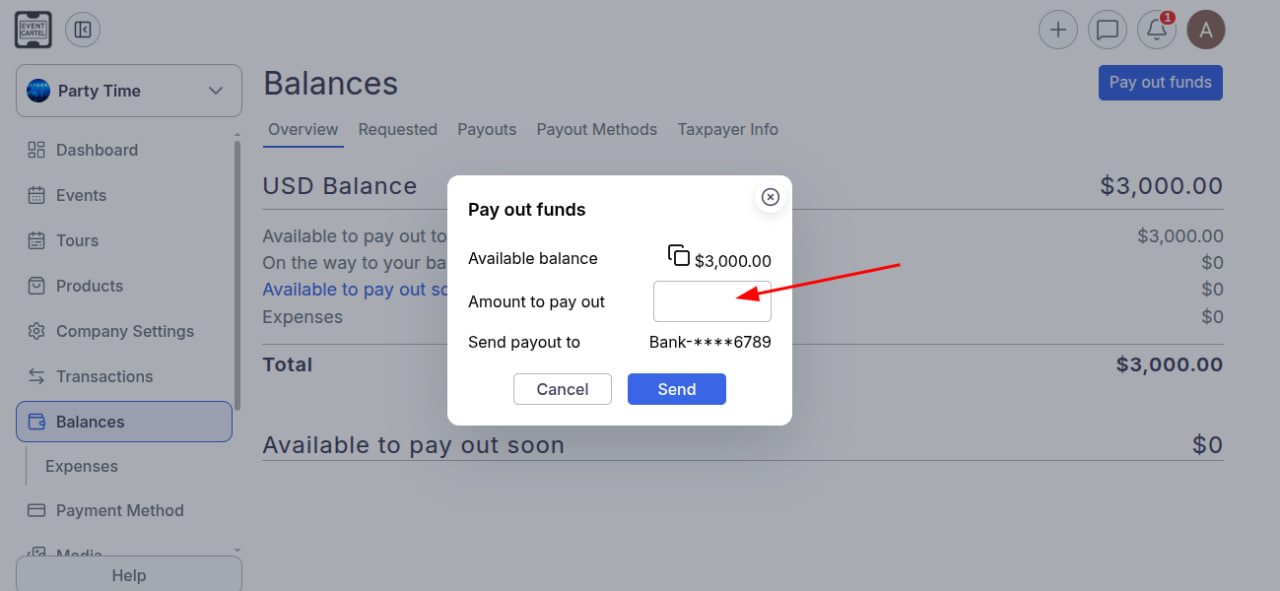
- Registration is now complete. Click the "Pay out Funds" button again.
- In the window that opens, you will see your available balance.
In the "Amount to pay out" field, enter the desired payout amount.
- Click "Send".
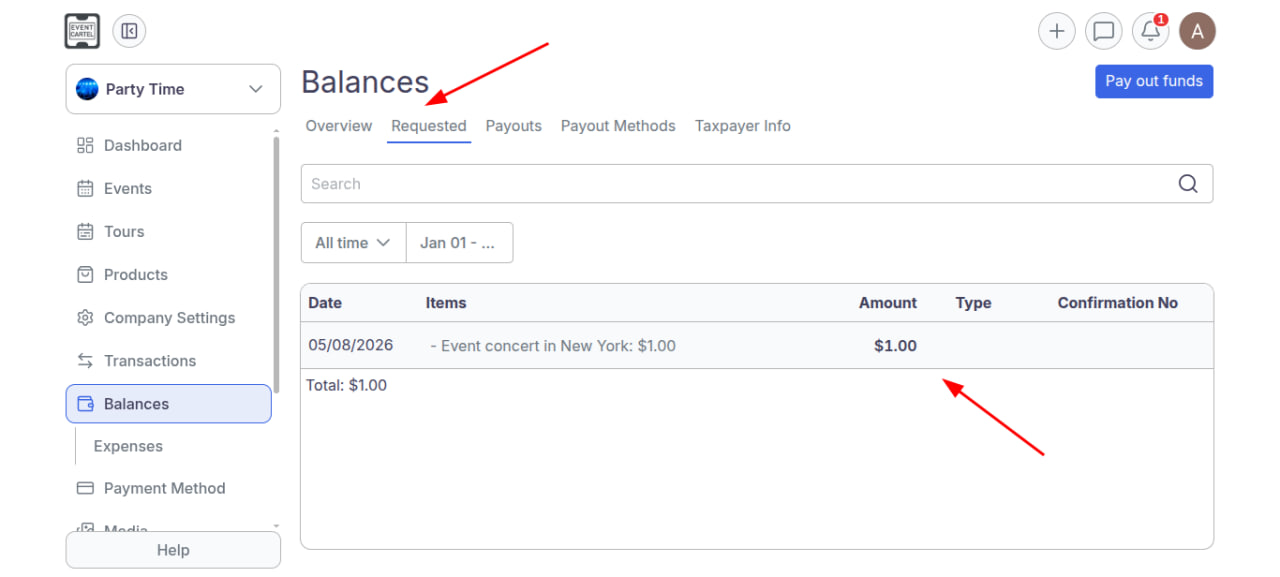
- Your payout request has been successfully submitted and is now being processed. You can check its status in the "Requested" section.
- Once approved by the administrator, the funds will be transferred to your bank account. Your transaction history is always available in the "Balances" section.