How to receive a transferred ticket?
Jun 28, 2026Updated1 min read00
If another user has transferred a ticket to you using Event Cartel, you can accept it into your account in just a few clicks:
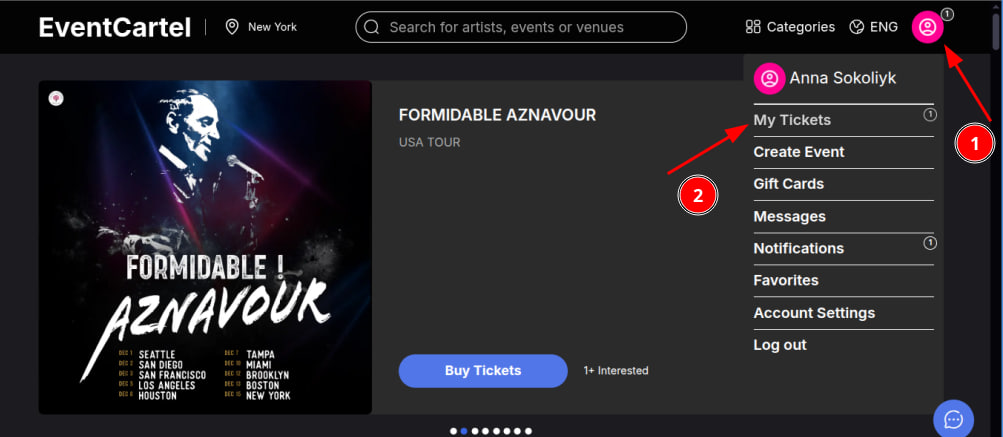
- Log in to your Event Cartel account;
- Hover over the account icon in the top right corner of the page;
- Click "My Tickets".
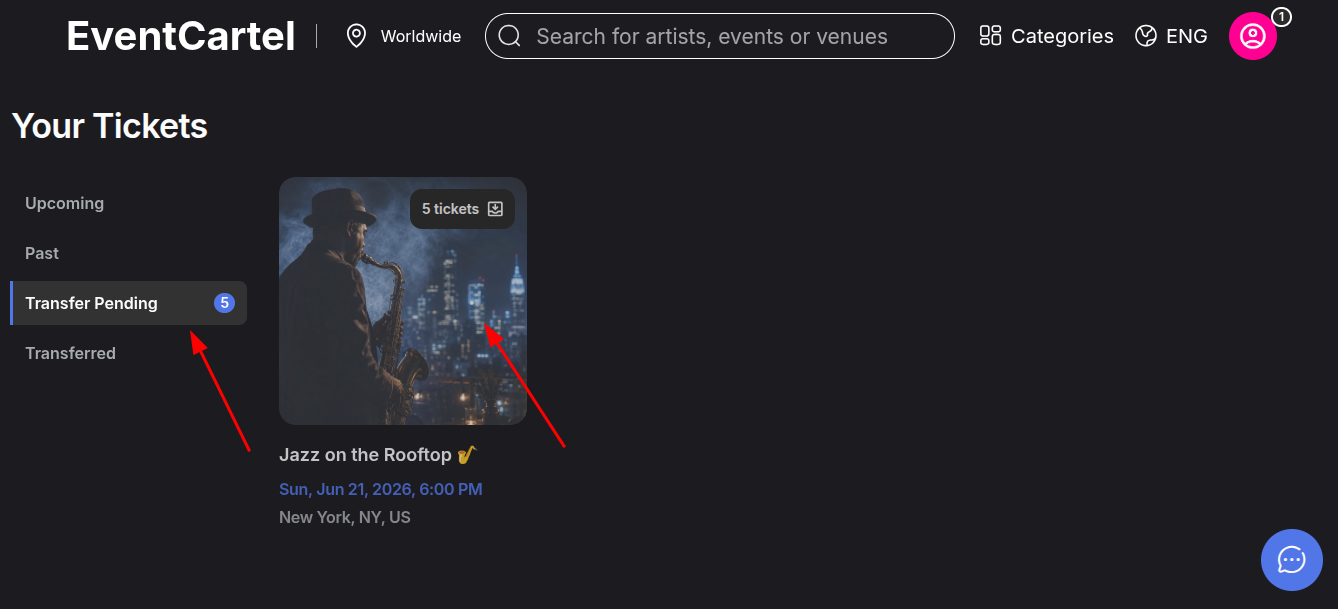
- Go to the "Transfers Pending" section;
- Click on the event card to view the transferred tickets.
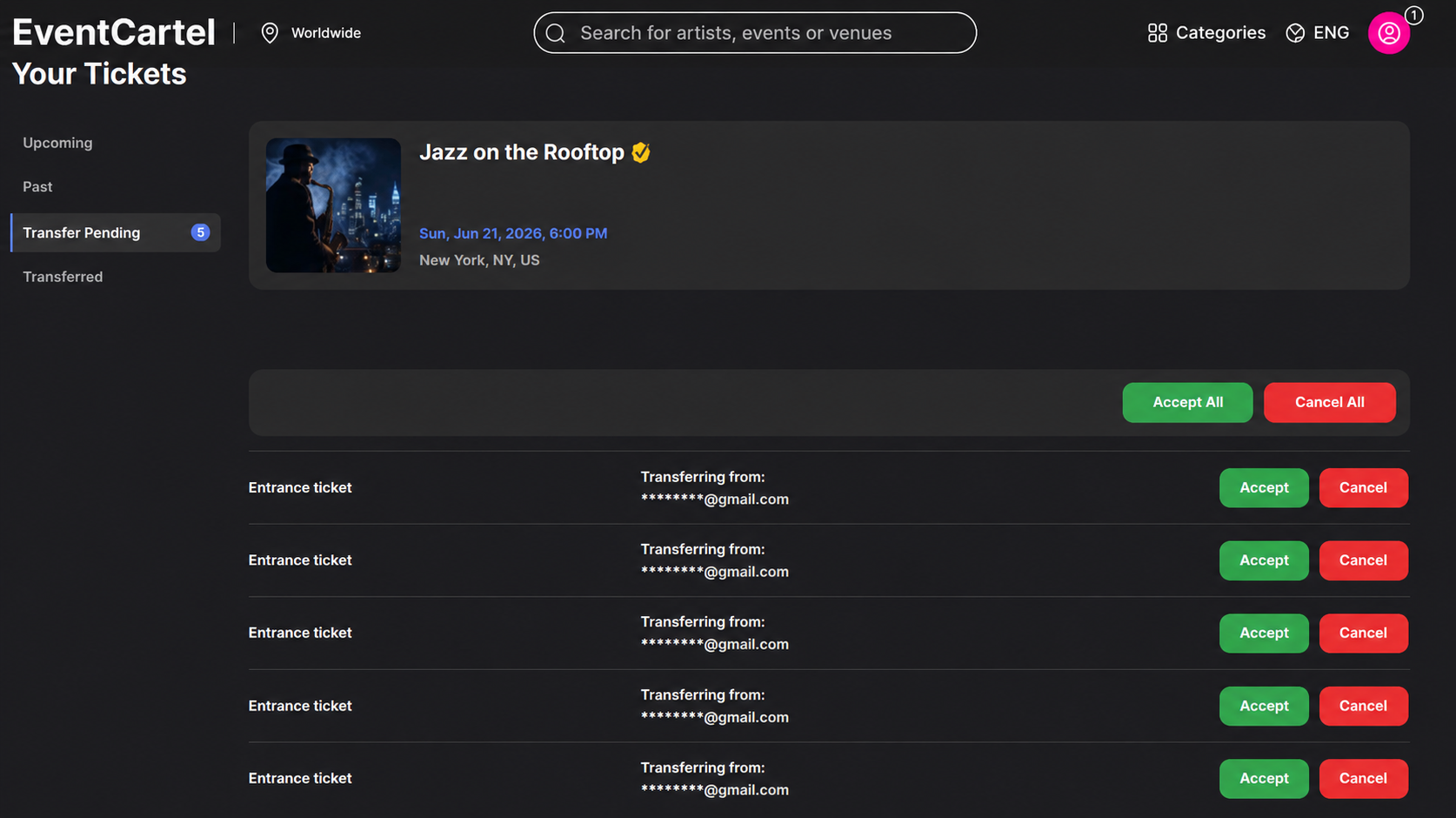
- Select the ticket(s) you would like to receive;
- Click "Accept" to receive the selected ticket;
- Click "Accept All" to receive all transferred tickets in the order;
- If you do not want to receive a ticket, click "Cancel";
- If you want to decline all transferred tickets in the order, click "Cancel All".
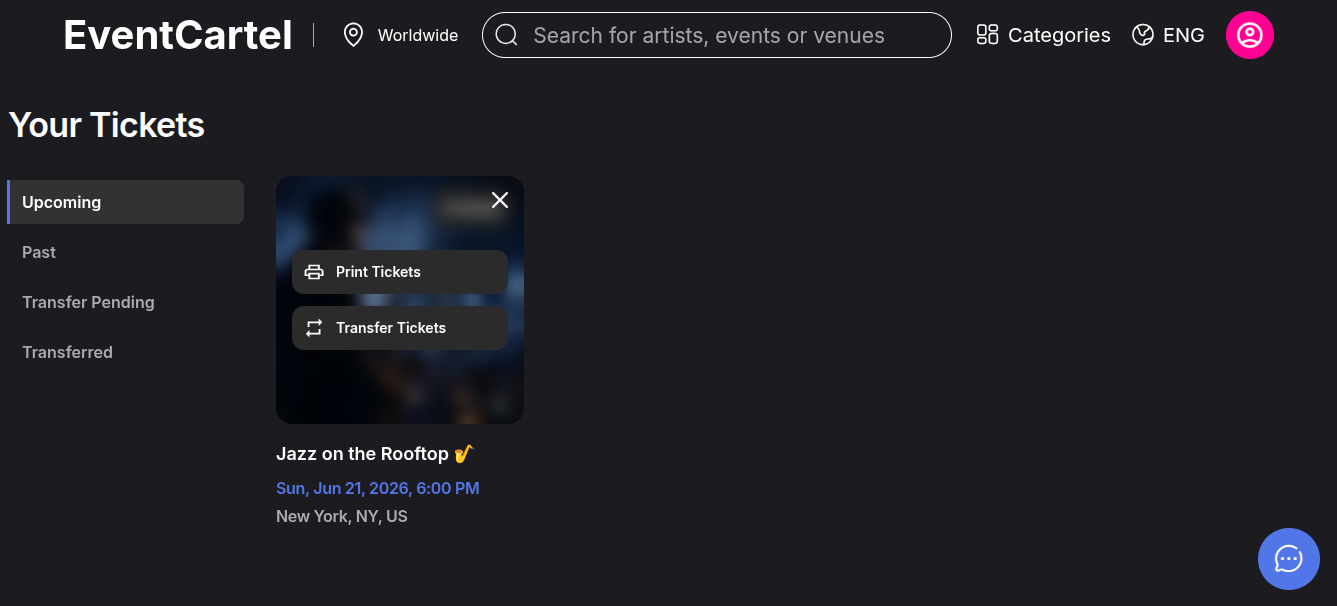
- Done! The transferred tickets have been successfully added to your account.
- You can now find them in the "Upcoming" section, where you can view, print, or transfer them to another user.
You will also receive an email containing the order number and your tickets in PDF format, just like after a regular ticket purchase.