How to request a refund for an insured ticket
Aug 11, 2026Updated1 min read01
If you purchased ticket protection when buying your ticket and are unable to attend the event, submit a reimbursement request and attach documents supporting the reason for your claim.
How to submit a request:
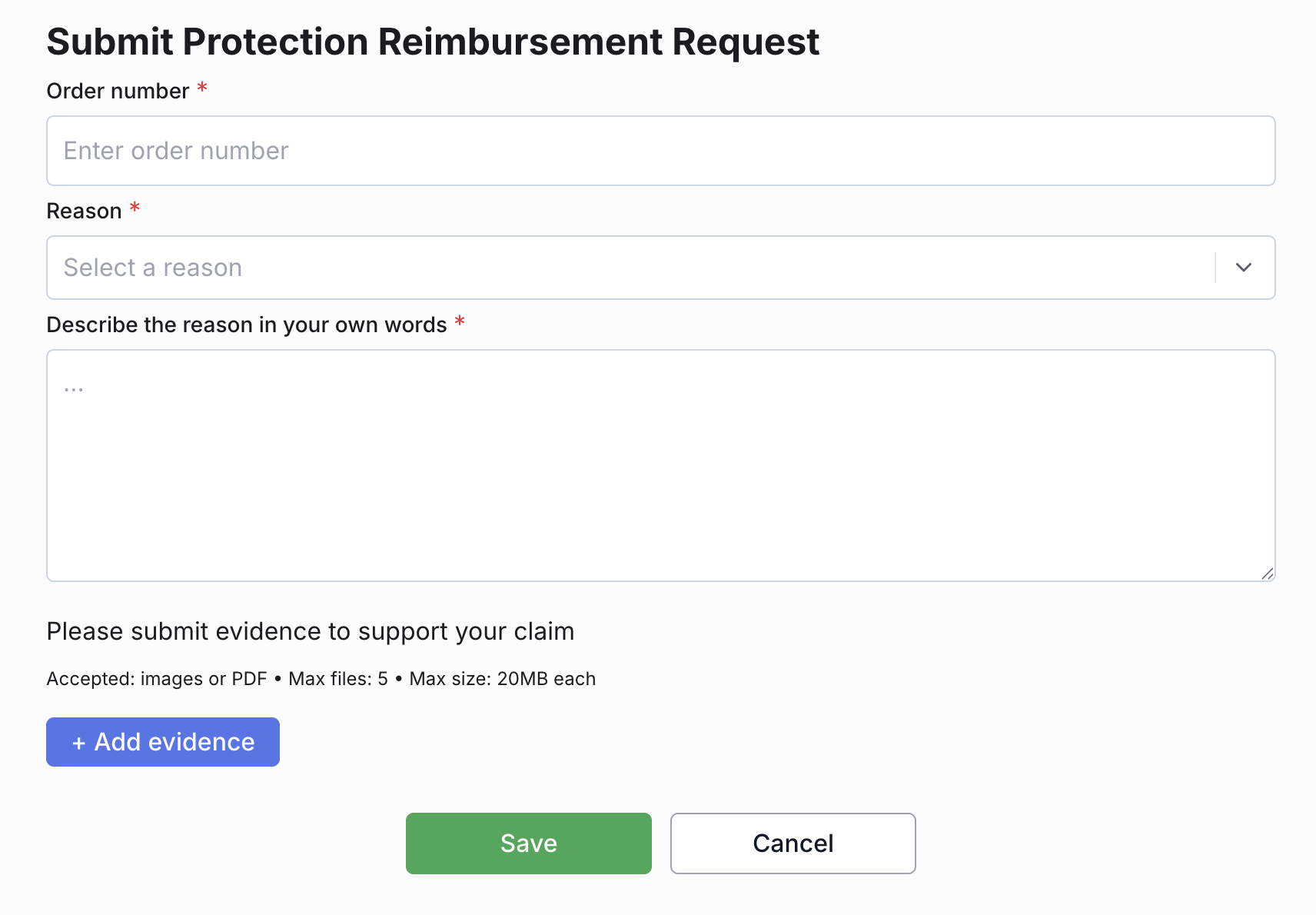
Enter your order number in the "Order number" field;
In the "Reason" field, select the reason why you are unable to attend the event.
Available reasons:
• Illness / Injury;
• Pregnancy Complication;
• Pre-existing Medical Condition;
• Death;
• Public Transport Failure;
• Flight Disruption;
• Mechanical Breakdown;
• Adverse Weather;
• Home Emergency;
• Theft of Document(s);
• Relocated for Work;
• Armed Forces & Emergency Services Recall;
• Jury Service;
• Court Summons;
• Changes to Examination Dates.
In the "Describe the reason in your own words" field, describe your situation in detail;
Click "+ Add evidence" and attach documents supporting the reason for your claim.
• You can upload up to 5 images or PDF files. Each file must not exceed 20 MB.
Click "Save" to submit your request.
Done! Your reimbursement request has been submitted for review.