How to contact an event organizer
Sep 8, 2026Updated1 min read01
If you have a question, you can contact the virtual assistant Pablo (you can always find his icon in the bottom-right corner of the page) or reach out to EventCartel Support.
If your question concerns a specific event and can only be answered by its organizer, you can contact them directly.
To do this:
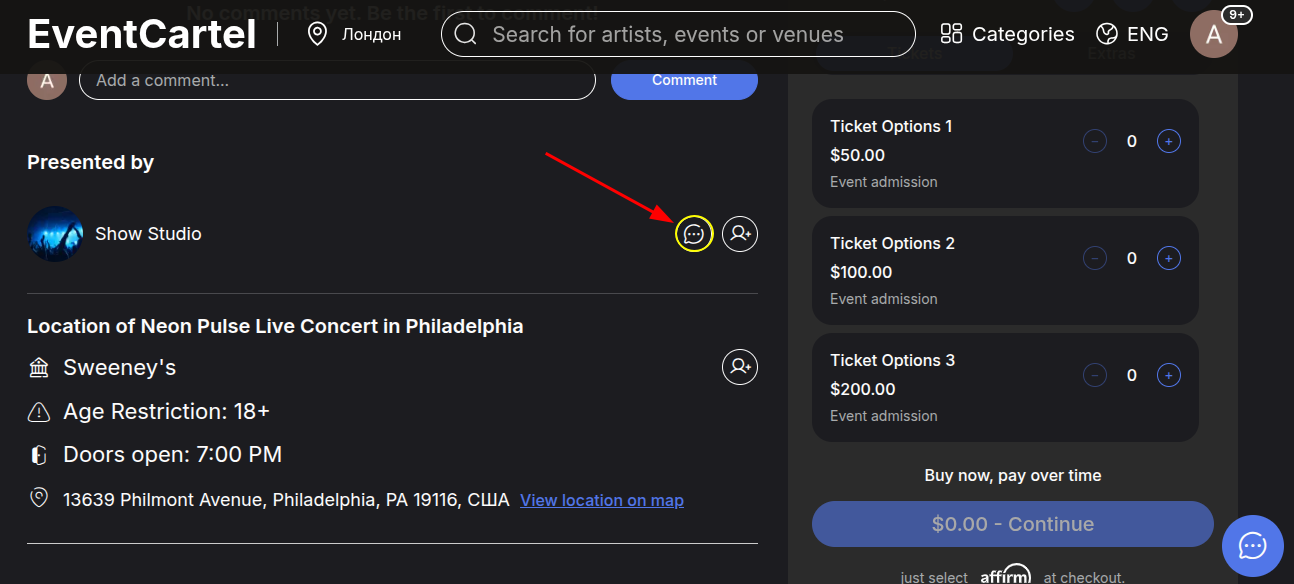
- Open the page of the event whose organizer you want to contact;
- Scroll down the page. Under the comments section, find the "Presented by" section;
- Click the message icon 💬 next to the organizer’s name.
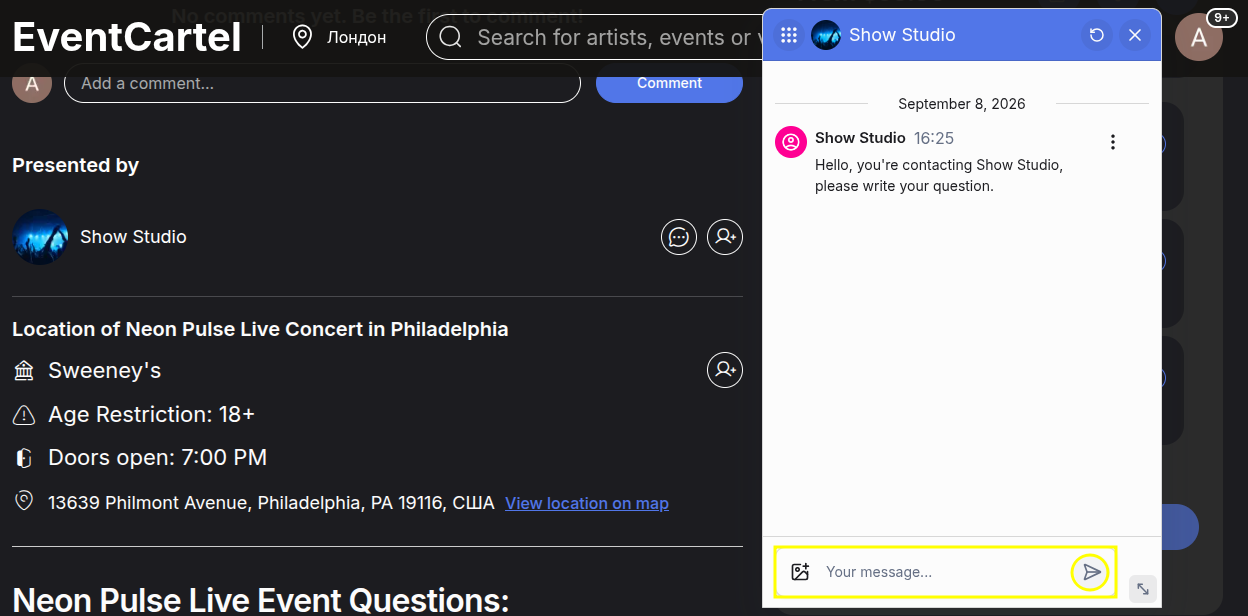
In the chat window:
- Enter your question in the "Your message…" field;
- Click the send icon.
The organizer may take some time to respond, so you can close the chat or the event page after sending your message.
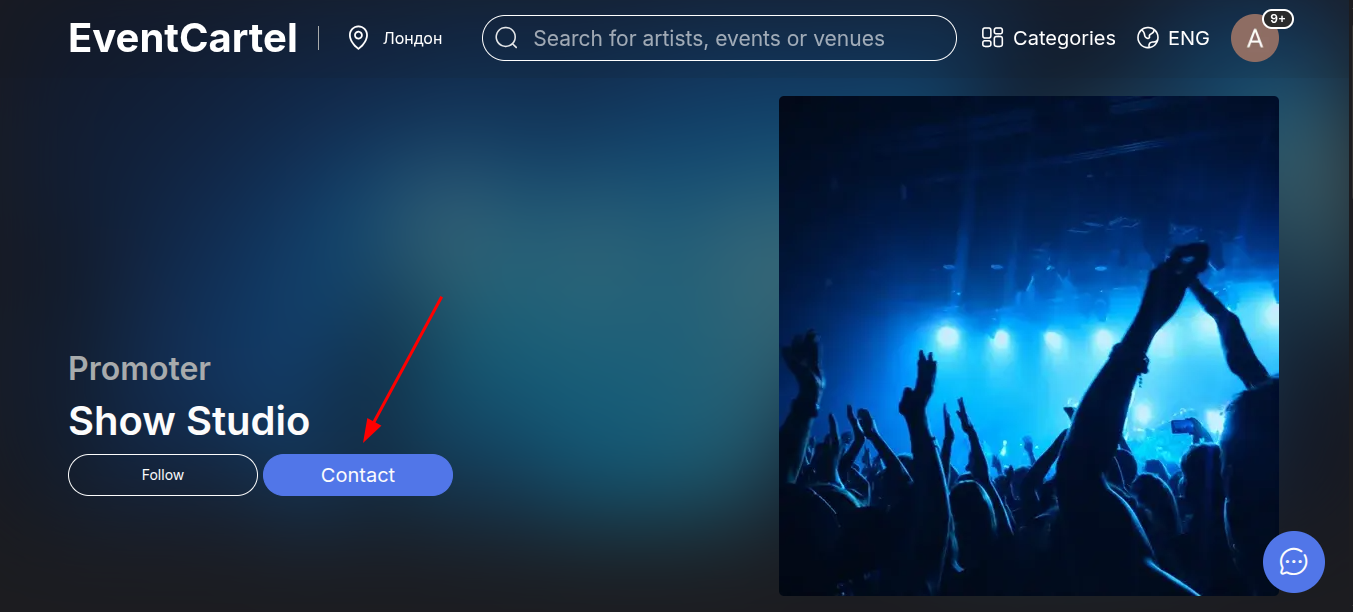
You can also open the chat from the organizer’s profile page by clicking "Contact".
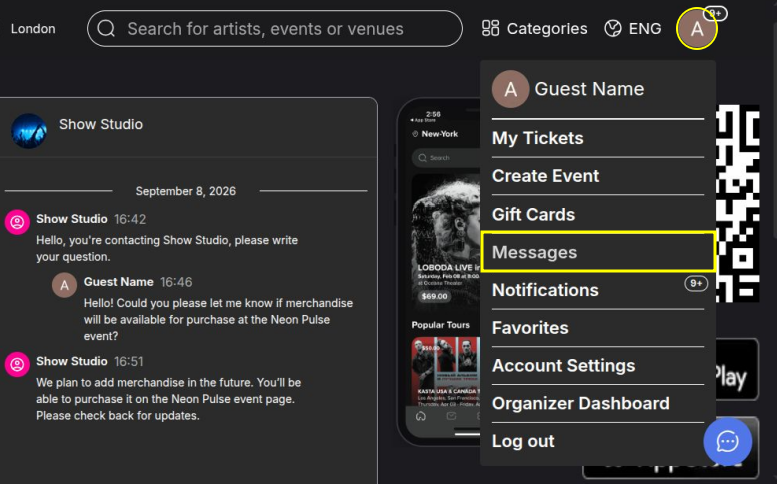
To view the organizer’s response:
- Hover over your account avatar in the top-right corner of the website;
- Select "Messages" from the menu;
- Open the relevant conversation.
This section contains all your messages, including conversations with event organizers and the virtual assistant Pablo.