Manage notification Settings
Jul 14, 2026Updated1 min read00
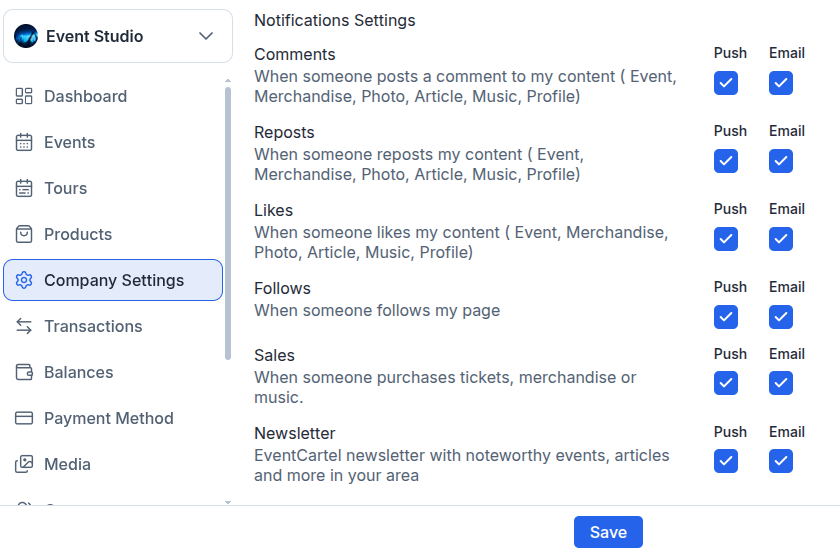
Notifications help you stay informed about activity on your page and ticket sales. You can choose separately which events trigger push notifications and which are sent by email.
To configure notifications:
- Sign in to your EventCartel account;
- Go to "Business Manager";
- Open "Company Settings";
- Navigate to "Notifications Settings".
For each notification type, choose your preferred delivery method:
Push – notifications in your browser;
Email – notifications sent to your email address.
(You can enable both delivery methods at the same time or disable a notification completely.)
Available notifications:
Comments – when someone leaves a comment on your content (events, products, photos, articles, music, or profile);
Reposts – when someone reposts your content;
Likes – when someone likes your content;
Follows – when someone follows your page;
Sales – when someone purchases tickets, products, or music;
Newsletter – EventCartel news, event recommendations, articles, and other updates from your region.
- After making your changes, click "Save".