Download Ticket Codes
Aug 10, 2026Updated1 min read10
- Log in to your EventCartel account;
- Go to "Business Manager";
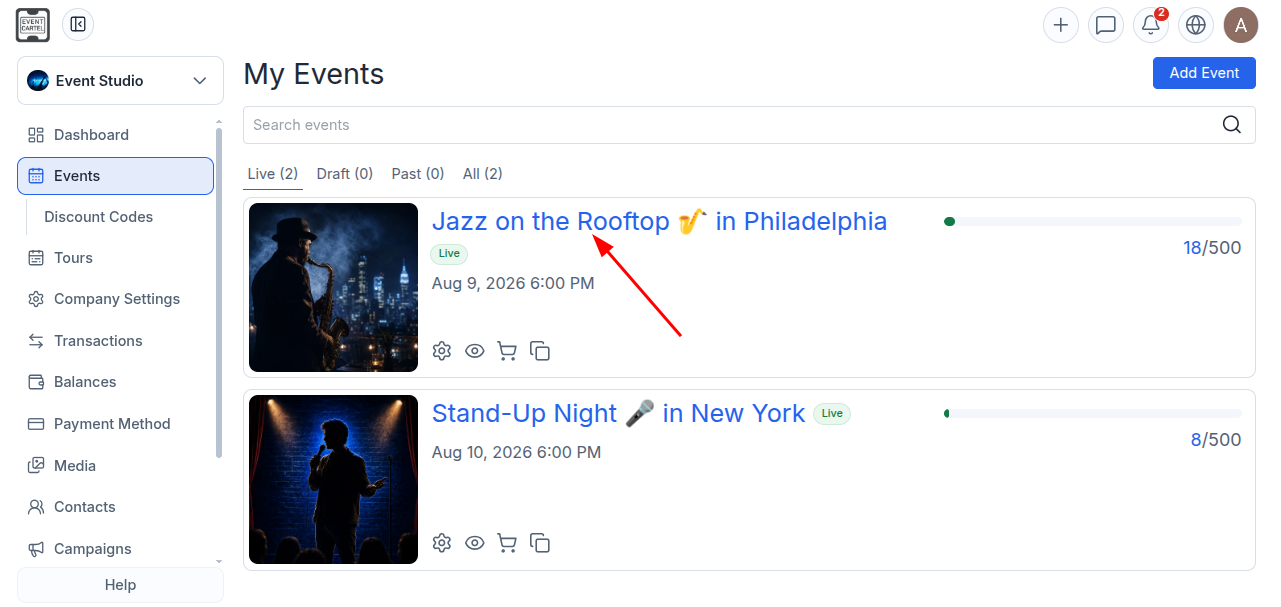
- Open the "Events" section;
- Select the desired event.
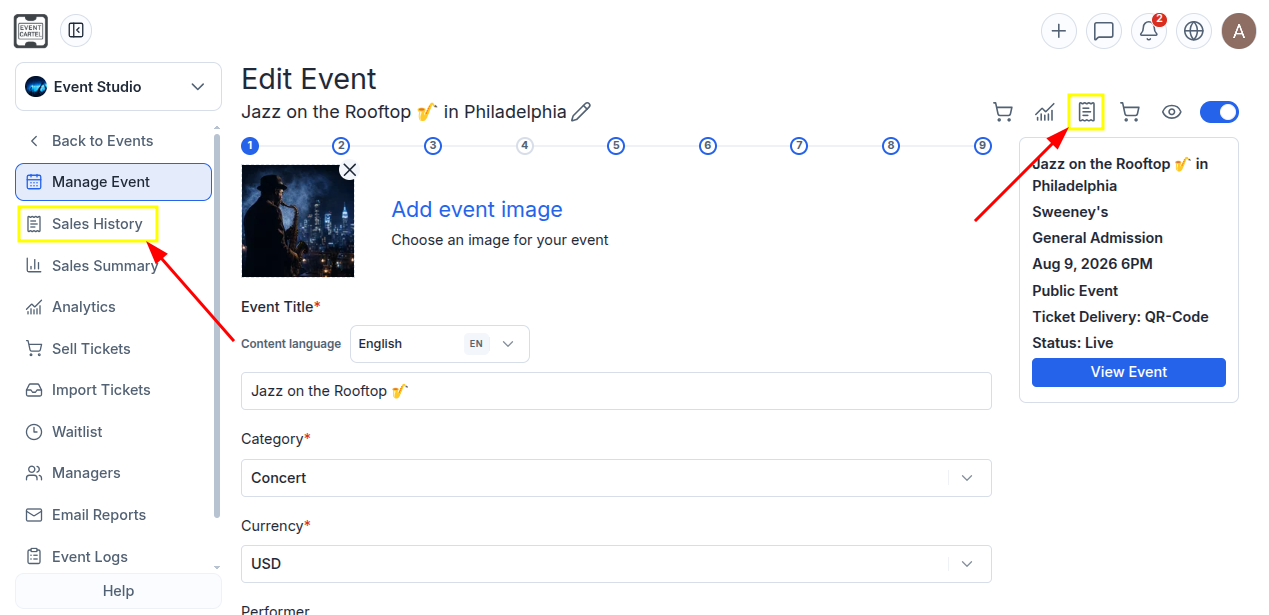
- In the menu on the left, go to "Sales History", or click the 📄 icon at the top of the page.
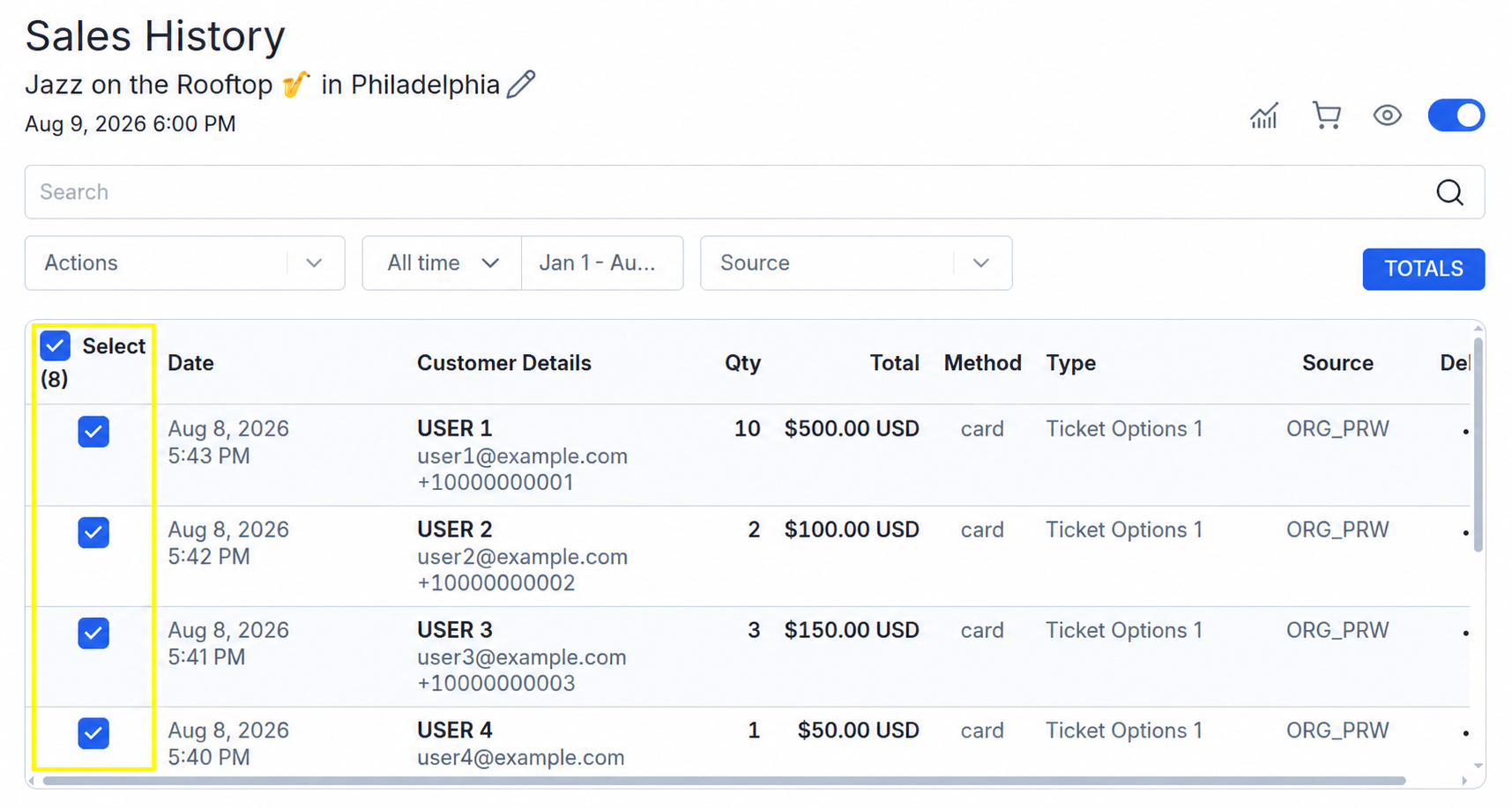
- Select the purchases containing the ticket codes you want to download by checking the corresponding boxes;
You can use the search to find a purchase by order number, customer name, email address, or phone number.
To download the codes for all sold tickets, check the box next to "Select".
- Open the "Actions" menu;
- Select "Download Ticket Codes".
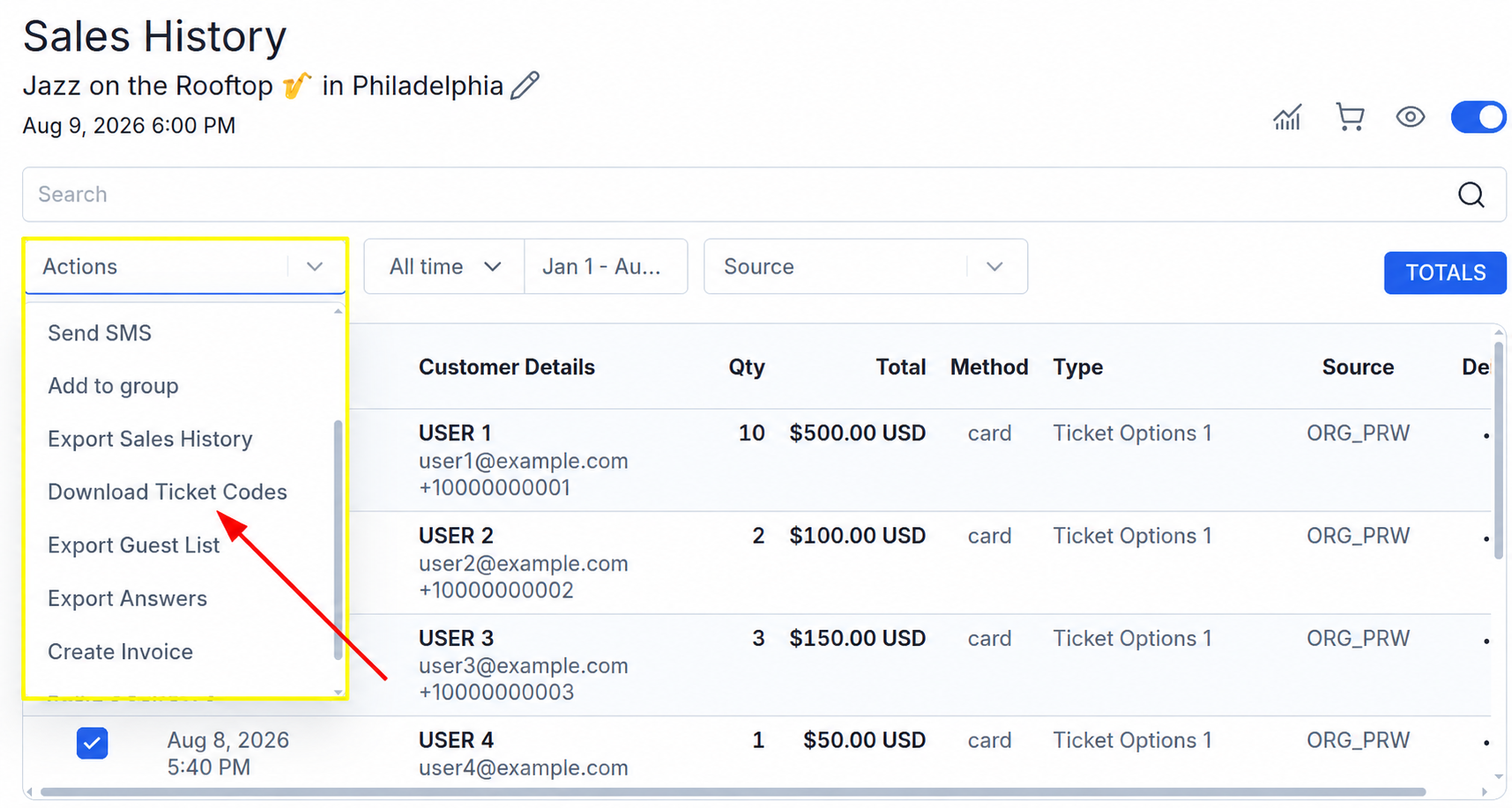
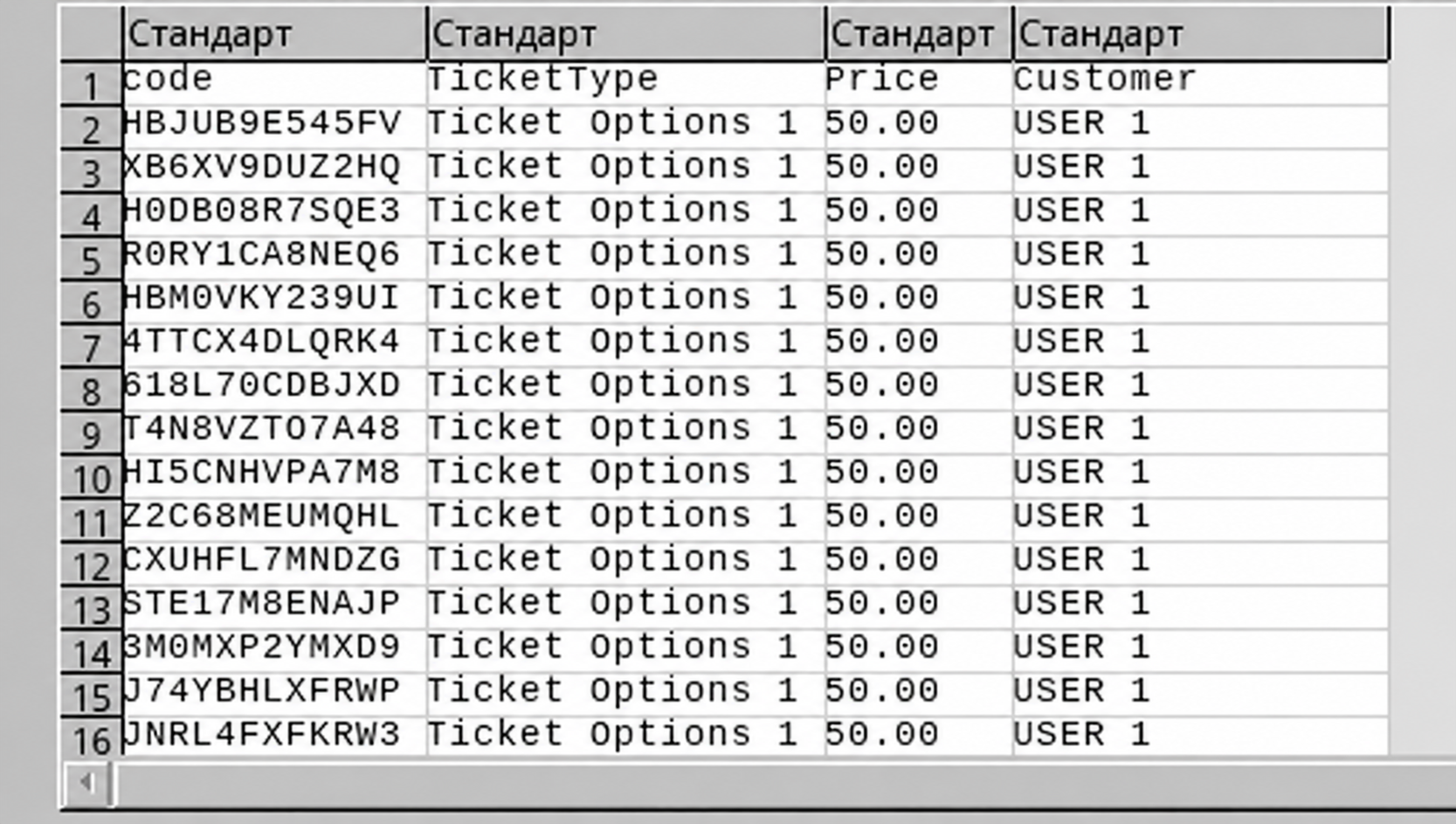
Done! A file containing the following data will be downloaded to your device:
Code - ticket code;
TicketType - ticket type;
Price - ticket price;
Customer - customer name.