How to create a tracking link to track sales?
Jun 25, 2026Updated00
Create Tracking Link
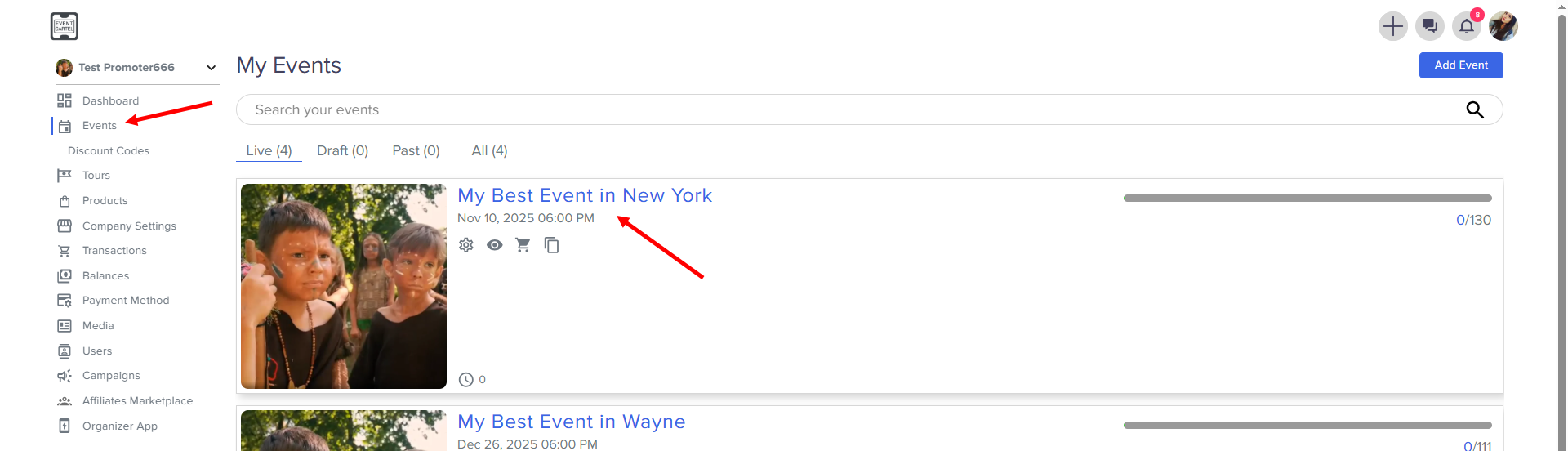
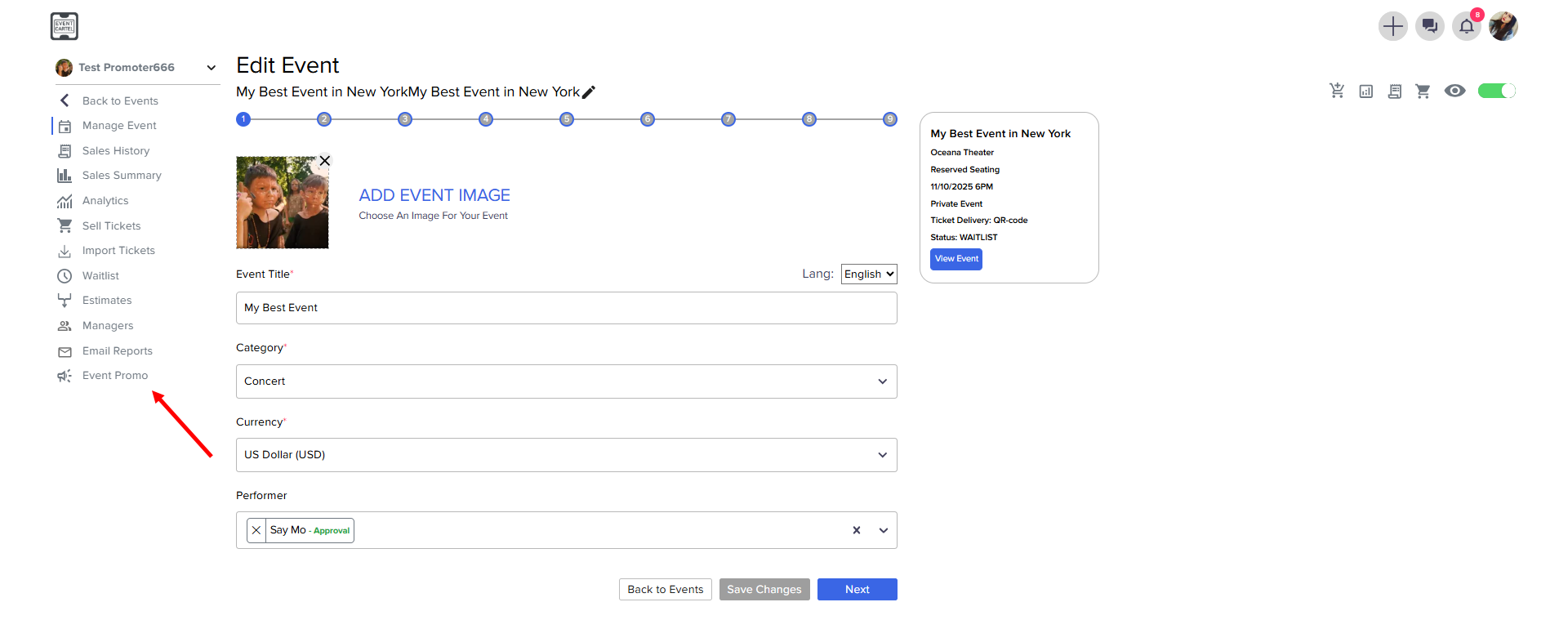
- Go to Event Promo
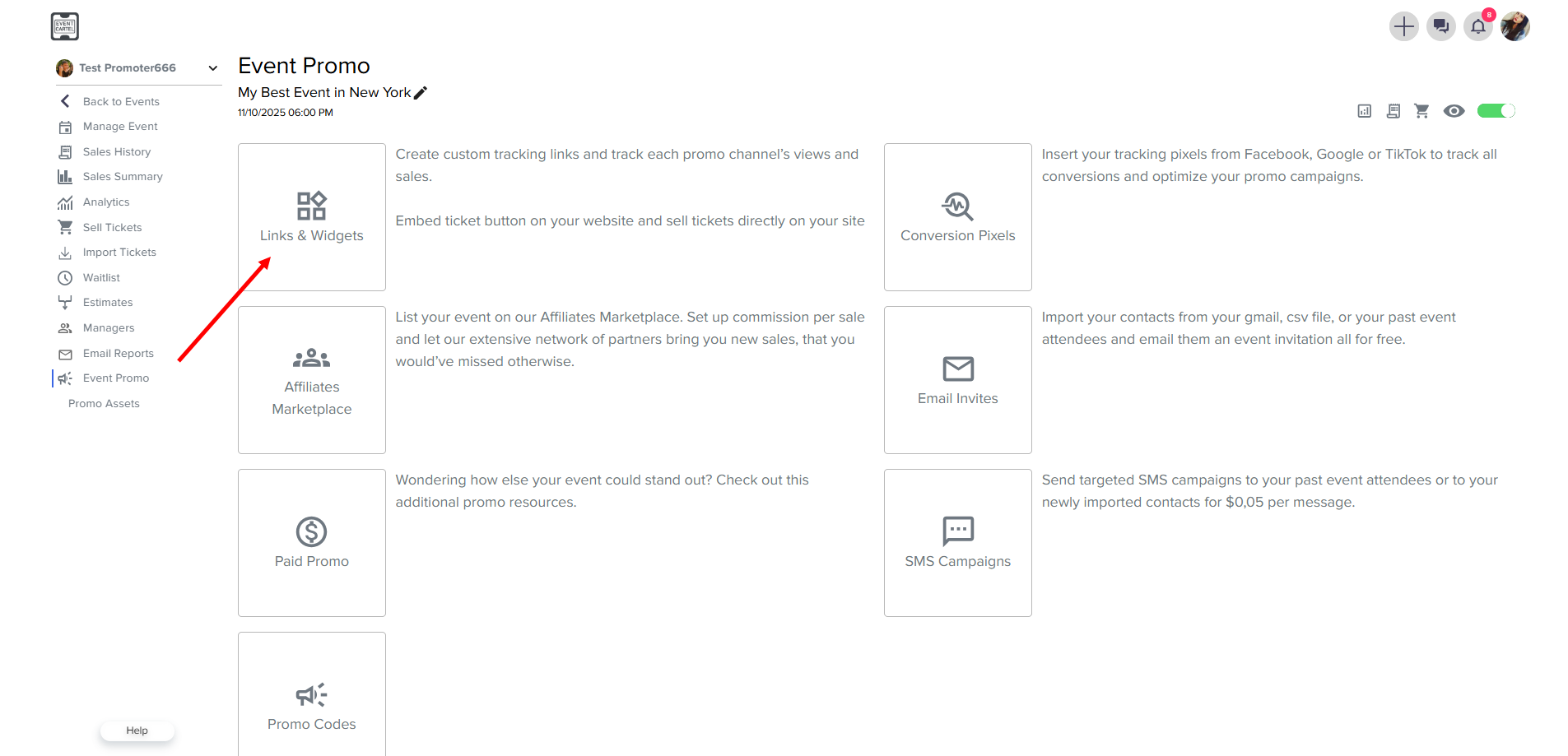
- Go to the Link & Widgets
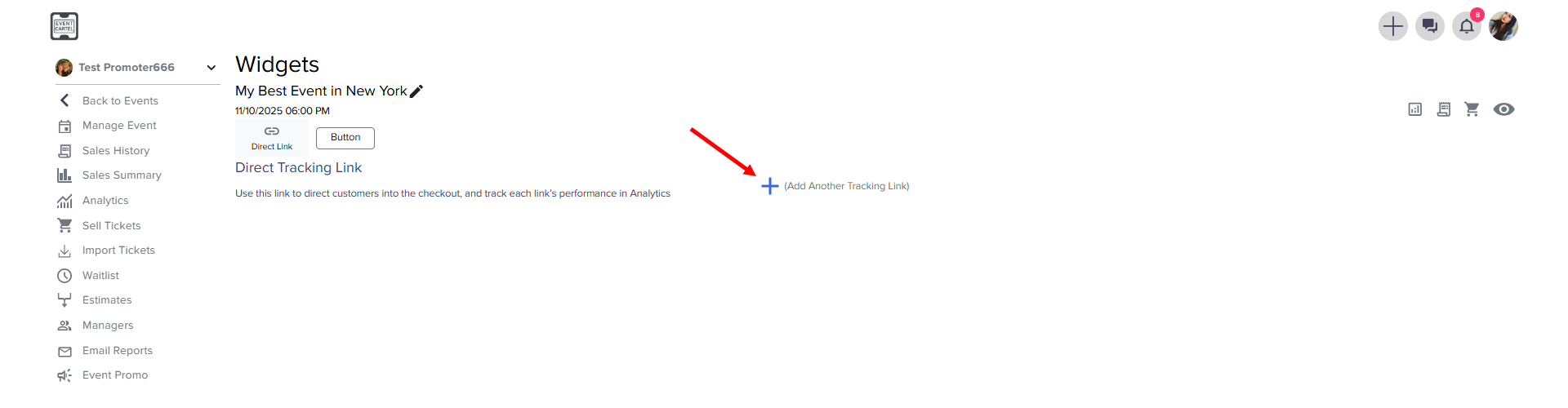
- click Add Another Tracking Link
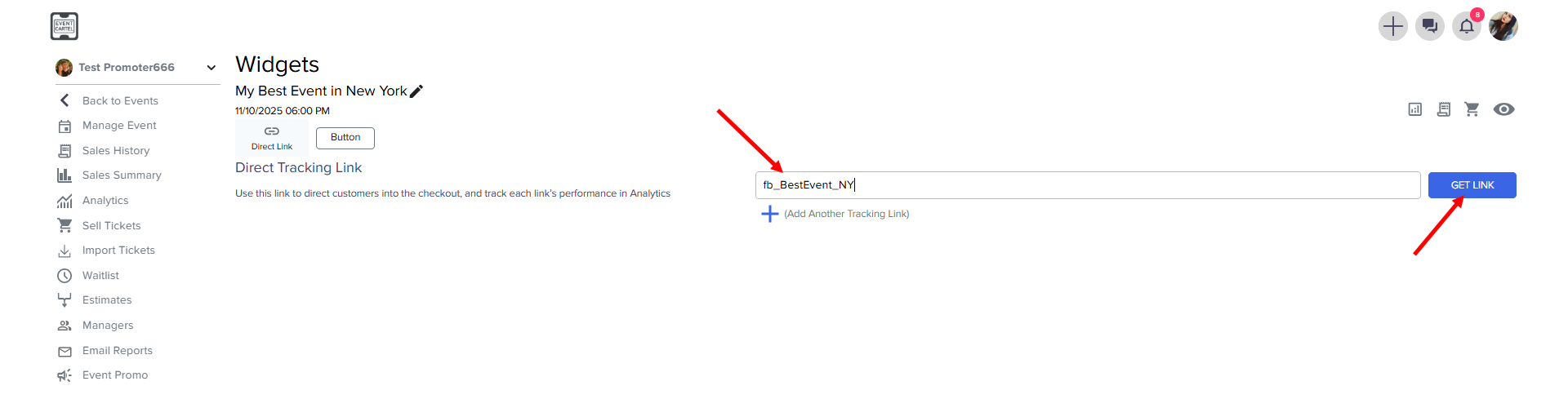
- Enter the link name → click GET LINK
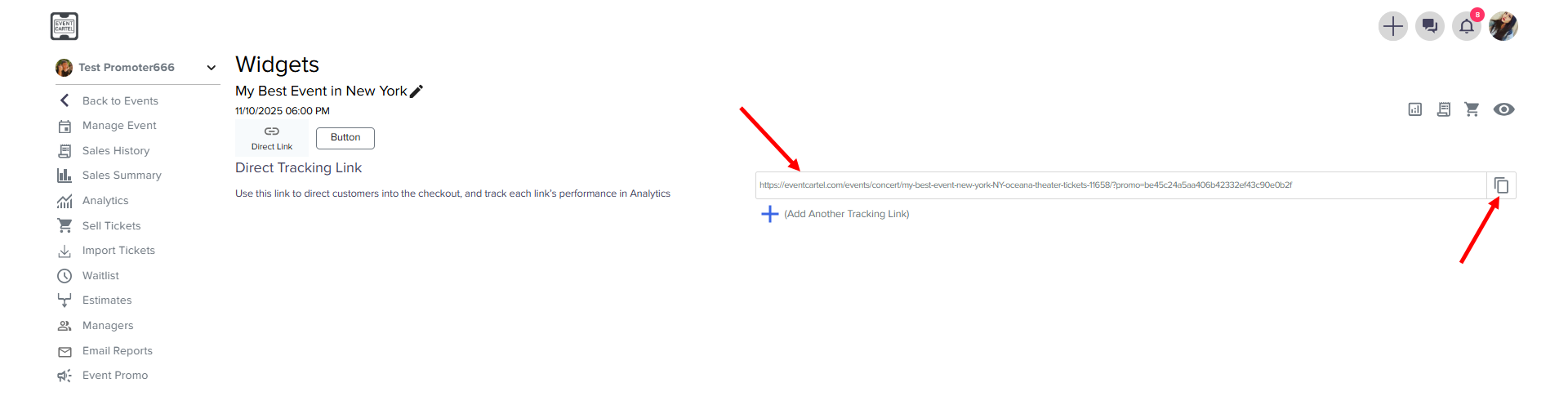
- The link is ready! → click to copy
Describe your situation in support chat, and we'll do our best to help as quickly as possible.
Was this article helpful?