How to download an event sales report in PDF and CSV formats
Sep 9, 2026Updated1 min read00
The "Sales Summary" section contains detailed information about event sales. You can use the report for viewing, printing, sharing with your accountant, or further data analysis.
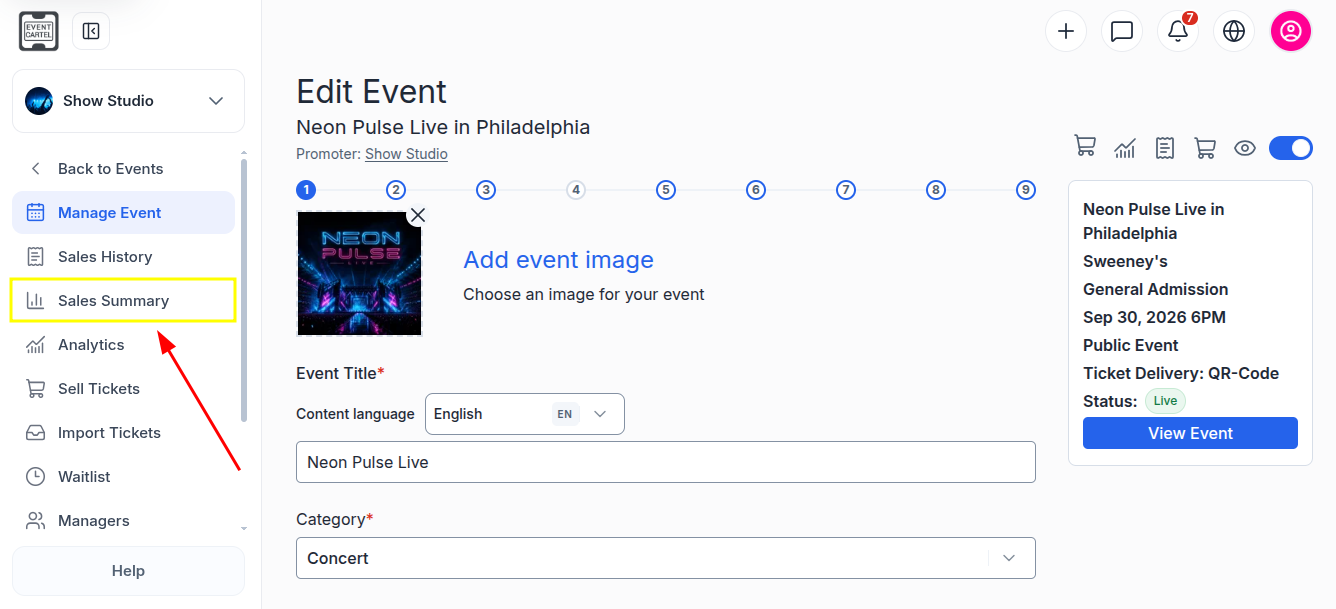
To access the report:
- Go to the "Events" section;
- Open the desired event;
- Select "Sales Summary" from the menu on the left.
How to download a report in PDF format:
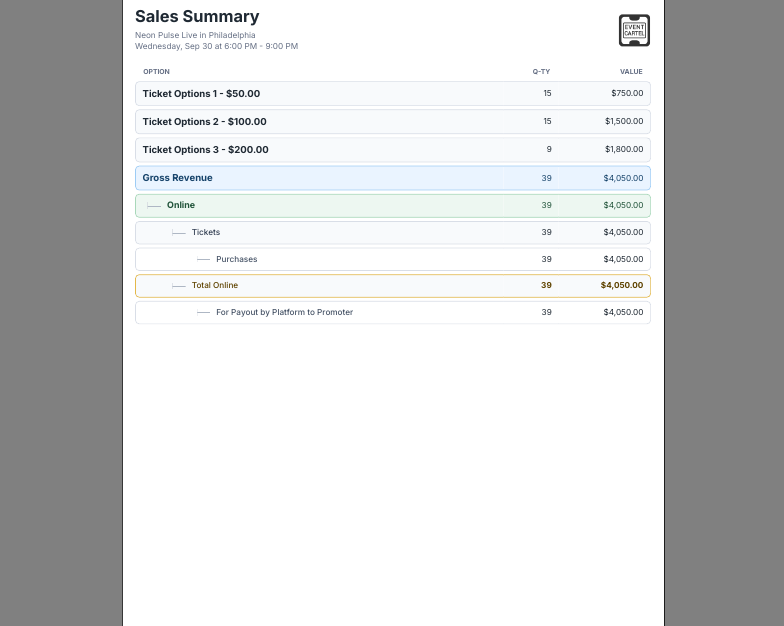
This format is suitable for viewing, printing, or sharing a completed report. The file presents the information in a formatted layout and is not intended for editing data.
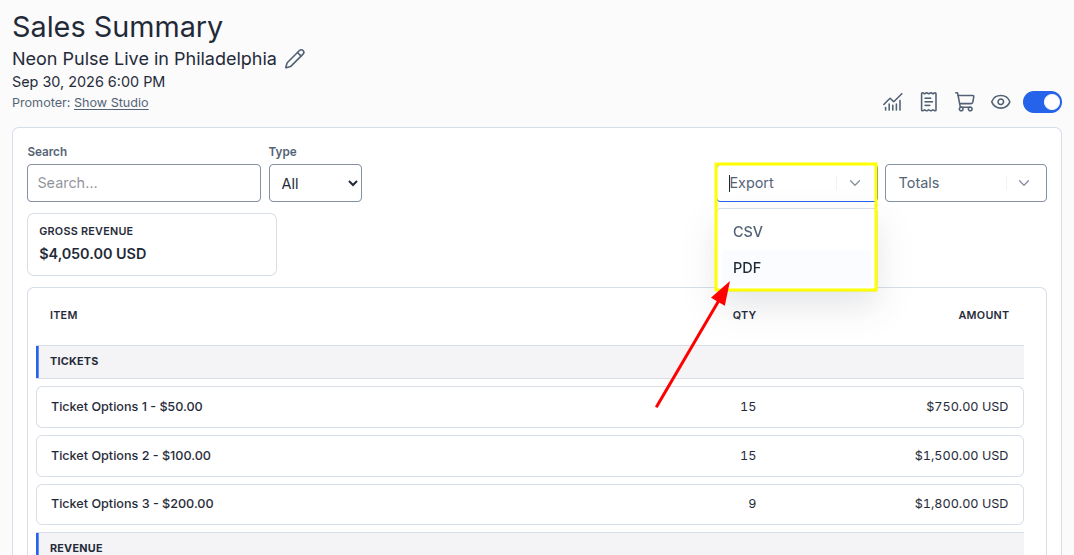
- Click "Export";
- Select "PDF".
The report will begin downloading after you select the format.
After downloading, the PDF file will most likely be saved in the "Downloads" folder on your computer. The save location may vary depending on your browser settings.
How to download a report in CSV format:
This format is suitable for working with data in Excel, Google Sheets, or another spreadsheet application.
- Click "Export";
- Select "CSV".
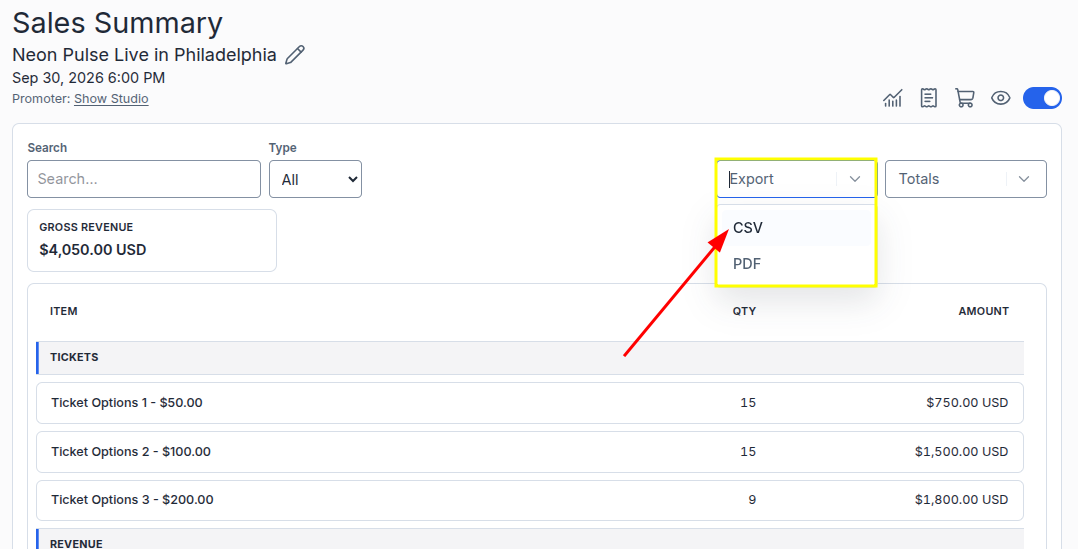
After downloading, the file will most likely be saved in the "Downloads" folder on your computer. The save location may vary depending on your browser settings.
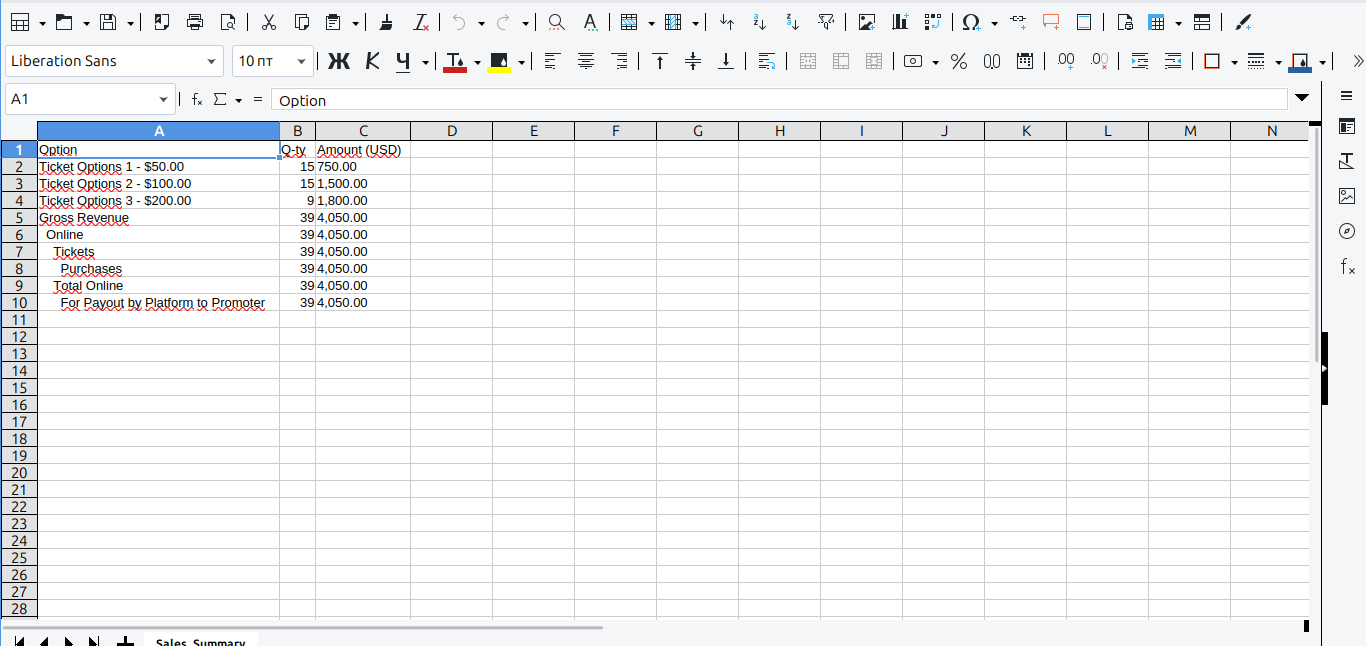
When you open the CSV file, a data import window may appear:
- Select "Comma" as the separator;
- Make sure the data is correctly distributed across the columns;
- Click "OK".
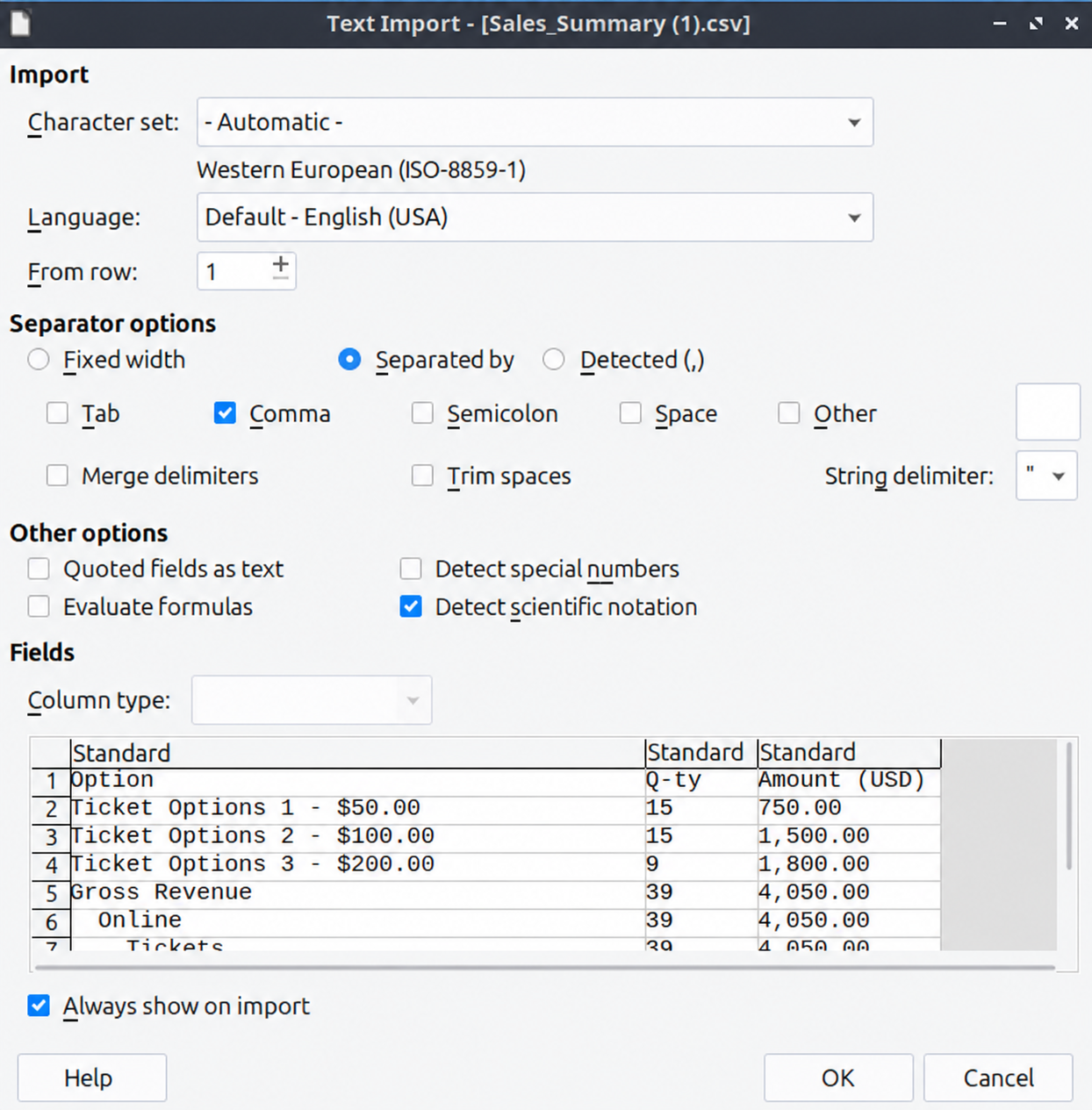
The report will then open as a spreadsheet. You can edit and sort the data or use it for calculations.