How to email ticket buyers about important event updates
Sep 1, 2026Updated1 min read00
If the date, time, venue, or other event information has changed, you can notify buyers by email.
To create and send an email:
- Open the "Events" section and select the required event;
- Click the "Sales History" icon in the upper-right corner of the page.
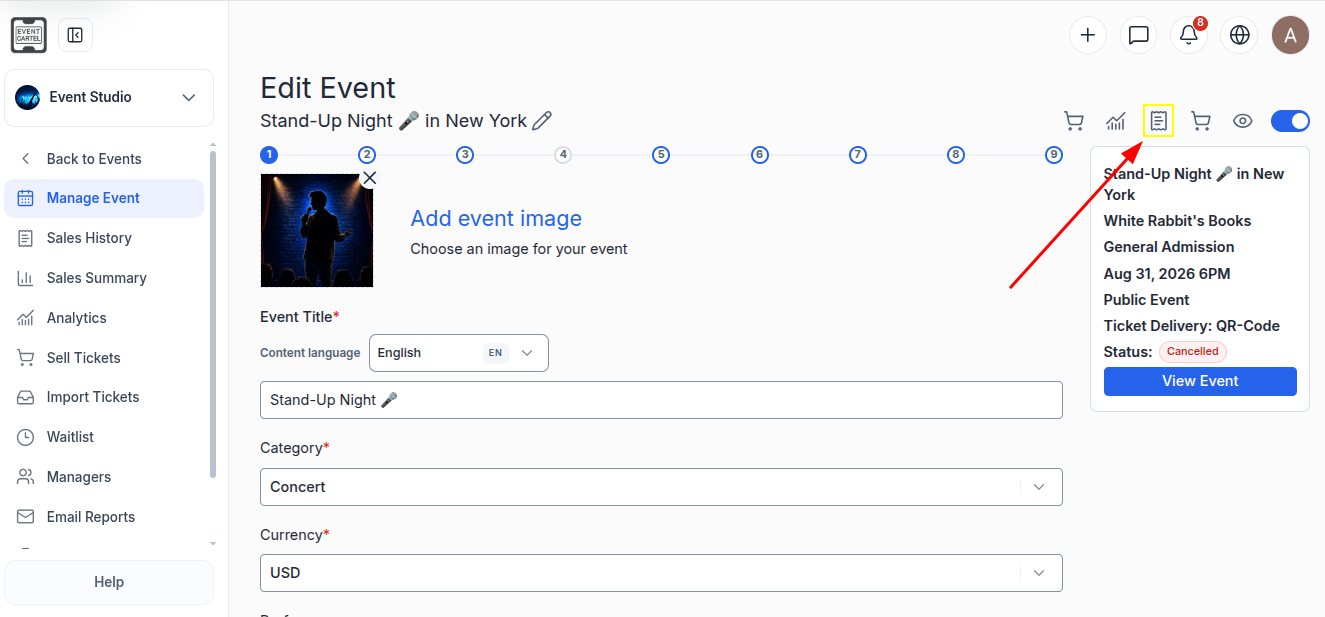
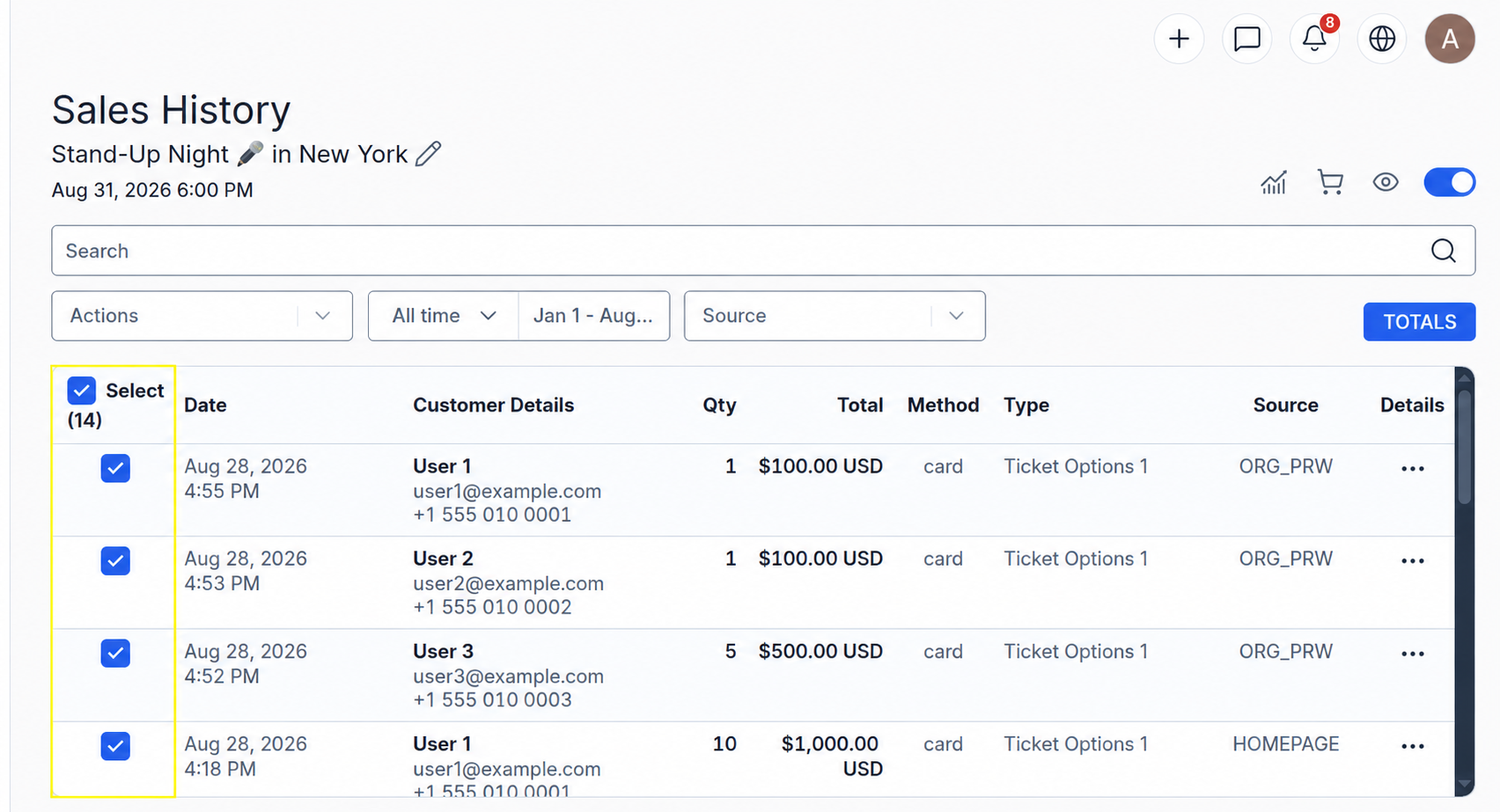
The "Sales History" section will open with a list of customers who purchased tickets to the event.
- Select the required customers, or check the "Select" box to select everyone.
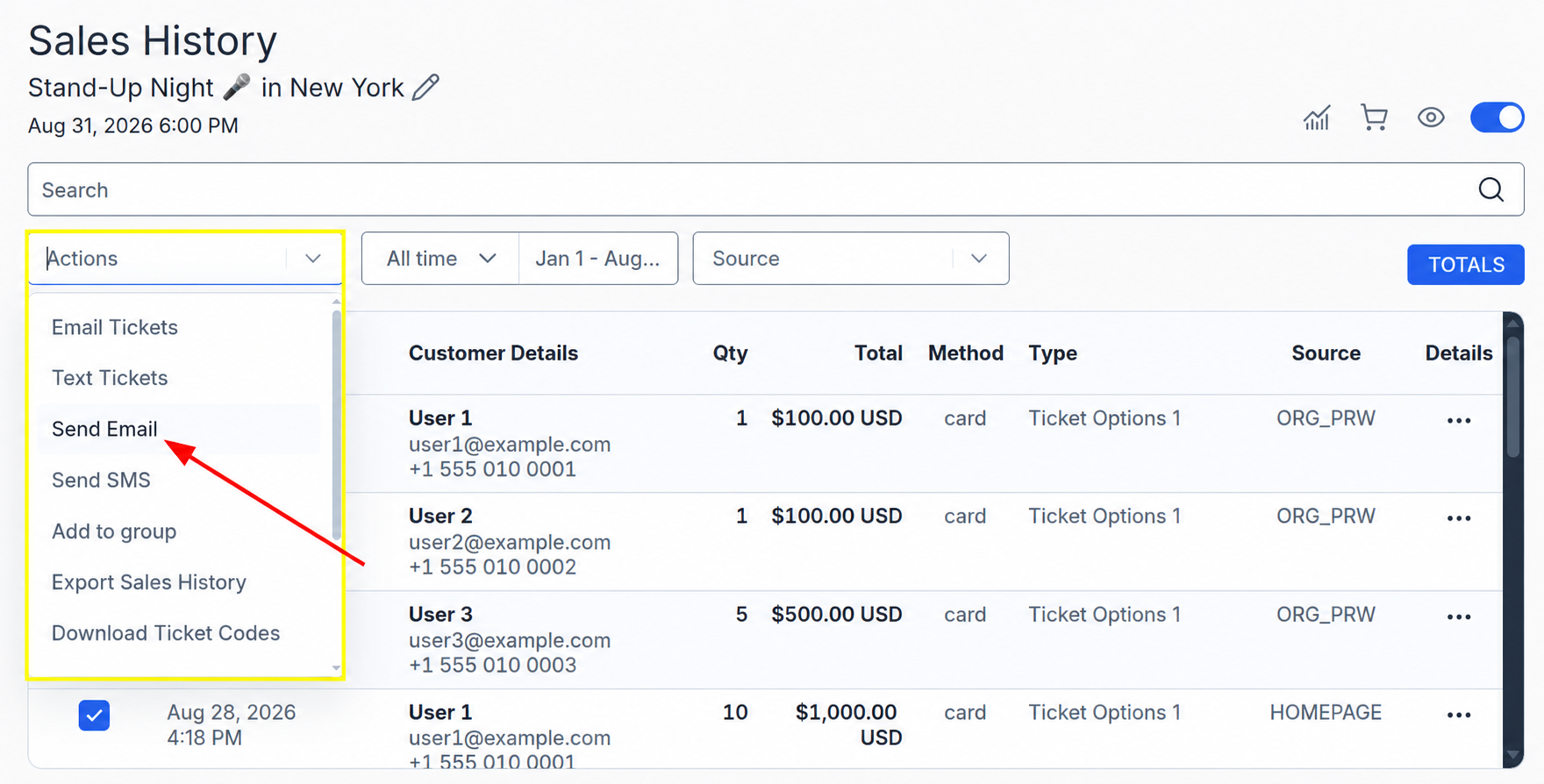
- Open the "Actions" menu;
- Select "Send Email".
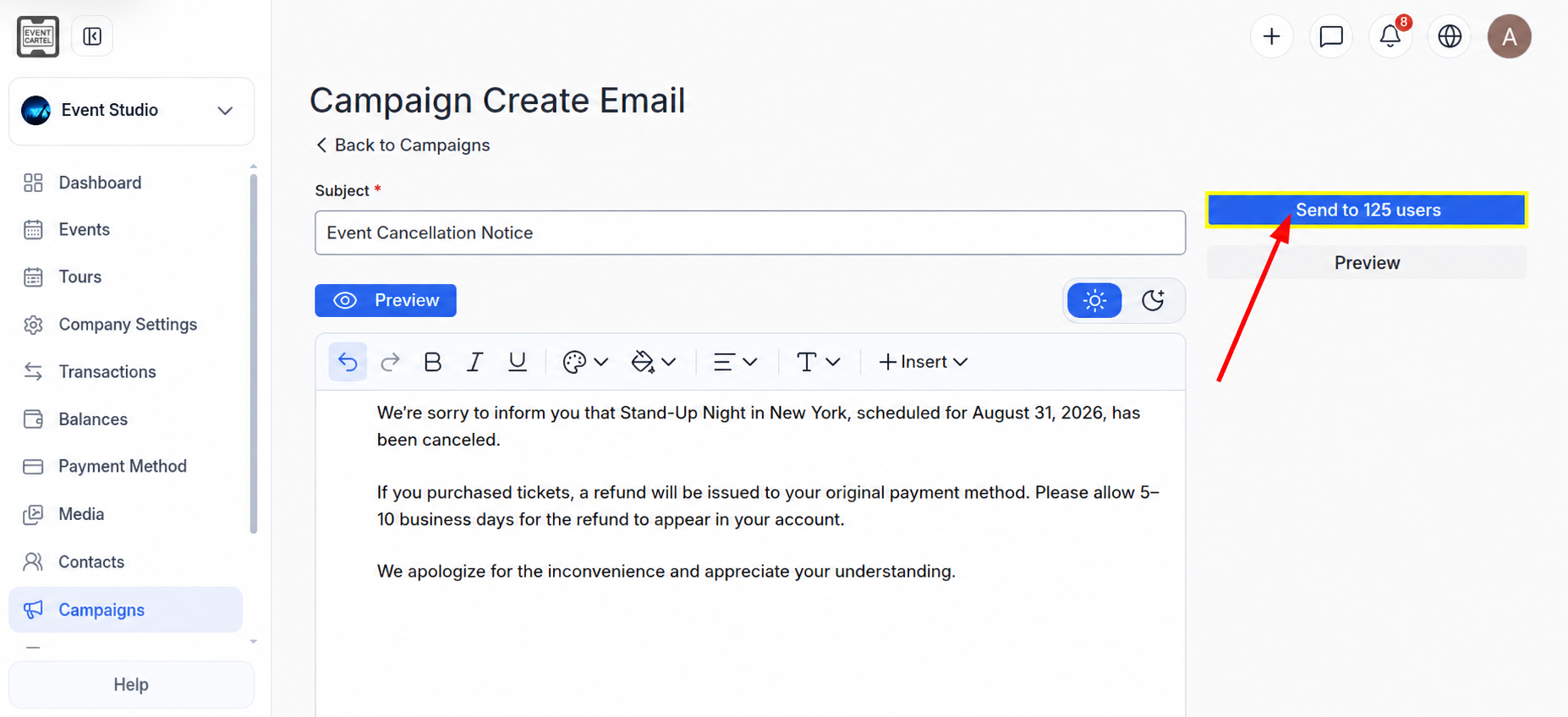
The email creation page will open:
- Enter the email subject in the "Subject" field;
- Add the message text.
To preview how the email will appear to recipients, click "Preview";
- Click "Send to users".
The button will display the number of recipients, for example, "Send to 125 users".
The button will display the number of recipients, for example, "Send to 125 users".
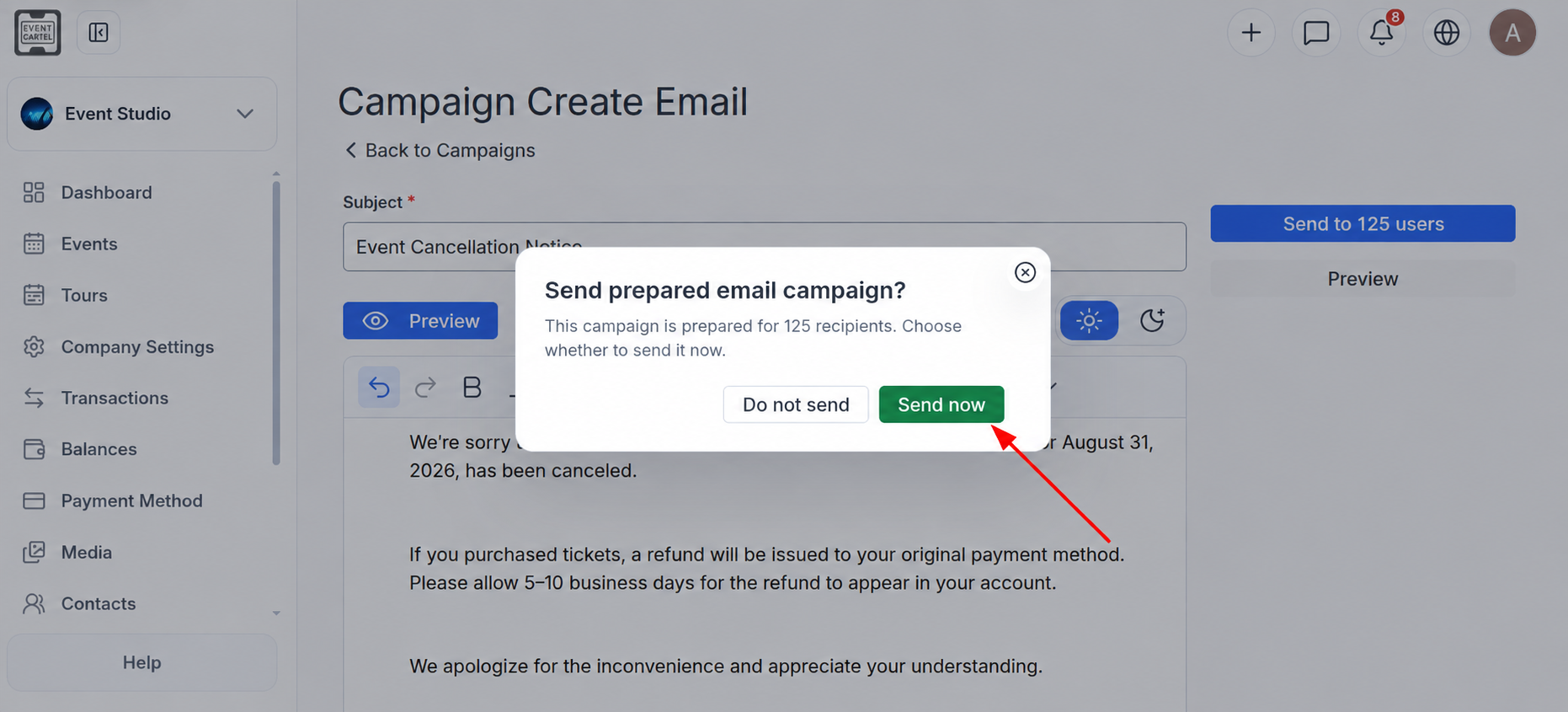
A confirmation window will appear:
- Click "Send now".
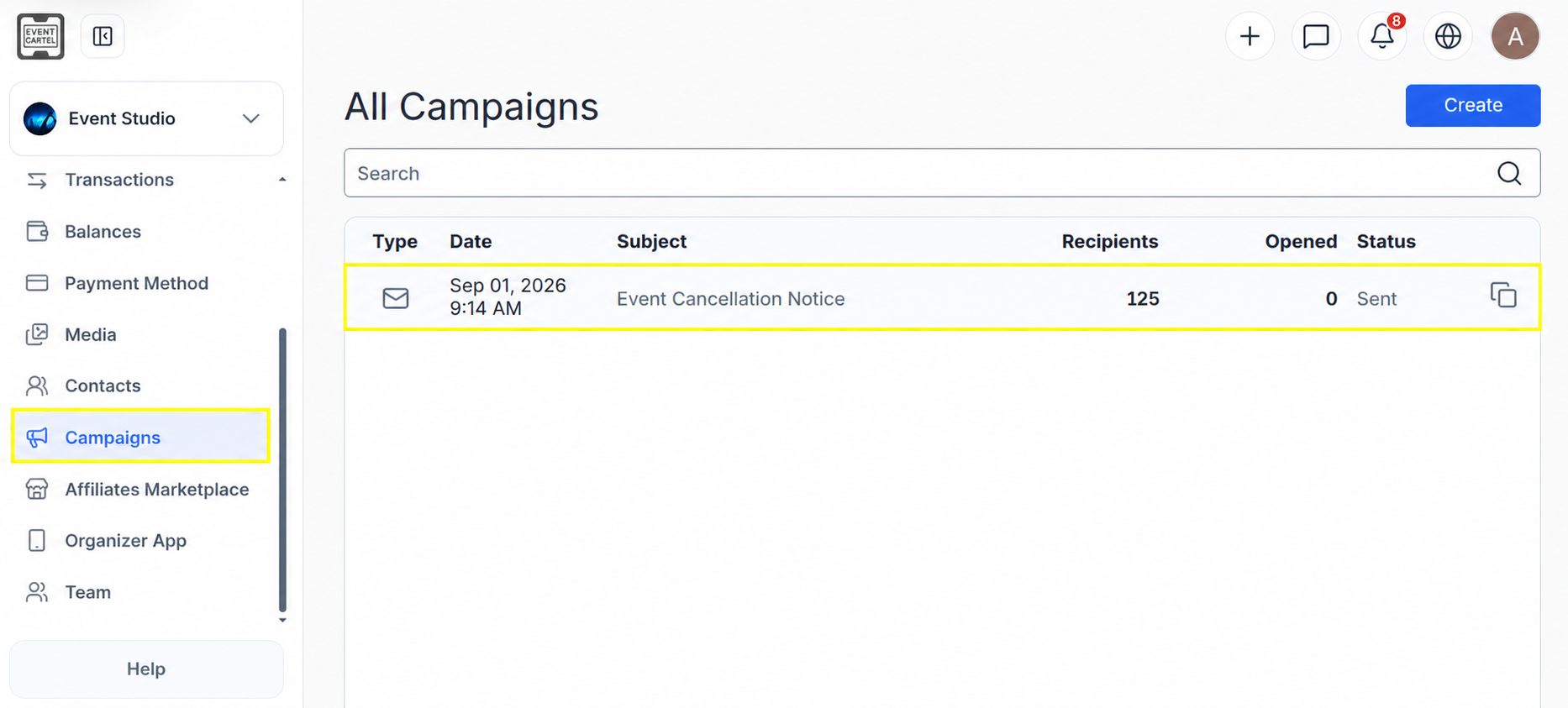
After the email is sent, it will appear in the "Campaigns" section with the "Sent" status. Here you can view the date it was sent, the email subject, the number of recipients, and the number of opens.