How to group my contacts for easier email marketing campaigns?
Jun 25, 2026Updated00
Group the Contacts
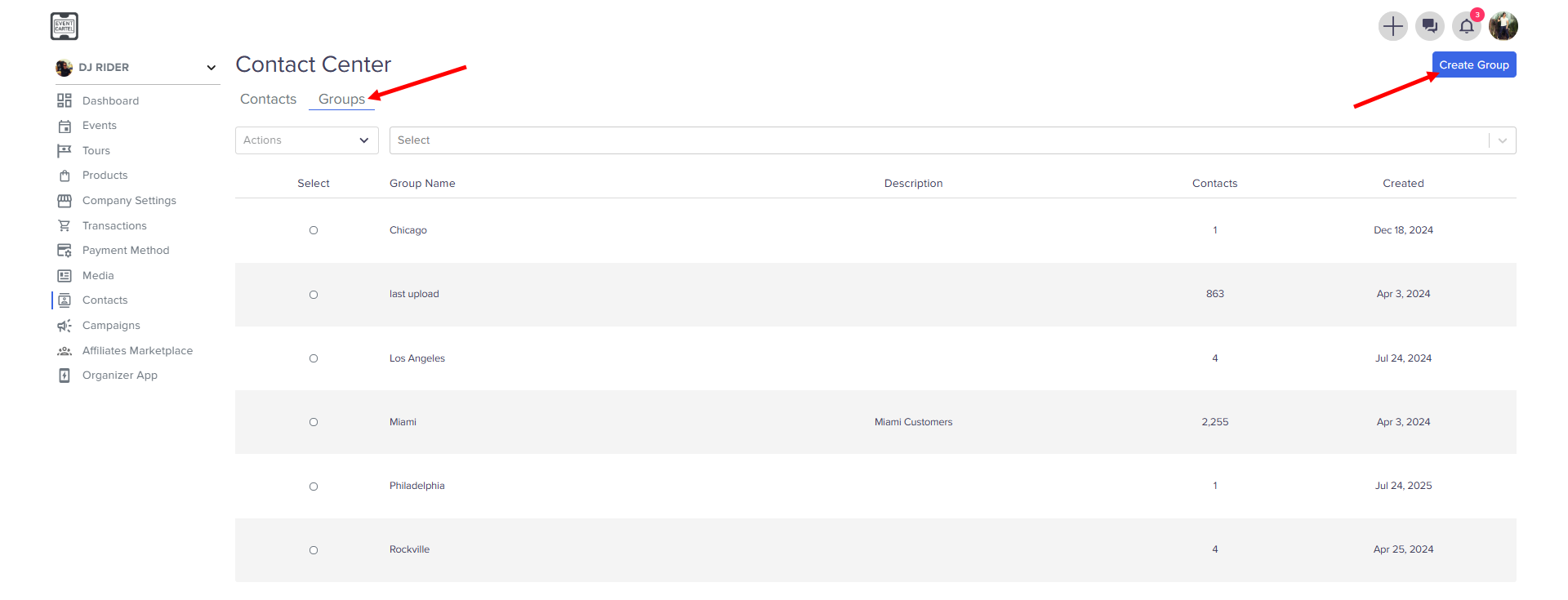
- Go to the Groups → click Create Group
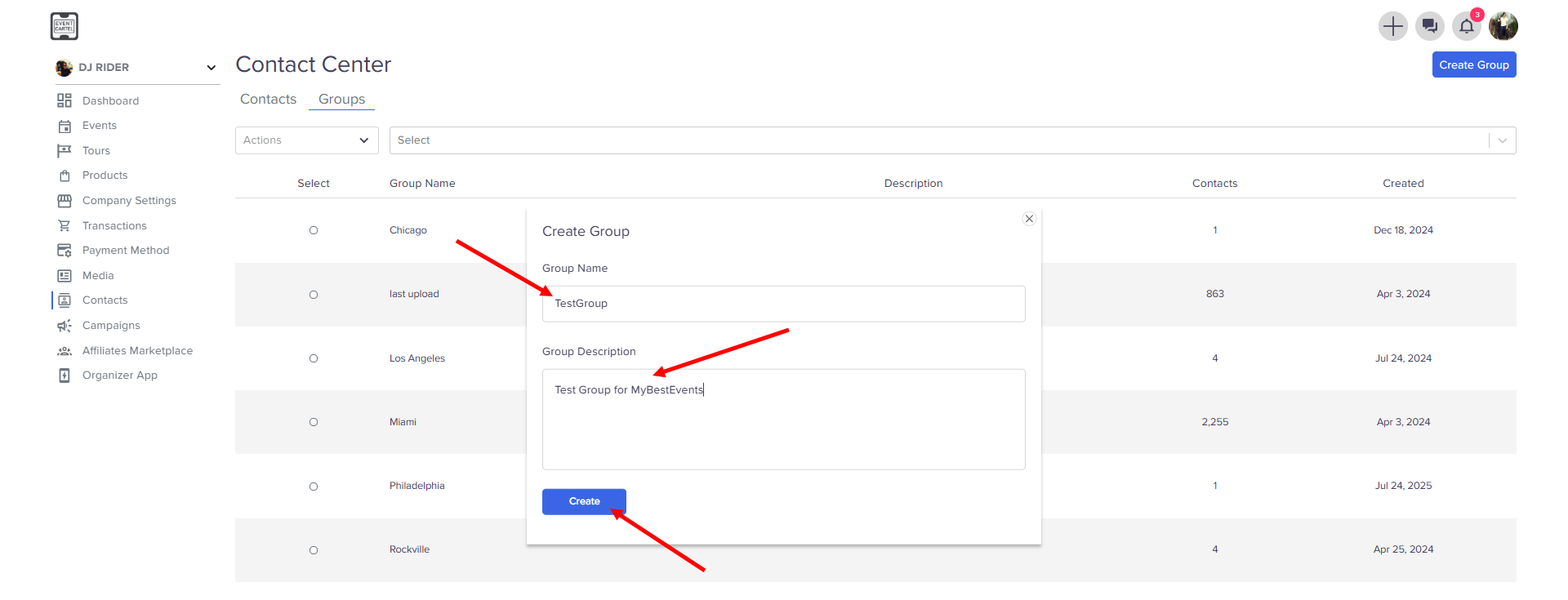
- Enter Group Name
- Enter Group Description → click Create
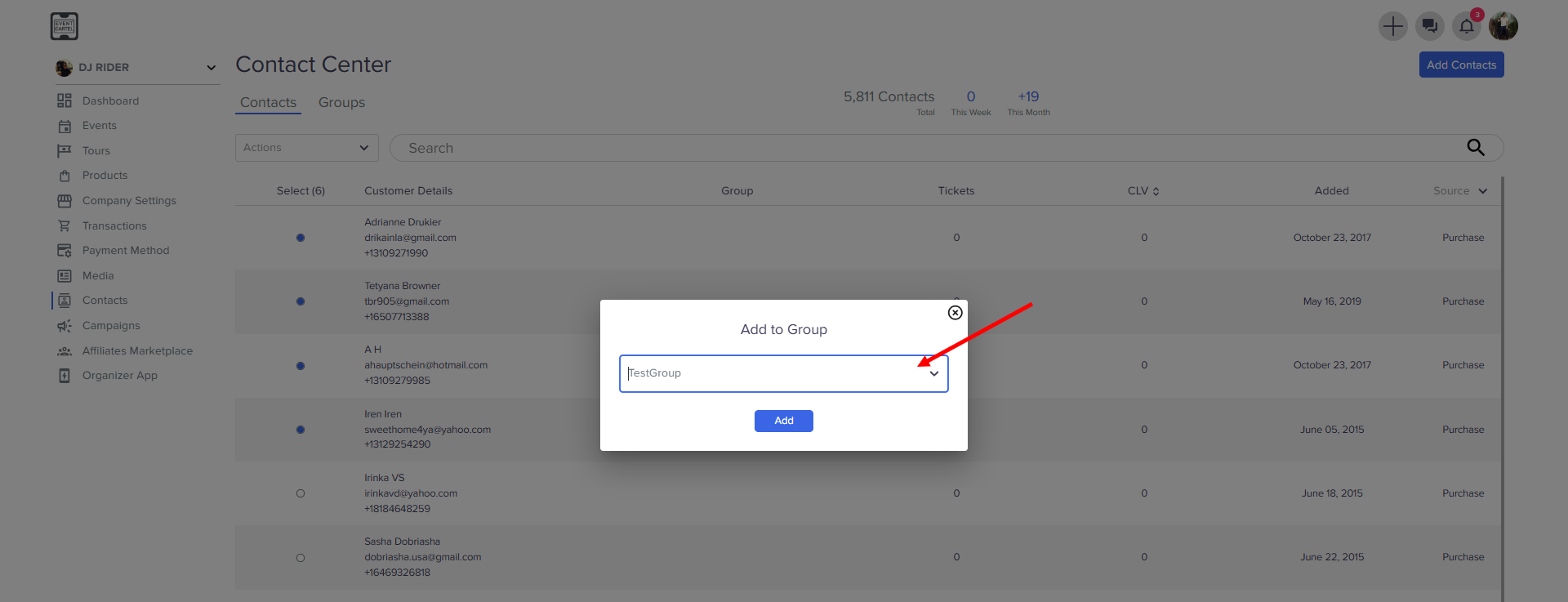
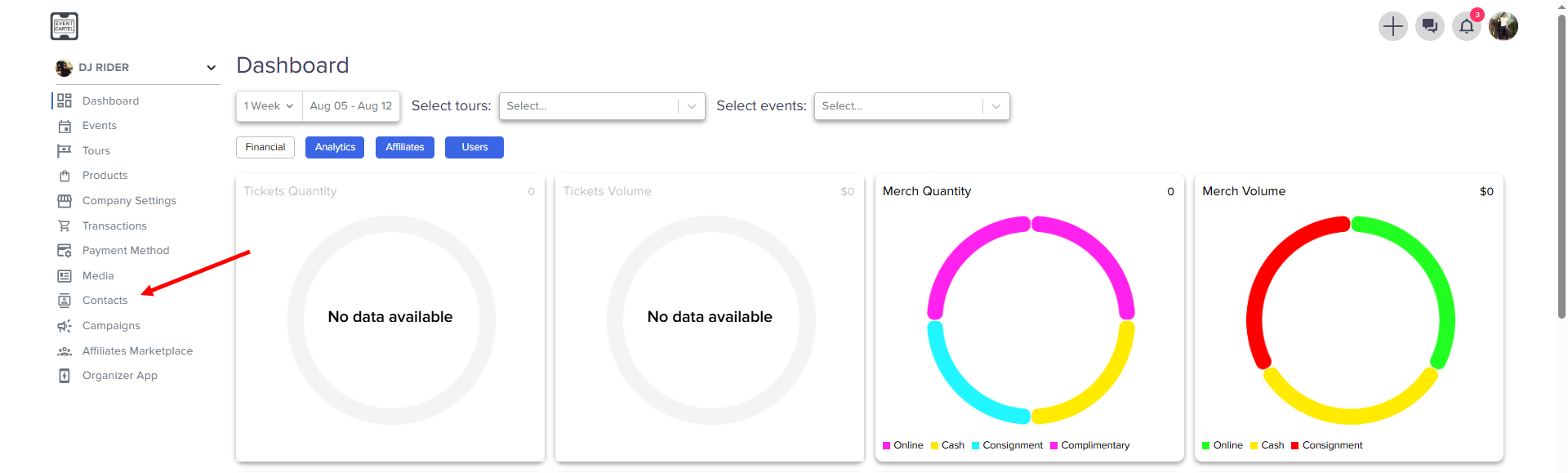
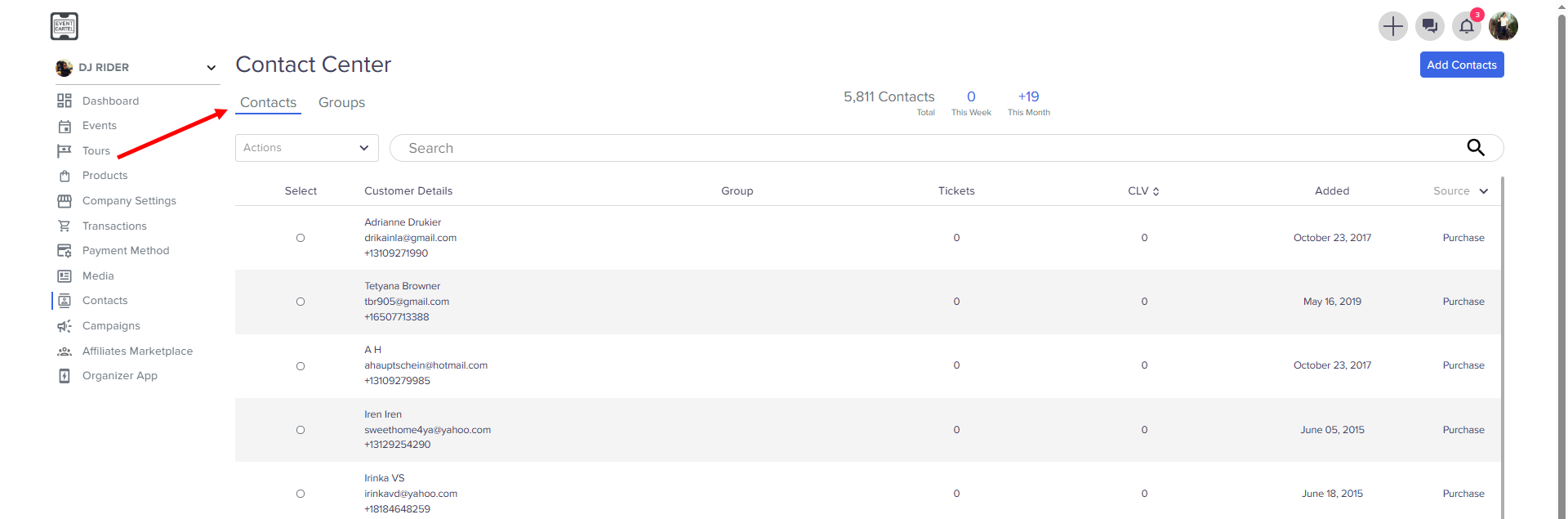
- Go back to the Contacts
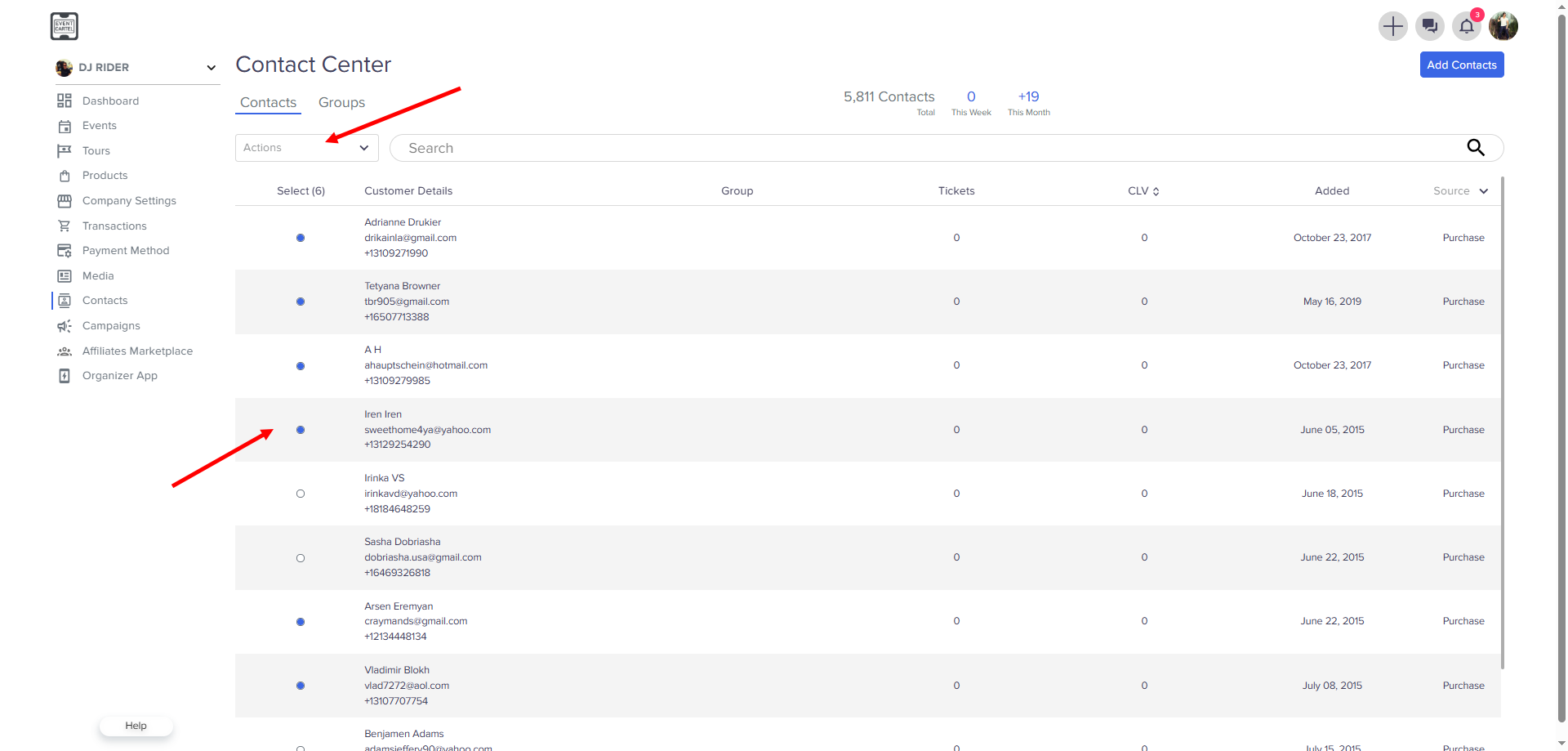
- Select Users → click Actions
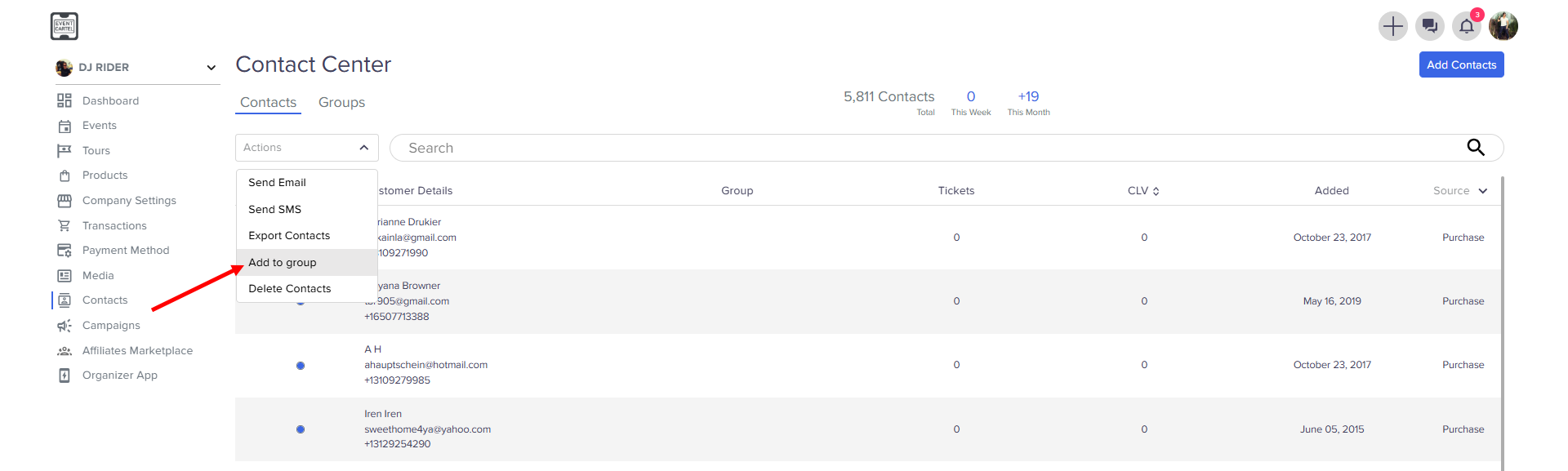
- click Add to Group
- Select the group you created → click Add