How to export event sales data?
Jun 25, 2026Updated00
Export Sales History
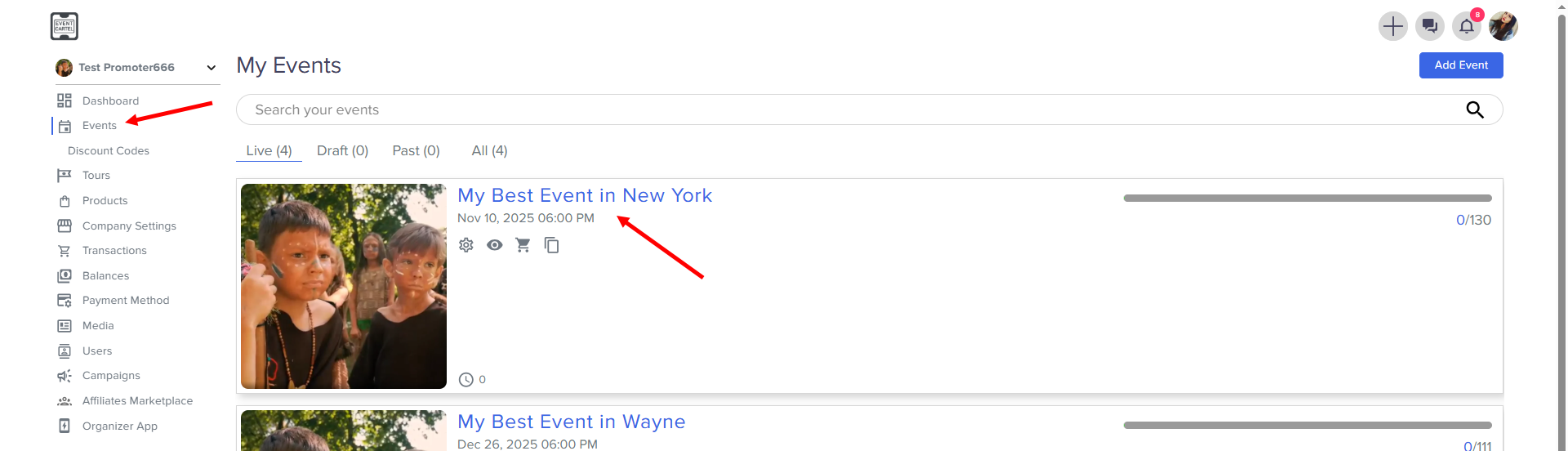
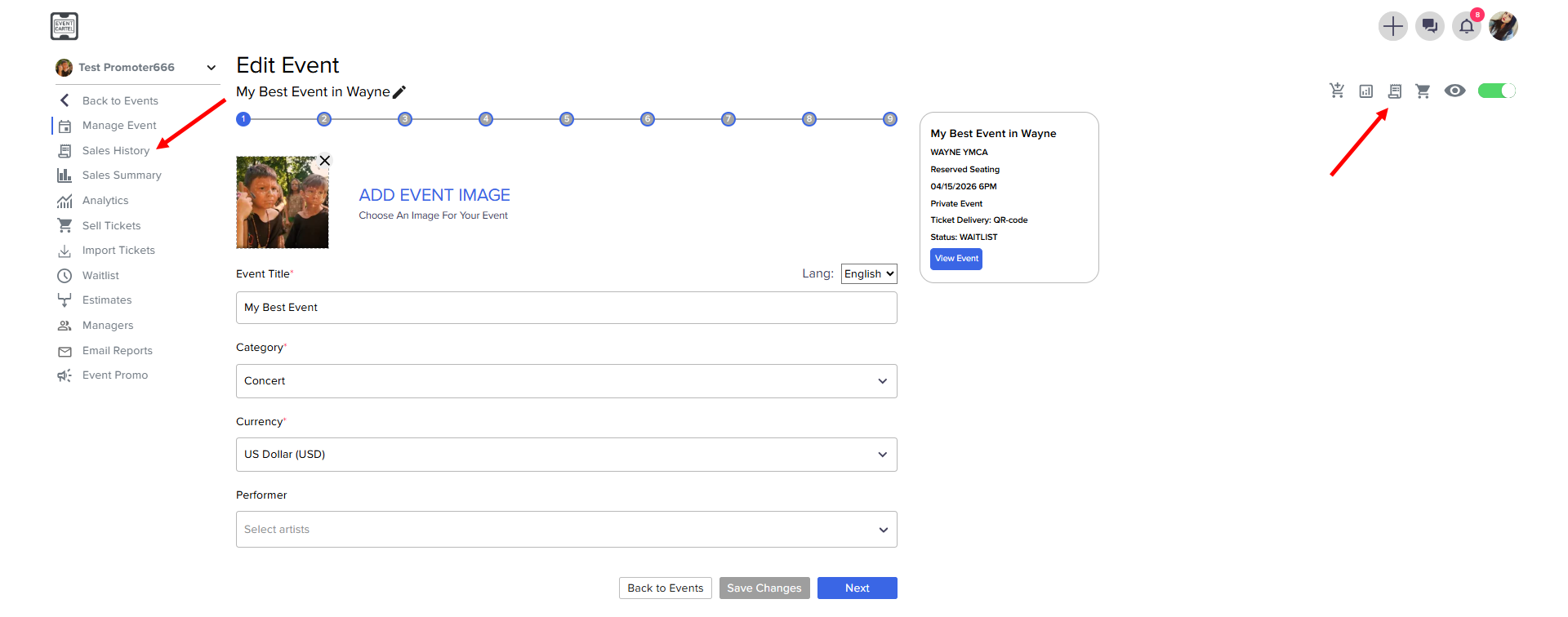
- Go to the Sales History
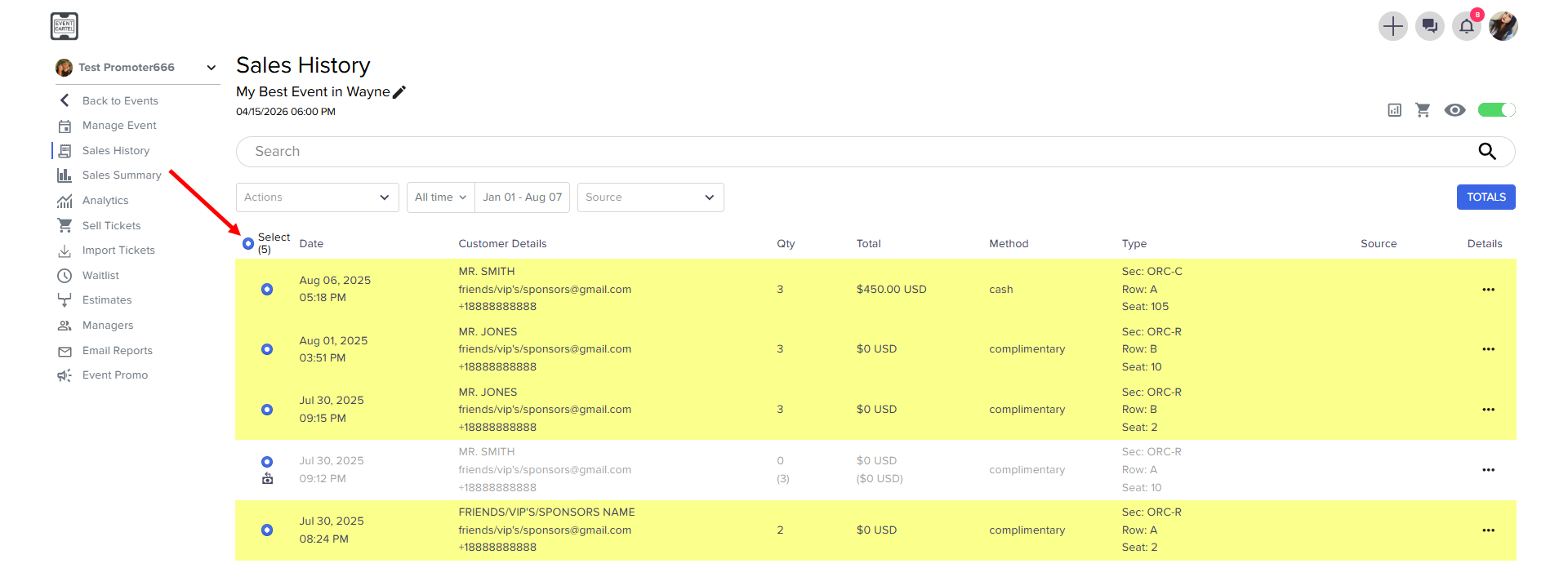
- Select All Orders
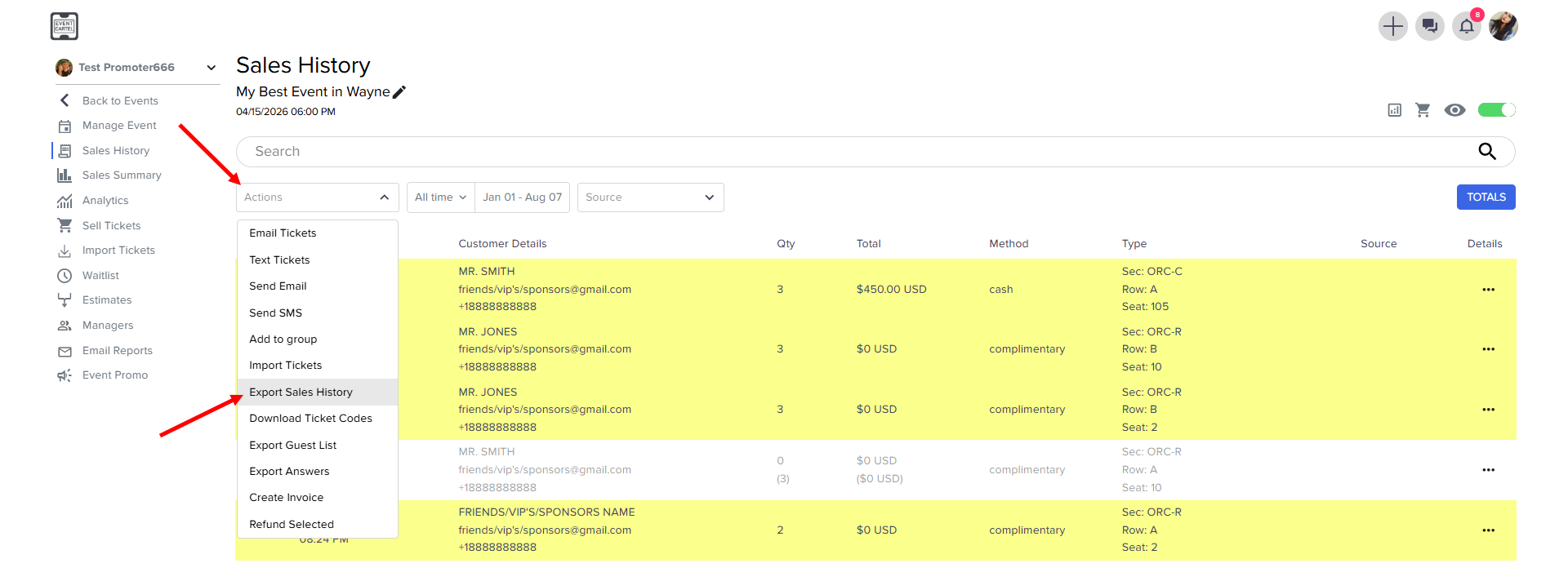
- click Actions → Export Sales History
Describe your situation in support chat, and we'll do our best to help as quickly as possible.
Was this article helpful?