How to email all event attendees an important information about event changes or updates?
Jun 25, 2026Updated00
Create Notifications
- Log in to your EvenCatrel account
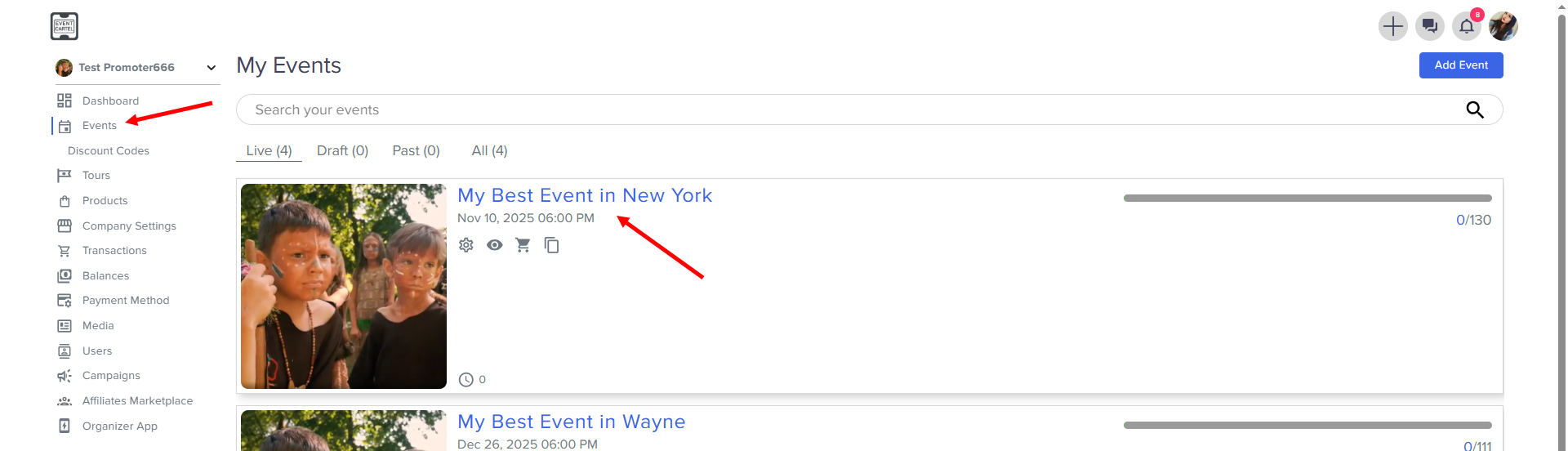
- Go to Events → find the Event you need
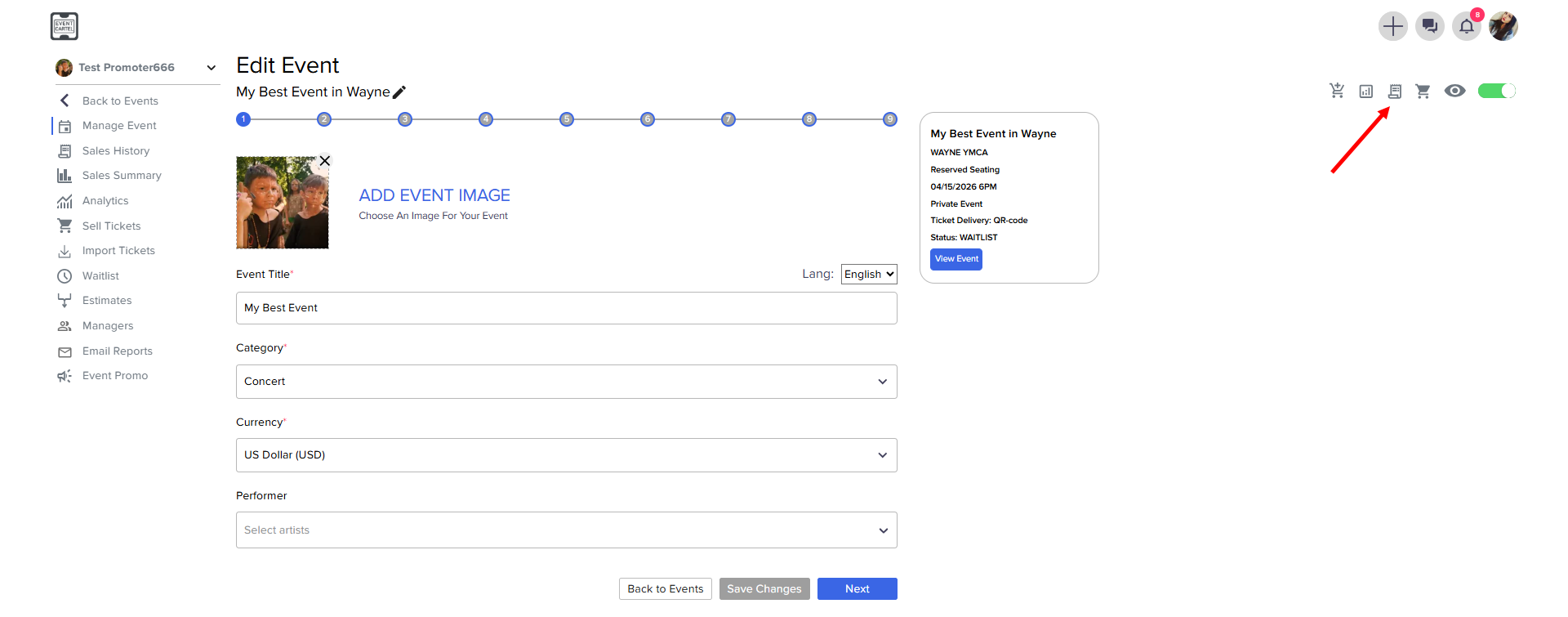
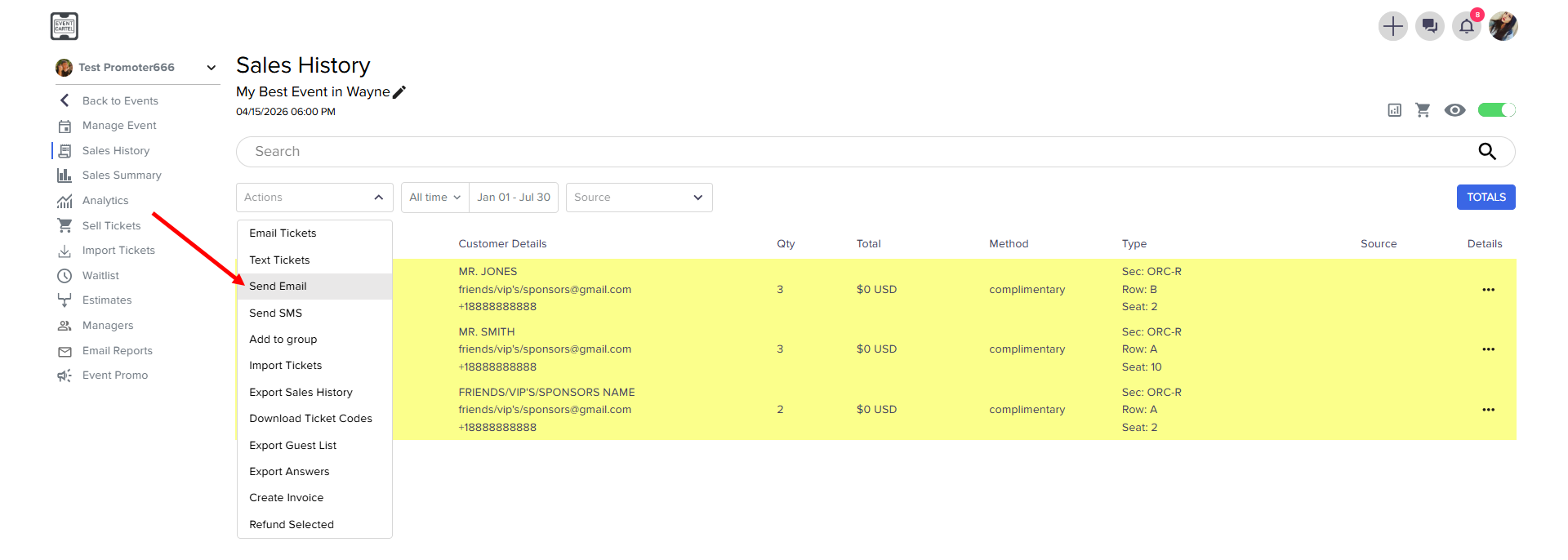
- Go to Sales History
- Select orders you need. You can select all of them and manually remove some of them
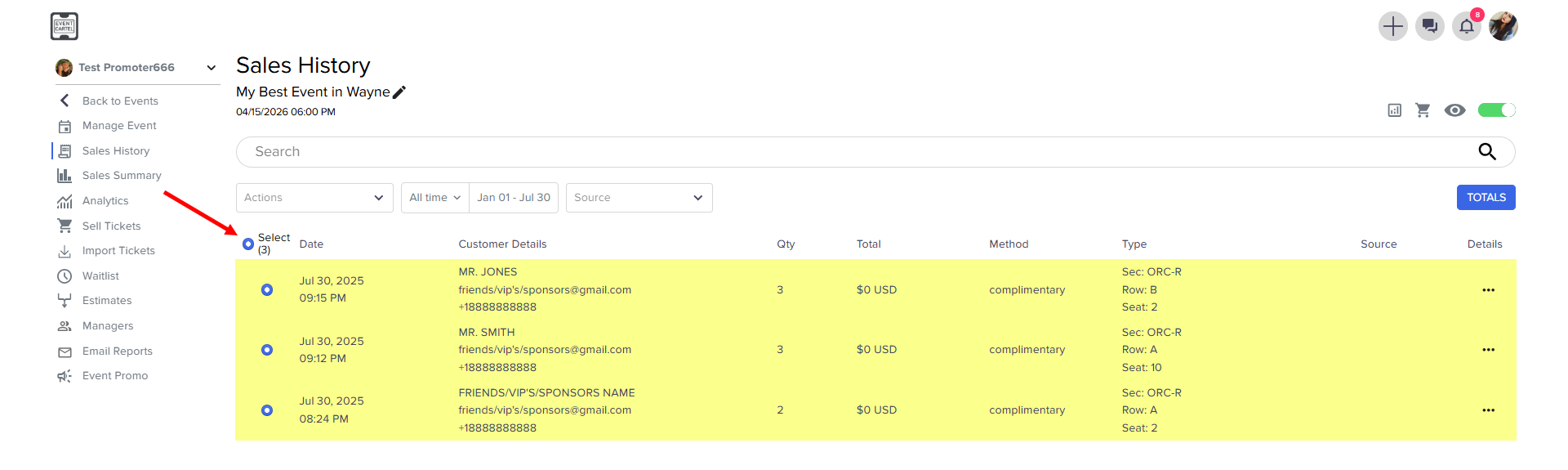
- Go to Action → click Send Email
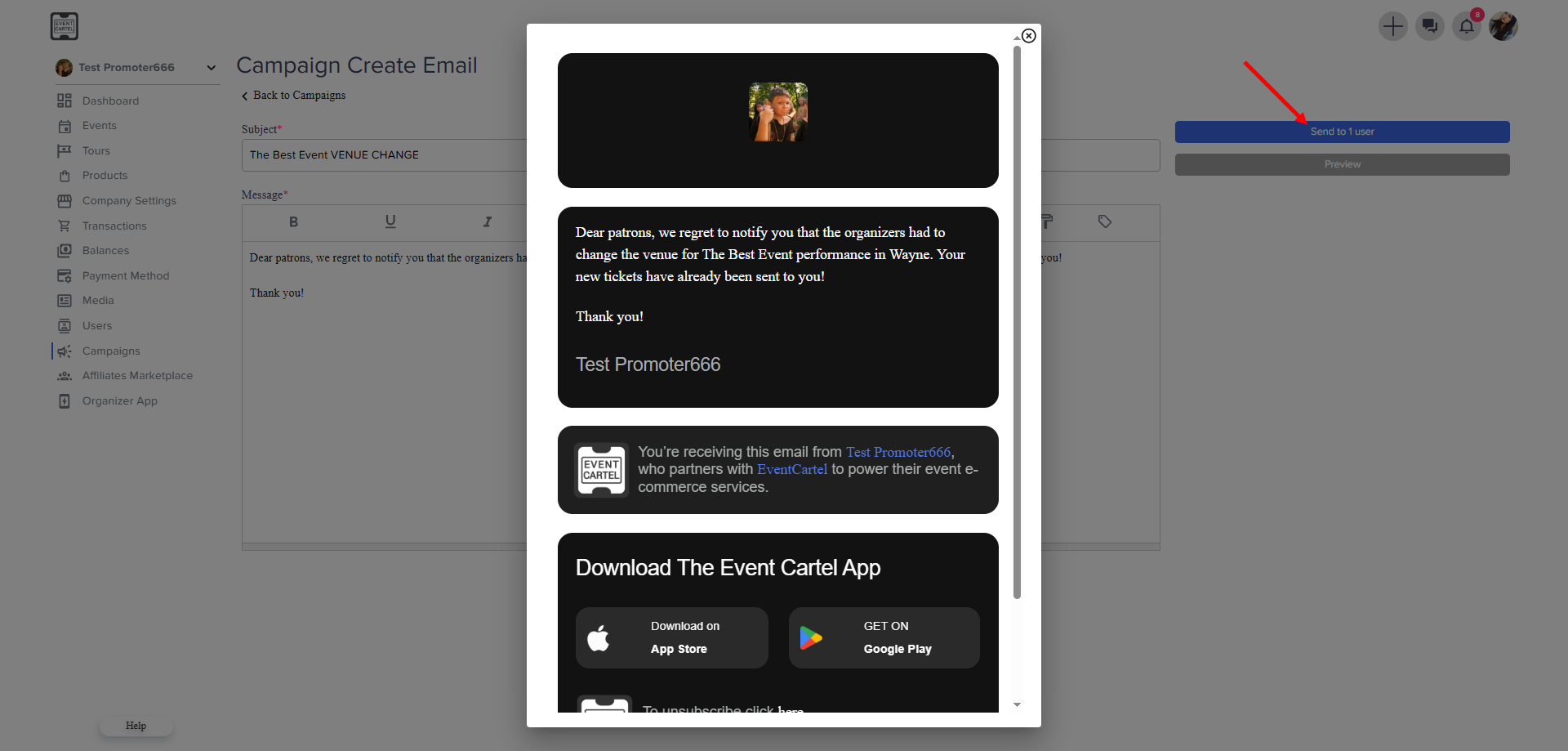
- Enter Subject
- Enter Message → click Preview to view the message
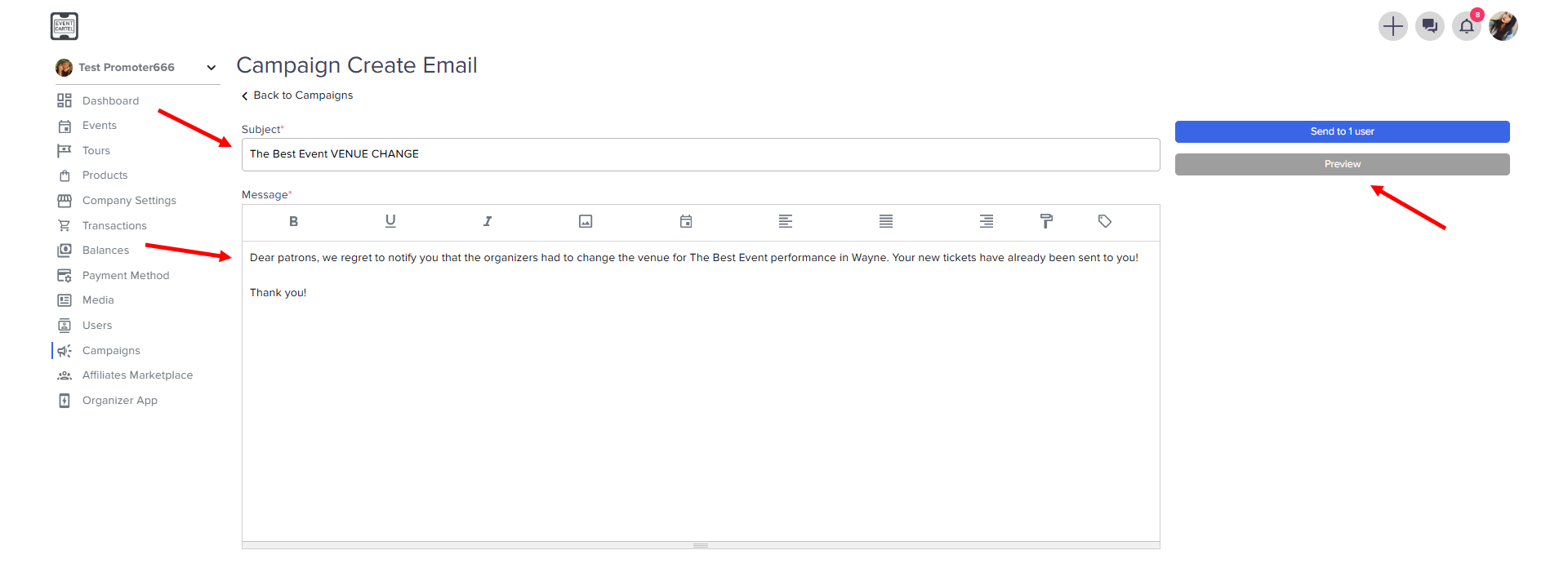
- Check the notification → click Send to users