How to download sold tickets?
Sep 9, 2026Updated1 min read10
This article explains how to download tickets that have already been sold. This can be useful if you want to send them to your guests, print them for distribution at the entrance, or prepare complimentary tickets for friends and VIP guests.
- Sign in to your EventCartel account;
- Open the "Organizer Dashboard";
- Go to "Events";
- Select the event whose sold tickets you want to download.
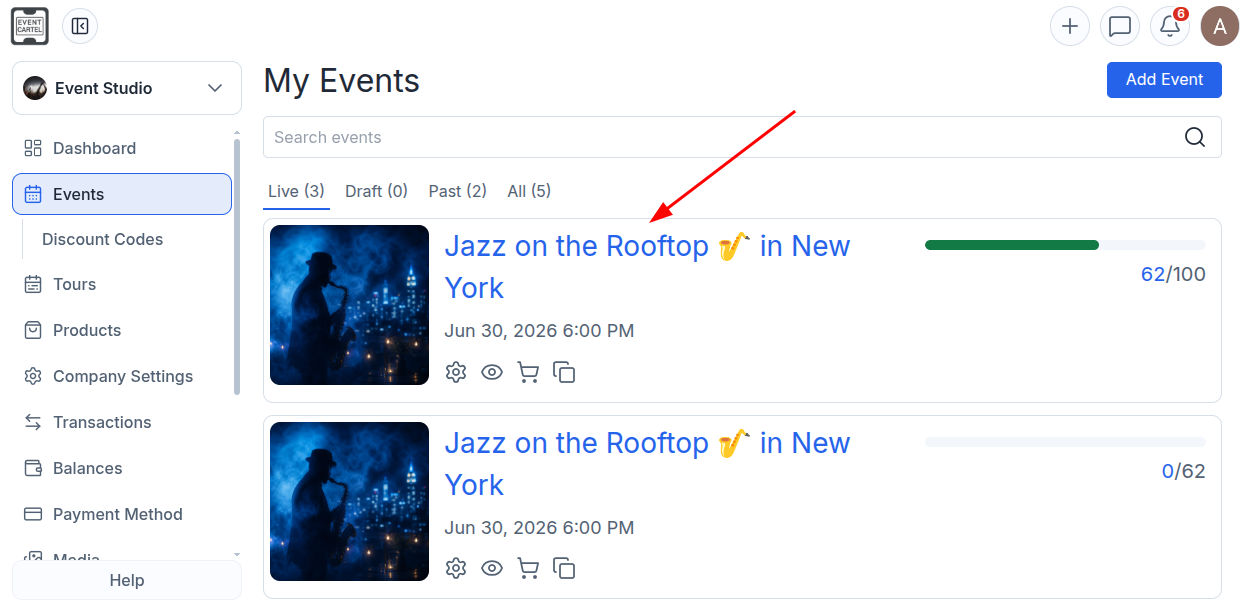
- Click the "Sales History" icon 📄 in the top-right corner.
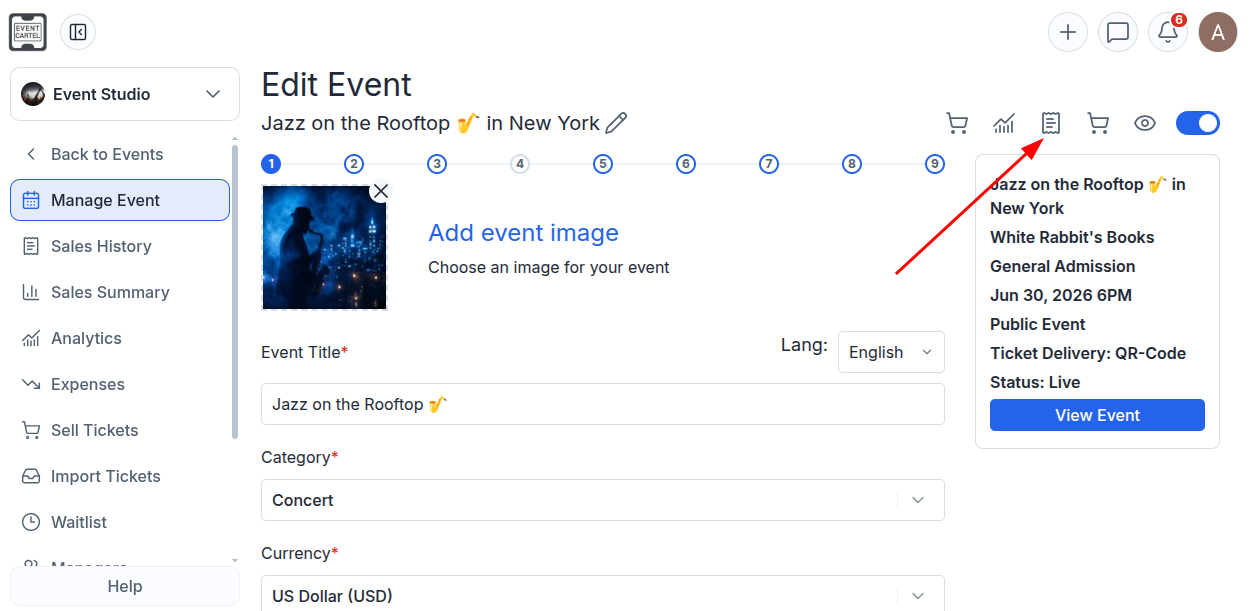
If necessary, use the search bar to find the order by the guest's last name or ticket name.
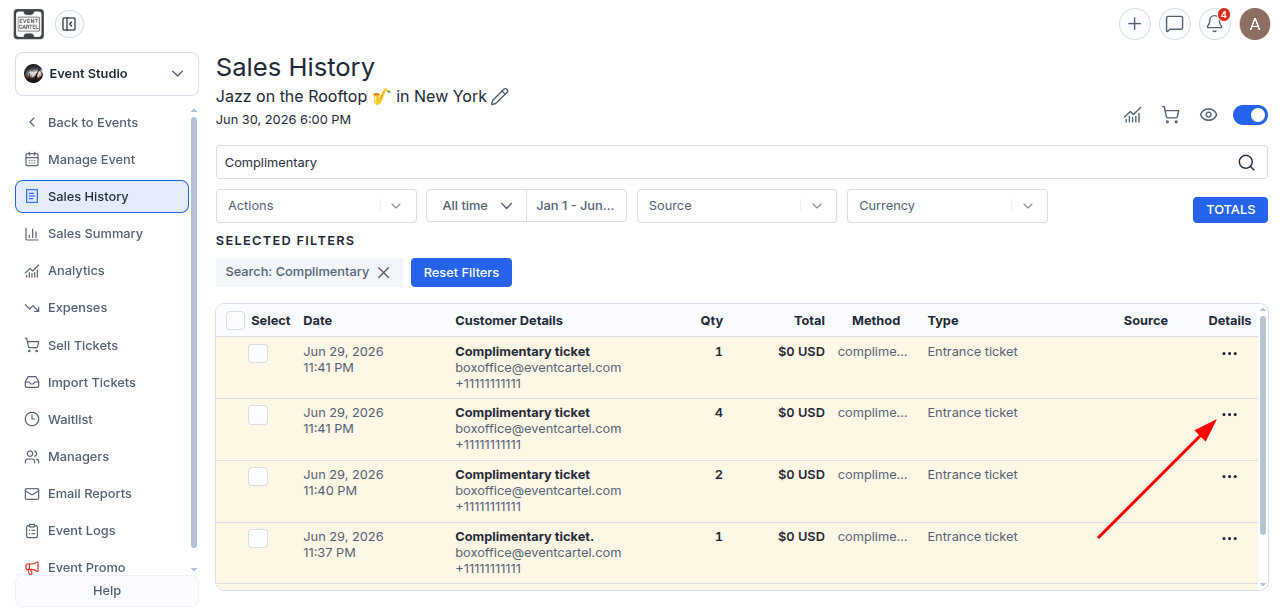
- Select the required order;
- Click the three horizontal dots ⋯ in the "Details" column.
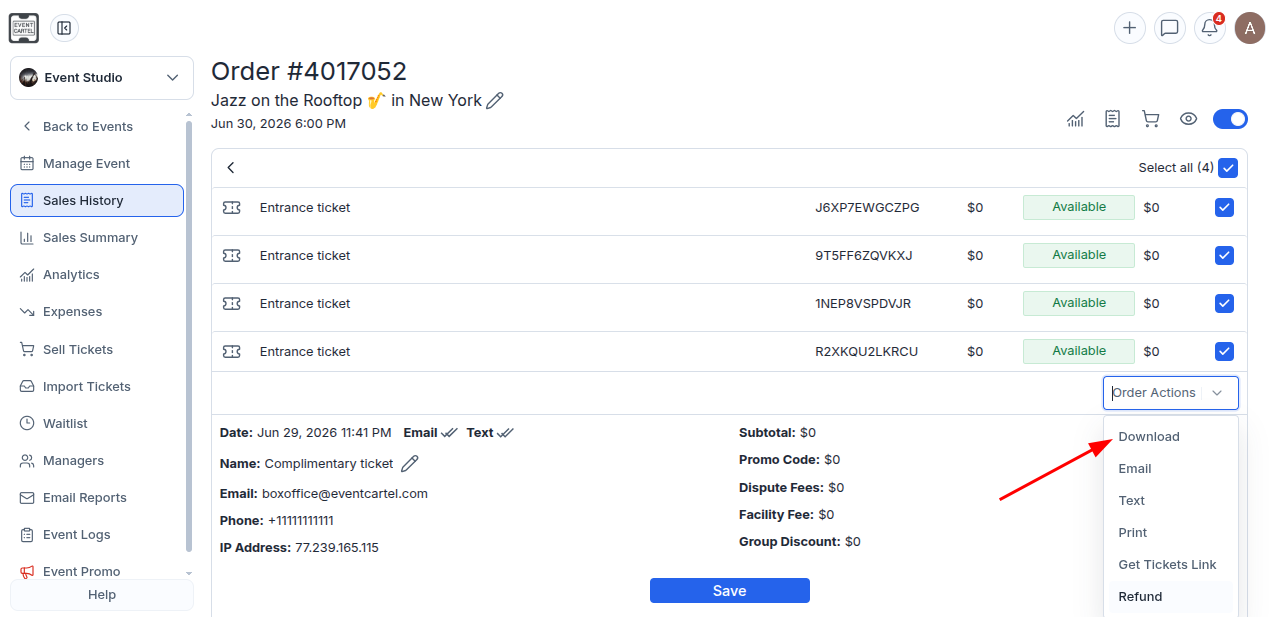
- Select the tickets you want to download;
If you want to download all tickets in the order, click "Select all".
- Scroll down;
- Under "Order Actions", select "Download".
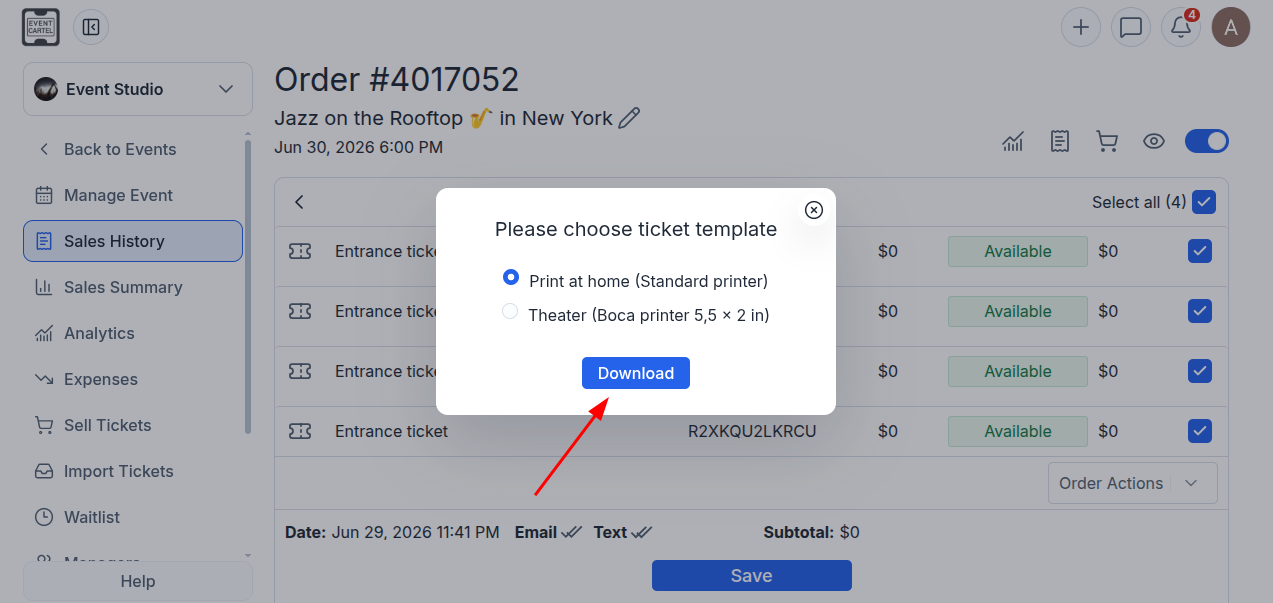
Choose the ticket format:
- Print at home (Standard printer) - if you are using a standard printer;
- Theater (Boca printer 5.5 × 2 in) - if you are using a Boca ticket printer.
- Click "Download".
Done! The tickets will be downloaded to your computer as a PDF file.