How to duplicate an event?
Jul 4, 2026Updated1 min read00
If you regularly hold events at the same venue, you can create a copy of an existing event instead of setting everything up from scratch.
- Log in to your EventCartel account;
- Open the "Organizer Dashboard";
- Go to "Events";
- Find the event you want to duplicate;
- Click Duplicate ⎘.
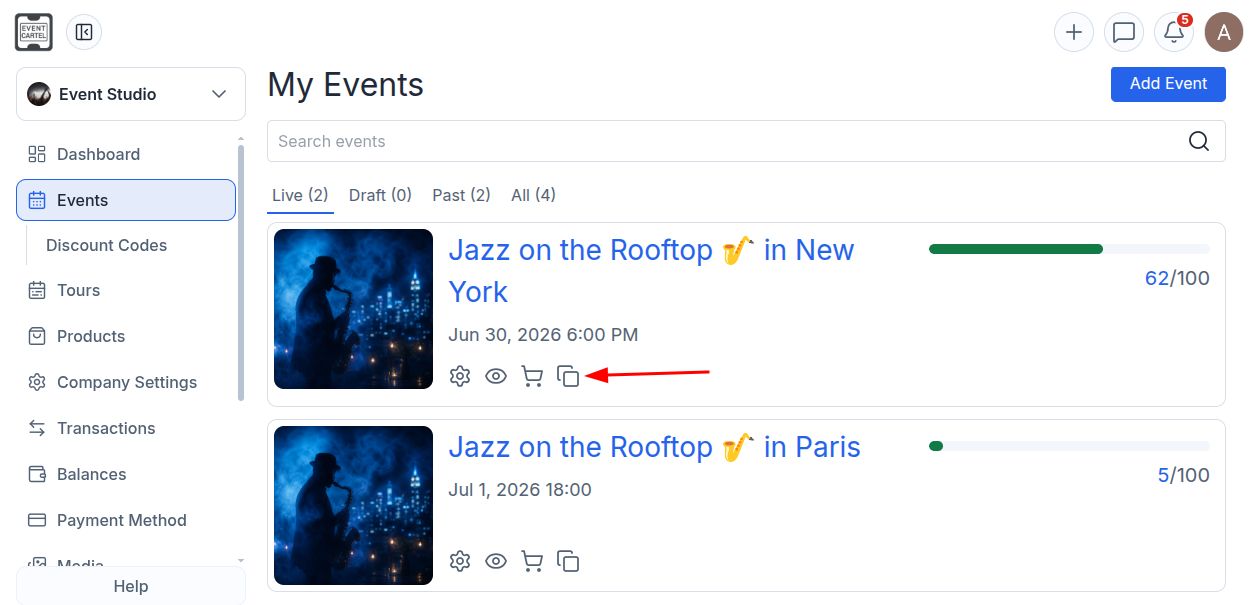
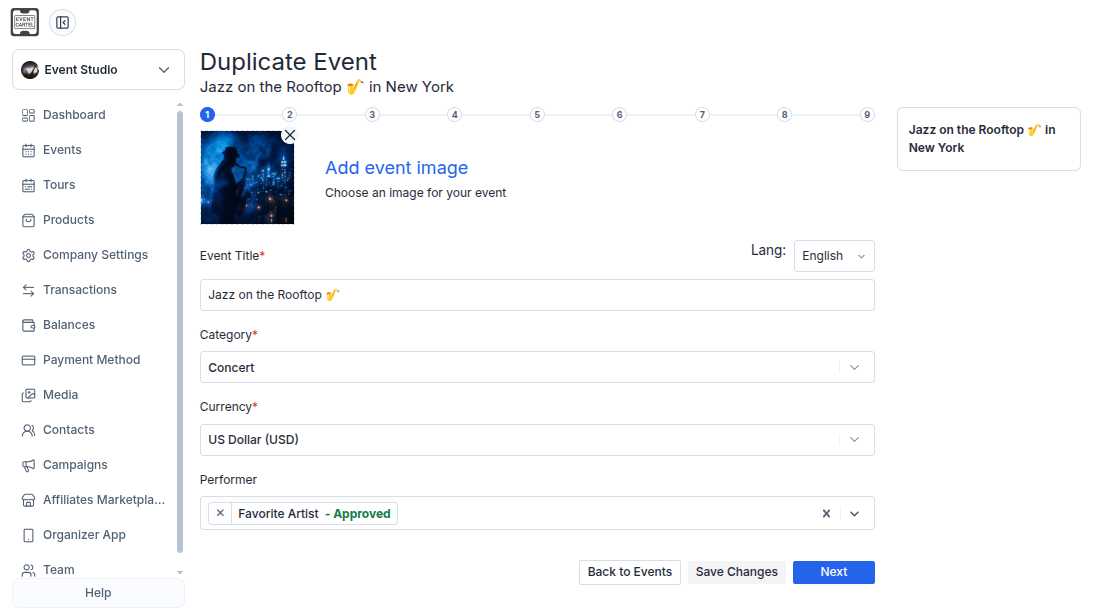
A copy of the event will open with the original event details already filled in.
- Review the information at each step;
- Make any changes if needed;
- Click "Next" to continue.
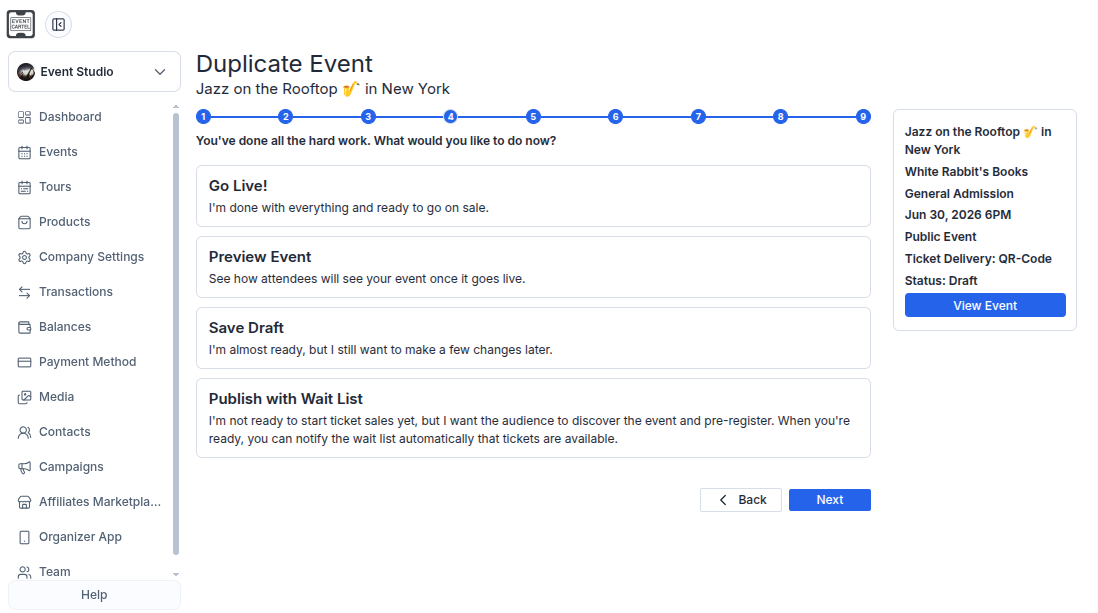
In the final step, choose one of the following options:
Go Live! - publish the event;
Preview Event - preview the event page;
Save Draft - save the event as a draft;
Publish with Wait List - publish the event with a waitlist.
You can repeat these steps to create a copy of the duplicated event.