How to create a Quantity Discount?
Jun 26, 2026Updated1 min read00
Quantity Discount lets you offer a discount when customers purchase a certain number of tickets. Set the minimum number of tickets and the discount amount - the customer will receive the discount automatically at checkout.
Create a Quantity Discount:
- Sign in to your Event Cartel account;
- Open "Organizer Dashboard";
- Go to Events → Discount Codes.
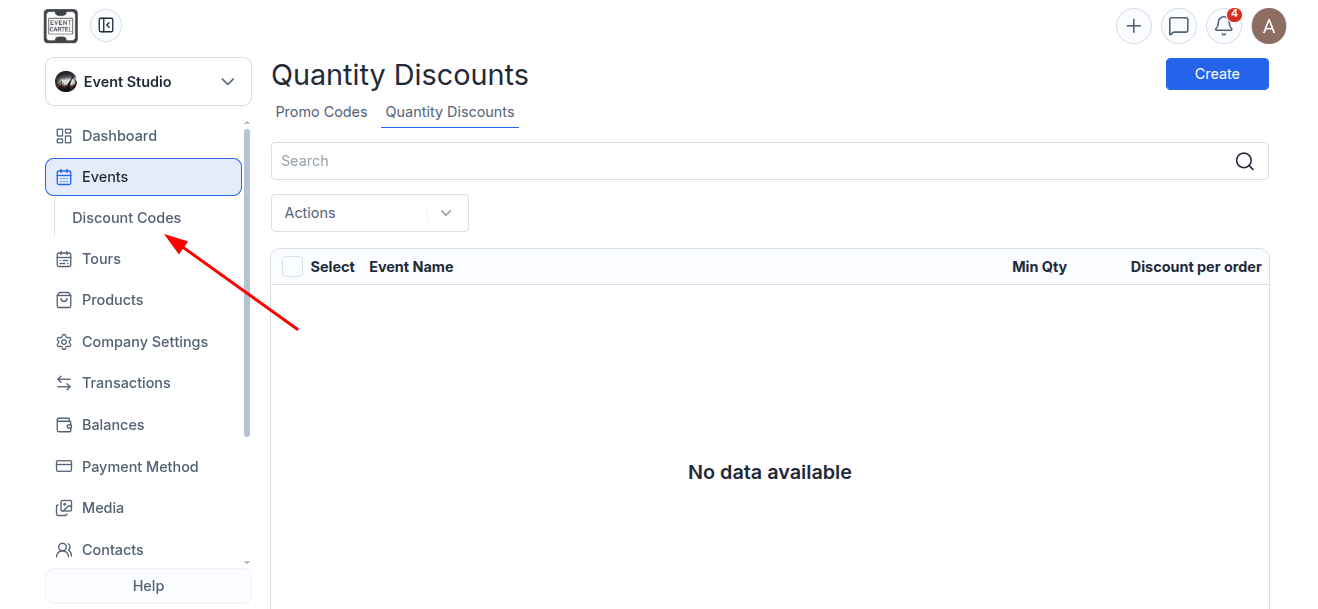
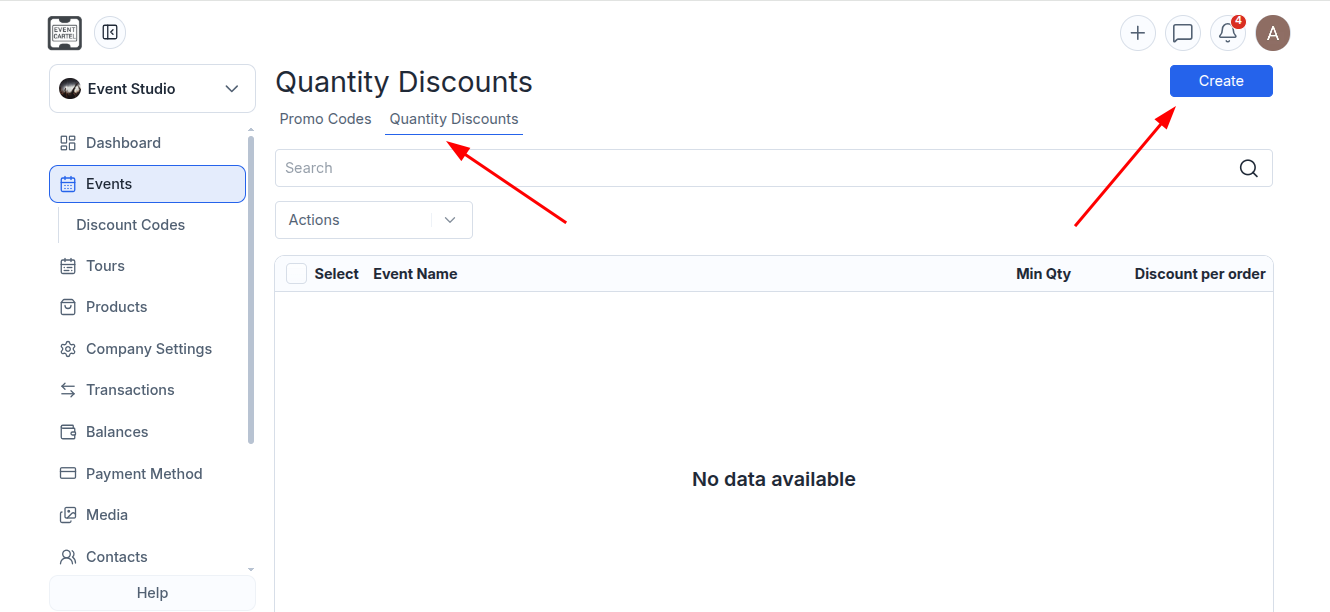
- Select "Quantity Discount";
- Click "Create".
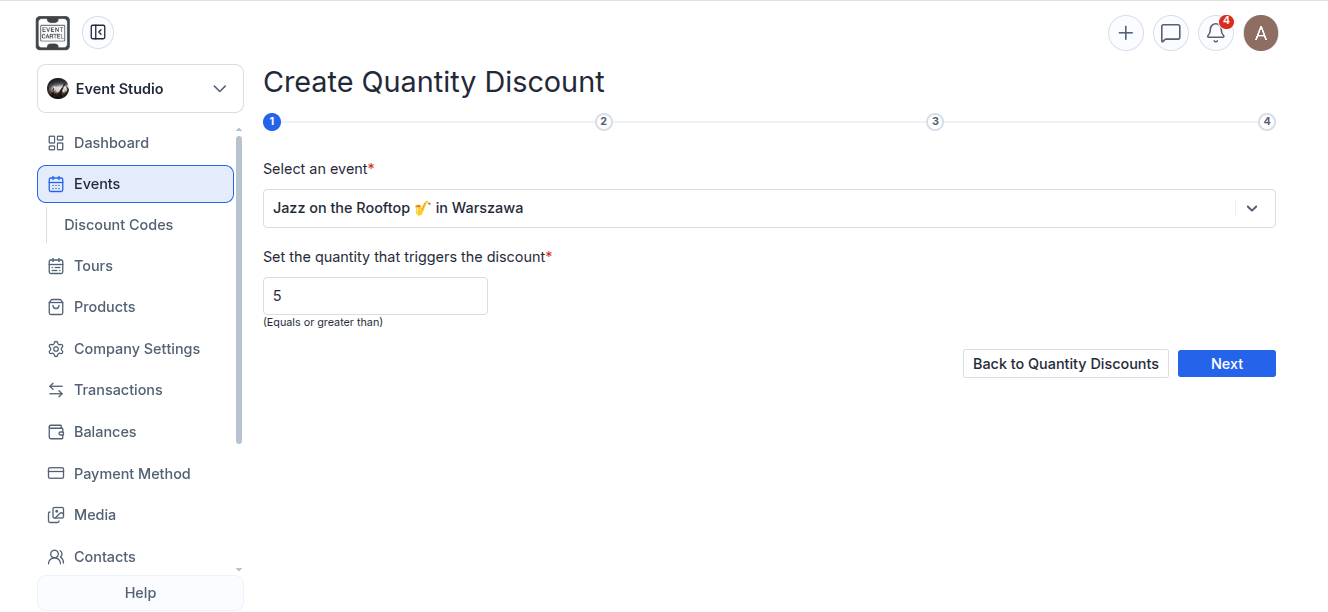
Step 1:
- Select an event;
- Enter the minimum number of tickets required for the discount to apply;
- Click "Next".
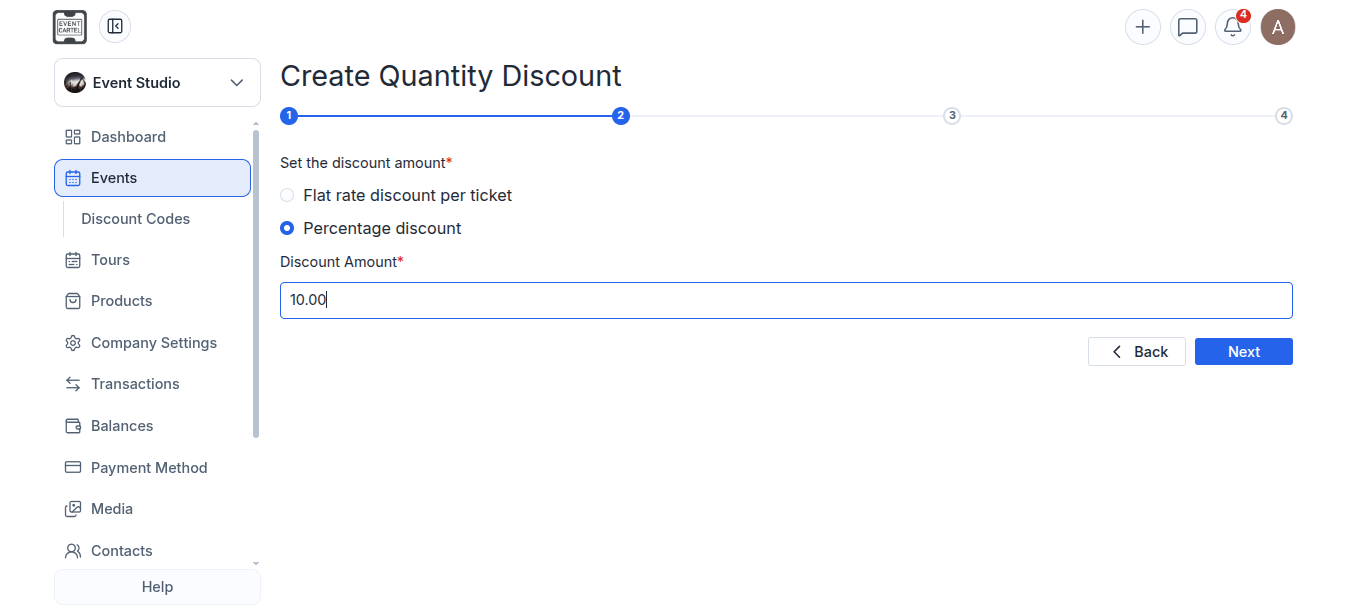
Step 2:
Choose one of the available discount types:
Flat rate discount per ticket – a fixed discount amount per ticket;
Percentage discount – a percentage discount off the ticket price;
- Enter the discount amount;
- Click "Next".
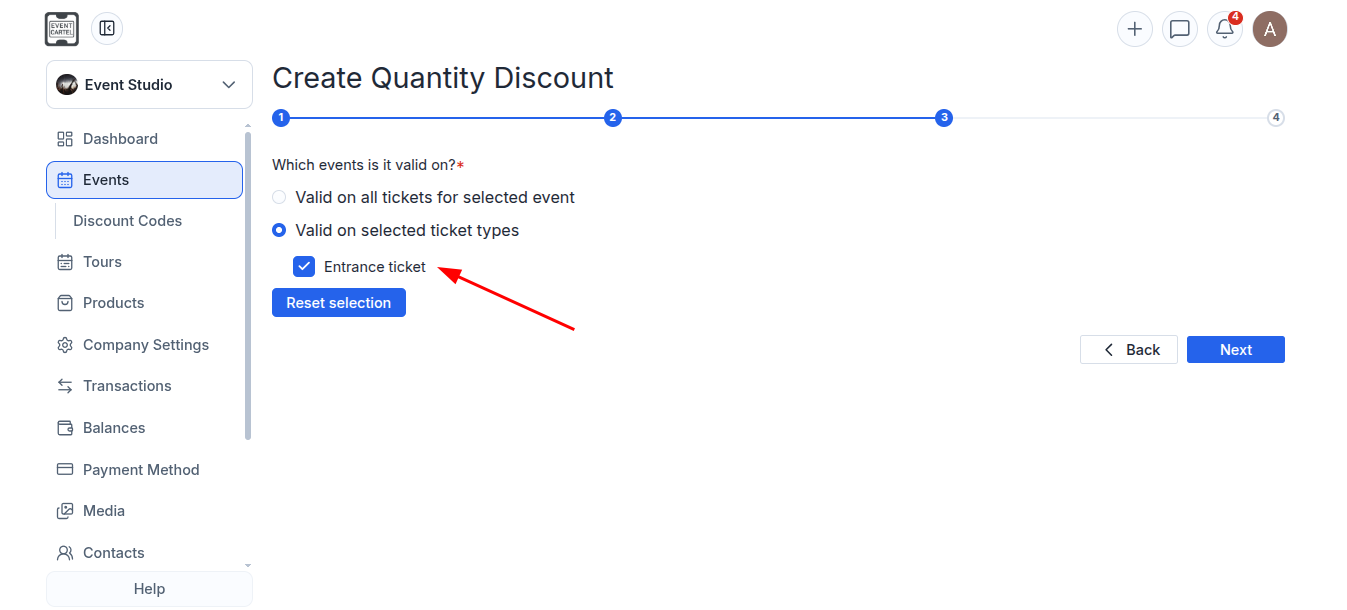
Step 3:
Choose where the discount will be applied:
Valid on all tickets for selected event – the discount will apply to all tickets for the selected event;
Valid on selected ticket types – the discount will apply only to the selected ticket types.
If you selected "Valid on selected ticket types":
- Select the ticket types the discount will apply to;
- Click "Next".
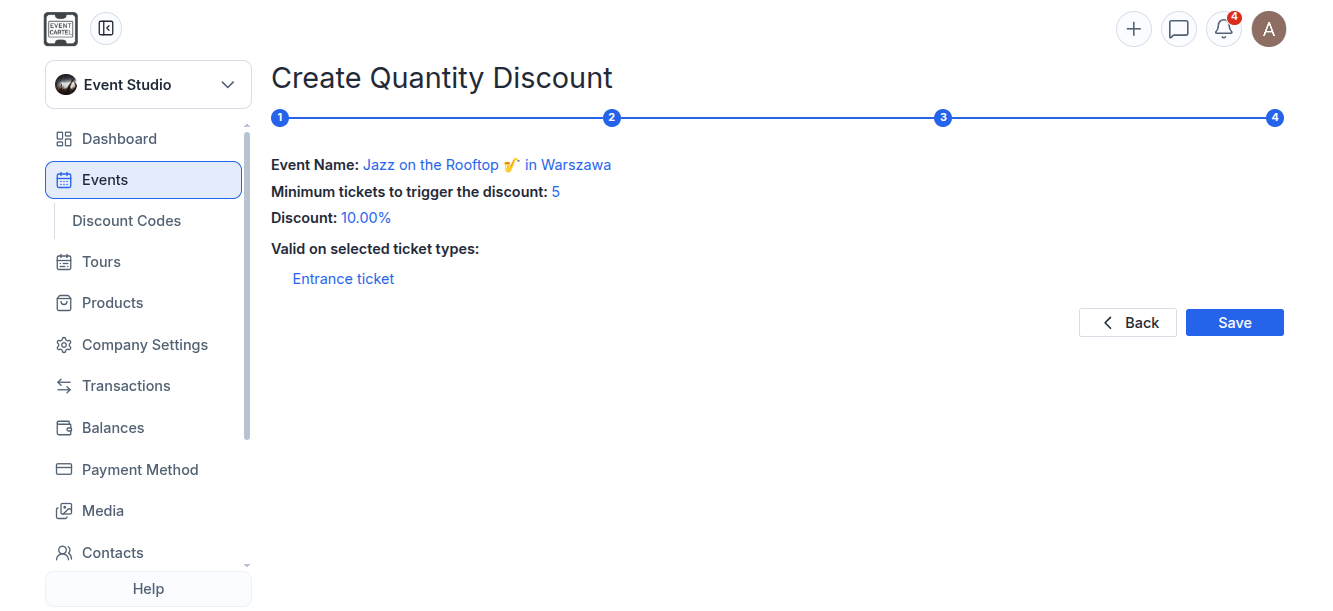
Step 4:
- Review the promo code settings;
- If everything is correct, click "Save".
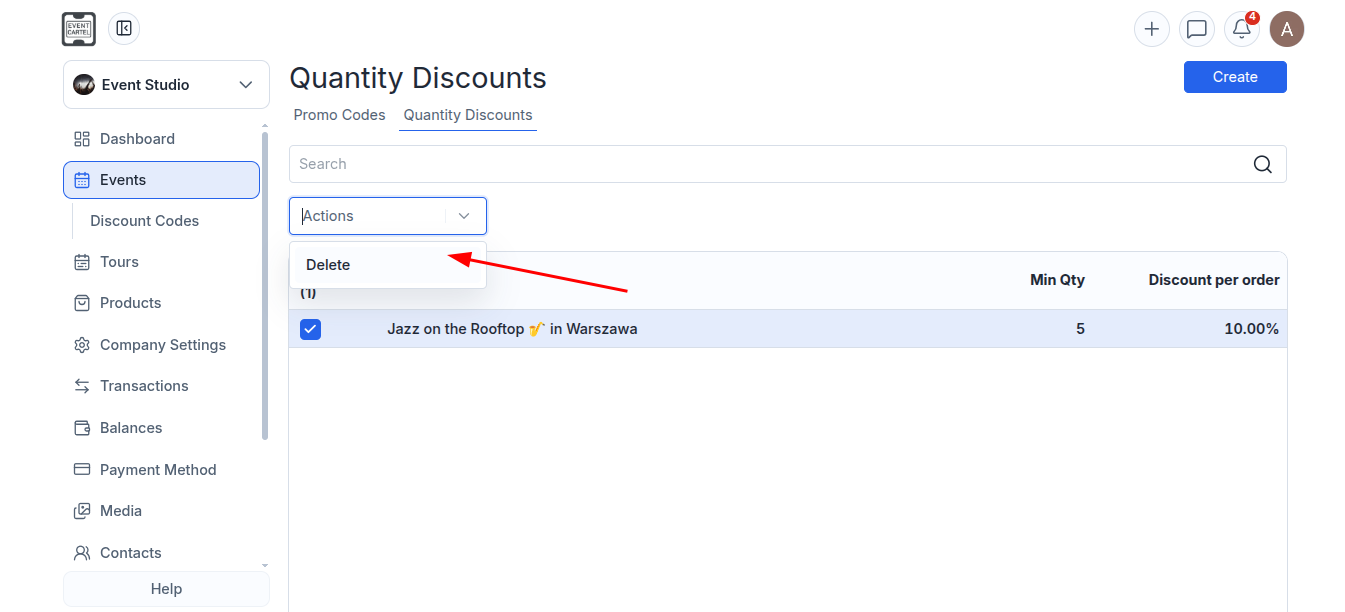
Deleting a discount:
- Go to Events → Discount Codes → Quantity Discounts;
- Select the checkbox next to the discount you want to delete;
- Select the checkbox next to the discount you want to delete;
- Click "Actions";
- Select "Delete".