How to set up a promo code?
Jun 30, 2026Updated1 min read00
Promo codes allow you to offer discounts for all events, specific events, or selected ticket types.
Create a promo code:
- Sign in to your Event Cartel account;
- Open the "Organizer Dashboard";
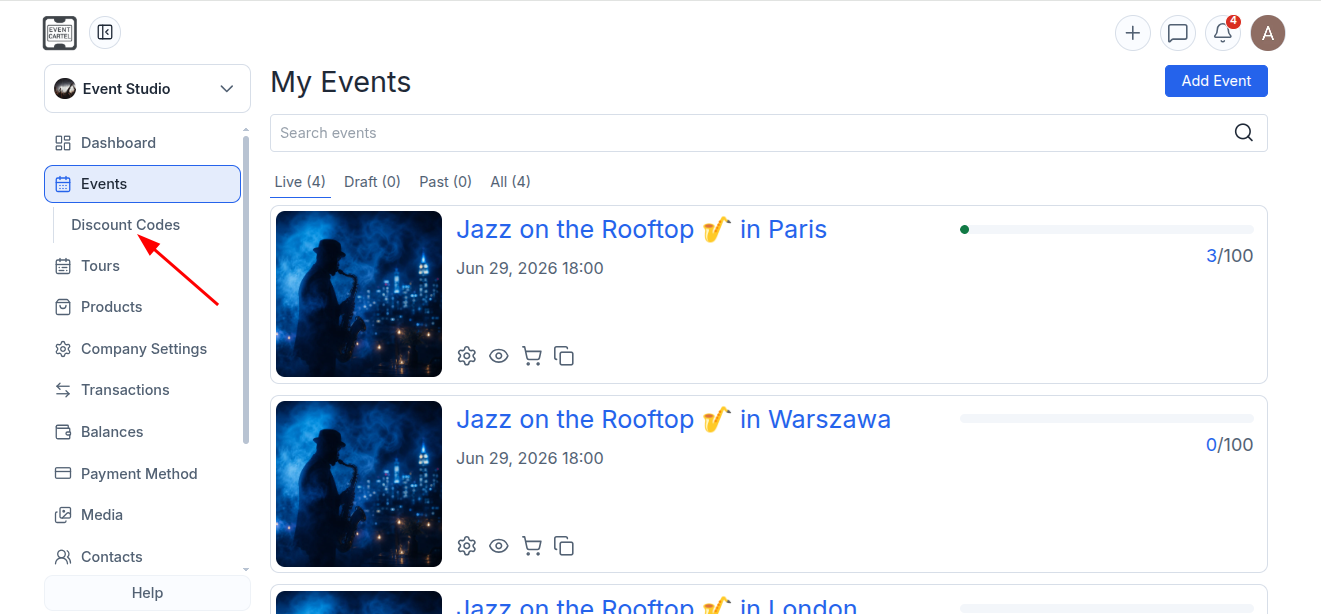
- Go to Events → Discount Codes.
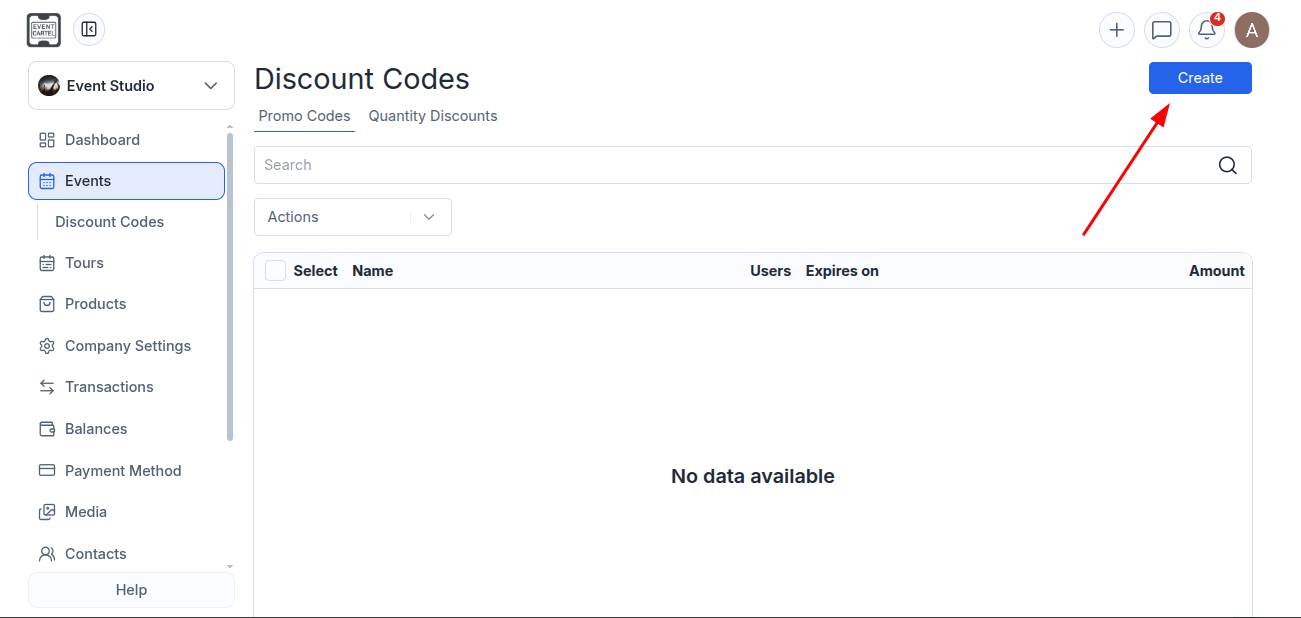
- Сlick "Create".
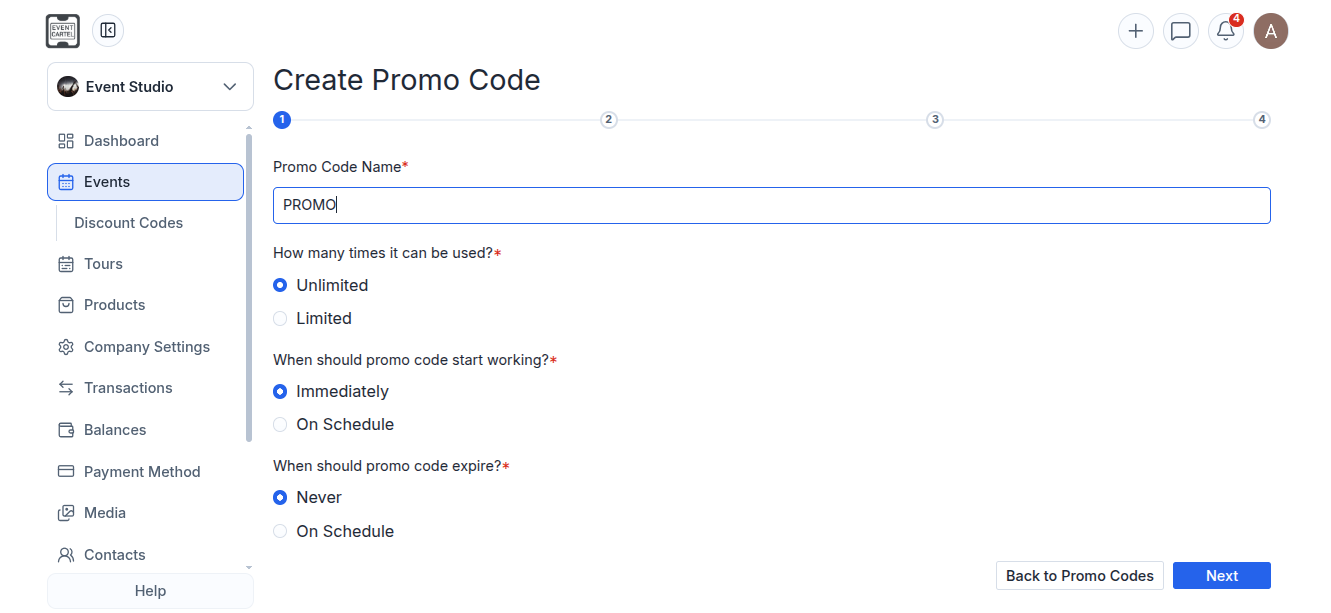
Step 1:
- Enter the promo code name;
- Configure the settings;
- Click "Next".
Available settings:
Unlimited / Limited - choose whether the promo code can be used an unlimited number of times or set a usage limit;
Immediately / On Schedule- choose when the promo code becomes active;
Never / On Schedule - choose whether the promo code expires or set an expiration date.
Step 2:
Choose one of the available discount types:
- Flat rate discount per ticket - a fixed discount amount per ticket;
- Percentage discount - a percentage discount off the ticket price;
- Enter the discount amount;
- Click "Next".
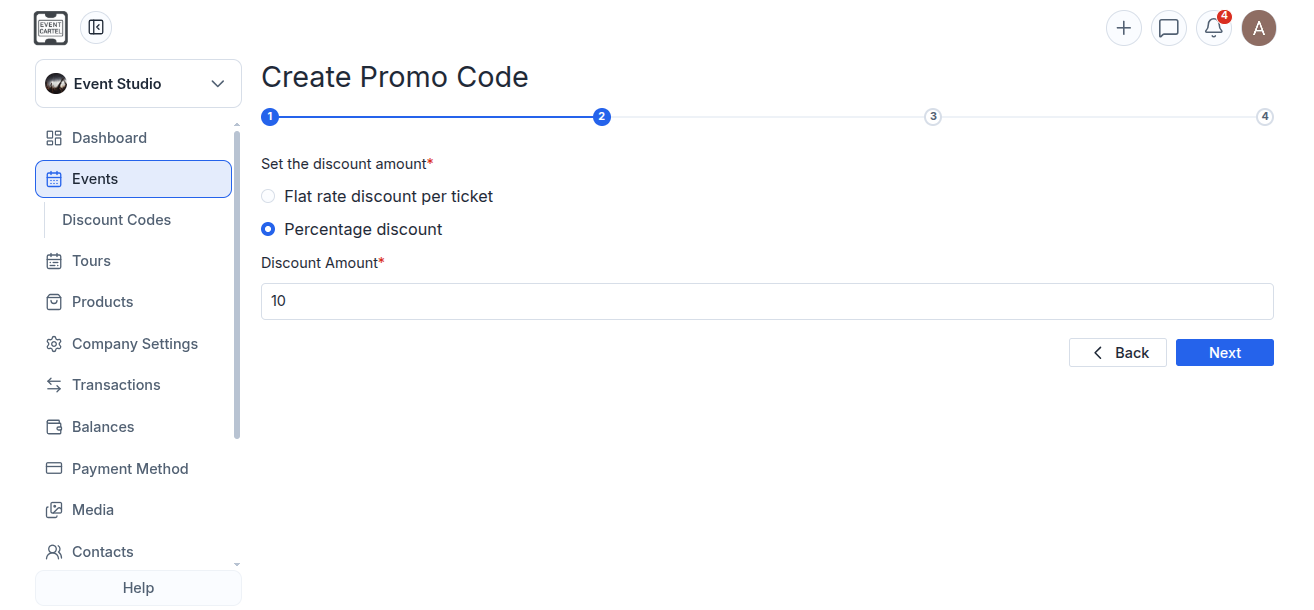
Step 3:
Choose which events the promo code will be valid for:
- Valid on all my active events - applies to all your active events;
- Valid on selected events - applies only to selected events;
- Valid on selected ticket types - applies only to selected ticket types.
If you selected "Valid on selected events":
- Click "Add Events".
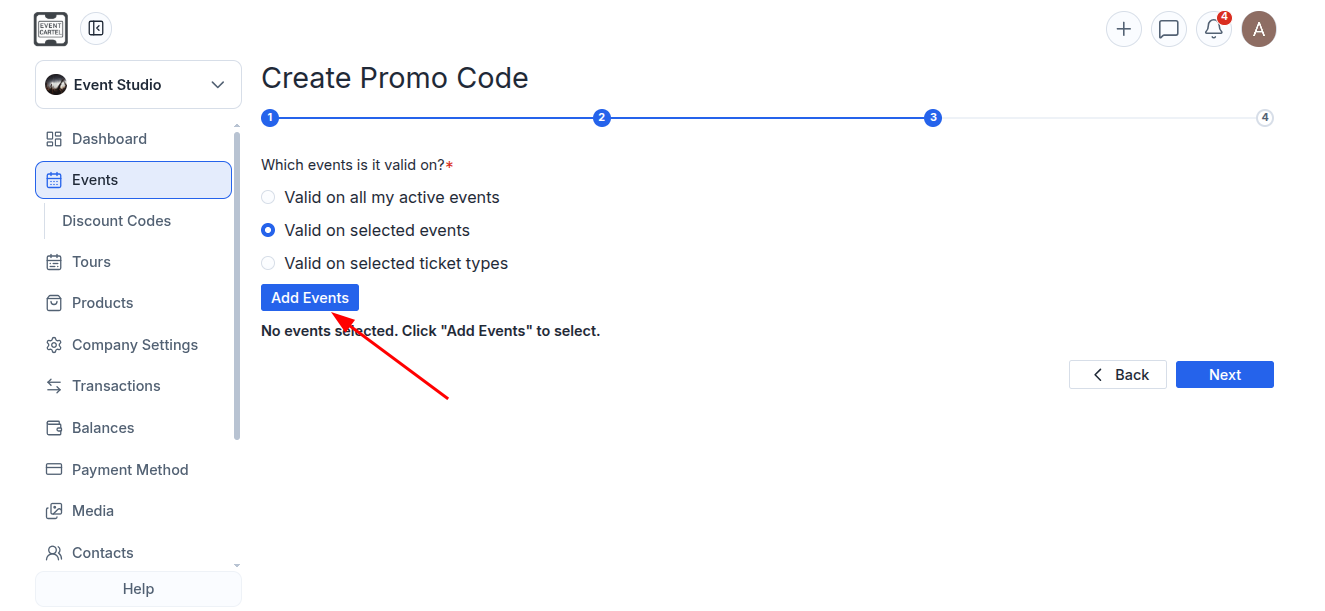
- Select the event the promo code will apply to;
- Close the pop-up window.
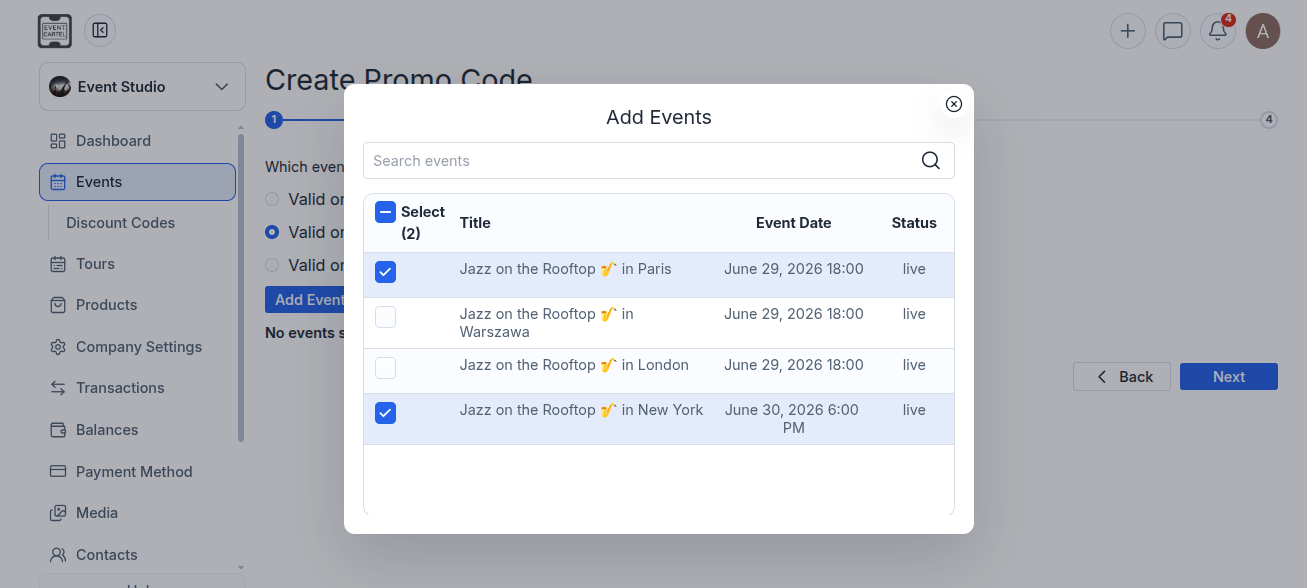
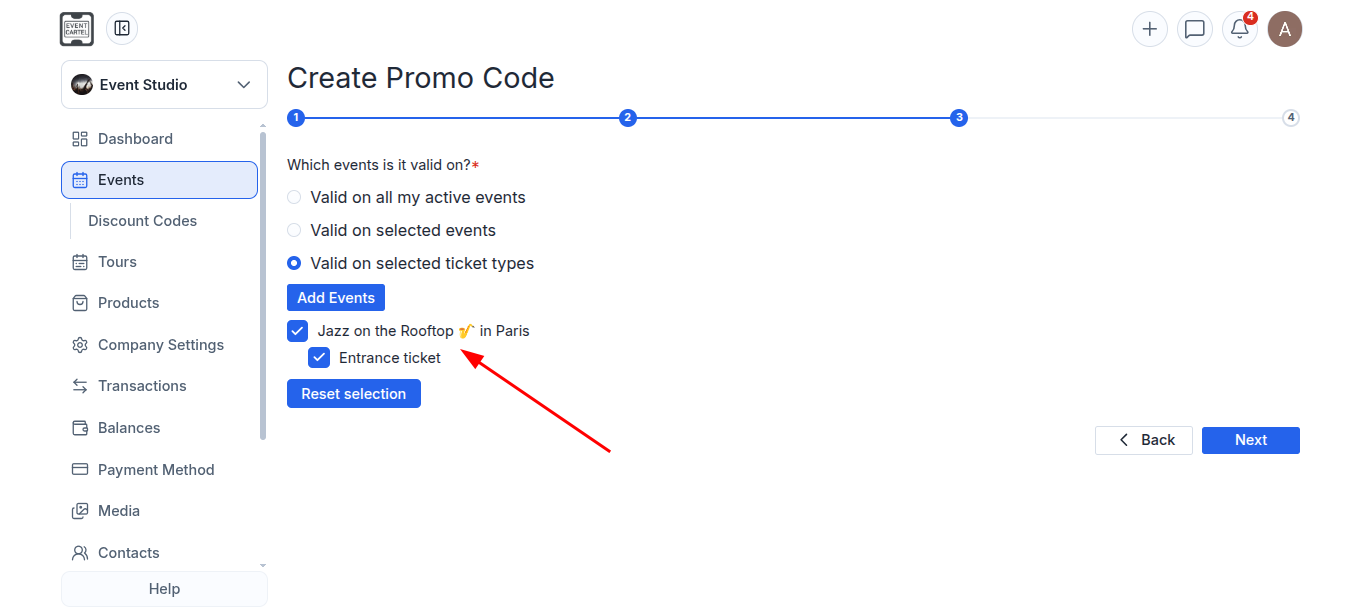
If you selected "Valid on selected ticket types":
- Click "Add Events" to select the event whose ticket types will be included in the promotion;
- Select the event;
- If the event has multiple ticket types, check the boxes next to the ticket types the promo code will apply to;
- Click "Next".
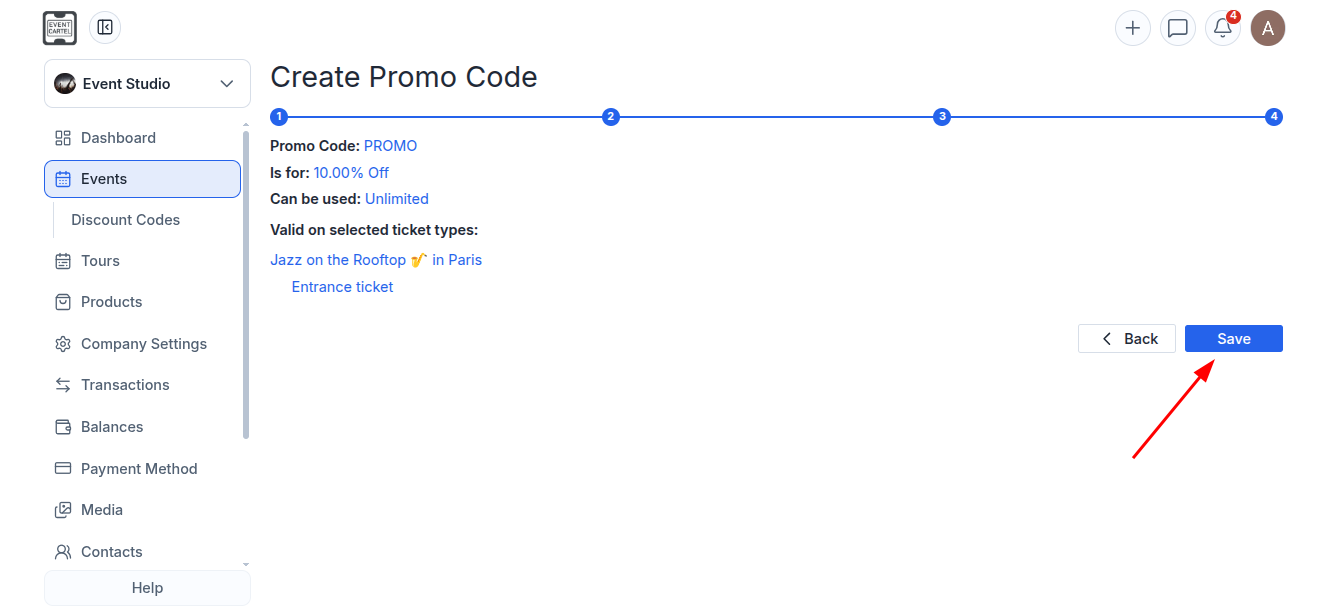
Step 4:
- Review the promo code settings;
- If everything is correct, click "Save".
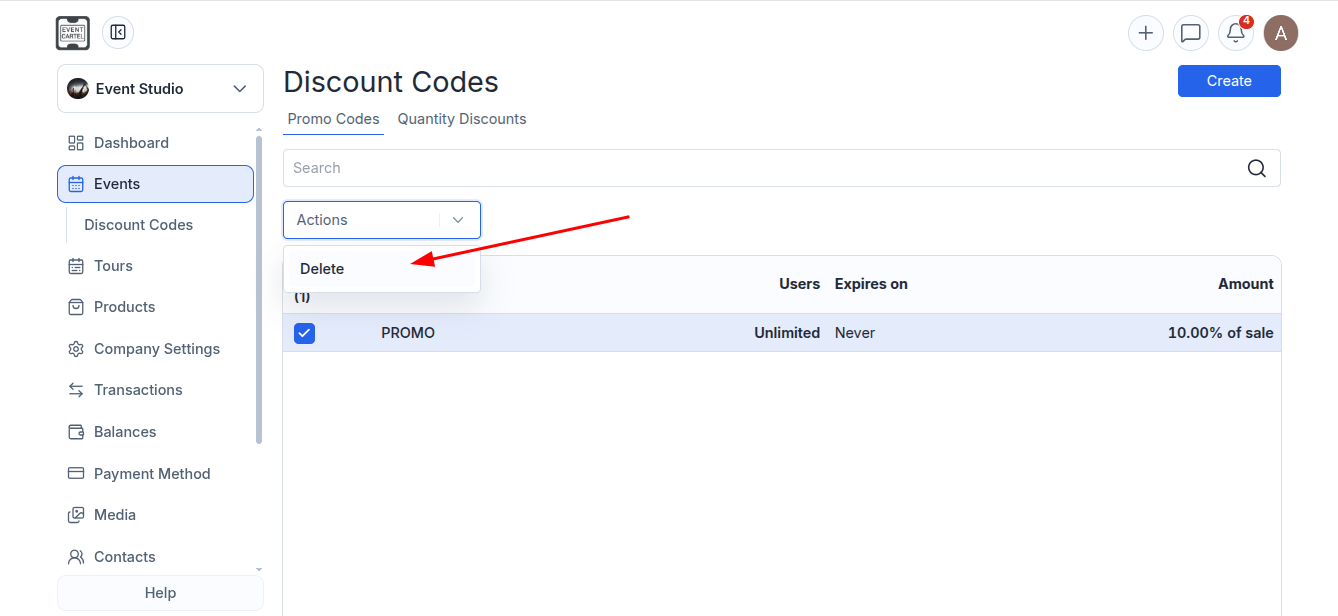
To delete a promo code:
- Go to Events → Discount Codes;
- Check the box next to the promo code you want to delete;
- Click "Actions";
- Select "Delete".