How to sell additional services and products at an event?
Aug 18, 2026Updated1 min read00
- Log in to your EventCartel account;
- Open Organizer Dashboard;
- Open Organizer Dashboard;
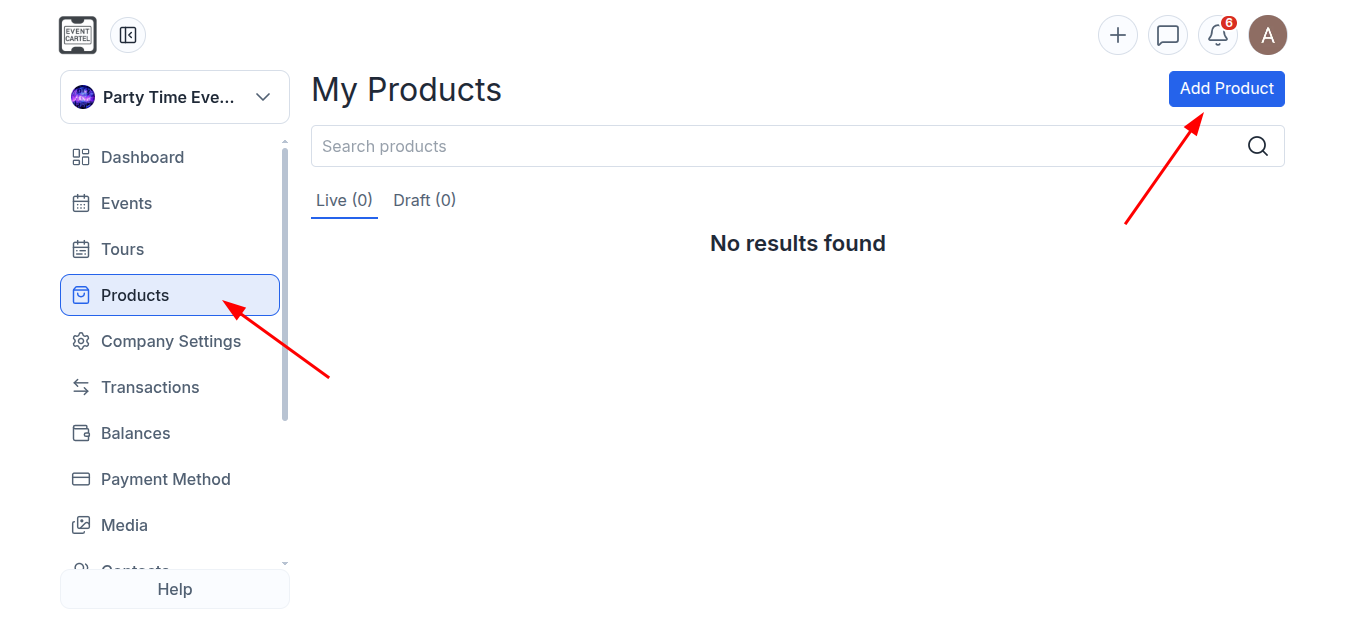
- Go to the "Products" section;
- Click "Add Product";
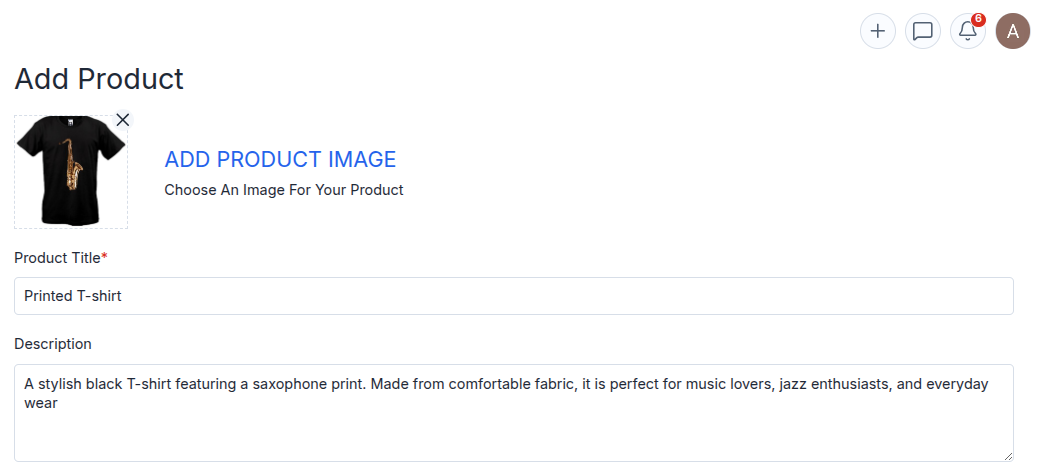
Add Product Image - add a product image;
Product Title - enter the product name;
Description - provide a description;
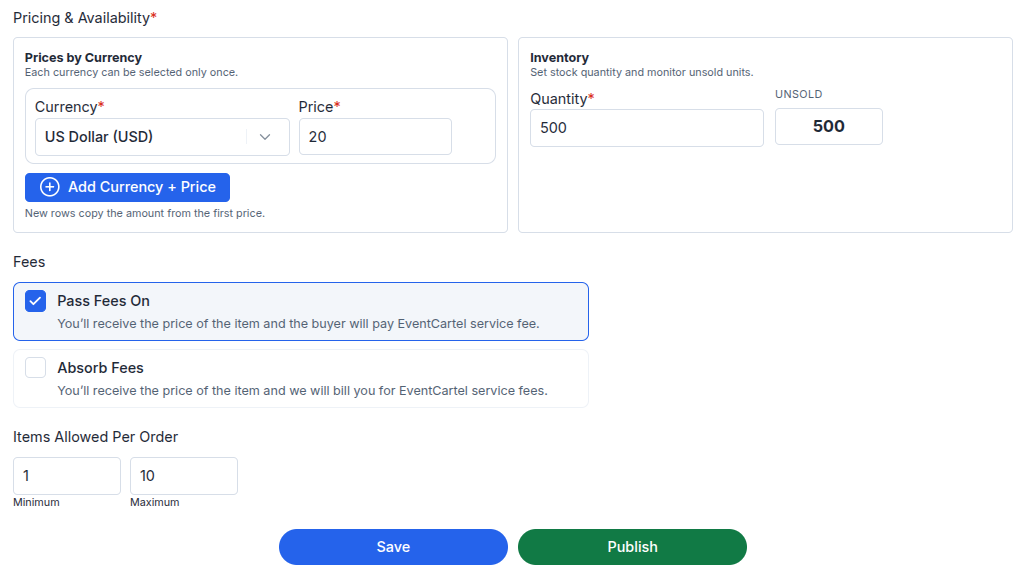
- Prices by Currency - select a currency and set the price;
- Inventory - specify the available quantity;
- Select "Pass Fees On" if the service fee will be paid by the buyer;
- Select "Absorb Fees" if you will cover the service fee;
- Items Allowed Per Order - set the maximum number of items allowed per order;
- Click "Publish";
- Go to the "Events" section;
- Open the event to which you want to add a product;
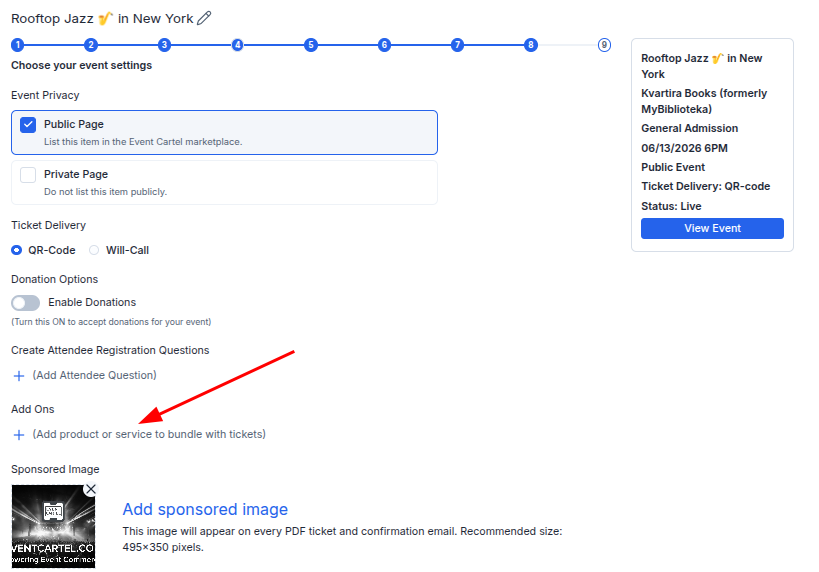
- Navigate to "Step 8";
- Click "Add Ons";
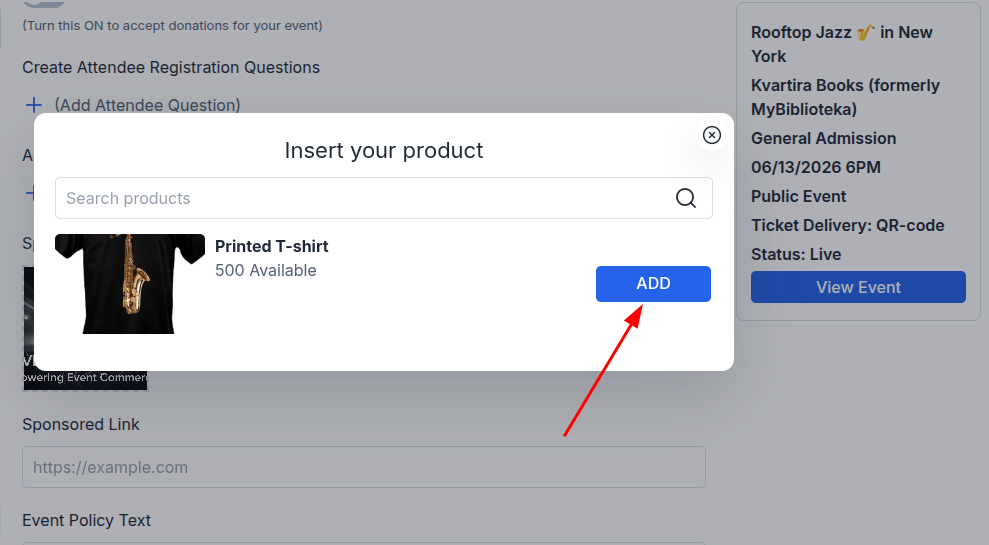
- Select the product you want to add;
- Click "ADD";
- Close the product selection window;
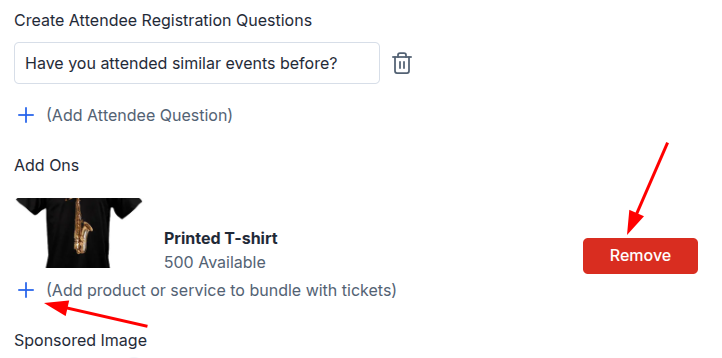
- You can now add another product;
- Or remove an existing product by clicking "Remove";
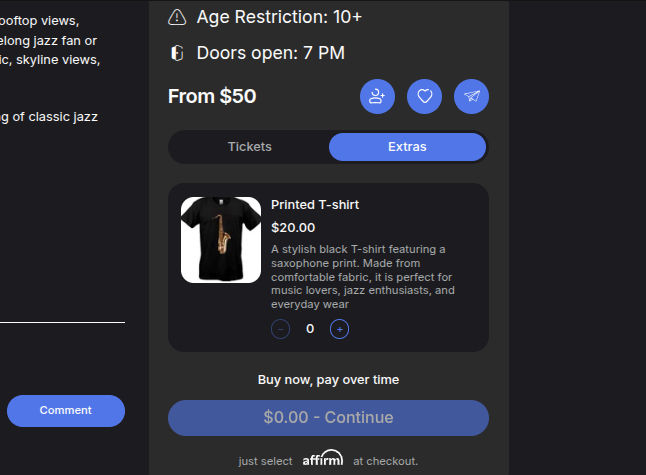
The product will be displayed in the "Extras" section during ticket purchase.