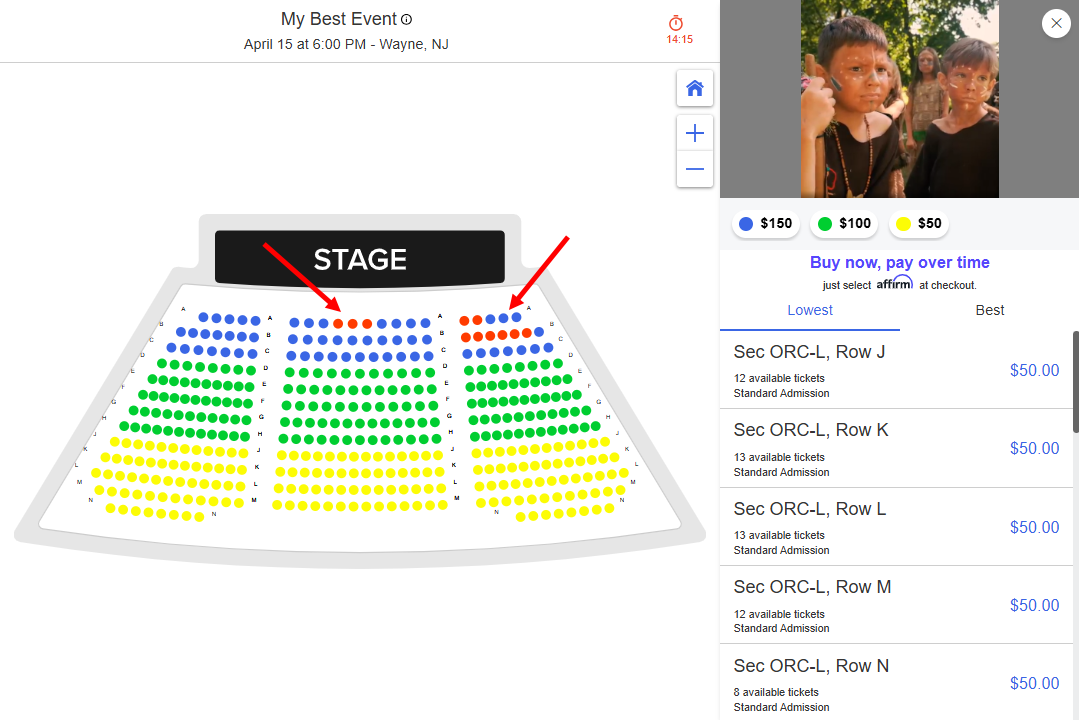
How to re-seat the customer to a different seat in the seatmap?
Jun 25, 2026Updated00
Re-seat to a different seat
- Log in to your EvenCatrel account
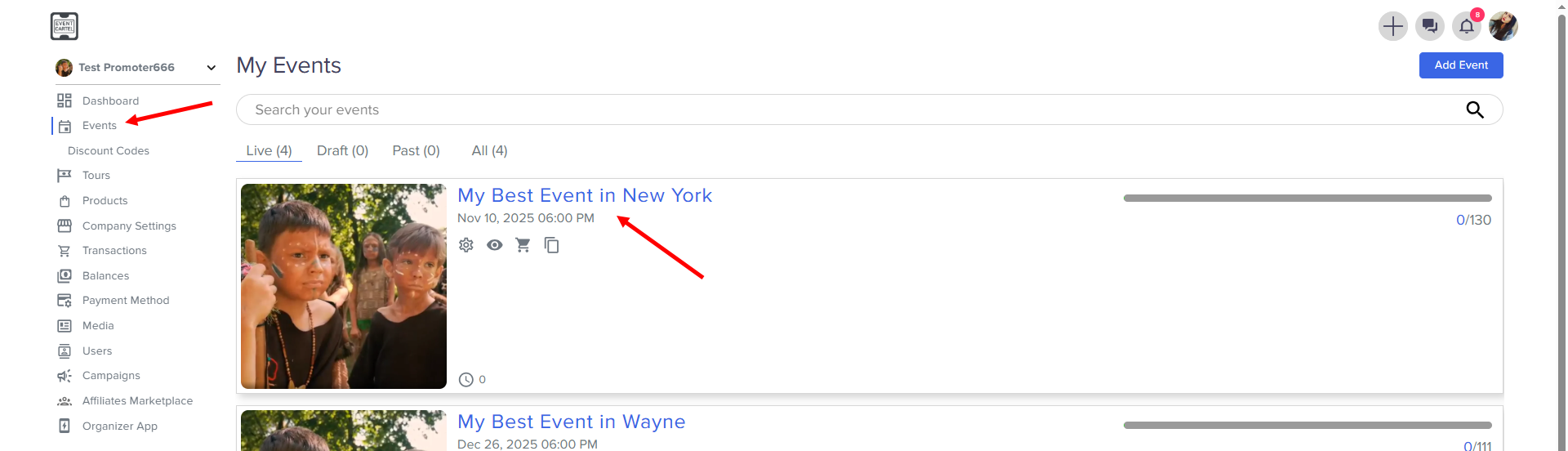
- Go to Events → find the Event you need
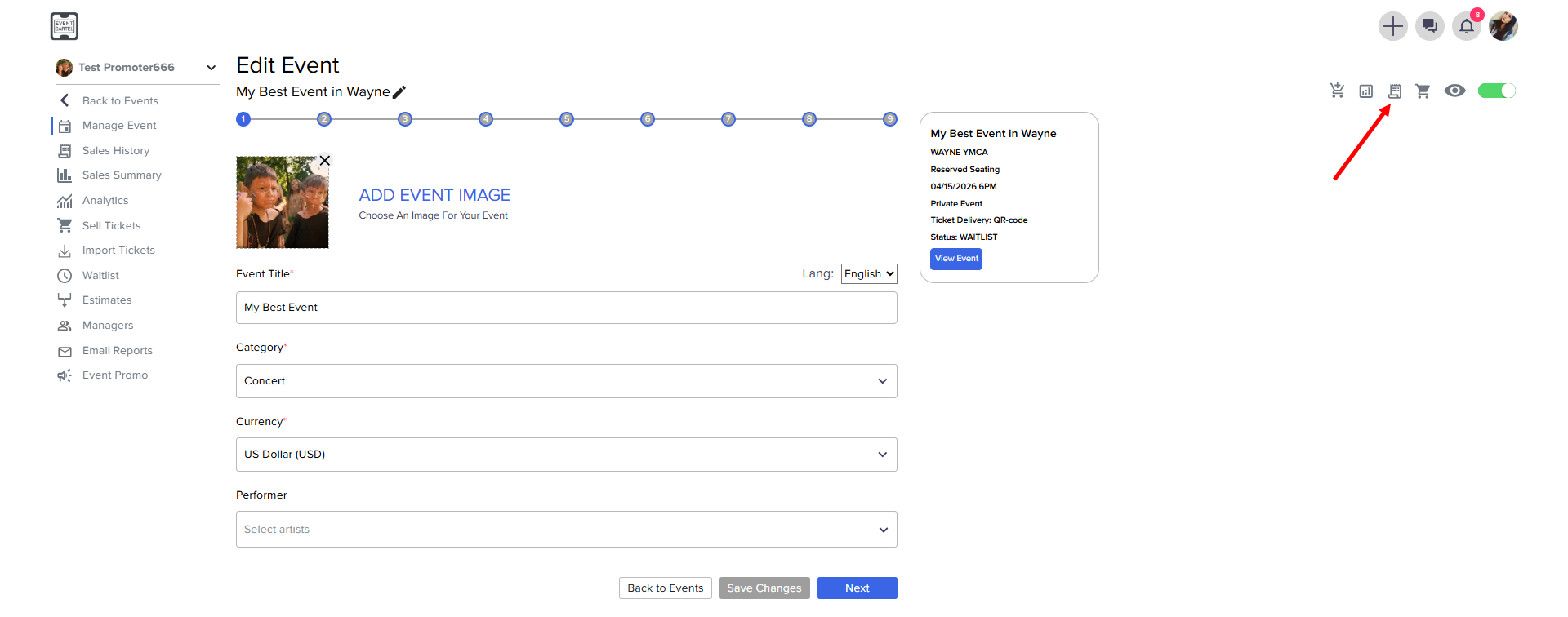
- Go to the Sales History
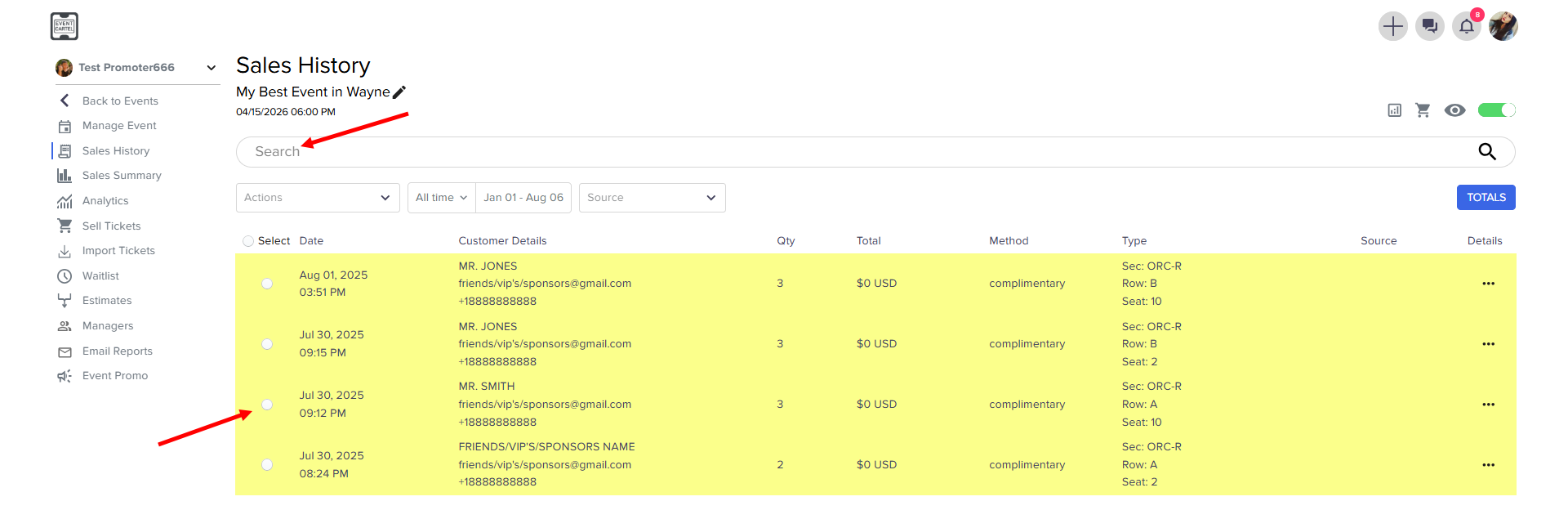
- Find and open the order where you need to change the seats
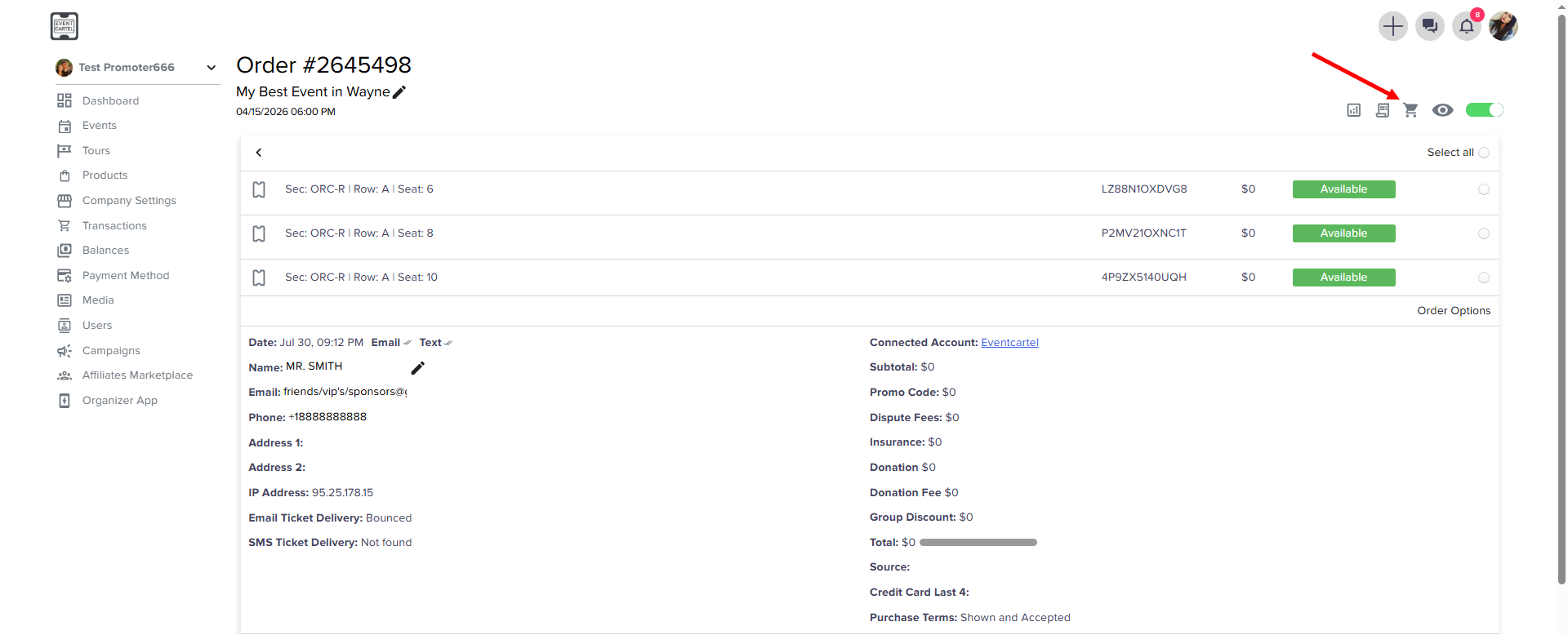
- Open Ticket Sales in another window
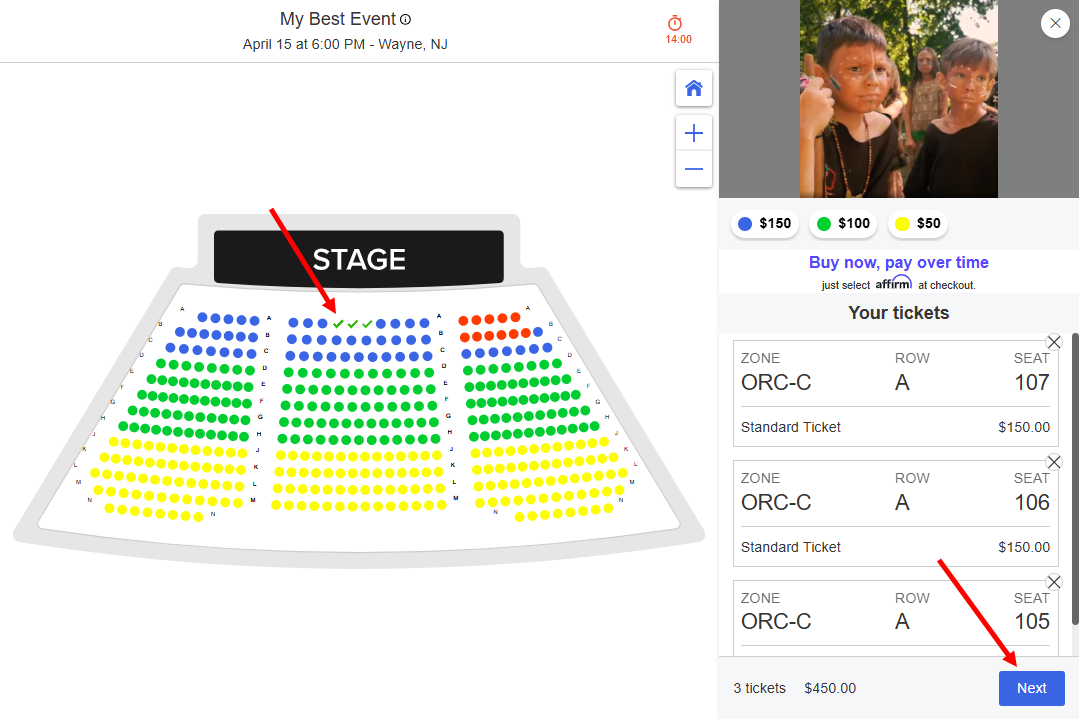
- Select the seats → click Next
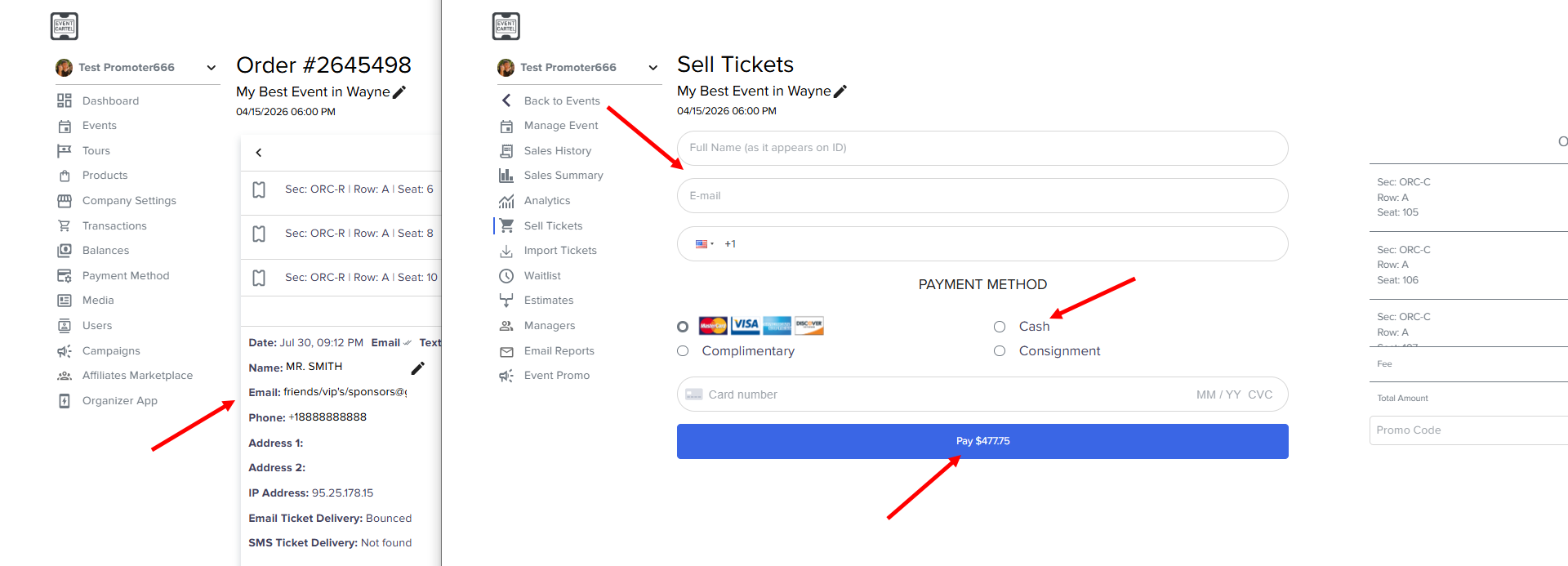
- Enter the customer's data for the new order → select Cash → click Pay
Go back to the last order to return tickets back on sale
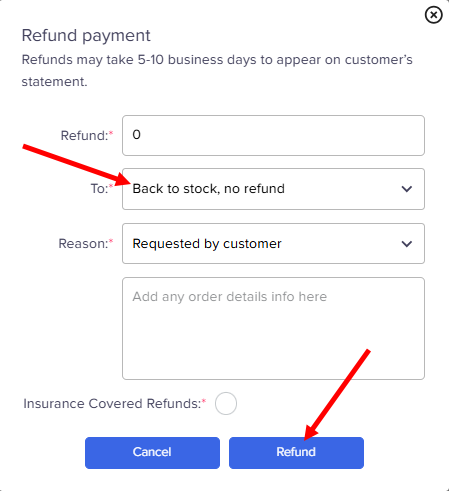
- click Select all → Order Details → Refund
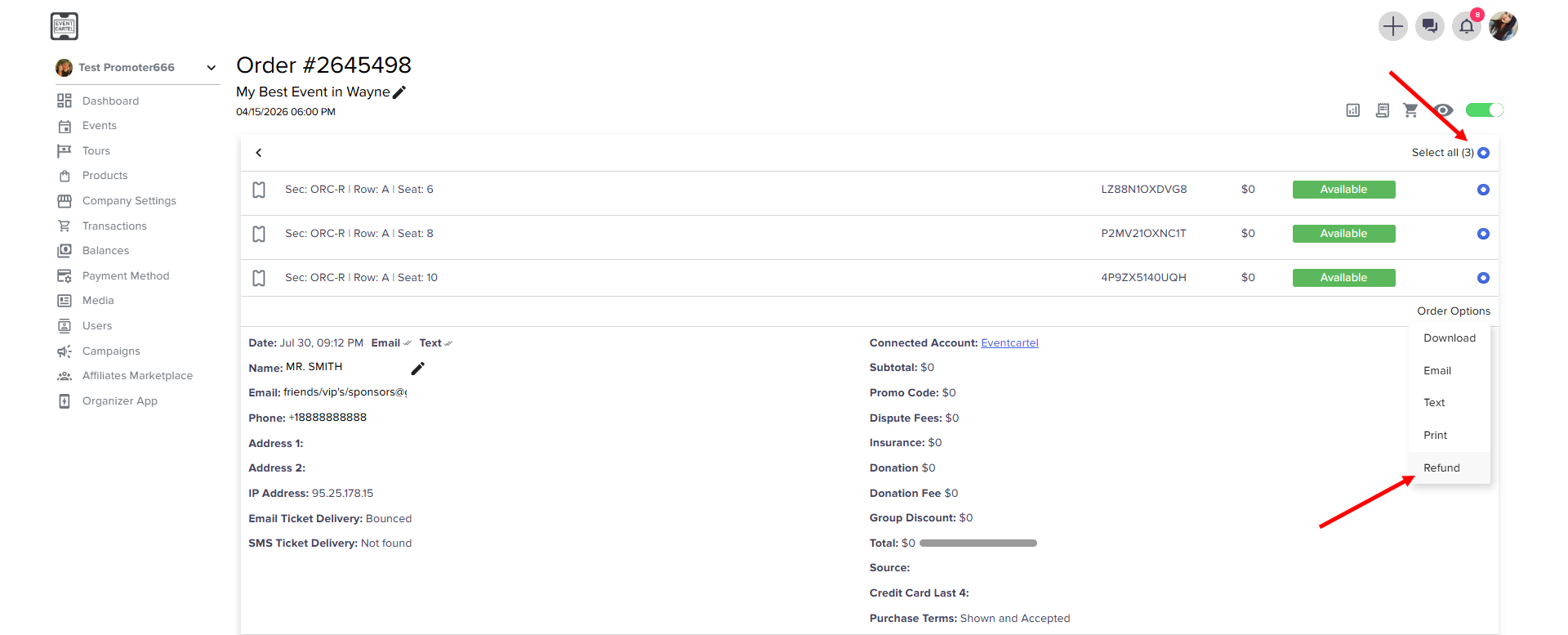
- Choose Back to stock, no refund → click Refund
- Now you can check the seats on the map