How to create complimentary tickets?
Jun 30, 2026Updated1 min read10
As an event organizer, you can create free complimentary tickets for friends, VIP guests, sponsors, etc.
Here's how to do it:
- Sign in to your Event Cartel account;
Here's how to do it:
- Sign in to your Event Cartel account;
- Open the "Organizer Dashboard";
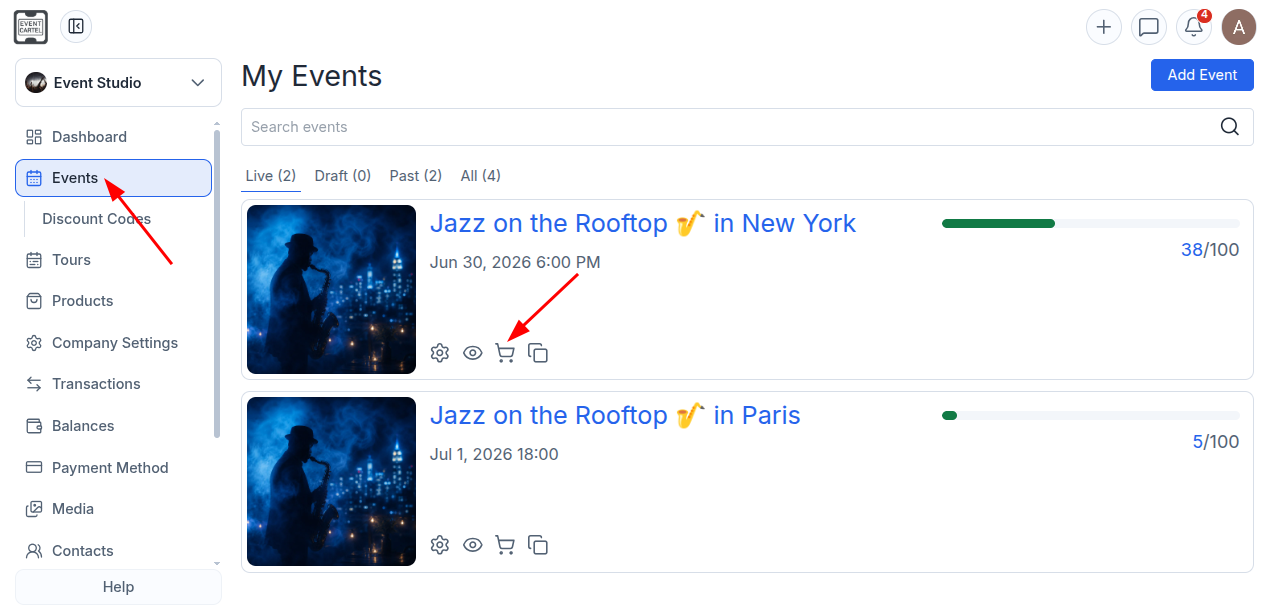
- Go to "Events";
- Click the 🛒 cart icon next to the event.
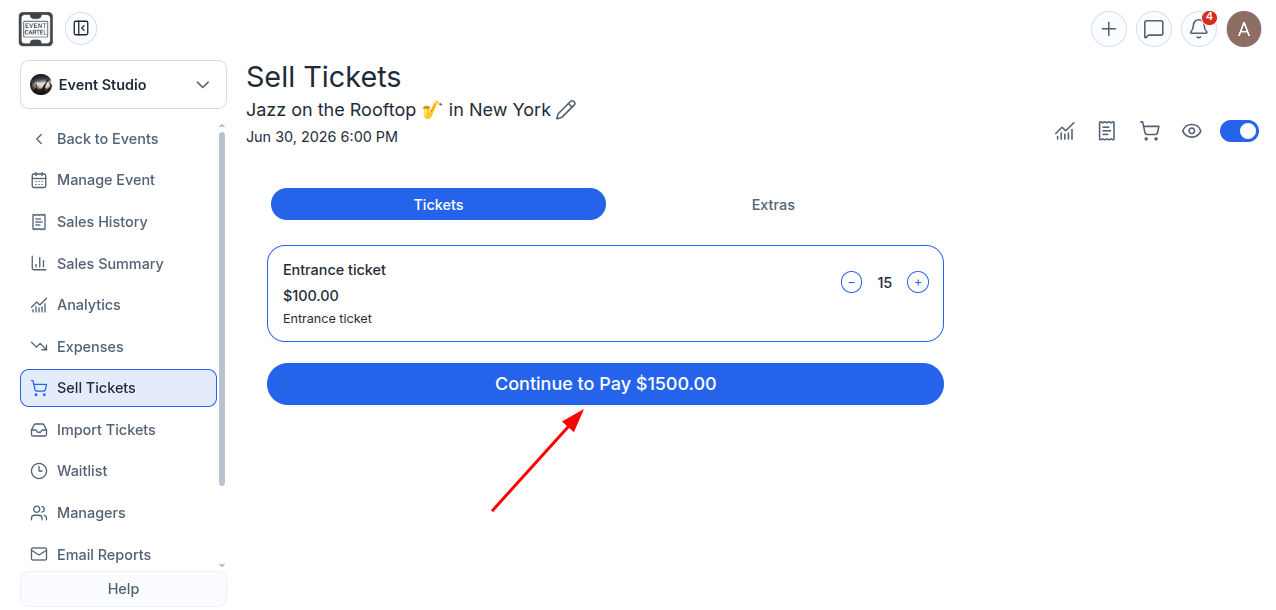
- Select the required number of tickets;
- Click "Continue to Pay".
Ignore the total order amount - you'll be able to make the tickets free in the next step.
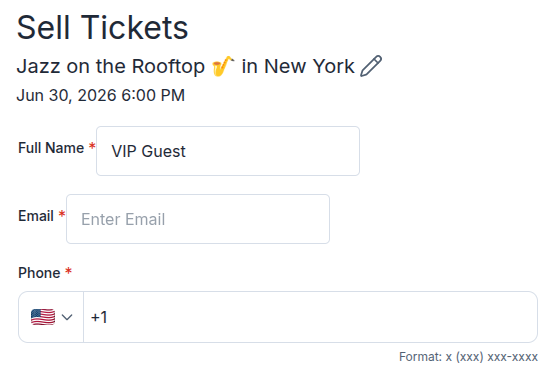
Fill in the ticket recipient's information:
- Enter the recipient's name;
- Enter their email address;
- Enter their phone number.
Once the order is completed, the tickets will be automatically sent to the specified email address.
If the tickets are not intended for a specific person but, for example, for a group of guests, you can enter "VIP", "Complimentary", "Guest", or any other suitable label in the Name field.
In this case:
- Enter your own email address or your organization's contact details;
- Or leave the fields blank - they will be filled in automatically.
If the email address and phone number fields are left blank, the tickets will not be sent by email. However, you will still be able to download them manually after the order is created.
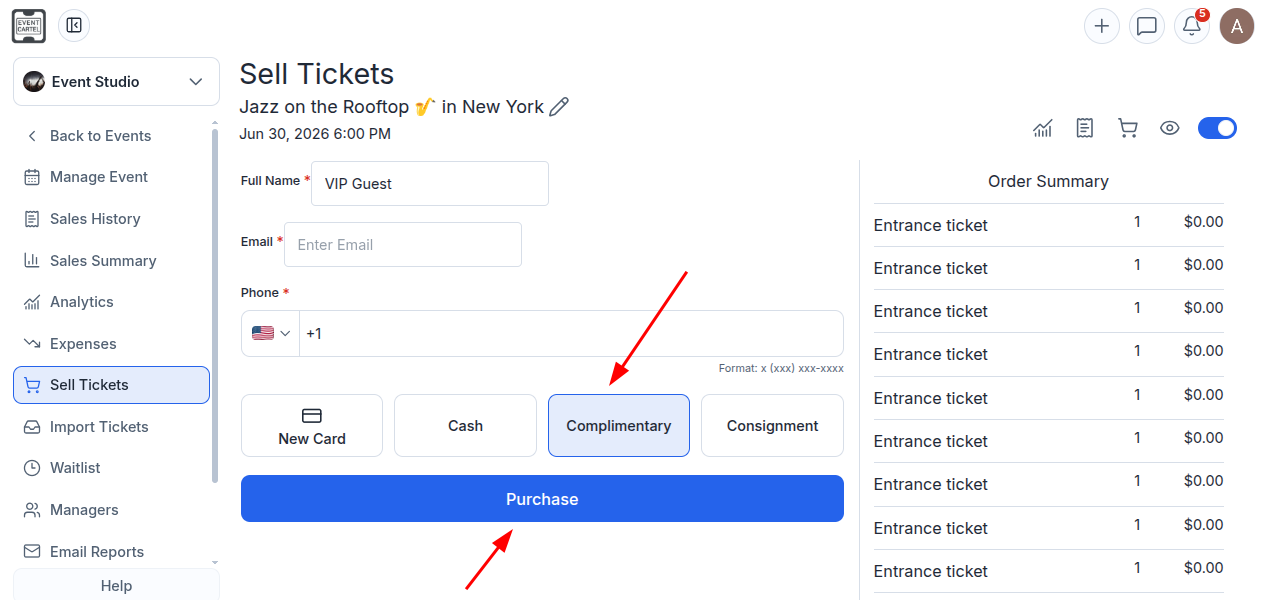
- Under Payment Methods, select "Complimentary".
The total order amount will change to $0.00.
- Click "Purchase".
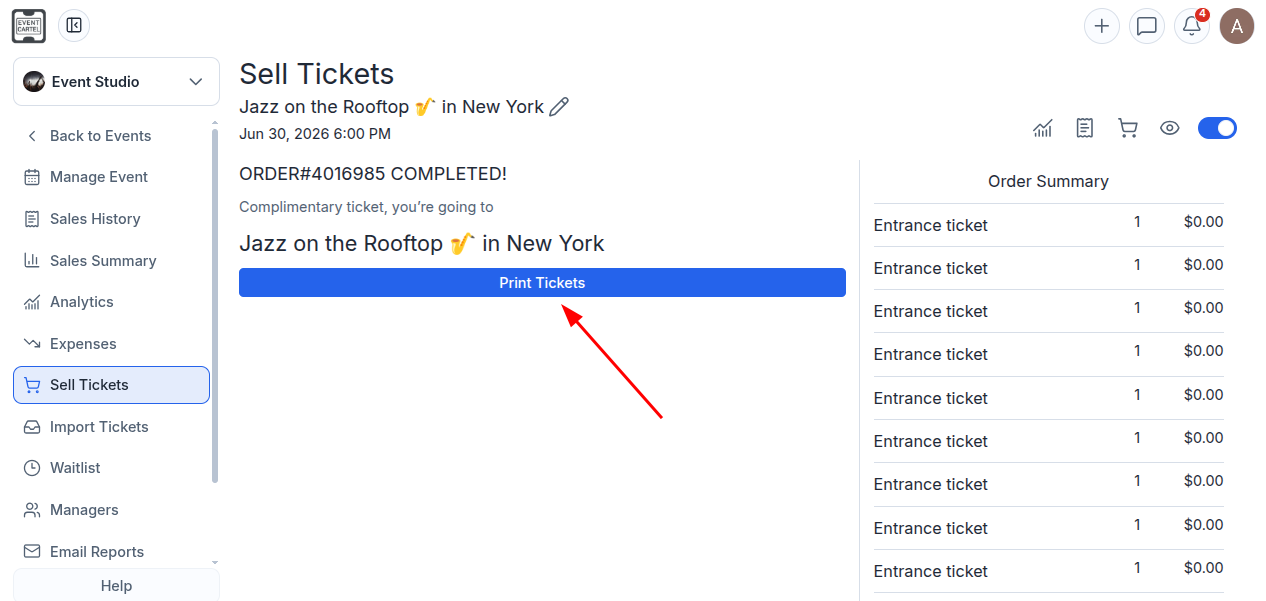
After the tickets have been created:
- Click "Print Tickets".
- In the window that opens, click "Save" to save the tickets to your computer as a PDF.
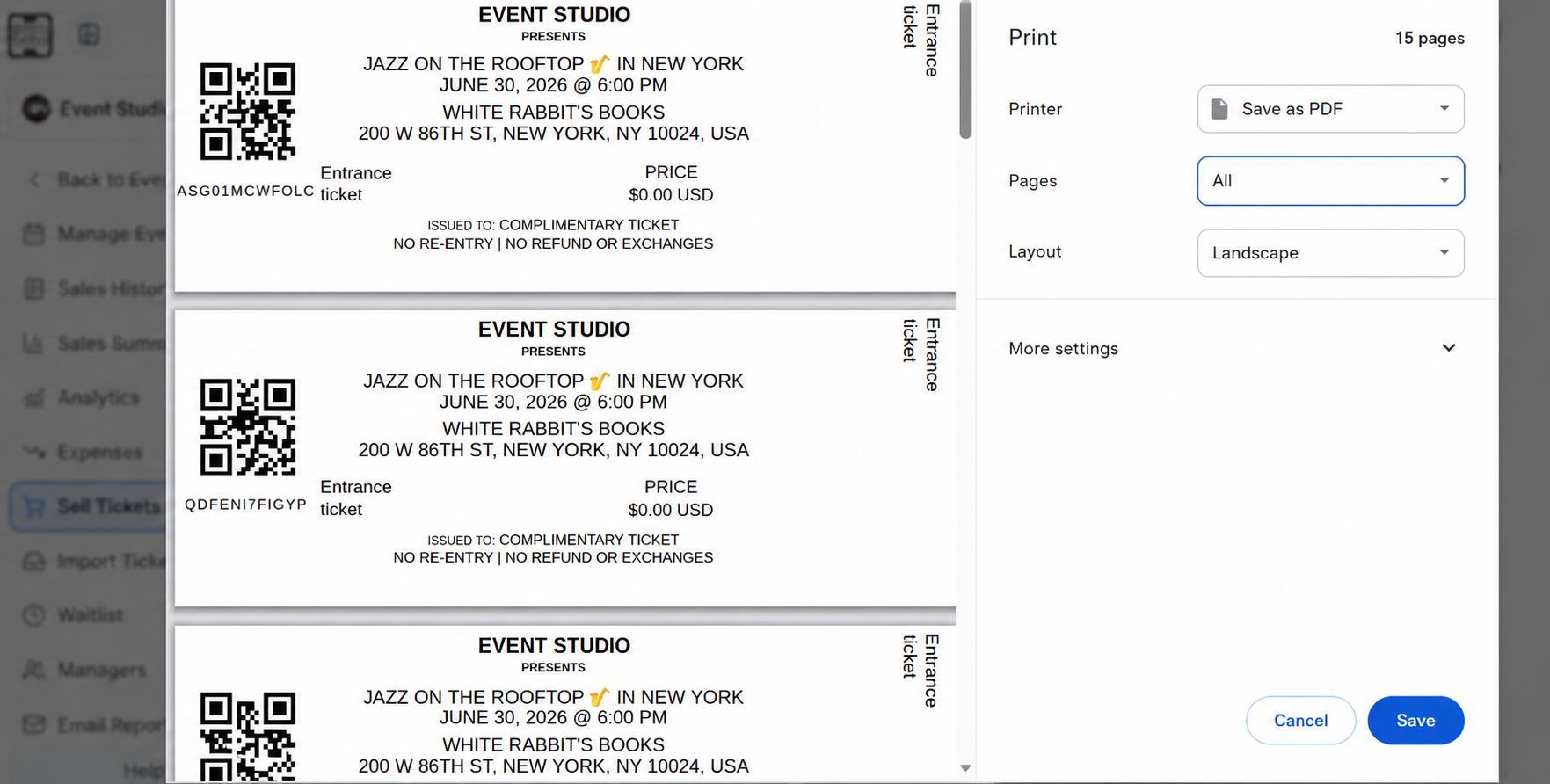
Done! You can now email the PDF tickets to your guests or print them and hand them out in person.