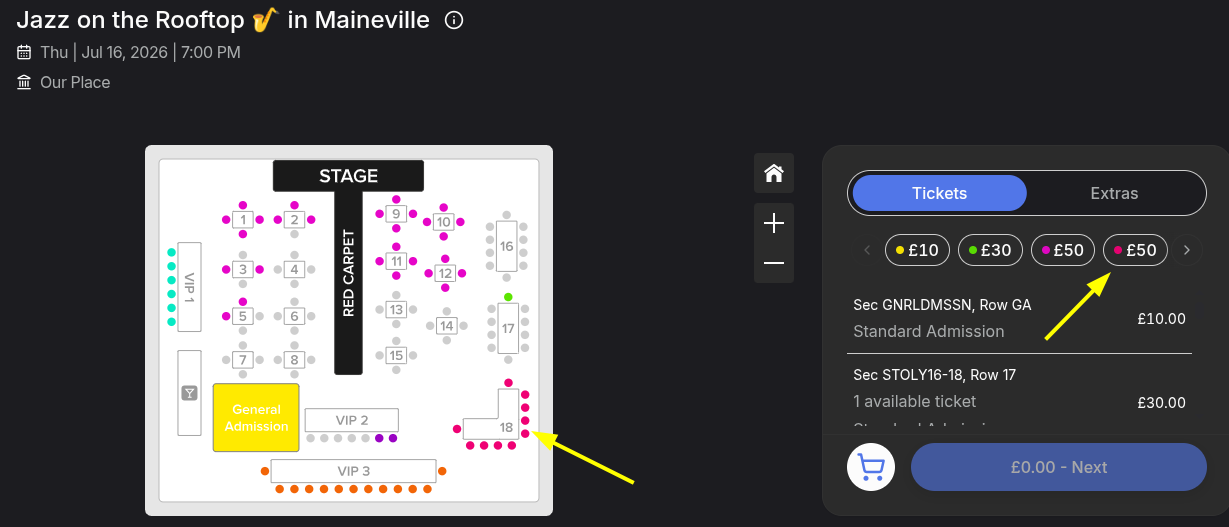
How to change seat prices on a seating map after ticket sales have started
Jul 8, 2026Updated1 min read00
If tickets for the event are already on sale, you can still change the price of the remaining available seats on the map. The price of tickets that have already been purchased will remain unchanged.
How to do this:
- Go to "Organizer Dashboard";
- Navigate to "Events";
- Click the event on which you want to change seat prices.
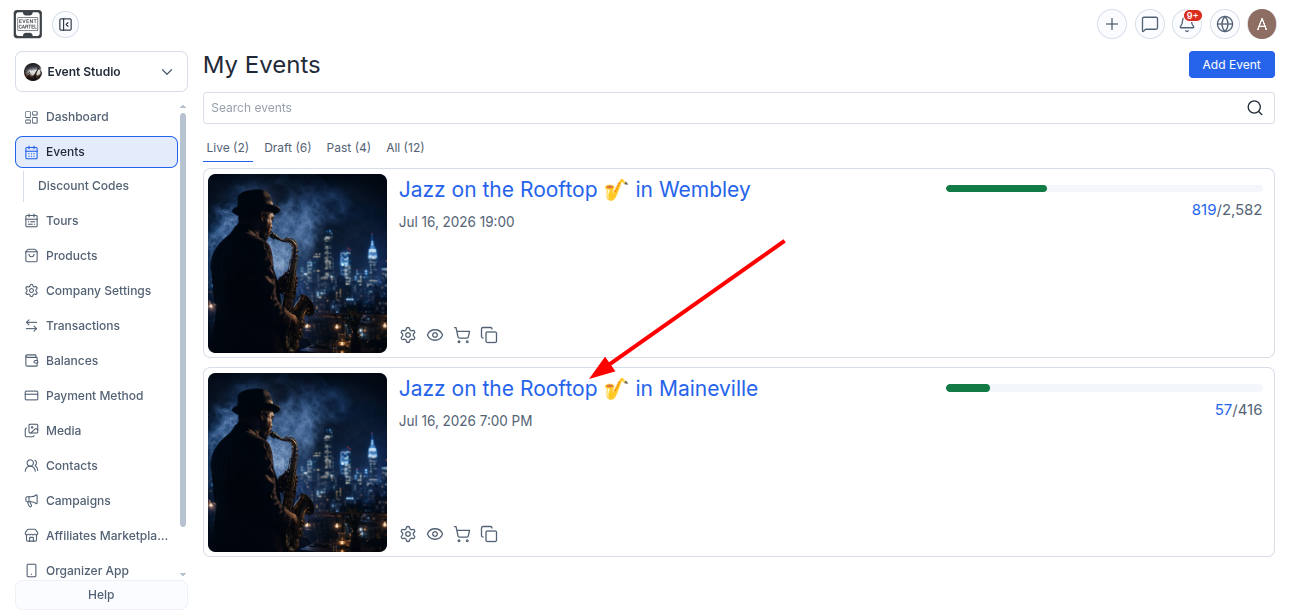
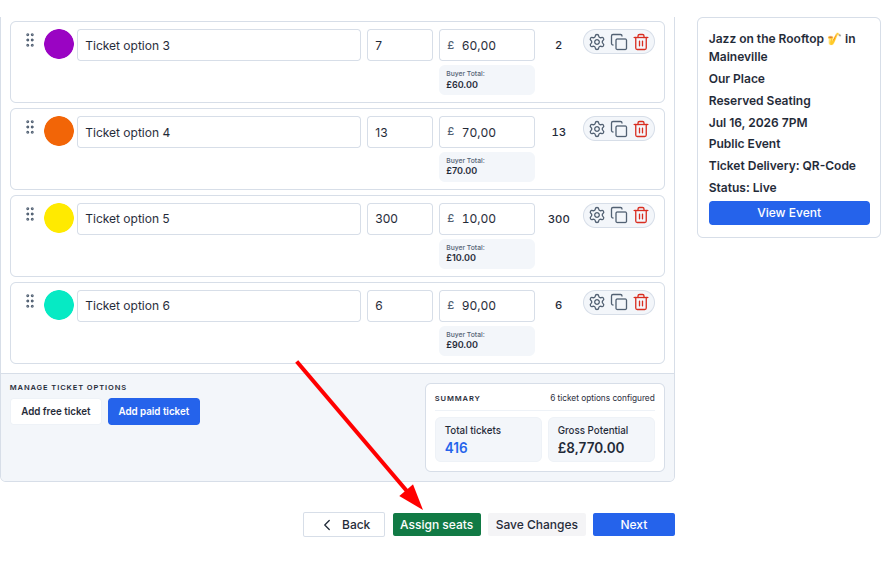
- Go to step 6 of event creation;
- Click Assign Seats.
- Select the desired zone;
- Click "Assign".
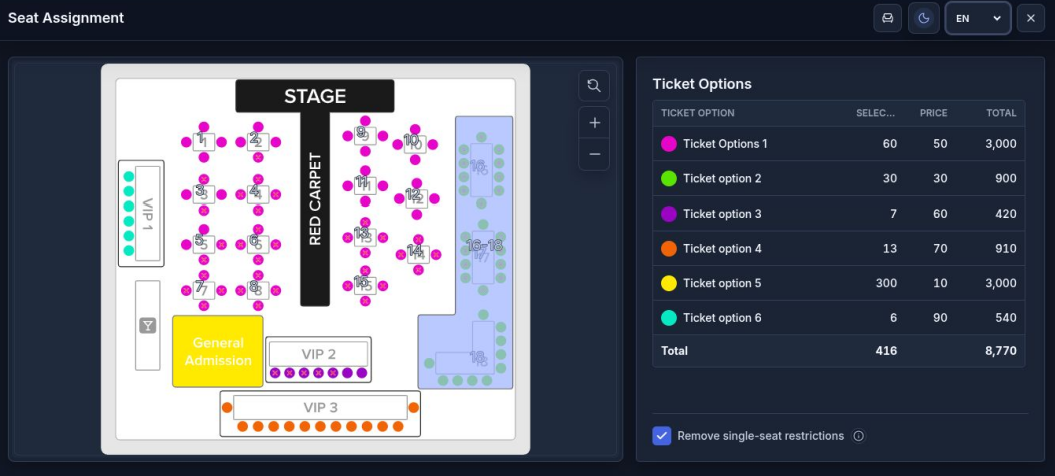
If you try to manually change the price of an existing ticket option, you'll see a message explaining that it can't be edited because tickets have already been sold using that ticket option.
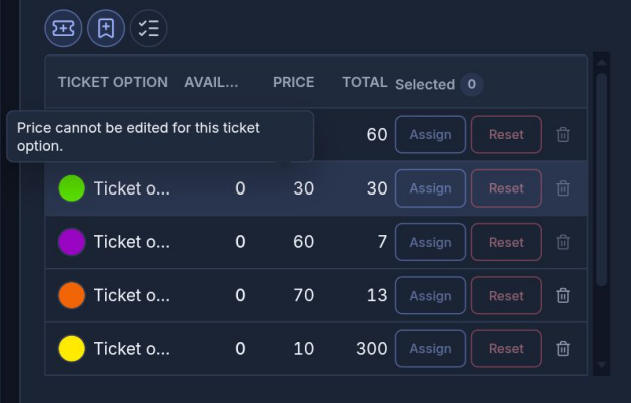
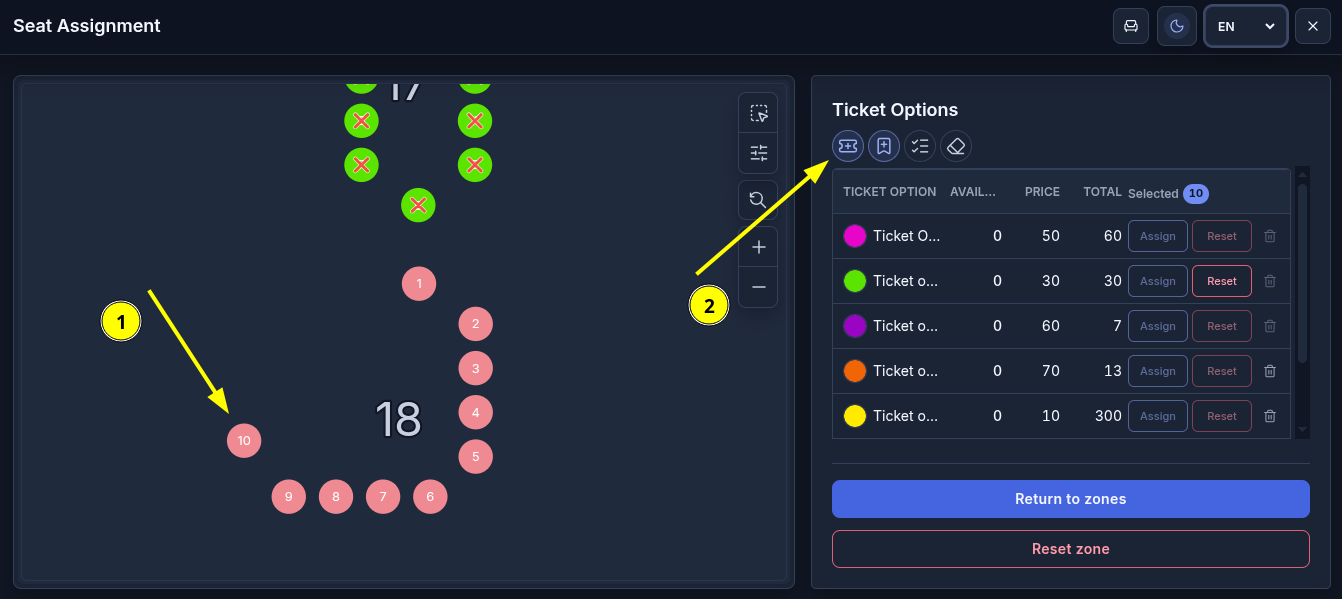
Therefore, create a new ticket instead of modifying the existing one:
① Select the seats for which you want to set a new price;
② Click the New Ticket Option icon.
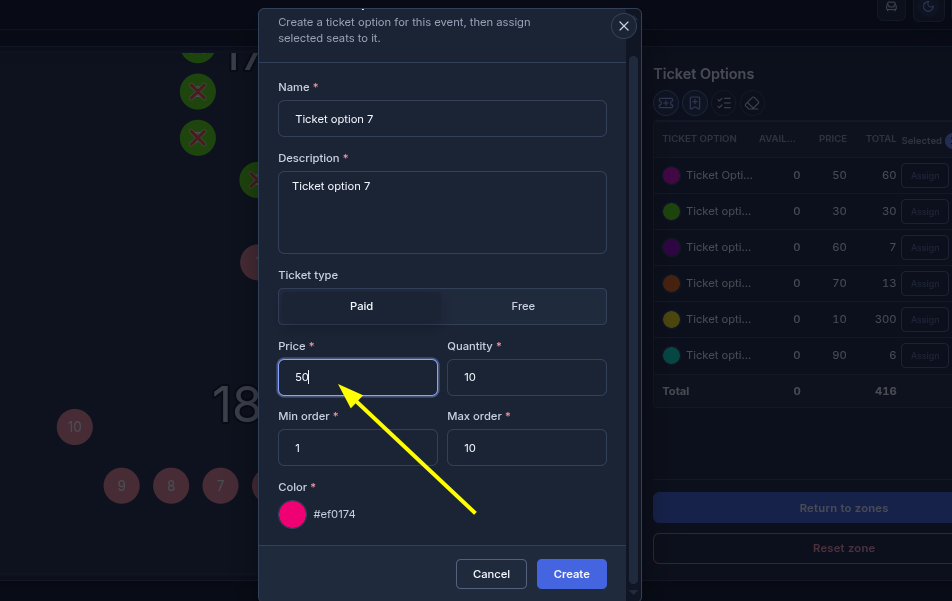
In the window that opens:
- Enter the ticket name;
- Enter the new price;
- Click "Create".
You can use a new ticket name and color, or keep them the same as before.
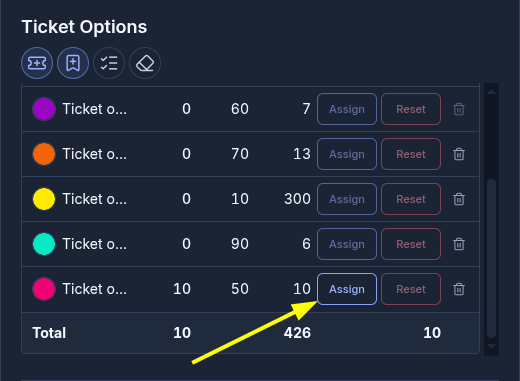
- Click "Assign" next to the new ticket;
- After assigning the seats, click "Return to Zones".
Once you've repriced all the necessary seats:
① Click "Save";
② Close the editor by clicking the ✕ icon.
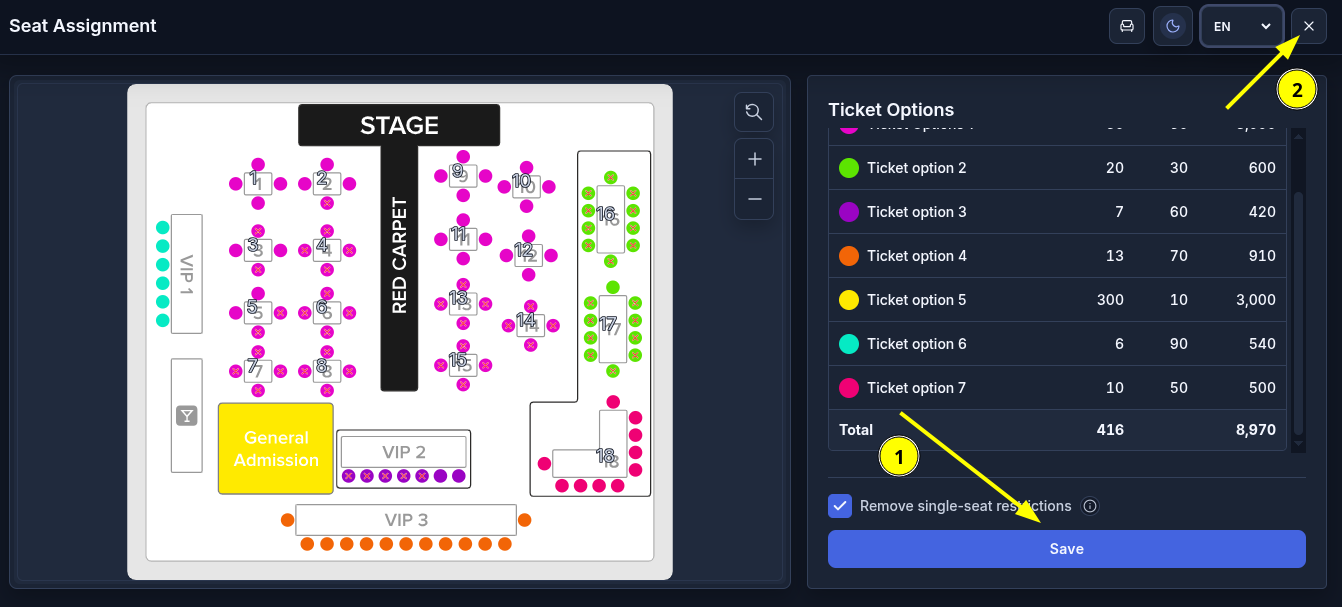
You will return to Step 6 of event creation.
- Click "Save Changes".
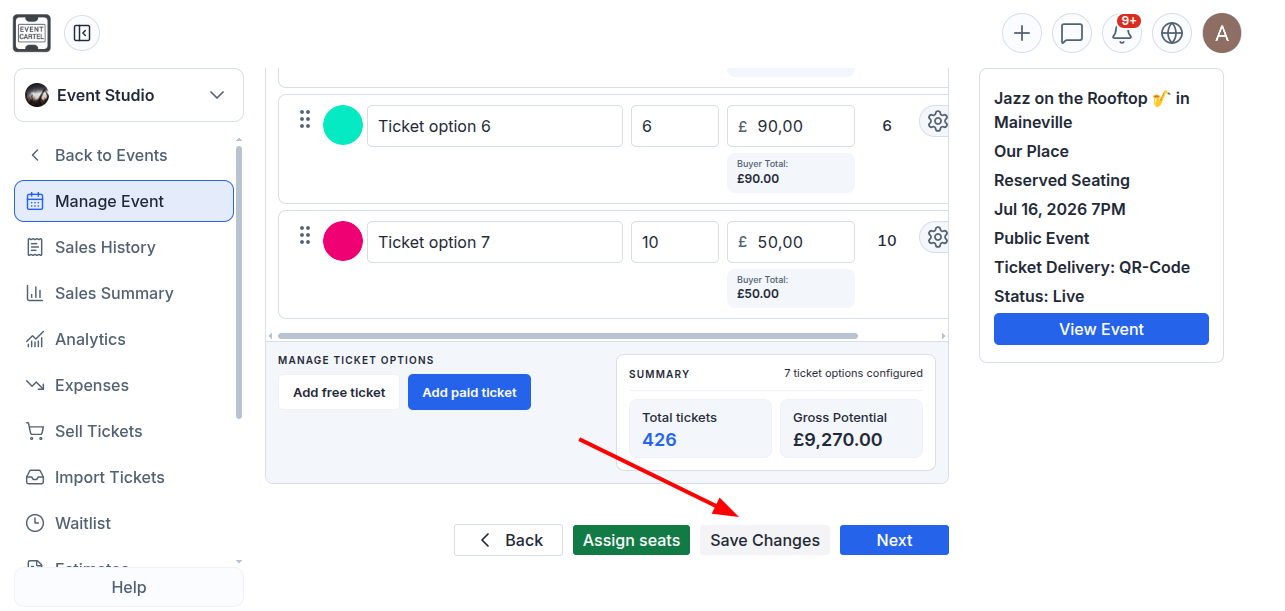
All changes will be saved. The price of tickets that have already been purchased will remain unchanged.