How to add FAQs to an event page?
Jul 24, 2026Updated1 min read00
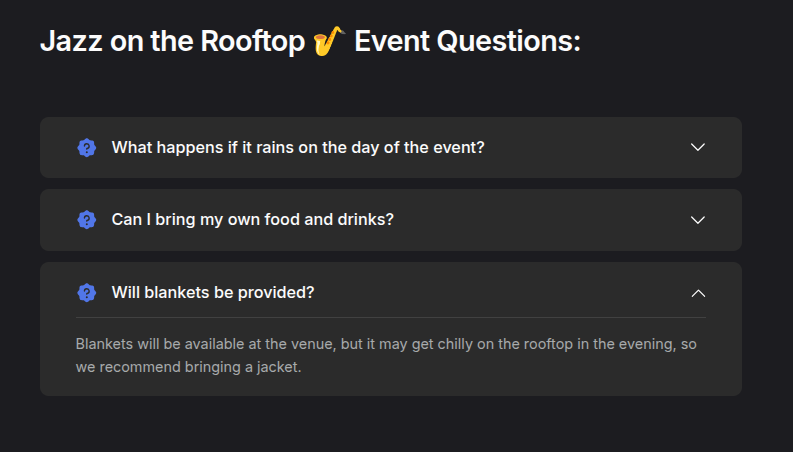
You can add an FAQ section to the event page with the organizer’s answers to frequently asked questions. This allows attendees to find important information about the event in advance without contacting the organizer directly. The questions and answers will appear below the event description.
To add answers:
- Log in to your EventCartel account;
- Go to "Business Manager";
- Open the "Events" section;
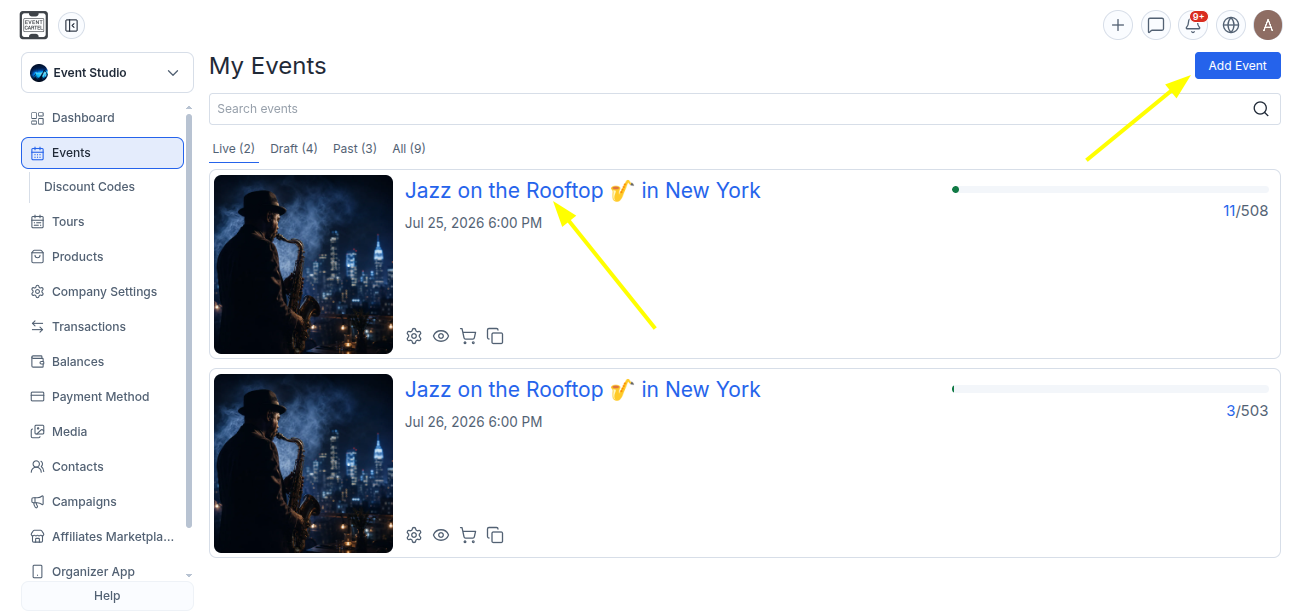
- Click "Add Event" to create a new event, or select an existing event to edit it.
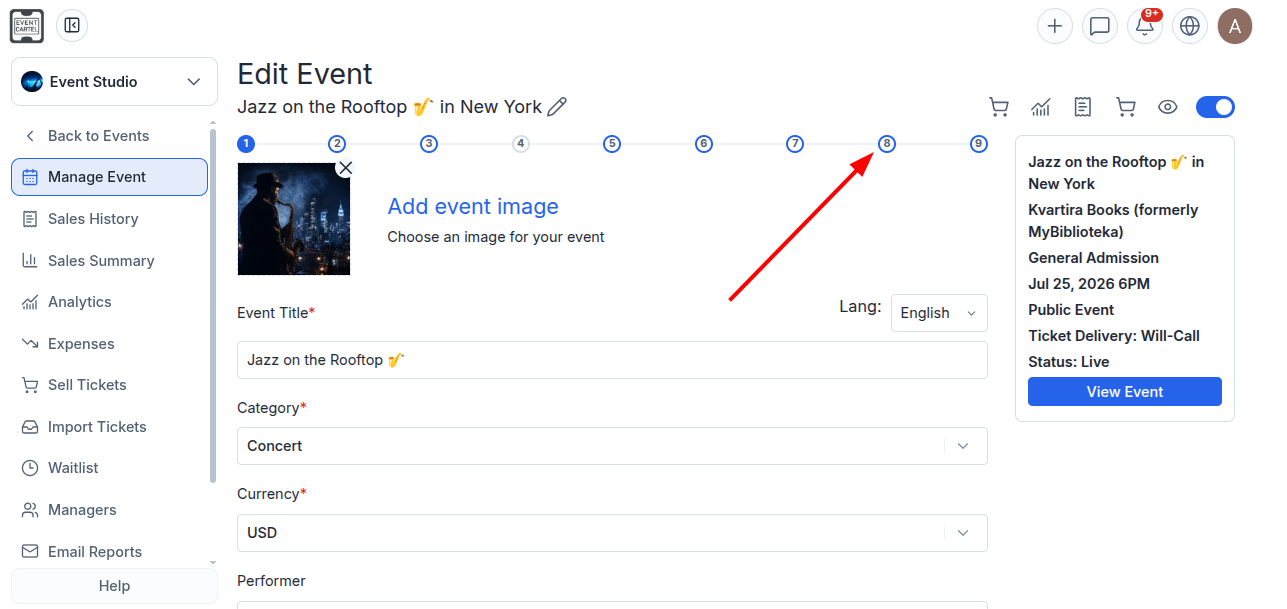
- Go to step 8 of event creation.
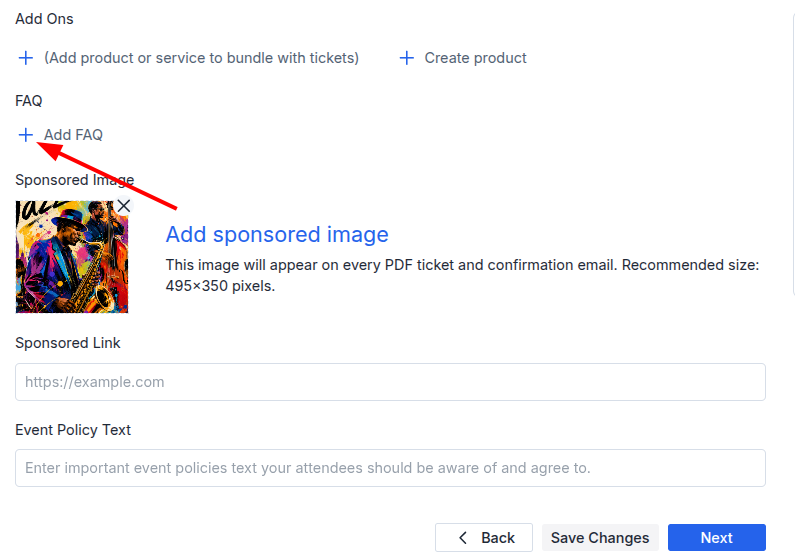
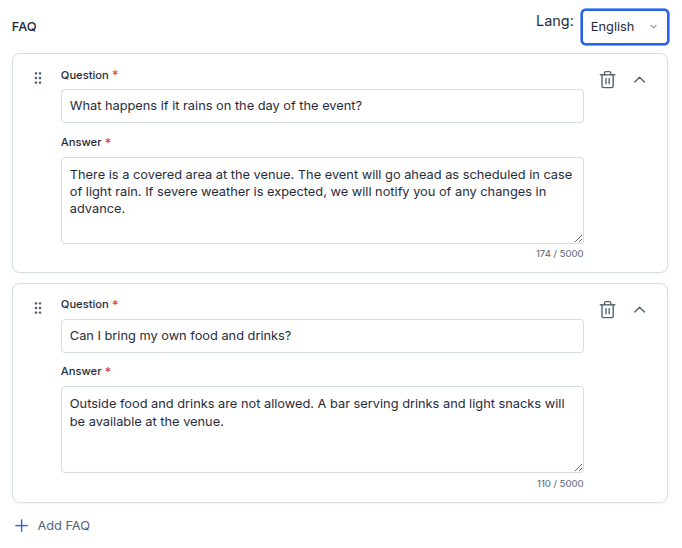
- Scroll down the page to the FAQ;
- Click + Add FAQ.
- Fill in the "Question" and "Answer" fields.
• Questions and answers can be added in both Russian and English. For the most accurate wording, we recommend completing both language versions manually by switching between them in the "Lang" field.
• If you enter the questions and answers in only one language, the system will automatically translate them into the other. On the event page, they will be displayed in the language selected by the attendee.
•You can add multiple questions by clicking "+ Add FAQ" again.
•To expand and edit a question, click the arrow next to it ⌄.
•To delete a question, click the trash icon 🗑️.
- After adding or editing the questions, click "Save Changes."
Done! The questions and answers will appear below the event description. When attendees click a question, they will see the answer.