How to Add a Performer to an Event?
Jul 15, 2026Updated1 min read00
You can add a single performer, multiple performers, or a band to your event. This article explains how to do it.
To add a performer:
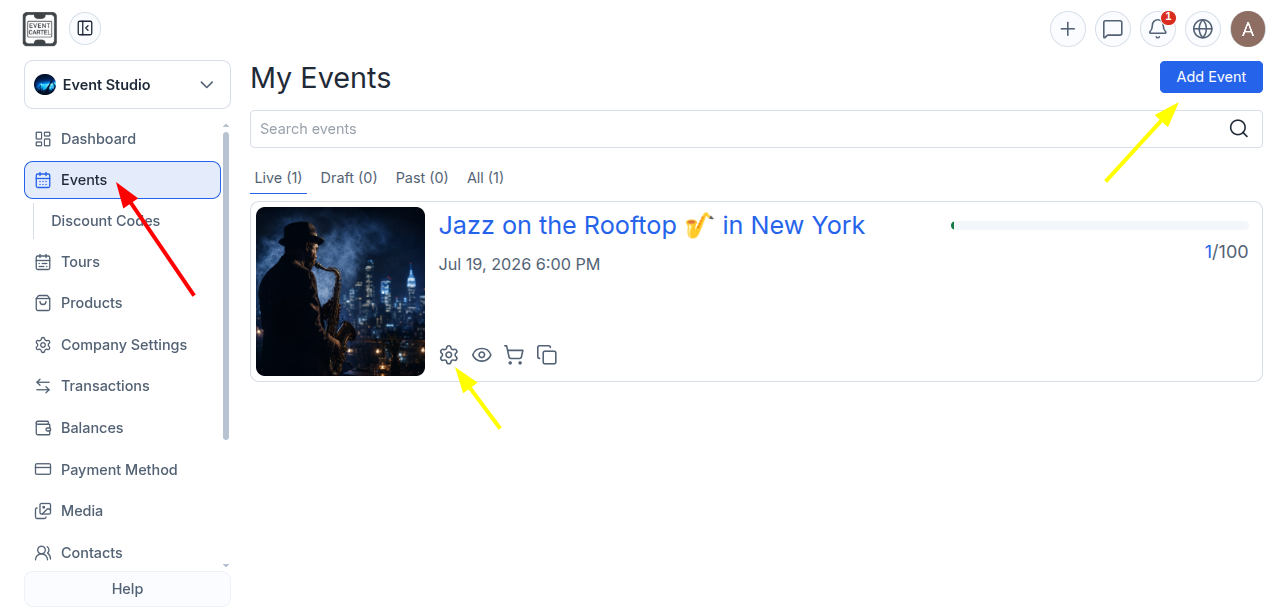
- Log in to your EventCartel account;
- Go to "Business Manager";
- Open "Events";
- Click "Add Event" to create a new event, or open an existing one for editing.
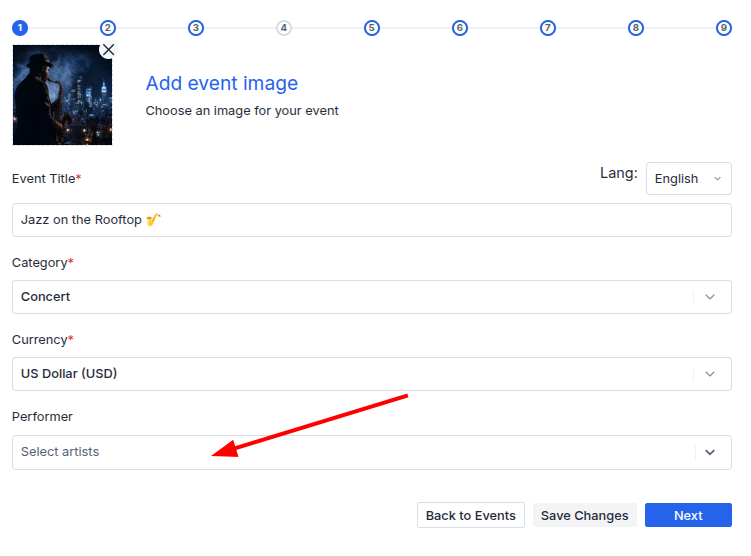
On the first step of event creation:
- In the "Performer" field, start typing the performer's name;
- If the performer already exists, select them from the list.
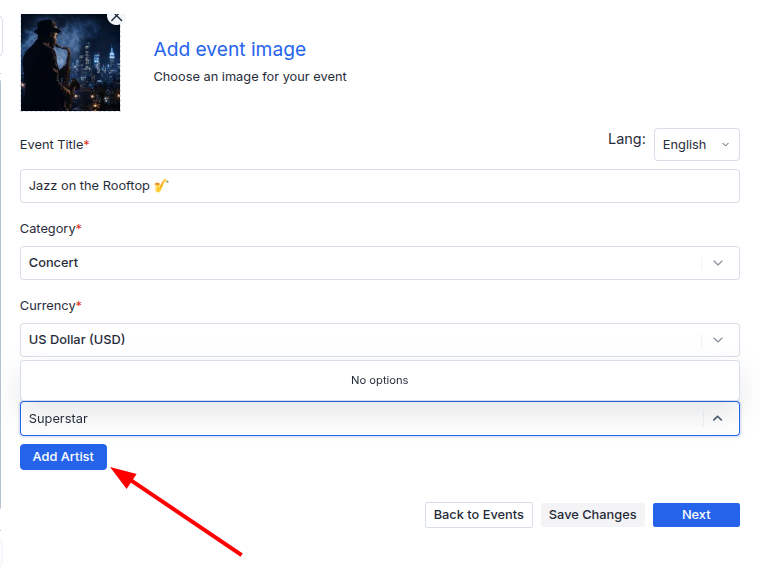
If the performer is not in the list:
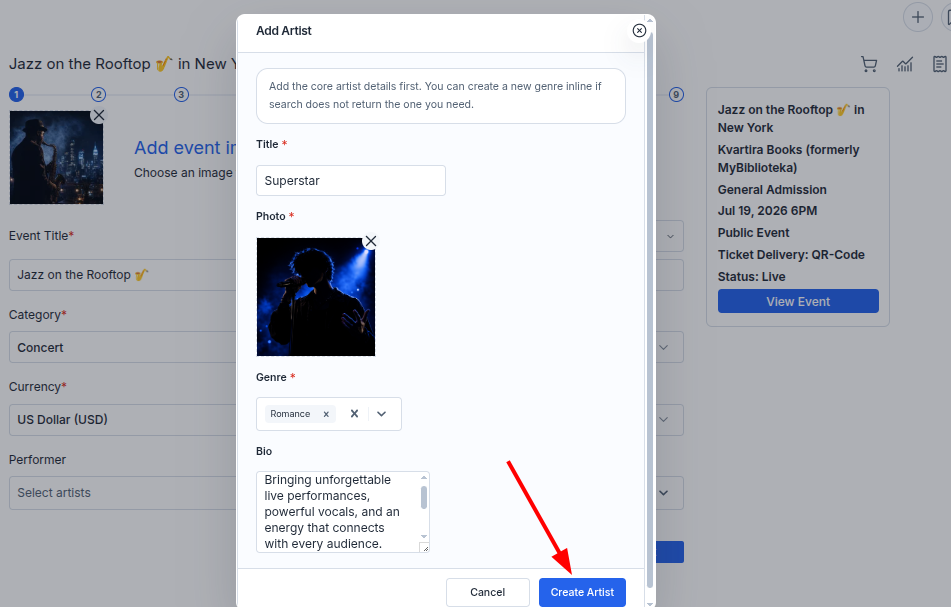
- Click "Add Artist."
In the window that opens:
- Enter the performer's name or the band's name;
- Upload a photo;
- Select one or more genres;
- Add a description;
- Click "Create Artist."
• After the performer or band is created, it will appear in the "Performer" field.
- Click "Save Changes" if you are editing an existing event;
- Click "Next" if you are creating a new event.
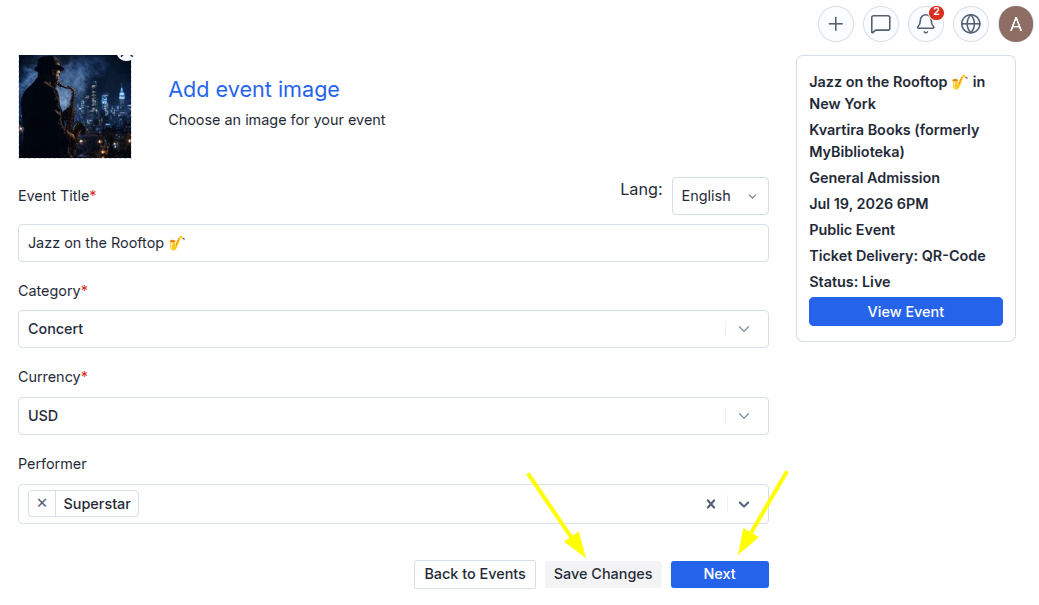
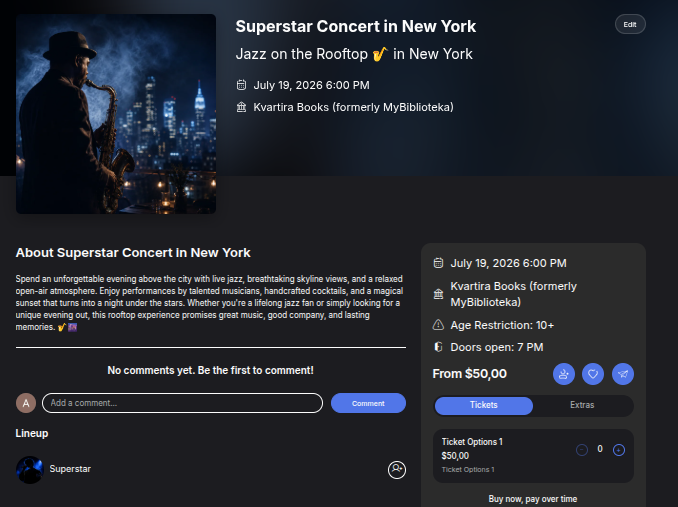
Done! The performer's name will appear on the event page. Users will be able to follow them from the "Lineup" section and receive notifications about future events featuring that performer.