How to grant a partner access to sell all seats for a seated event
Sep 21, 2026Updated2 min read00
If you want to grant one or more partners access to sell all tickets for an event with a seat map, the fastest way to do this is through "Seat Inventory".
A partner will be able to sell tickets for the seats available to them. These seats are not reserved for the partner: the organizer and other partners with the same access can also sell them.
To configure access:
- Go to "Events" and open the relevant event;
- On Step 6, click "Assign seats".
If you are still creating the event, first assign ticket options to all seats and click "Save". You can then configure partner access.
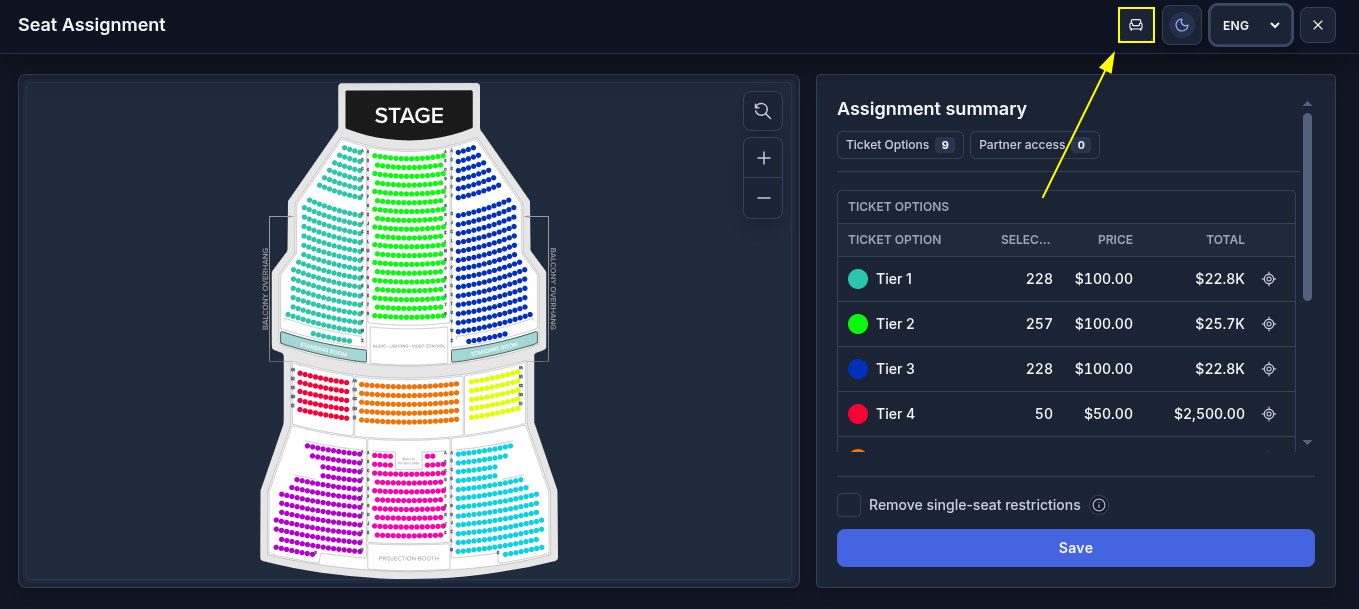
- In the upper-right corner of the editor, click the "Seat Inventory" icon.
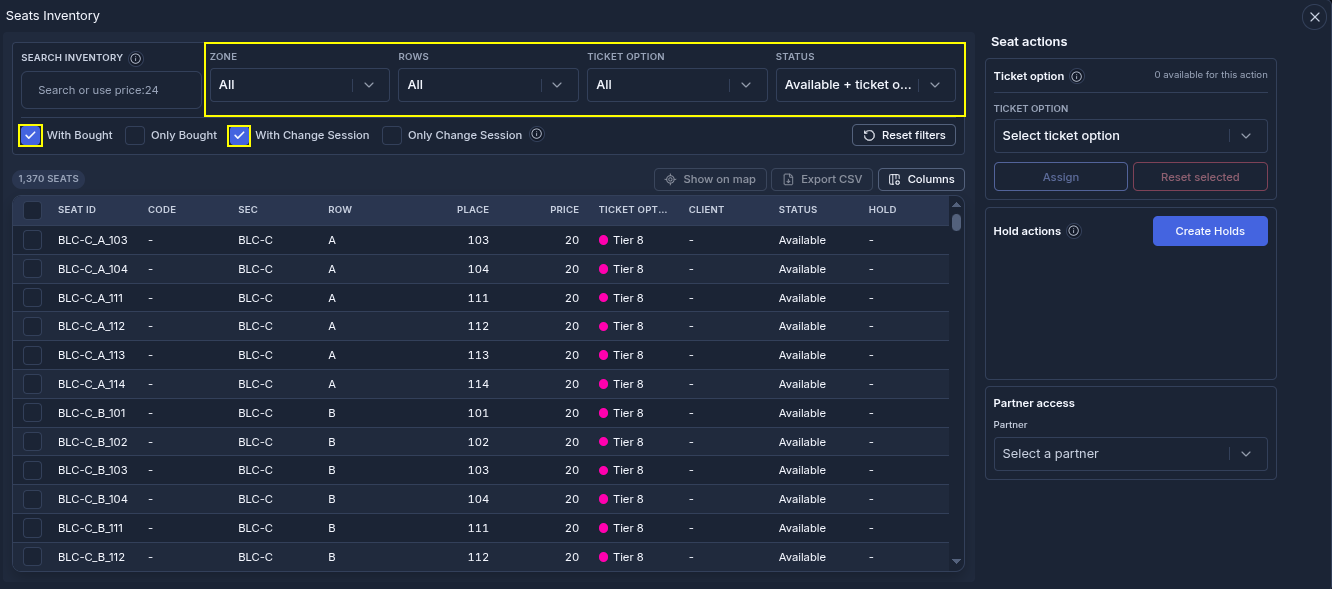
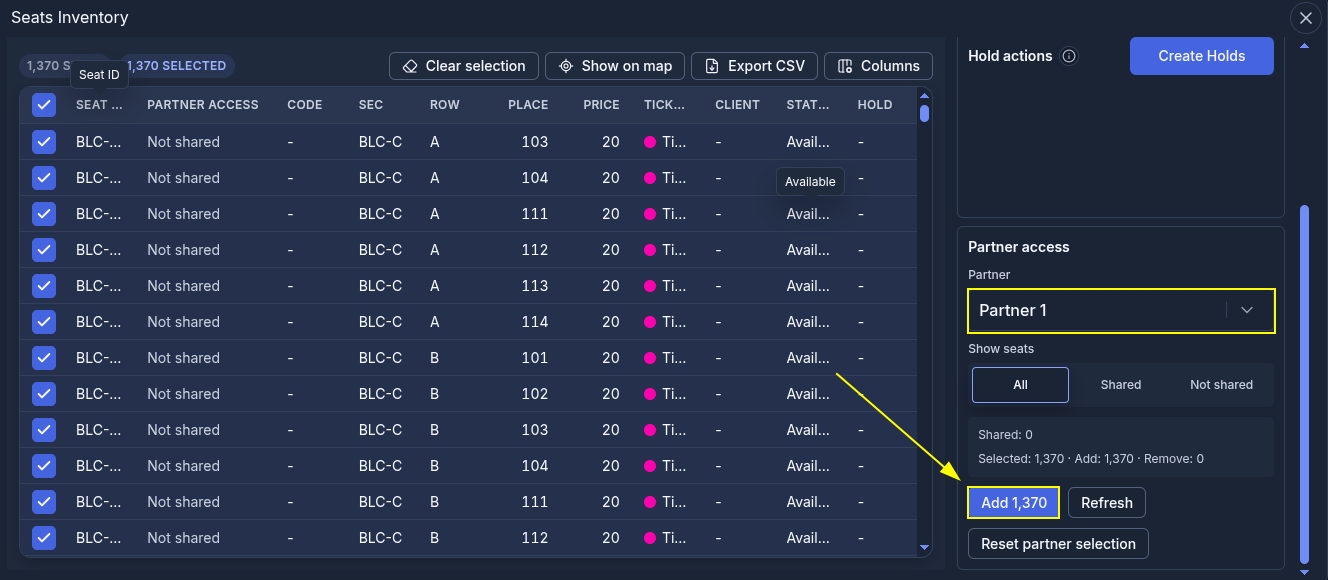
A list of all seats on the map will open. Set the following filter values:
Zone - "All";
Rows - "All";
Ticket option - "All";
Status - "Available + ticket option".
- Select the checkbox in the table header next to the "Seat ID" column to select all seats in the list.
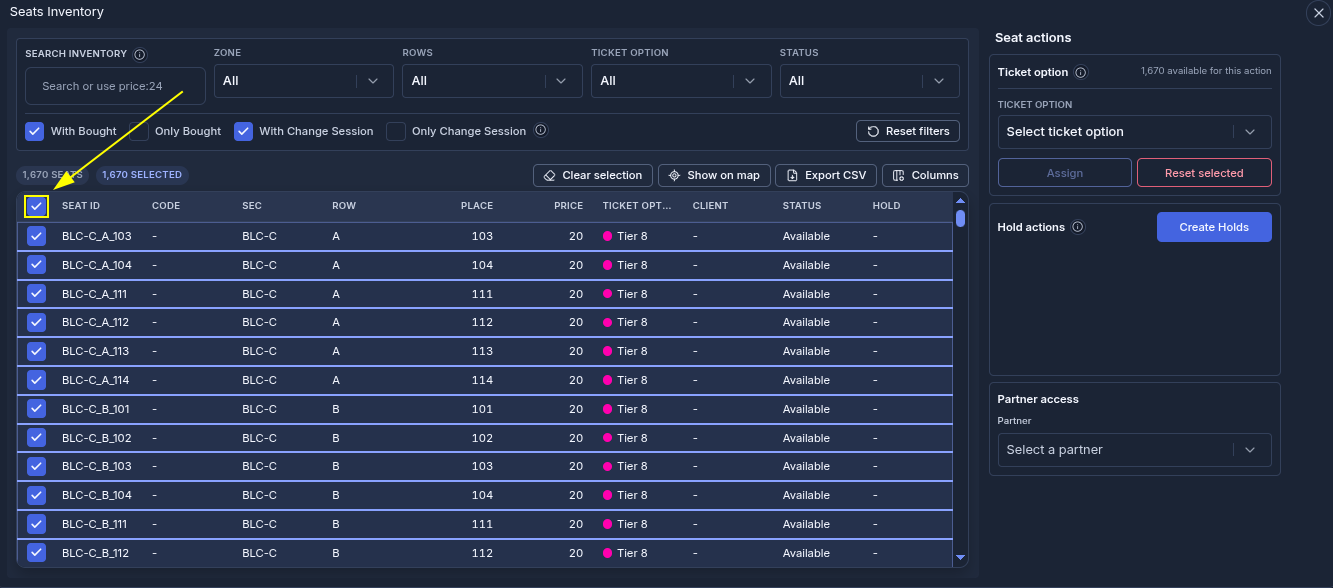
- In the "Partner access" section, select a partner from the list;
- Click "Add".
Done. All assigned seats on the map are now available for the partner to sell.
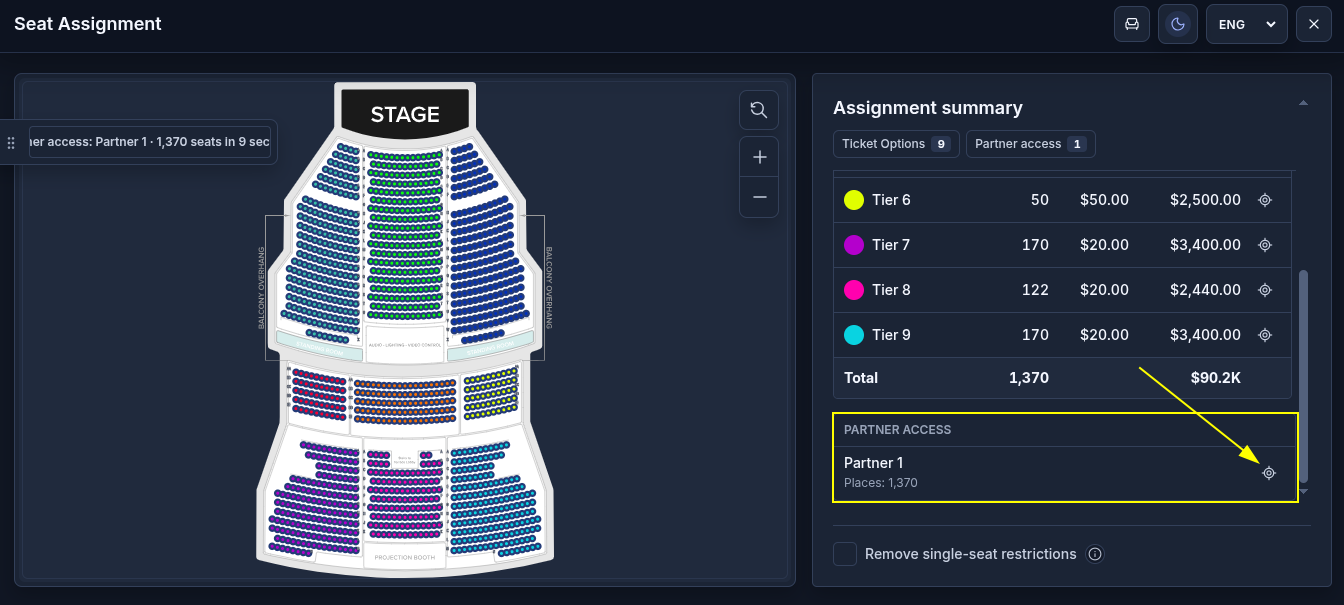
How to view the seats available to a partner on the map:
- Close "Seat Inventory" and return to the full seat map;
- In the "Partner access" section, find the relevant partner. The number of assigned seats will be displayed next to their name;
- Click the view icon next to the partner. The seats assigned to them will be highlighted with a blue outline on the map.
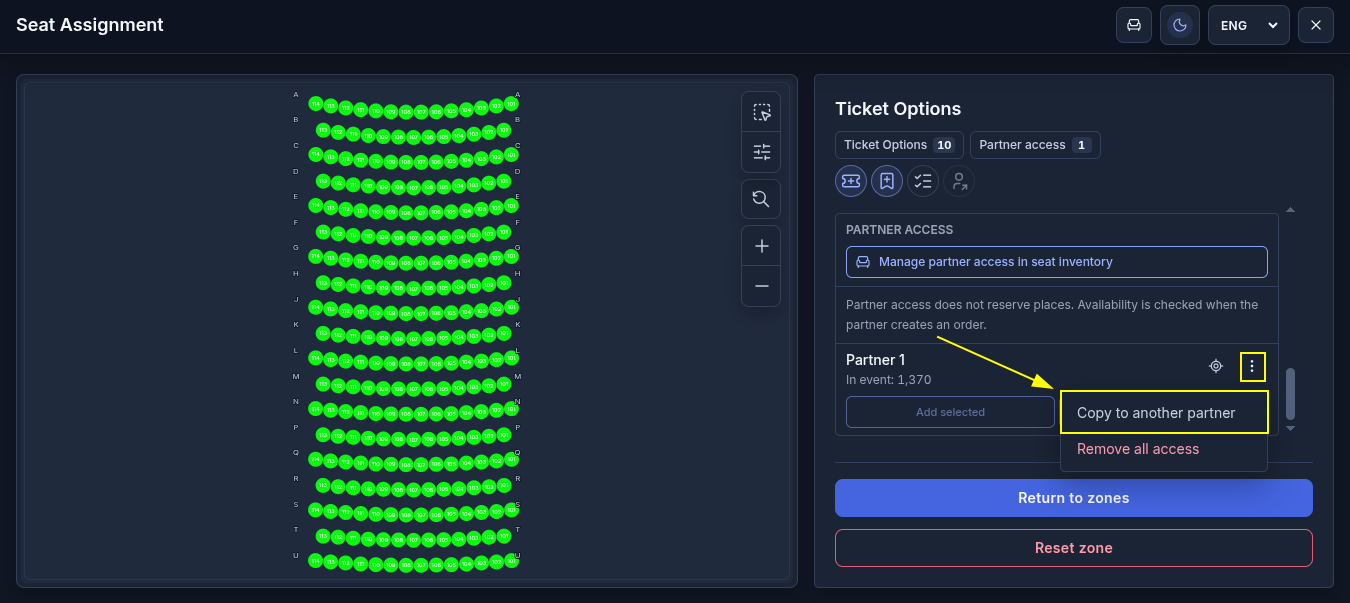
How to grant the same access to another partner:
To grant another partner access to the same seats, repeat the steps in "Seat Inventory" or copy the existing access:
- Open any zone on the map;
- In the "Partner access" section, click "⋮" next to the partner whose assigned seats you want to copy;
- Select "Copy to another partner".
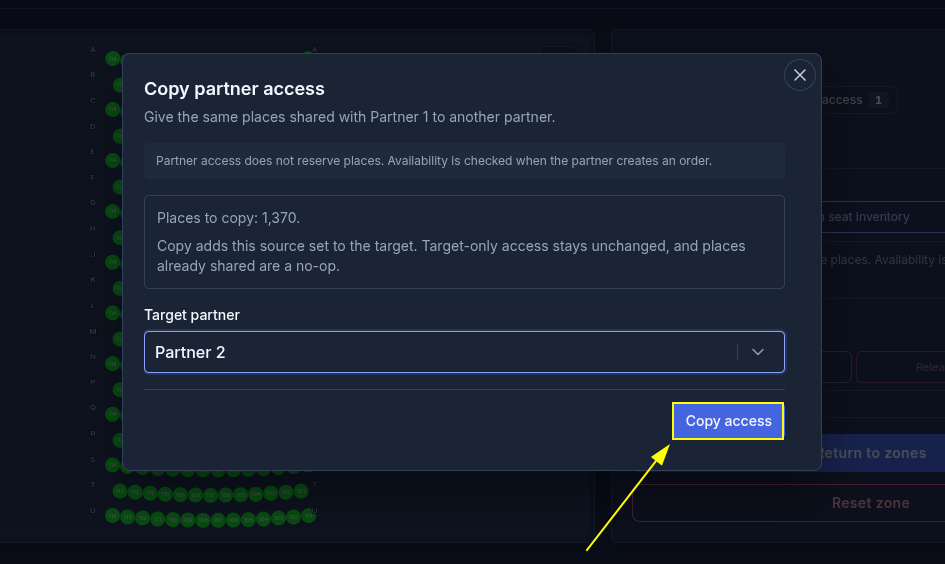
- In the "Target partner" field, select another partner;
- Click "Copy access".
The new partner will be granted access to the same seats. The first partner will retain their access.
How to remove partner access.
To remove a partner’s access to all seats:
- Open any zone on the map;
- In the "Partner access" section, click "⋮" next to the relevant partner;
- Select "Remove all access".
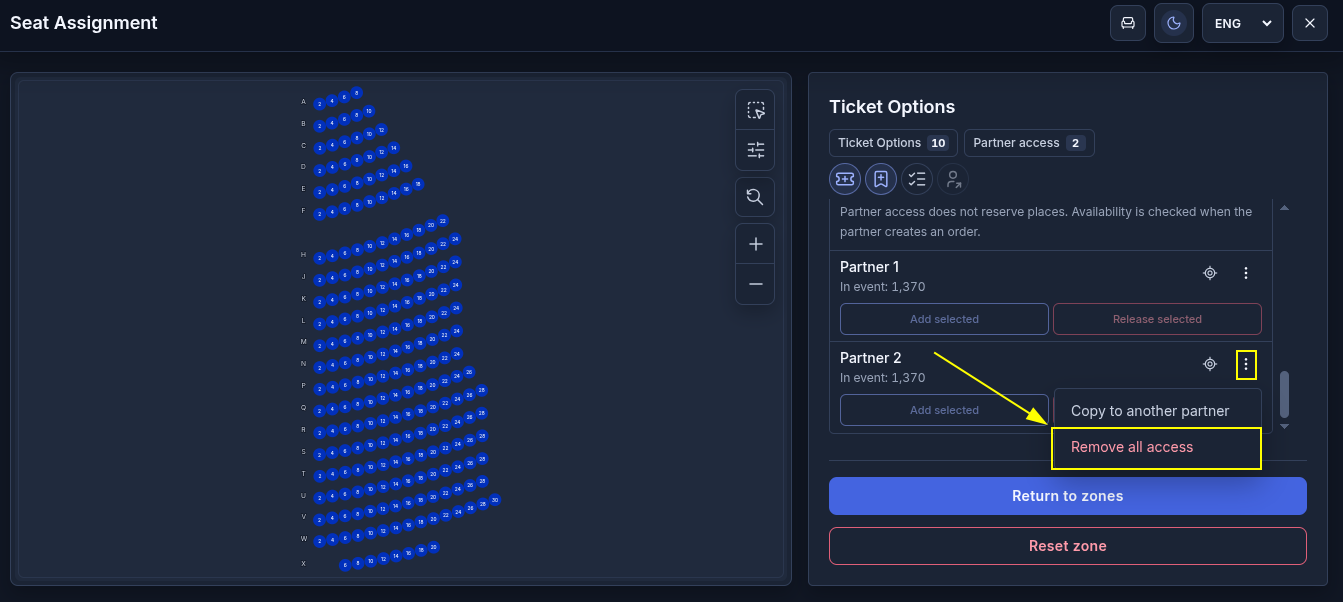
To remove access to specific seats:
- Open "Seat Inventory";
- In the "Partner access" section, select the relevant partner;
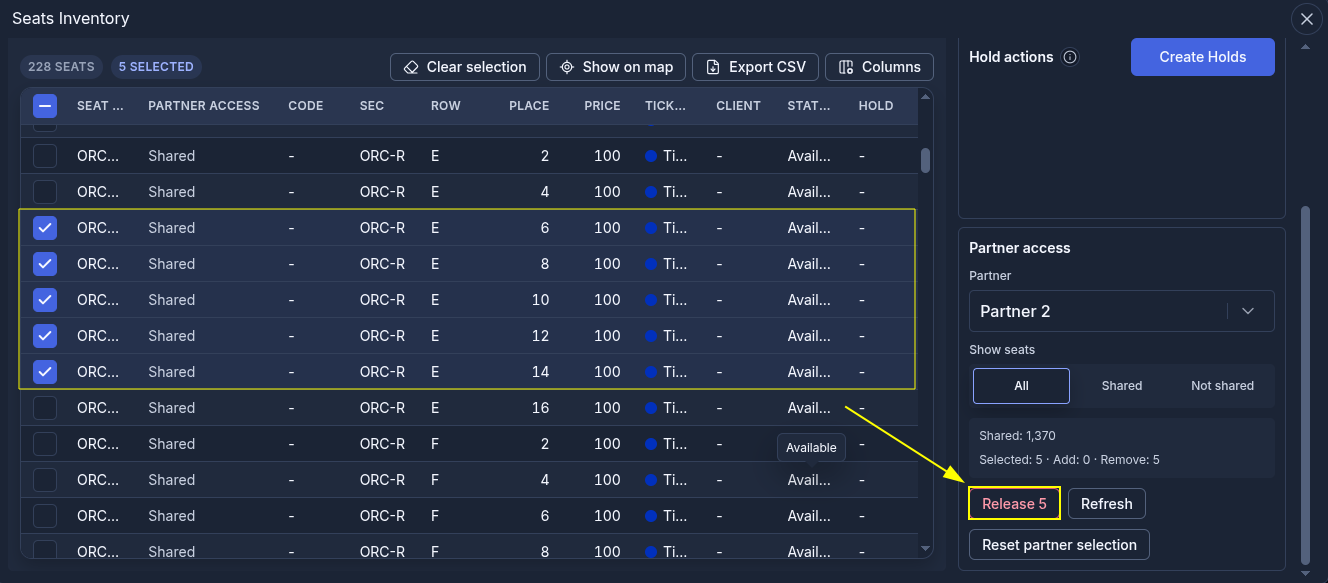
- Select the seats you want to remove from the partner’s access;
- Click "Release".