How to grant a partner access to sell tickets for an event without assigned seating
Nov 4, 2026Updated1 min read00
EventCartel allows you to work with partners and grant them access to sell tickets for your events.
Please note that EventCartel does not participate in financial agreements between organizers and partners and is not responsible for their terms.
To grant a partner access:
- Then return to step 6;
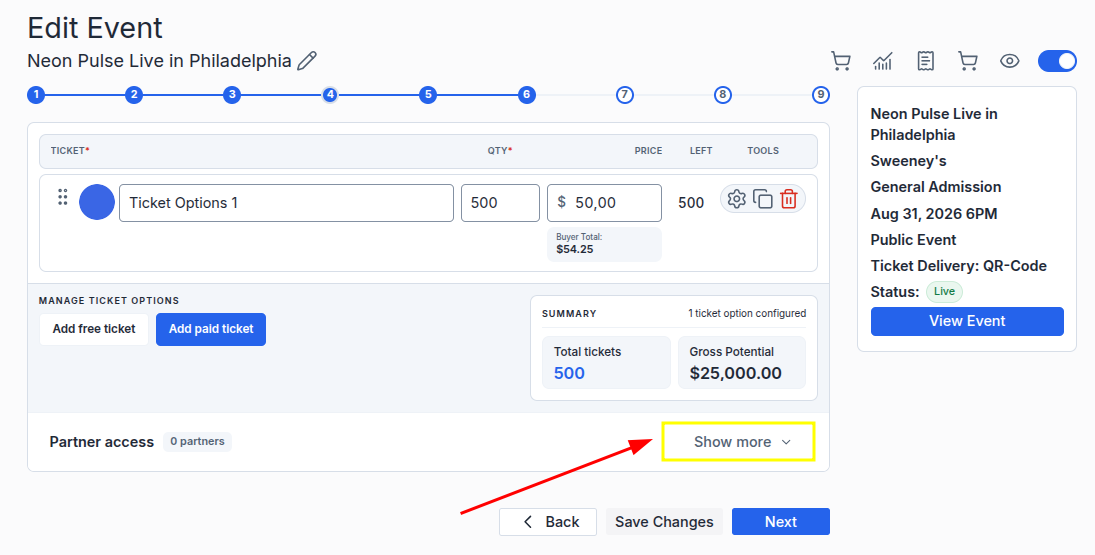
- At the bottom of the page, find the "Partner access" section and click "Show more".
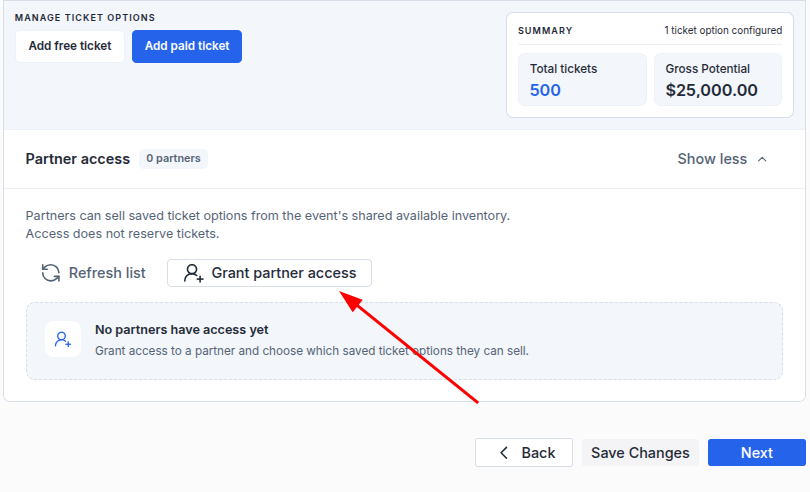
- Click "Grant partner access".
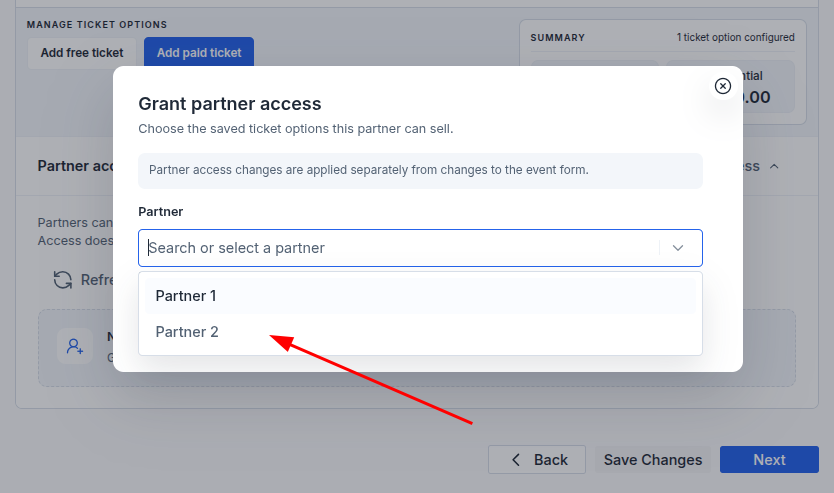
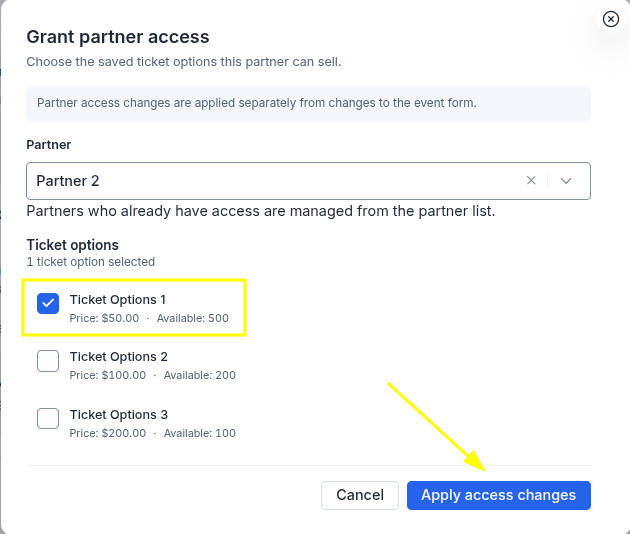
- In the "Partner" field, select the required partner from the list.
- In the "Ticket options" section, select the ticket options the partner will be able to sell;
- Click "Apply access changes".
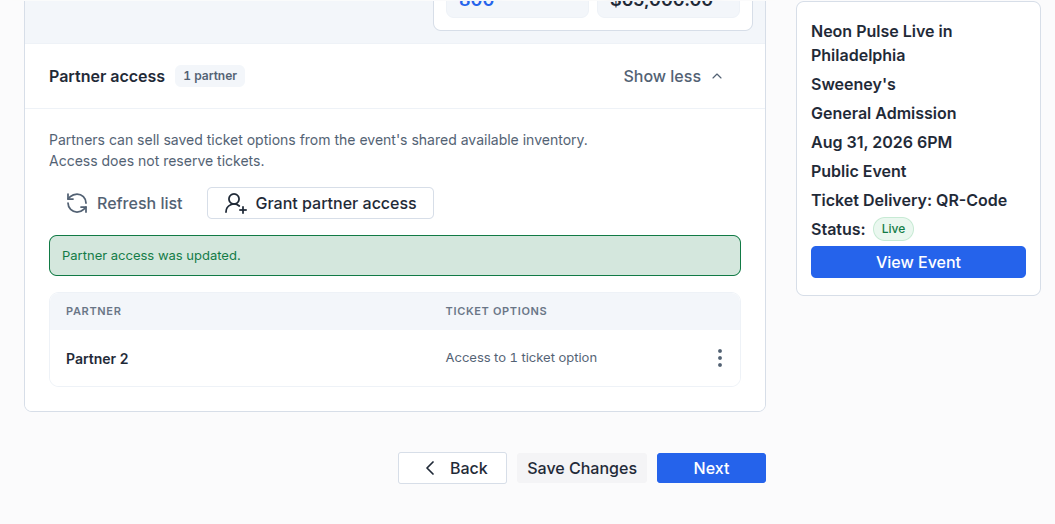
- Once the changes are applied, the partner will appear in the "Partner access" section, and the "Partner access was updated" message will confirm that access has been successfully granted.
To view partner sales:
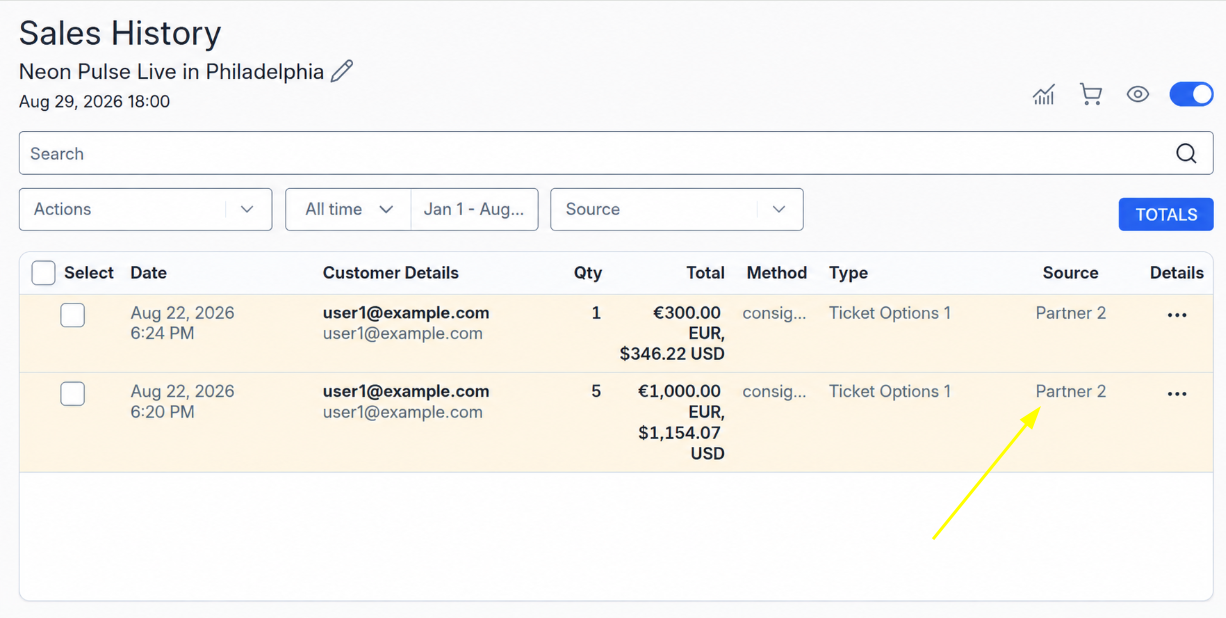
When a partner sells tickets to your event, the sales information will appear in "Sales History".
The "Source" column shows which partner made each sale.
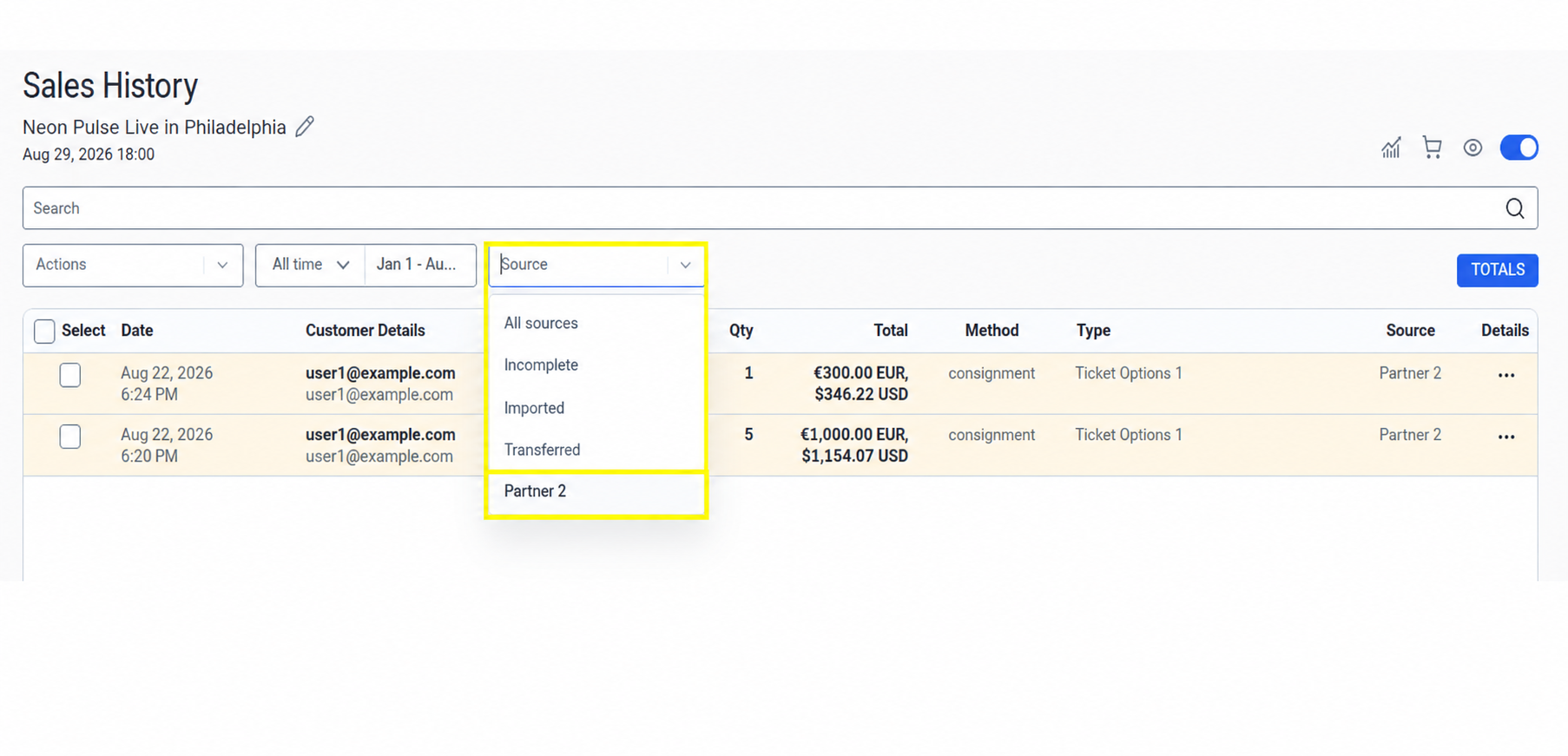
To view sales made by a specific partner, open the "Source" filter and select the required partner from the list.
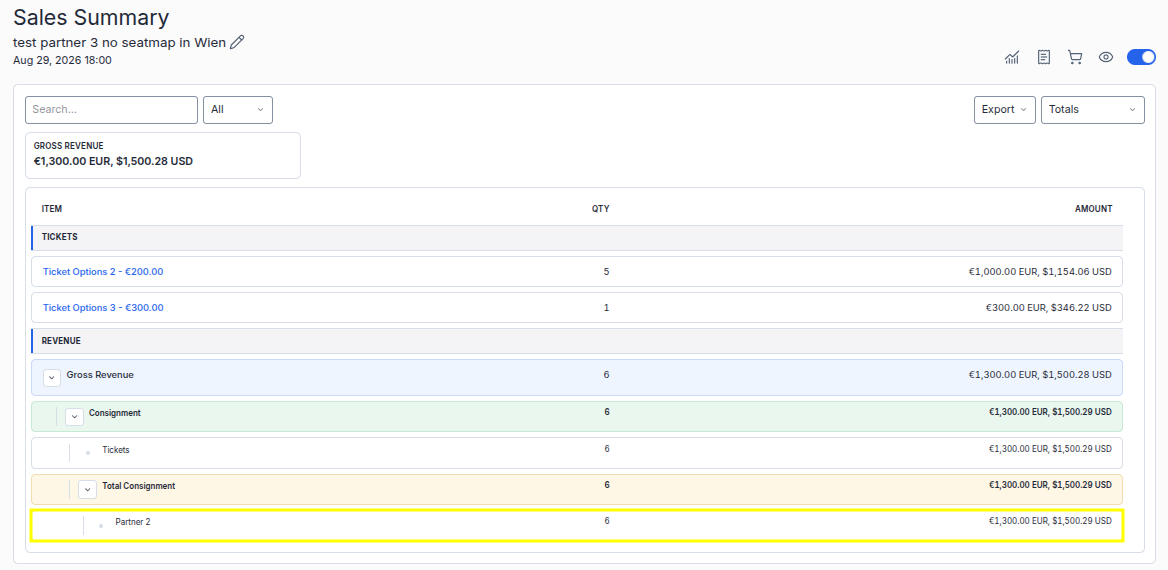
An overview of partner sales is available in "Sales Summary". It shows the partner, the number of tickets they sold, and the total sales amount.
To change or remove a partner’s access:
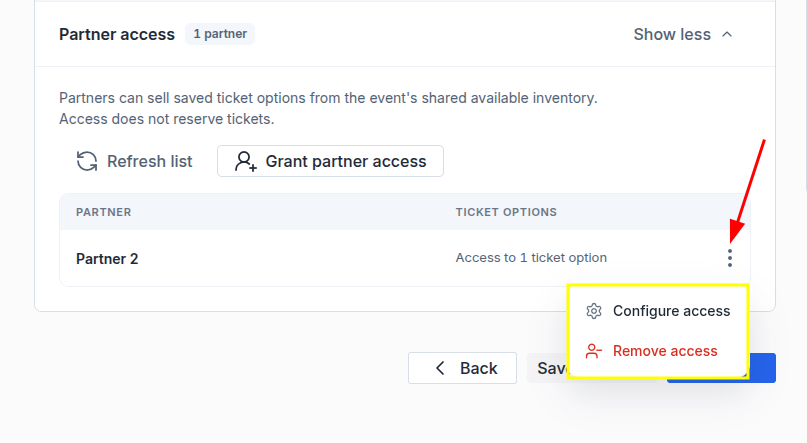
- On step 6 of the event editor, go to the "Partner access" section;
- Click "⋮" next to the desired partner;
- Select "Configure access" to change the ticket options available to the partner, or "Remove access" to revoke their access.