Back to Promotion & Partners
How to download an event QR code
An event QR code provides quick access to the event page. You can place it on posters, flyers, and other promotional materials or share it on social media.
To download the QR code:
- Log in to your EventCartel account;
- Go to “Business Manager”;
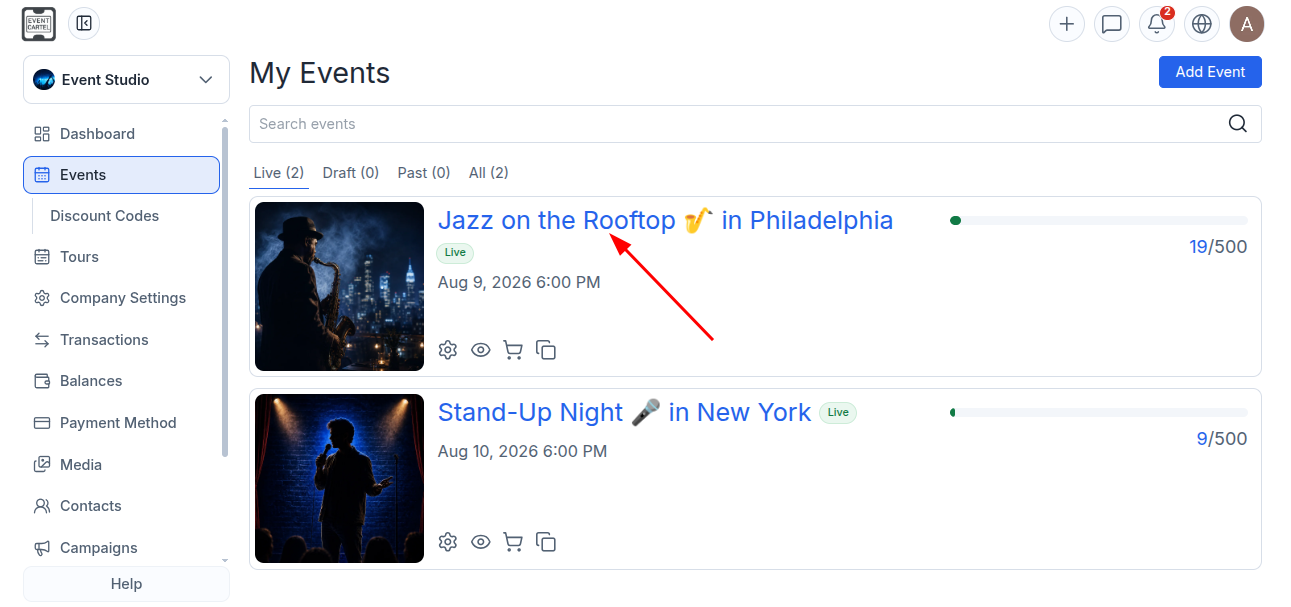
- Open the “Events” section;
- Select an existing event or create a new one.
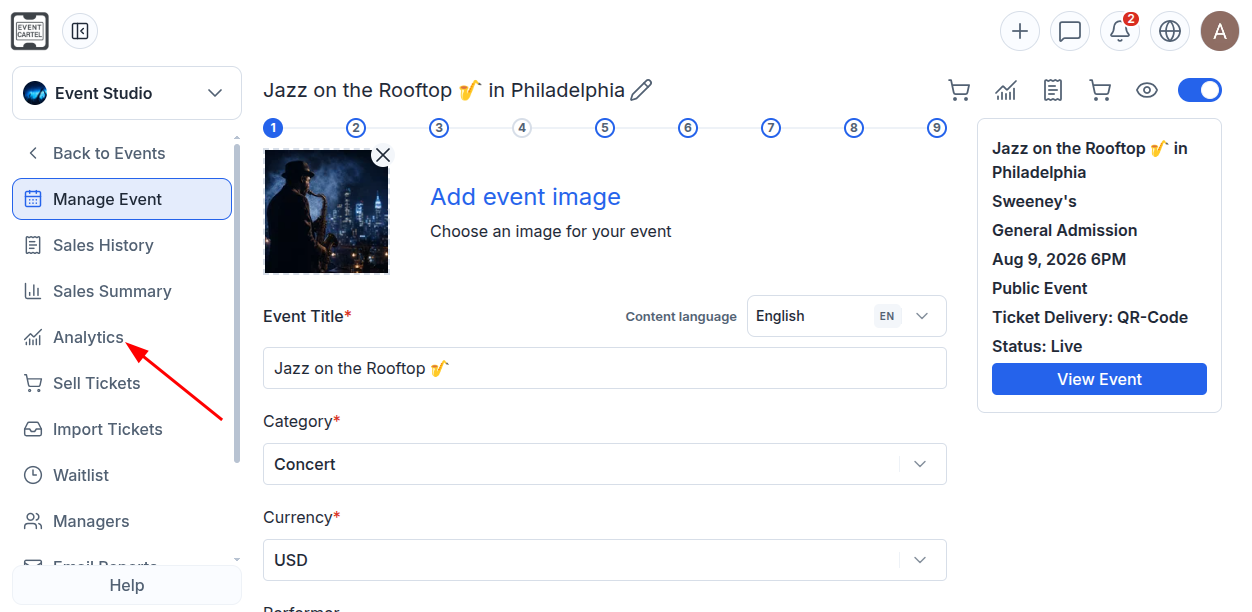
- From the left-hand menu, open “Analytics”.
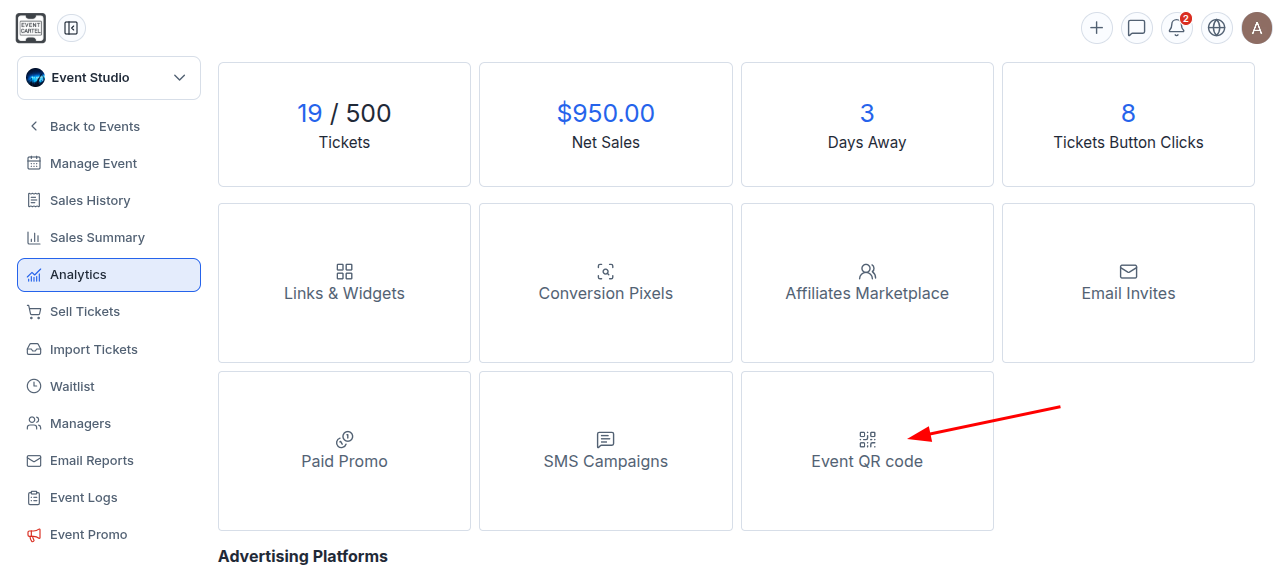
- Click “Event QR code”.
- In the window that opens, click “Download QR Code”.
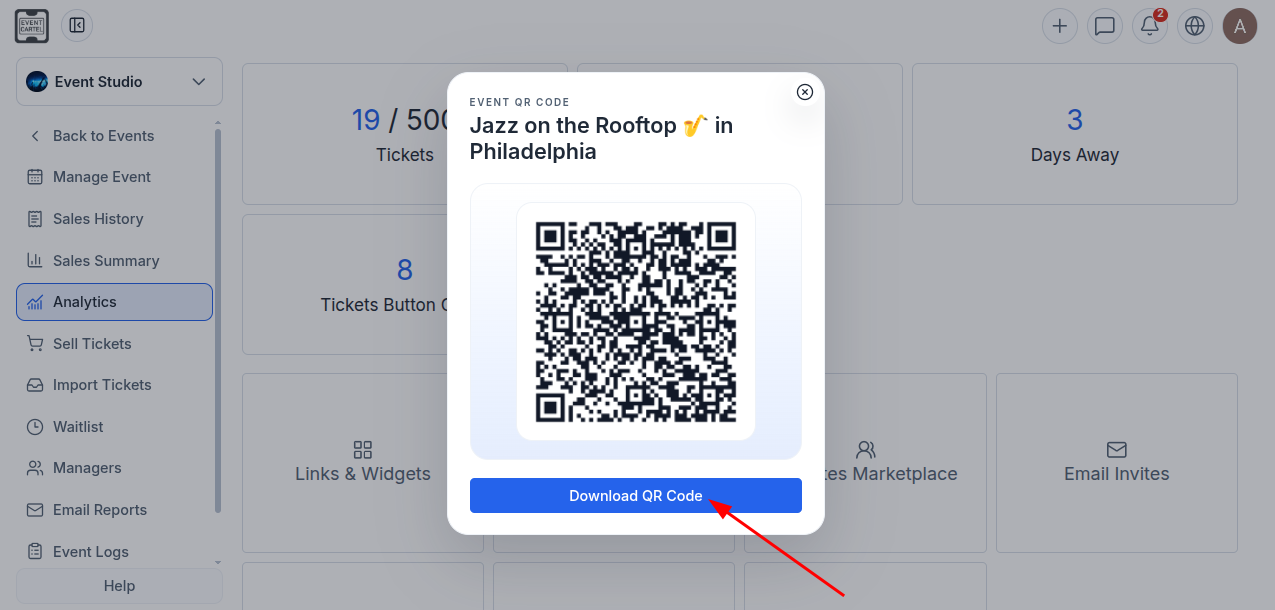
The QR code will be downloaded to your device as an image. After scanning it, users will be taken to the selected event page.